Key takeaways
- ATX vs micro ATX vs mini ITX: compare board sizes, slot counts, case fit, cooling and upgrade room, with a quick table and a pre-purchase checklist.
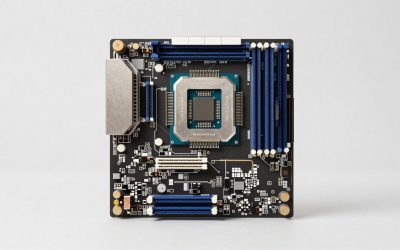
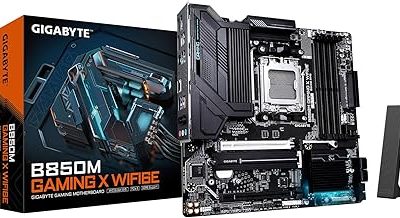
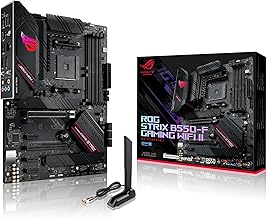
ATX is the full-size standard, micro ATX is a shorter version with fewer slots, and mini ITX is a compact square board with a single expansion slot. All three work with the same processors, memory types and graphics cards, so the choice is about physical size, slot count and case fit, not raw speed. Pick ATX for room to expand, micro ATX for a balance of price and size, and mini ITX when space is the priority. The details below show what you give up or gain at each size.
The size differences at a glance
The three form factors are defined by board dimensions and mounting hole positions, which is why they are largely interchangeable between cases. Sizes below are approximate; check the specifications of the exact board you are considering.
| Feature | ATX | Micro ATX | Mini ITX |
|---|---|---|---|
| Approximate size | 12 x 9.6 in (305 x 244 mm) | 9.6 x 9.6 in (244 x 244 mm) | 6.7 x 6.7 in (170 x 170 mm) |
| Expansion slots | Up to 7 | Up to 4 | 1 |
| Memory slots | Usually 4 | 2 or 4 | Usually 2 |
| M.2 slots | Often 2 to 4 or more | Often 1 to 3 | Often 1 to 2 |
| Case size needed | Mid or full tower | Small to mid tower | Compact or small form factor |
| Why it matters | Most room for upgrades | Balance of space and features | Smallest footprint, least expansion |
Treat the slot and memory figures as common ranges, not rules. Individual models can differ, so verify them on the product page.
Slots and expansion room
Expansion slots are the clearest practical split. A graphics card typically occupies two or three slots of space in the case, and what remains determines what else you can add. An ATX board leaves room for a capture card, an extra network adapter or a sound card alongside the graphics card. A micro ATX board often allows one or two additions, while mini ITX effectively means the graphics card and nothing else.
It helps to count what you actually plan to install. Many gaming PCs today need only a graphics card, because modern boards carry networking, audio and fast storage connectors built in. If that sounds like your plan, the extra slots on an ATX board may go unused.
Check the spacing as well as the count. The graphics card’s cooler can cover the slot beneath it, so a board with several slots might still have only one usable below a large card. Look at the slot layout diagram in the manual.
Memory, storage and ports
Smaller boards compromise on connections to save space. Most mini ITX boards offer two memory slots, which is fine when you fill them with two larger modules but caps total capacity lower than a four-slot board. Micro ATX boards come in both two-slot and four-slot versions. ATX boards almost always have four.
Storage connections scale in the same way. Larger boards commonly carry more M.2 sockets and more SATA ports, while mini ITX boards may place an M.2 socket on the back of the board, which can be awkward to reach. The number of USB headers, fan headers and RGB connectors also tends to be higher on larger boards.
- Count the drives you want, including any you plan to add later.
- Check whether M.2 sockets share lanes with SATA ports, as noted in the manual.
- List the front-panel connectors your case needs, such as USB-C.
- Look at the rear I/O panel for the ports you need without adding cards.
Case fit and compatibility
Form factor and case need to match. Cases list the board sizes they accept, and in general a larger case can take smaller boards, but not the other way around. An ATX tower accepts ATX, micro ATX and mini ITX boards. A mini ITX case accepts only the smallest size.
When you use a smaller board in a bigger case, the case usually has standoff positions for each size. Install the brass standoffs only at the positions that match your board; an extra standoff under a spot with no screw hole can touch the back of the board. Always power off and unplug the PC before working inside it.
Small cases bring other fit constraints: limited graphics card length, a maximum cooler height, and often a small-format power supply. Check each of these in the case specification. If you would rather skip the sizing work and buy a ready-built compact system, the budget mini gaming PC guide covers that route.
Cooling and noise trade-offs
Board size does not heat anything by itself, but it shapes the space around the parts that do. Bigger cases give air more room to move, accept larger coolers and fit more fans. Compact cases can run well, though they typically need lower-power parts, careful fan placement or a compact cooler designed for the layout.
Power delivery is also related to size. Compact boards may carry smaller power delivery heatsinks, which is fine for modest processors but worth checking before pairing one with a demanding model. Compare the board’s stated processor support and the maker’s notes on cooling.
In practice, many builders choose a larger case to keep noise low, because bigger fans can move the same air at slower speeds. This is a general tendency, not a rule, and results vary by case design.
Price, upgrades and resale thinking
Mini ITX boards often cost more than micro ATX boards with similar features, because fitting them onto a small board takes more design effort. Micro ATX boards are commonly the lowest-priced option for a given chipset. ATX boards span the widest range, from basic to flagship.
Upgrade flexibility favors larger boards. More memory slots allow capacity upgrades by adding modules, more M.2 sockets allow additional drives, and extra slots allow add-in cards. A mini ITX build is easier to move and place, but gives less room to grow. Think about how you expect to use the PC in two or three years before committing to the smallest size.
A quick selection checklist
Use this worked example to settle the choice. Imagine a gaming PC with one graphics card, two SSDs and a modest processor.
- List the cards you will install and count the slots they need.
- Count memory modules and the capacity you want; if you need four modules, rule out two-slot boards.
- Count M.2 and SATA drives, including future additions.
- Choose the case you want and check the board sizes it accepts.
- Check graphics card length, cooler height and power supply format against the case.
- If everything fits in micro ATX, compare it against ATX on price; if space is tight, move to mini ITX.
For the example above, micro ATX is likely enough. ATX adds value only if you expect to fill the extra slots.
Myths about board sizes
Three myths come up repeatedly. First, that a bigger board means a faster PC; it does not, because the processor and graphics card set performance. Second, that mini ITX cannot hold a powerful graphics card; it can, as long as the case and power supply support it. Third, that smaller boards are always less reliable; reliability depends on design and build quality rather than size.
Related guides
Frequently asked questions
Can a micro ATX motherboard fit in an ATX case?
Yes, in almost every case. Smaller form factors use mounting holes that line up with a subset of the holes in a larger case, so a micro ATX or mini ITX board normally fits an ATX tower. Check the case specifications for supported board sizes and make sure the standoffs are placed to match the holes on your board before you screw it down.
Is mini ITX slower than ATX?
No. The processor, memory and graphics card determine speed, and those parts are the same across all three sizes. Form factor affects expansion slots, memory slot count, port count and cooling room. A mini ITX build with the same processor and graphics card should perform similarly, provided its cooling keeps temperatures in check inside the smaller case.
Do smaller boards run hotter?
Not by default, but compact builds leave less space for airflow and large coolers. A small case with a powerful graphics card and processor can run warmer unless it has good ventilation. The board itself is rarely the problem; the case, fan placement and component choice matter more. Choose parts that match the case’s cooling capacity.
How many expansion cards can each size hold?
ATX boards commonly carry up to seven expansion slots, micro ATX boards up to four, and mini ITX boards a single slot. Many builds only use a graphics card, so one slot is enough. If you want a capture card, sound card or extra network card alongside the graphics card, count the slots you need and confirm the board layout first.
Is E-ATX a fourth size worth considering?
It is a larger board for workstation and enthusiast builds, and it needs a case that explicitly supports it because of its extra width. For most gaming PCs the three mainstream sizes cover every need. Consider E-ATX only if you need more memory slots, more lanes or more expansion slots than a standard ATX board provides.
Written by the Editorial team using published specifications, manufacturer documentation and general technical knowledge. Dimensions are approximate; confirm them against the specifications for your case and board.