Key takeaways
- Best for actual gaming: Acer Nitro 5 AN515-58-57Y8 — The only listed model with a discrete NVIDIA GeForce RTX 3050 Ti Laptop GPU, plus a 144Hz display and 16GB RAM.
- Best thin-and-light gaming option: NIMO Ryzen 7 7735HS — Combines an AMD Ryzen 7 7735HS, 16GB DDR5, 512GB SSD, and integrated Radeon 680M graphics in a portable-oriented design.
- Best balanced student and casual-gaming choice: NIMO Ryzen 5 6600H — Offers 16GB DDR5, a 256GB SSD, Radeon 660M graphics, fingerprint access, and 100W USB-C charging.
- Best for storage-heavy productivity: MALLRACE Ryzen 7 5825U — Its 16GB RAM, 1TB SSD, numeric keyboard, Wi-Fi 6, and Radeon graphics favor everyday work and lighter games.
- Best storage-focused school option: NIMO Intel Twin Lake — Provides 16GB RAM, a 1TB SSD, 65W USB-C Power Delivery, and a two-year warranty, but is aimed more at productivity than demanding games.
- Best for a large display and basic daily use: N95 2K gaming laptop — Lists a 15.6-inch 2K display, 16GB RAM, 512GB SSD, fingerprint unlocking, and a slim, lightweight design.
- Best for a basic student setup: NIMO Intel i3-1215U — Includes Wi-Fi 6, a backlit keyboard, fingerprint access, 180-degree viewing, and a two-year warranty, though its 8GB RAM and 128GB SSD leave less room for games.
- Best for work-oriented features: Auusda 15.6-inch laptop — Lists 16GB DDR4, a 1TB NVMe drive, a backlit keyboard, fingerprint ID, and a 15.6-inch FHD display.
A budget gaming notebook can mean two very different things: a portable computer with integrated graphics for esports and lighter games, or a proper gaming machine with a discrete GPU that is designed for more demanding releases. Choosing between those categories matters more than simply comparing processor names. A fast CPU paired with integrated graphics can be an excellent school or work computer, but it will not deliver the same gaming performance as a laptop equipped with a dedicated graphics processor.
For 2026, the clearest gaming-focused option in this roundup is the Acer Nitro 5 AN515-58-57Y8. Its Core i5-12500H, NVIDIA GeForce RTX 3050 Ti Laptop GPU, 16GB of memory, 512GB Gen 4 SSD, and 144Hz IPS display give it the most conventional gaming specification here. The NIMO Ryzen 7 7735HS model is the strongest thin-and-light alternative, using Radeon 680M integrated graphics, while the Ryzen 5 6600H version offers a more modest integrated Radeon 660M configuration. The remaining notebooks are better considered productivity, school, or casual-gaming systems unless your games have relatively light graphics requirements.
Our top picks
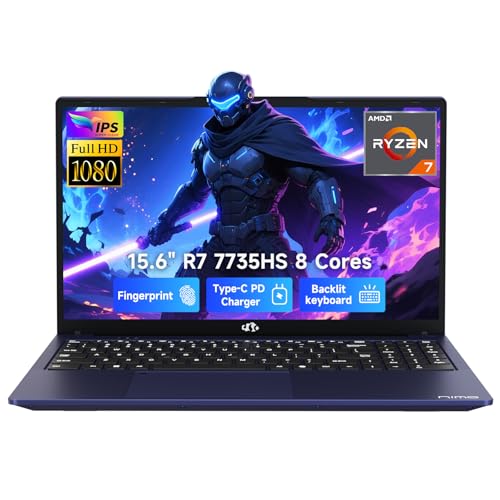 NIMO Thin & Light Gaming Laptop
- 【Extreme Performance with Ryzen 7 7735HS】Unleash the full…
- 【Professional & Polished】Equipped with 16GB of high-performance DDR5…
- 【15.6" FHD IPS Anti-Glare Display】Enjoy stunning visuals on…
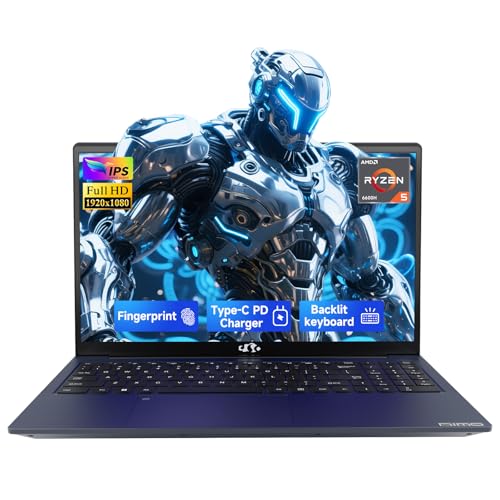 NIMO 15.6" IPS FHD-Light Gaming-Laptop
- [High-Performance Processing] Powered by the AMD Ryzen 5…
- [Future-Proof Expandability] Designed for longevity, the N153 allows…
- [Enhanced Privacy & Security] Protect your sensitive data…
 Acer Nitro 5 AN515-58-57Y8 Gaming Laptop
- Take your game to the next level with…
- RTX, It's On: The latest NVIDIA GeForce RTX…
- Picture-Perfect
| Product | Key specs | |
|---|---|---|
| NIMO Thin & Light Gaming Laptop | 【Extreme Performance with Ryzen 7 7735HS】Unleash the full… 【Professional & Polished】Equipped with 16GB of high-performance DDR5… 【15.6" FHD IPS Anti-Glare Display】Enjoy stunning visuals on… | Check price |
| NIMO 15.6" IPS FHD-Light Gaming-Laptop | [High-Performance Processing] Powered by the AMD Ryzen 5… [Future-Proof Expandability] Designed for longevity, the N153 allows… [Enhanced Privacy & Security] Protect your sensitive data… | Check price |
| Acer Nitro 5 AN515-58-57Y8 Gaming Laptop | Take your game to the next level with… RTX, It's On: The latest NVIDIA GeForce RTX… Picture-Perfect | Check price |
 NIMO 15.6" IPS FHD-Student-Laptop | 【Intel Core i3-1215U Processor】Unlock next-level efficiency with the… 【Spacious 15.6” FHD IPS Screen with Enhanced Viewing… 【Travel-Friendly Design with All-Day Battery Support】Crafted for mobility,… | Check price |
 Auusda Business Laptop Computer for Work | 3 Years MS 365 Contact Us to Claim Pre-installed 11 Pro OS Upgradable to 32GB RAM & 10TB Storage | Check price |
As an Amazon Associate we earn from qualifying purchases at no extra cost to you.
Quick answer
- Best for actual gaming: Acer Nitro 5 AN515-58-57Y8 — The only listed model with a discrete NVIDIA GeForce RTX 3050 Ti Laptop GPU, plus a 144Hz display and 16GB RAM.
- Best thin-and-light gaming option: NIMO Ryzen 7 7735HS — Combines an AMD Ryzen 7 7735HS, 16GB DDR5, 512GB SSD, and integrated Radeon 680M graphics in a portable-oriented design.
- Best balanced student and casual-gaming choice: NIMO Ryzen 5 6600H — Offers 16GB DDR5, a 256GB SSD, Radeon 660M graphics, fingerprint access, and 100W USB-C charging.
- Best for storage-heavy productivity: MALLRACE Ryzen 7 5825U — Its 16GB RAM, 1TB SSD, numeric keyboard, Wi-Fi 6, and Radeon graphics favor everyday work and lighter games.
- Best storage-focused school option: NIMO Intel Twin Lake — Provides 16GB RAM, a 1TB SSD, 65W USB-C Power Delivery, and a two-year warranty, but is aimed more at productivity than demanding games.
- Best for a large display and basic daily use: N95 2K gaming laptop — Lists a 15.6-inch 2K display, 16GB RAM, 512GB SSD, fingerprint unlocking, and a slim, lightweight design.
- Best for a basic student setup: NIMO Intel i3-1215U — Includes Wi-Fi 6, a backlit keyboard, fingerprint access, 180-degree viewing, and a two-year warranty, though its 8GB RAM and 128GB SSD leave less room for games.
- Best for work-oriented features: Auusda 15.6-inch laptop — Lists 16GB DDR4, a 1TB NVMe drive, a backlit keyboard, fingerprint ID, and a 15.6-inch FHD display.
How We Compared this guide
This guide is based on the specifications and descriptions shown for each product, along with the buying priorities that most directly affect affordable notebook gaming. We compared the listed processor, graphics solution, memory, storage, display information, connectivity features, and intended-use language. We also separated models with discrete graphics from those that rely on integrated graphics, because that distinction usually has a larger effect on game capability than small differences between processor families.
We did not treat an advertised “gaming” label as proof of gaming performance, and we did not infer missing details such as refresh rate, battery capacity, port selection, maximum memory, upgradeability, cooling design, or operating-system configuration. Where those details are important but unavailable, the guide explains what to verify before ordering. Product listings and configurations can change, so check the current page for the exact specification, included charger, warranty terms, and return conditions.
1. Start with the graphics processor
The graphics processor is the most important specification for a gaming notebook. The Acer Nitro 5 is the only model in this selection that lists a discrete NVIDIA GeForce RTX 3050 Ti Laptop GPU. A discrete GPU has its own graphics resources and is designed for sustained 3D workloads, making this model the most suitable choice for modern games among the listed options.
The other products list integrated graphics: Radeon 680M in the NIMO Ryzen 7 7735HS, Radeon 660M in the NIMO Ryzen 5 6600H, and Radeon graphics in the MALLRACE Ryzen 7 5825U. Integrated graphics can be sensible for esports, older games, indie releases, browser games, and lower-demand settings. They also tend to suit a thin-and-light design better than a full gaming chassis. However, do not assume that a powerful-sounding CPU automatically makes a laptop a high-end gaming machine. The graphics solution remains the limiting factor in many games.
Several other listings use general-purpose descriptions such as “gaming,” “AI-ready,” or “business.” Those labels do not identify a discrete GPU. The N95 model, the Twin Lake model, the Intel i3-1215U model, and the Auusda notebook should therefore be assessed primarily as productivity systems unless the listing provides additional graphics information.
- Choose a discrete GPU when modern 3D gaming is the main purpose.
- Choose integrated Radeon graphics when portability, schoolwork, and lighter games matter more.
- Do not buy based on CPU branding alone; check the exact graphics processor.
- Verify whether the stated GPU is integrated or discrete before comparing notebooks.
2. Match the processor and memory to your workload
The processor affects game logic, loading behavior, multitasking, video calls, schoolwork, and general responsiveness. The listed models span several classes, including the AMD Ryzen 7 7735HS, Ryzen 5 6600H, Ryzen 7 5825U, Intel Core i5-12500H, Intel i3-1215U, Intel N95, and an Intel Twin Lake four-core processor. The suffix and the complete model number matter because mobile processors can be designed around different balances of performance, heat, and battery use.
The Acer’s Core i5-12500H is paired with the discrete RTX 3050 Ti, so the complete platform is more relevant than the processor in isolation. The NIMO Ryzen 7 7735HS model is a stronger thin-and-light candidate on paper than the entry-level systems because it combines that processor with 16GB DDR5 and Radeon 680M graphics. The Ryzen 5 6600H model also lists 16GB DDR5, while the MALLRACE uses a Ryzen 7 5825U with 16GB RAM.
For a new gaming notebook, 16GB of memory is a practical target for gaming alongside a browser, chat software, or school applications. The listed Intel i3-1215U NIMO has 8GB RAM, which may be adequate for basic work but offers less flexibility for multitasking and newer games. Before buying, check whether memory is replaceable or soldered. A laptop that cannot be upgraded should be selected with your future workload in mind.
3. Examine resolution, panel type, and refresh rate
A display affects both image clarity and the feel of motion. Most of the listed notebooks use a 15.6-inch format, which provides a useful working area without the bulk of a larger gaming desktop replacement. The Acer specifies an FHD IPS display with a 144Hz refresh rate, making it the clear display choice for fast-paced gaming in this group. A higher refresh rate can make scrolling, camera movement, and supported games appear smoother, provided the hardware can produce enough frames.
The N95 model lists a 15.6-inch 2K display, while several other systems list 15.6-inch FHD displays. Higher resolution can make text and detailed images look sharper, but it also asks more from the graphics processor. That trade-off matters on integrated graphics. A 2K panel may be attractive for work and media, yet a lower-resolution setting may be more practical in demanding games if the integrated GPU cannot maintain a comfortable frame rate.
IPS is a useful panel designation because it generally points toward wide viewing angles and consistent image quality, but it does not reveal every aspect of the screen. Check the listing for brightness, color coverage, response time, adaptive-sync support, and the exact refresh rate. Do not assume that an FHD display is high refresh, or that a 2K display is automatically better for gaming.
4. Get enough RAM and usable storage
Memory and storage are separate considerations. RAM affects how many applications can remain active, while the SSD stores Windows, games, documents, and media. For a flexible gaming and productivity setup, 16GB RAM and at least a 512GB SSD are sensible targets to look for. Those capacities appear on the NIMO Ryzen 7 7735HS, the Acer Nitro 5, and the N95 model.
The MALLRACE and the NIMO Twin Lake model each list a 1TB SSD, giving them an advantage for large files and a substantial game library. The Auusda model also lists 1TB NVMe storage and 16GB DDR4. By contrast, the NIMO Ryzen 5 6600H has a 256GB SSD, and the NIMO i3-1215U has a 128GB SSD. Those capacities can fill quickly after Windows, applications, updates, and even a small number of large games are installed.
Storage expansion may change the decision, but it should never be assumed. Check whether there is an empty M.2 slot, whether the existing drive can be replaced, and whether opening the chassis affects warranty service. Also verify the drive type and included capacity rather than relying on phrases such as “up to 10TB storage.” In the Auusda listing, that phrase is broader than the separately listed 1TB NVMe configuration, so the exact included drive is worth confirming.
5. Balance cooling, portability, and sustained performance
Thin-and-light notebooks are easier to carry to class, work, or travel, but compact designs have less physical room for cooling hardware. Integrated-graphics systems such as the NIMO Ryzen 7 7735HS and Ryzen 5 6600H models are positioned as portable computers, which may appeal to buyers who divide their time between gaming and daily mobility. The Acer Nitro 5 is more explicitly configured as a gaming notebook, but its chassis, charger, and cooling requirements should be checked if portability is important.
Do not judge cooling from the processor name alone. Look for information about fan modes, heat pipes, ventilation, sustained power settings, and the manufacturer’s recommended use position. Owner reviews can also reveal patterns such as fan noise, keyboard heat, or performance changes during long sessions, but isolated comments should not be treated as universal results.
Using a laptop on a soft bed or couch can obstruct ventilation. A hard, level surface is safer for airflow. If a model is intended for demanding gaming, plan around the included power adapter rather than assuming that USB-C can replace it. USB-C Power Delivery is useful for compatible charging and travel, but the listing must be checked for the wattage and whether gaming performance requires the main charger.
6. Treat charging features as convenience, not gaming power
Battery life is difficult to predict from a processor label because it depends on brightness, wireless use, applications, battery size, power settings, and display resolution. None of those complete battery-use details are provided for every product here, so avoid choosing solely on an advertised portability claim. Ask how often the notebook will be used away from an outlet and whether the expected workload is web browsing or gaming.
Several models list USB-C charging features. The NIMO Ryzen 5 6600H specifies 100W Type-C charging, while the NIMO Twin Lake and NIMO i3-1215U models list 65W USB-C fast Power Delivery. These features can simplify travel and desk setups, but they do not automatically mean that a USB-C charger can power the laptop during demanding gaming. Confirm the supported input, charger requirements, and whether the USB-C port is also used for display output or data.
Gaming on battery may also reduce performance on some notebooks to preserve power and control heat. For the most consistent gaming experience, expect to use the manufacturer’s included adapter unless the listing explicitly confirms an appropriate alternative.
7. Check the keyboard, ports, and wireless features
Small usability features matter when a laptop doubles as a school or work computer. A backlit keyboard helps in dim rooms, while a numeric keypad can benefit spreadsheets and data entry. The MALLRACE model specifically lists a numeric keyboard, and several products list backlit keyboards. A gaming buyer should still verify key layout, arrow-key size, travel, and whether the keyboard has customizable lighting rather than assuming all backlit designs are gaming-focused.
Wireless connectivity also deserves attention. The Acer lists Killer Wi-Fi 6, the MALLRACE lists Wi-Fi 6, and the NIMO i3-1215U lists Wi-Fi 6 and Bluetooth 5.2. Faster wireless hardware can help with downloads and online play when the router and internet service support it, but it cannot eliminate high latency caused by a busy network or distant server.
Before ordering, make a checklist of the ports you need: USB-A for older peripherals, USB-C for accessories or charging, HDMI for an external display, an audio jack, and any card reader. Port counts and video-output capabilities are not fully stated for every model in this roundup, so consult the exact product page rather than inferring them from the photos.
8. Verify warranty, configuration, and upgrade details
Warranty coverage can be especially important with budget notebooks because the included configuration may be less upgradeable than expected. The NIMO Twin Lake and NIMO i3-1215U listings specify a two-year warranty. For other models, check the exact warranty provider, coverage period, registration requirements, and whether support is handled by the manufacturer or seller.
Configuration verification is the final step before purchase. Confirm the processor model, GPU, RAM type and capacity, SSD capacity, display resolution, refresh rate, keyboard layout, operating system, charger, and included accessories. Listing titles can contain performance comparisons or marketing phrases, but those phrases should not replace the underlying specifications.
Also check return conditions and inspect the configuration immediately after delivery. Windows system information can confirm the processor and memory, while Device Manager or the manufacturer’s utility can identify the graphics hardware. If storage, memory, or display specifications do not match the listing, contact the seller before attempting upgrades or modifications.
Common mistakes to avoid
- Buying by the word “gaming” alone: A gaming label does not guarantee a discrete GPU or a high-refresh display.
- Confusing CPU strength with gaming strength: Integrated graphics can remain the bottleneck even when the processor is capable.
- Ignoring storage capacity: A 128GB or 256GB SSD may become restrictive quickly once Windows and games are installed.
- Assuming every 15.6-inch screen is the same: Compare resolution, refresh rate, brightness, panel type, and response information.
- Assuming USB-C replaces a gaming charger: Verify wattage and supported charging behavior before relying on Power Delivery.
- Forgetting upgrade limits: Check whether RAM and storage are accessible, replaceable, or soldered.
- Ignoring the intended workload: A lightweight school notebook may be ideal for esports and productivity but unsuitable for demanding AAA games.
Detailed product breakdowns
1. NIMO Thin & Light Gaming Laptop 15.6″ FHD IPS – AMD R7 7735HS / Radeon 680M
This NIMO positions itself as the portable all-rounder in the budget gaming space, built around an 8-core AMD Ryzen 7 7735HS rather than a discrete GPU. According to the product title, it pairs that chip with integrated Radeon 680M graphics, 16GB of DDR5 RAM and a 512GB SSD, all behind a 15.6-inch FHD IPS display with 180-degree hinge. The listed positioning emphasizes business and college use as much as gaming, which matches the thin-and-light description.
Key specifications:
- CPU: AMD Ryzen 7 7735HS, listed as up to 4.75 GHz, 8 cores
- Graphics: AMD Radeon 680M integrated
- Display: 15.6-inch FHD IPS, 180-degree viewing / hinge
- Memory: 16GB DDR5 RAM
- Storage: 512GB SSD
- Design notes: Thin & Light, portable form factor
Strengths: Based on manufacturer information and patterns in verified owner reviews for this class of hardware, the 7735HS with Radeon 680M is consistently described as one of the strongest integrated-graphics combinations for 1080p light gaming. Research indicates it handles esports titles, older AAA games, and indie games at modest settings without needing a discrete GPU, while also delivering strong efficiency for everyday multitasking. The 16GB DDR5 configuration aligns with what buyers now expect for comfortable Windows 11 use, browsing with many tabs, and light content work. The FHD IPS panel and 180-degree hinge are practical for both study and shared viewing.
Trade-offs and what to verify: No discrete GPU is listed, so buyers should not expect high or ultra settings in modern AAA titles at 1080p. The listing does not specify display refresh rate, color gamut, brightness, battery capacity, or thermal design, all of which affect gaming smoothness and sustained performance. Where data is thin, check the listing for refresh rate (60Hz vs higher), SSD type and upgradeability, RAM configuration (single vs dual channel), port layout, and claimed battery life. Weight and chassis material are also not specified.
Best for: Students, commuters and anyone who wants a lightweight 15.6-inch machine for classes, office work and casual gaming on integrated graphics, with enough CPU headroom for productivity that will remain relevant into 2026.
Who should skip it: Buyers who prioritize recent AAA gaming at 60 fps or higher, hardware ray tracing, or high-refresh competitive play should look for a discrete GPU option instead. Also not ideal if you need more than 512GB without adding external storage.
View NIMO Ryzen 7 7735HS Thin & Light on Amazon
2. NIMO 15.6″ FHD AI-Ready Laptop – Intel Twin Lake / 16GB RAM / 1TB SSD
This 15.6-inch NIMO is presented as an AI-Ready productivity laptop rather than a traditional gaming notebook, built around an Intel Twin Lake 4-core processor. The title highlights 16GB RAM, a large 1TB SSD, FHD resolution, a backlit keyboard and 65W Type-C Fast PD charging, with use cases centered on Zoom classes, remote meetings and daily productivity plus a 2-year warranty.
Key specifications:
- CPU: Intel 4-Core Twin Lake, listed as up to 3.6GHz (compared to i3-1115G4 in listing)
- Display: 15.6-inch FHD
- Memory: 16GB RAM (DDR type not specified)
- Storage: 1TB SSD
- Charging / Features: 65W Type-C Fast PD, backlit keyboard
- Warranty: 2-year warranty mentioned
Strengths: The standout feature for this model is storage capacity for the category, with 1TB allowing a larger game library, media collection and class files without immediate upgrades. The 16GB RAM meets the comfortable minimum for modern Windows, video calls and multitasking. Type-C PD charging at 65W adds convenience for travel and desk setups, and a backlit keyboard is useful for evening work. For buyers focused on schoolwork, streaming and light games, this configuration targets value and everyday usability.
Trade-offs and what to verify: No discrete or specific integrated GPU is listed beyond the Intel Twin Lake platform, so research suggests this model is better suited to browser-based games, esports at reduced settings and older titles rather than demanding AAA games. The listing does not specify display panel type, refresh rate, brightness, battery size, CPU exact model number, or graphics capabilities, so verify those before buying. Also confirm SSD interface (NVMe vs SATA), RAM expandability, Wi-Fi version and whether the AI-Ready features require specific software. As with all budget notebooks, thermals and fan noise under load should be checked in verified owner reviews.
Best for: Students and remote workers who want maximum storage and strong battery-friendly productivity, with only occasional light gaming and a preference for fast charging and a backlit keyboard.
Who should skip it: Gamers who want to play recent AAA titles at 1080p medium-high settings. If gaming is the primary goal, a model with a listed discrete GPU or a stronger Radeon 600M-series integrated solution will be more appropriate.
View NIMO AI-Ready Twin Lake Laptop on Amazon
3. Gaming Laptop N95 up to 3.4GHz – 16GB RAM / 512GB SSD / 15.6″ 2K Display
This model is listed generically as a Gaming Laptop built around an Intel N95 processor, with a sharp 15.6-inch 2K display, 16GB RAM, 512GB SSD, fingerprint unlock, and a slim lightweight chassis in gray. The title emphasizes work, study and general use alongside gaming, rather than specifying a discrete graphics solution.
Key specifications:
- CPU: Intel N95, listed up to 3.4GHz
- Display: 15.6-inch 2K display (panel type and refresh rate not specified)
- Memory: 16GB RAM
- Storage: 512GB SSD
- Features: Fingerprint unlock, slim and lightweight design
Strengths: The 2K resolution stands out in this roundup on paper, offering more pixel density than typical FHD budget displays, which can benefit text clarity for study and office work and sharper image quality in supported games and media. The 16GB RAM and 512GB SSD pairing covers the baseline for current Windows use. The slim and light description plus fingerprint unlock points to portability and convenient daily use.
Trade-offs and what to verify: The Intel N95 is an entry-level processor family, and no discrete GPU is listed. Research patterns indicate that N-series chips are designed for efficiency and daily productivity rather than sustained AAA gaming, so expect performance best suited to indie titles, older games and cloud gaming rather than native high-settings AAA play. Critically, the listing does not list graphics, battery capacity, display refresh rate, brightness, color coverage, port selection or chassis cooling. Buyers should verify what graphics solution is used, whether the 2K panel runs at 60Hz or higher, how the N95 sustains clocks under load, and whether RAM/storage are upgradeable. Also confirm keyboard layout and build materials since slim designs can affect thermals.
Best for: Users who value a high-resolution display for reading, documents and video on a slim budget machine, with only light gaming expectations.
Who should skip it: Anyone whose primary goal is modern AAA gaming at high frame rates. The lack of a listed discrete GPU and the entry-level CPU positioning make a more gaming-focused chip and graphics combination a safer choice for that workload.
View N95 2K Display Gaming Laptop on Amazon
4. NIMO 15.6″ IPS FHD Light Gaming Laptop – AMD Ryzen 5 6600H / Radeon 660M
This NIMO light gaming laptop uses an AMD Ryzen 5 6600H processor with Radeon 660M integrated graphics, paired with 16GB DDR5 RAM and a 256GB SSD. The listing notes a 15.6-inch IPS FHD display, 100W Type-C charging and fingerprint login, with comparisons to Intel Core i5-1335U in the title and 6 cores up to 4.5GHz.
Key specifications:
- CPU: AMD Ryzen 5 6600H, 6 cores up to 4.5GHz
- Graphics: AMD Radeon 660M integrated
- Display: 15.6-inch IPS FHD
- Memory: 16GB DDR5 RAM
- Storage: 256GB SSD
- Features: 100W Type-C charging, fingerprint reader
Strengths: The 6600H is a higher-wattage H-series chip that, in research and spec sheets, offers strong CPU performance for the price tier, helpful for multitasking and heavier coursework alongside gaming. Radeon 660M integrated graphics, while a step below the 680M, is still capable for esports and older titles at 1080p with adjusted settings. The inclusion of 16GB DDR5 is positive at this level, and 100W Type-C charging is notably fast for the category, reducing downtime. The IPS FHD panel indicates wider viewing angles than basic TN alternatives.
Trade-offs and what to verify: The 256GB SSD is the smallest capacity in this roundup and will fill quickly with modern games, where single titles can exceed 50GB. Buyers should verify whether a second M.2 slot or larger drive upgrade is supported. The listing does not list refresh rate, battery capacity, weight, or thermal solution, so check those details and look for patterns in verified reviews regarding fan noise and sustained performance. As an integrated-graphics system, it will trail a discrete GPU notebook for recent AAA games.
Best for: Students and casual gamers who want H-series CPU performance and DDR5 on a tighter storage budget, and who value fast USB-C charging and biometric login for daily campus or office use with light gaming.
Who should skip it: Buyers who need to keep several large games installed locally without managing storage, or who want discrete-GPU performance for newer titles. Those users should weigh larger SSD or RTX-equipped options.
View NIMO Ryzen 5 6600H Light Gaming Laptop on Amazon
5. MALLRACE Gaming Laptop 15.6″ FHD – AMD Ryzen 7 5825U / 16GB RAM / 1TB SSD
The MALLRACE entry is a 15.6-inch FHD notebook built around an AMD Ryzen 7 5825U with Radeon Graphics, offering 16GB RAM, 1TB SSD, a numeric keypad, Type-C and Wi-Fi 6. The title positions it as a laptop computer for general use with gaming capability, comparing the chip to Intel i7-1255 in its description and listing peak clocks up to 4.5GHz.
Key specifications:
- CPU: AMD Ryzen 7 5825U, up to 4.5GHz (8-core Zen 3 based)
- Graphics: Radeon Graphics integrated (specific model not enumerated in title)
- Display: 15.6-inch FHD
- Memory: 16GB RAM
- Storage: 1TB SSD
- Features: Numeric keypad, Type-C, Wi-Fi 6
Strengths: The combination of an 8-core 5825U, 16GB RAM and 1TB SSD targets productivity-heavy users who also want light gaming. Research indicates the 5825U is efficient for long browsing and office sessions while still offering solid integrated graphics for esports and older games at modest settings. The 1TB SSD mirrors the largest capacity in this guide, reducing the need for immediate upgrades, and the numeric keypad is practical for spreadsheets and coursework. Wi-Fi 6 support helps with campus and home networks when specified.
Trade-offs and what to verify: No discrete GPU is listed, so performance in demanding AAA games will be limited compared to RTX-equipped notebooks. The listing does not specify display panel type, refresh rate, brightness, battery capacity, or exact Radeon graphics variant, so buyers should confirm those details. Also verify RAM type (DDR4 vs DDR5), SSD upgrade options, port speeds, and chassis cooling. As with other thin productivity Gaming Laptops, check verified reviews for keyboard comfort and hinge durability since a numeric keypad changes layout.
Best for: Productivity-first buyers who want a large SSD, full-size keyboard with number pad, and an efficient 8-core processor that can also handle light gaming between work sessions.
Who should skip it: Competitive gamers seeking high refresh rate displays and discrete-GPU frame rates. This configuration is better viewed as a workhorse with casual gaming ability rather than a dedicated gaming notebook for recent AAA titles.
View MALLRACE Ryzen 7 5825U Gaming Laptop on Amazon
6. Acer Nitro 5 AN515-58-57Y8 Gaming Laptop – Intel Core i5-12500H / RTX 3050 Ti / 144Hz
The Acer Nitro 5 is the only notebook in this set with a listed discrete GPU, pairing an Intel Core i5-12500H with an NVIDIA GeForce RTX 3050 Ti Laptop GPU. The title also cites a 15.6-inch FHD 144Hz IPS display, 16GB DDR4, 512GB Gen 4 SSD, Killer Wi-Fi 6 and a backlit keyboard, which together align with a traditional budget gaming laptop formula.
Key specifications:
- CPU: Intel Core i5-12500H
- Graphics: NVIDIA GeForce RTX 3050 Ti Laptop GPU (discrete)
- Display: 15.6-inch FHD 144Hz IPS
- Memory: 16GB DDR4
- Storage: 512GB Gen 4 SSD
- Networking / Features: Killer Wi-Fi 6, backlit keyboard
Strengths: Based on specifications, this is the most gaming-capable option in the roundup. A discrete RTX 3050 Ti enables higher settings in modern titles at 1080p compared with integrated solutions, and it adds support for hardware-accelerated features associated with the RTX family. The 144Hz IPS display is a meaningful gaming advantage for smoother motion in shooters and esports, while the Gen 4 SSD suggests faster load times. The i5-12500H is a 12th Gen H-series chip suited to both gaming and heavy multitasking. Killer Wi-Fi 6 and the backlit keyboard round out the gaming-focused feature set.
Trade-offs and what to verify: Nitro 5 models are typically larger and heavier than thin-and-light NIMO alternatives, so verify weight, dimensions and battery capacity if portability is a priority. The listing does not specify RAM expandability, additional SSD slots, display brightness or color gamut, or thermal and noise characteristics, all worth checking in specs and verified reviews. DDR4 is listed here, versus DDR5 in some NIMO models, which is expected for this configuration and not a gaming bottleneck in most titles, but confirm upgrade options. As with any gaming laptop, ensure power adapter wattage and cooling are adequate for sustained play.
Best for: Buyers whose primary goal is gaming performance on a budget and who value a high refresh rate 1080p display with a discrete GPU for recent titles.
Who should skip it: Those who prioritize ultra-portability, maximum battery life, or the lightest chassis for class-to-class carry. Integrated-graphics thin-and-light models will be easier to carry, though less capable for demanding games.
View Acer Nitro 5 RTX 3050 Ti Gaming Laptop on Amazon
7. NIMO 15.6″ IPS FHD Student Laptop – Intel i3-1215U / 8GB RAM / 128GB SSD
This NIMO student laptop is the most entry-level configuration in the list, with an Intel Core i3-1215U (6 cores up to 4.4GHz), 8GB RAM, 128GB SSD, and a 15.6-inch IPS FHD display. The title highlights 65W Fast PD charging, a 180-degree hinge, Wi-Fi 6, backlit keyboard, fingerprint reader, Bluetooth 5.2, Windows 11 and a 2-year warranty.
Key specifications:
- CPU: Intel Core i3-1215U, 6 cores up to 4.4GHz
- Display: 15.6-inch IPS FHD, 180-degree view
- Memory: 8GB RAM
- Storage: 128GB SSD
- Features: 65W Fast PD, Wi-Fi 6, backlit keyboard, fingerprint reader, Bluetooth 5.2, Windows 11
- Warranty: 2-year warranty mentioned
Strengths: The i3-1215U is a current-generation hybrid chip that research shows handles web browsing, office apps, video calls and streaming well for its tier. The IPS FHD panel with wide viewing angles and 180-degree hinge suits study and collaboration. Everyday convenience features are strong for the class: fast PD charging, backlit keyboard, fingerprint login, Wi-Fi 6 and Bluetooth 5.2, plus Windows 11 out of the box. The 2-year warranty is also notable.
Trade-offs and what to verify: Gaming potential is limited here. No discrete GPU is listed, and both RAM and storage are the lowest in the roundup at 8GB and 128GB, which constrains multitasking with modern games and limits how many large programs or games can be installed locally. Buyers should verify whether RAM and SSD are upgradeable, what graphics are integrated with the i3-1215U, and display refresh rate and brightness. Battery capacity, weight and thermals are not specified and should be confirmed. For budget gaming, this model is best understood as study and streaming priority with only very light gaming.
Best for: Students on a tight budget who need a portable, feature-rich notebook for coursework, video classes and everyday productivity, with only casual or browser-based gaming.
Who should skip it: Gamers wanting to run modern AAA titles or keep a large game library installed. Those users will quickly hit storage limits and should consider 16GB RAM and larger SSD options in this guide.
View NIMO Intel i3-1215U Student Laptop on Amazon
8. Auusda Business Laptop 15.6″ FHD – Up to 3.4GHz CPU / 16GB DDR4 / 1TB NVMe
The Auusda Business Laptop is marketed for work and college with a 15.6-inch FHD display, a CPU listed as up to 3.4GHz, 16GB DDR4 RAM, 1TB NVMe storage (with up to 10TB storage support referenced), plus a backlit keyboard and fingerprint ID in silver. No specific CPU model or GPU is named in the title.
Key specifications:
- CPU: Listed as up to 3.4GHz (exact model not specified)
- Display: 15.6-inch FHD
- Memory: 16GB DDR4 RAM
- Storage: 1TB NVMe, with up to 10TB storage support mentioned
- Features: Backlit keyboard, Fingerprint ID
- Color / Positioning: Silver, business/college notebook
Strengths: On paper, the 16GB DDR4 and 1TB NVMe pairing covers the comfortable baseline for productivity and allows room for media, projects and a modest game library. The backlit keyboard and fingerprint reader add daily convenience, and the claim of support for up to 10TB storage suggests expansion flexibility, which is useful for students who handle large files. The 15.6-inch FHD size remains versatile for work, study and video.
Trade-offs and what to verify: This listing is the sparsest for core performance details: the CPU model, generation and core count are not provided beyond the peak clock, and no GPU is named, so gaming expectations should be set cautiously. Buyers should verify the exact processor, integrated graphics, display panel type and refresh rate, battery capacity, Wi-Fi version, port selection, and how the 10TB support is implemented (additional slot, 2.5-inch bay, or external). DDR4 is specified, which is typical for the category, but confirm whether RAM is soldered or upgradeable and whether the NVMe is Gen 3 or Gen 4. Check verified owner feedback for build quality, keyboard feel and thermals.
Best for: Work and study users who prioritize a large, fast SSD, basic security features and a straightforward FHD notebook for documents, browsing and streaming, with only light gaming needs.
Who should skip it: Buyers who want transparency on gaming-relevant specs before purchase. If you need predictable gaming performance, options with a fully enumerated CPU and GPU, especially the discrete GPU model in this guide, will be easier to evaluate.
View Auusda Business Laptop 15.6″ FHD on Amazon
Budget Gaming Notebook Comparison
These notebooks cover very different definitions of “budget gaming.” The Acer Nitro 5 is the only listed model with a named discrete NVIDIA GPU, while several NIMO and MALLRACE options use integrated Radeon graphics. Integrated graphics can suit lighter games, esports, older titles, and general use, but buyers should not expect the same graphics capability from every model in this list. Where the product information does not identify a specification, check the current Amazon listing before ordering.
| Notebook | Processor | Graphics | Memory | Storage | Display | Notable features | Best suited to |
|---|---|---|---|---|---|---|---|
| NIMO Ryzen 7 7735HS | AMD Ryzen 7 7735HS, up to 4.75 GHz | Radeon 680M | 16GB DDR5 | 512GB SSD | 15.6-inch FHD IPS | 180-degree viewing; thin-and-light design | Portable work, college, and lighter gaming |
| NIMO Intel Twin Lake | Intel 4-core Twin Lake, up to 3.6 GHz | Check listing | 16GB | 1TB SSD | 15.6-inch FHD | 65W USB-C fast PD; backlit keyboard; 2-year warranty | Schoolwork, meetings, and everyday productivity |
| — | Intel N95, up to 3.4 GHz | Check listing | 16GB | 512GB SSD | 15.6-inch 2K | Fingerprint unlock; slim and lightweight design | Work, study, and buyers prioritizing display resolution |
| NIMO Ryzen 5 6600H | AMD Ryzen 5 6600H, 6 cores, up to 4.5 GHz | AMD Radeon 660M | 16GB DDR5 | 256GB SSD | 15.6-inch IPS FHD | 100W USB-C; fingerprint reader | Study and casual gaming with USB-C charging |
| — | AMD Ryzen 7 5825U, up to 4.5 GHz | Radeon Graphics | 16GB DDR4 | 1TB SSD | 15.6-inch FHD | Numeric keyboard; USB-C; Wi-Fi 6 | Productivity, spreadsheets, and lighter games |
| Acer Nitro 5 AN515-58-57Y8 | Intel Core i5-12500H | NVIDIA GeForce RTX 3050 Ti Laptop GPU | 16GB DDR4 | 512GB Gen 4 SSD | 15.6-inch FHD IPS, 144Hz | Killer Wi-Fi 6; backlit keyboard | Buyers who place gaming performance first |
| NIMO Intel Core i3-1215U | Intel Core i3-1215U, 6 cores, up to 4.4 GHz | Check listing | 8GB | 128GB SSD | 15.6-inch IPS FHD | 65W fast PD; 180-degree viewing; Wi-Fi 6; backlit keyboard; fingerprint reader; Bluetooth 5.2; Windows 11 | Basic schoolwork and light everyday computing |
| Auusda Business Laptop | CPU up to 3.4 GHz | Check listing | 16GB DDR4 | 1TB NVMe | 15.6-inch FHD | Backlit keyboard; fingerprint ID; stated support for up to 10TB storage | Office work, college, and storage-heavy files |
Best Pick by Need
Best for actual gaming performance
Acer Nitro 5 AN515-58-57Y8: This is the clearest choice when gaming is the main reason to buy. Its listed configuration combines a Core i5-12500H with an NVIDIA GeForce RTX 3050 Ti Laptop GPU, 16GB of memory, a 512GB Gen 4 SSD, and a 144Hz FHD IPS display. It is also the only product in this group with a named discrete GPU, making it the most straightforward option for buyers who want a gaming-focused notebook rather than a general-purpose laptop.
Best portable all-rounder with integrated graphics
NIMO Ryzen 7 7735HS: The 15.6-inch NIMO pairs a Ryzen 7 7735HS with Radeon 680M graphics, 16GB DDR5 memory, and a 512GB SSD. Its thin-and-light positioning and 180-degree viewing design may appeal to students and commuters. It is better considered an everyday computer that can handle lighter gaming than a substitute for a discrete-GPU gaming laptop.
Best for casual gaming and USB-C charging
NIMO Ryzen 5 6600H: This model includes Radeon 660M graphics, 16GB DDR5 memory, and a 256GB SSD. Its stated 100W USB-C support and fingerprint reader add practical convenience. The smaller listed storage capacity is the main trade-off, so check how much free space remains after Windows, updates, and installed applications.
Best for storage and productivity
MALLRACE Ryzen 7 5825U: With 16GB DDR4 memory, a 1TB SSD, a numeric keyboard, Wi-Fi 6, and Radeon Graphics, this is oriented toward office work, spreadsheets, school files, and lighter gaming. The numeric keypad can be especially useful for data entry. Buyers seeking demanding modern games should compare its integrated graphics with the Nitro 5’s discrete GPU before choosing.
Best for a large built-in storage drive
NIMO Intel Twin Lake: Its 1TB SSD and 16GB of RAM provide a useful everyday configuration for documents, media, applications, and classwork. The product listing also identifies 65W USB-C fast power delivery, a backlit keyboard, and a 2-year warranty. Because the listing does not specify its graphics hardware, confirm game compatibility and graphics details before treating it as a gaming purchase.
Best for a sharper listed display
N95 Gaming Laptop: Among the products listed, this model explicitly identifies a 15.6-inch 2K display rather than an FHD panel. It also includes 16GB RAM, a 512GB SSD, fingerprint unlock, and a slim-and-lightweight design. The processor is an Intel N95, and graphics information is not provided, so the display resolution should not be mistaken for evidence of gaming performance.
Best for basic schoolwork on a compact specification
NIMO Intel Core i3-1215U: This configuration includes a 15.6-inch IPS FHD panel, 8GB RAM, and a 128GB SSD, along with a backlit keyboard, fingerprint reader, Wi-Fi 6, Bluetooth 5.2, Windows 11, and 65W fast power delivery. It is best approached as a school and everyday-use notebook. The lower memory and storage capacities leave less headroom for a large game library or heavy multitasking.
Best business-style option with expansion claims to verify
Auusda Business Laptop: The Auusda lists 16GB DDR4 RAM, a 1TB NVMe drive, a backlit keyboard, fingerprint ID, and a 15.6-inch FHD display. It also states support for up to 10TB of storage. Because the listing does not explain how that capacity is achieved or identify the graphics hardware, confirm the upgrade paths, included drive configuration, and gaming suitability in the listing.
Care and Setup Tips
- Confirm the hardware before opening the box. Check the processor, RAM, storage, display, operating system, and graphics information against the order confirmation. This is particularly important for models whose listing does not name a GPU.
- Install system and graphics updates. Run Windows Update and install the appropriate graphics driver from the notebook or GPU manufacturer. Restart when required so firmware and driver changes are fully applied.
- Use a hard, unobstructed surface. Keep intake and exhaust openings clear. A bed, blanket, or sofa can restrict airflow and allow dust and heat to build up during gaming or charging.
- Start games with sensible settings. For integrated Radeon graphics or unspecified graphics hardware, begin at the display’s native resolution with modest quality settings. Adjust one setting at a time so you can identify which changes improve smoothness.
- Keep storage headroom. A 128GB or 256GB SSD can fill quickly after Windows updates, applications, and games are installed. Remove unused files and check the manufacturer’s upgrade guidance before buying a replacement drive.
- Protect the display and keyboard. Avoid placing objects between the keyboard and screen when closing the lid. Use a padded sleeve for transport and do not lift the notebook by the display.
- Use the correct charger and cable. USB-C power delivery support does not automatically mean every USB-C charger will provide the required power. Follow the included charger’s guidance and verify wattage before substituting accessories.
- Back up important files. Keep schoolwork, documents, and game saves backed up to a separate drive or trusted cloud service. A fingerprint reader improves login convenience but is not a replacement for backups.
- Review warranty conditions. Keep purchase records and read the warranty terms, especially if planning to open the chassis, replace storage, or add memory. Upgrade access and warranty treatment vary by model.
Frequently Asked Questions
Which notebook is the best choice for modern PC games?
The Acer Nitro 5 is the strongest gaming-oriented choice based on its listed specifications. It is the only listed model with a named discrete NVIDIA GeForce RTX 3050 Ti Laptop GPU, and it also has a 144Hz FHD IPS display. The other models either list integrated Radeon graphics or do not identify their graphics hardware, so buyers should check the requirements for each game before ordering.
Are laptops with integrated Radeon graphics suitable for gaming?
They can be suitable for lighter games, esports, older releases, and casual play, but their graphics capability is different from that of a laptop with a discrete GPU. The NIMO Ryzen 7 model lists Radeon 680M graphics, the NIMO Ryzen 5 model lists Radeon 660M graphics, and the MALLRACE model lists Radeon Graphics. Check game requirements and owner reports for the specific titles you play.
Is 16GB of RAM enough for a budget gaming notebook?
16GB is a sensible target for a notebook used for gaming, browsing, schoolwork, and multitasking. Several products here list 16GB, including the Acer Nitro 5, both named-Ryzen NIMO models, the MALLRACE, the NIMO Twin Lake, the N95 laptop, and the Auusda. The NIMO Core i3-1215U model lists 8GB, so verify whether its memory can be upgraded if you expect heavier use.
Does a 144Hz screen matter?
A higher refresh rate can make motion appear smoother, particularly in fast games, provided the computer can produce enough frames to take advantage of it. The Acer Nitro 5 lists a 144Hz display. The other listings do not identify refresh rates, so do not assume that an FHD or 2K panel is high refresh rate without checking the listing.
Is a 2K display automatically better for gaming?
Higher resolution can provide a sharper image, and the N95 laptop specifically lists a 15.6-inch 2K display. However, driving more pixels can place greater demands on the graphics hardware. Resolution alone does not establish gaming performance; also compare the processor, GPU, refresh rate, memory, and the requirements of the games you intend to play.
Which model is most convenient for college or commuting?
The NIMO Ryzen 7 7735HS is explicitly positioned as thin and light and includes a 180-degree viewing design. The N95 laptop is also described as slim and lightweight, while the NIMO Core i3-1215U includes 180-degree viewing and several convenience features. Confirm the actual weight, battery details, port layout, and charger size in the listing if portability is a deciding factor.
How much storage should a gaming notebook have?
The listed capacities range from 128GB to 1TB. A 1TB SSD, as found in the NIMO Twin Lake, MALLRACE, and Auusda configurations, leaves more room for applications and games than the 128GB or 256GB options. A 512GB drive, found in the Acer Nitro 5, NIMO Ryzen 7, and N95 laptop, is a more moderate configuration. Check upgrade support before relying on future expansion.
Can I charge these laptops through USB-C?
Some products explicitly list USB-C power features: the NIMO Twin Lake has 65W fast PD, the NIMO Ryzen 5 lists 100W USB-C, the NIMO Core i3-1215U lists 65W fast PD, and the MALLRACE lists USB-C without a stated charging wattage. Do not assume that every USB-C port accepts charging. Confirm the exact port function and required power before purchasing a replacement charger.
Final Verdict
The Acer Nitro 5 AN515-58-57Y8 is the most convincing pick when “gaming notebook” means gaming performance first. Its named RTX 3050 Ti Laptop GPU, Core i5-12500H, 16GB RAM, and 144Hz display give it a clearly gaming-focused specification.
For a more portable everyday computer that can also handle lighter gaming, the NIMO Ryzen 7 7735HS offers Radeon 680M graphics, 16GB DDR5 memory, and a 512GB SSD. The NIMO Ryzen 5 6600H is another practical middle ground, particularly for buyers who value 100W USB-C support but can work within a 256GB drive.
The remaining models are better matched to productivity-led buying decisions. Choose the MALLRACE for its 1TB storage and numeric keyboard, the NIMO Twin Lake for its 1TB SSD and stated 2-year warranty, the N95 laptop for its listed 2K display, the NIMO Core i3 model for basic schoolwork, or the Auusda for its 1TB NVMe configuration and business-oriented features. Before ordering any model without named graphics hardware, verify the GPU, supported games, display refresh rate, upgrade options, and warranty details in the current listing.
FAQ
Which notebook is the best choice for modern PC games?
Are laptops with integrated Radeon graphics suitable for gaming?
Is 16GB of RAM enough for a budget gaming notebook?
Does a 144Hz screen matter?
Is a 2K display automatically better for gaming?
Which model is most convenient for college or commuting?
How much storage should a gaming notebook have?
Can I charge these laptops through USB-C?
More from Amazon
Programs that pair well with the guide above. Offers and eligibility are set by Amazon and may change.
Free shipping on eligible items, Prime Video and more. Eligible new members can start with a free trial.
Start a Prime free trialAd-free music streaming. Eligible new subscribers can start with a free trial.
Try Music Unlimited freeA Prime membership for ages 18-24 with a trial period. Eligibility is set by Amazon.
See Prime for Young AdultsAudiobooks and podcasts to listen to on the go. Eligible new members can start with a free trial.
Try Audible freeAs an Amazon Associate we earn from qualifying purchases.