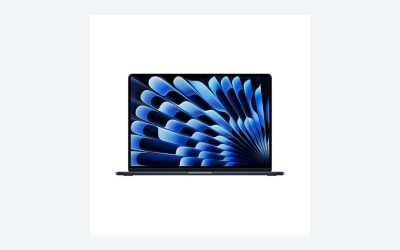
The best business laptop for most professionals is a Lenovo ThinkPad, with the ThinkPad X1 Carbon the pick for travel and the ThinkPad T14 for all-round office work. Dell’s Pro line and HP’s EliteBook family are the other mainstream choices, and a MacBook Air or MacBook Pro suits teams that run macOS. Prioritize keyboard quality, battery life, security features and warranty over raw benchmark scores.
Quick comparison of business laptop picks
| Pick | Best for | Key specs | Price range |
|---|---|---|---|
| Lenovo ThinkPad X1 Carbon | Executives and frequent travelers | 14-inch, magnesium-aluminum body, under 1.1 kg (about 1 kg in recent generations per Lenovo), strong keyboard | Premium |
| Lenovo ThinkPad T14 | Corporate workhorse | 14-inch, wide port selection, business security options | Mid-range to upper mid-range |
| Lenovo ThinkPad E14 | Budget business use | 14-inch, simpler build, lower cost | Budget to mid-range |
| Dell Pro 14 line (formerly Latitude) | Fleets and managed deployments | 14 or 16-inch options, enterprise management, ExpressSign-in options on some models | Mid-range to upper mid-range |
| HP EliteBook (X and 8-series) | HP-based security and thin builds | Premium thin designs, HP Wolf Security features | Upper mid-range to premium |
| Apple MacBook Air or MacBook Pro | macOS teams and creative work | Fanless or active-cooled designs, long battery life | Upper mid-range to premium |
Best premium: Lenovo ThinkPad X1 Carbon
The X1 Carbon pairs low weight, strong build and the classic ThinkPad keyboard. Reviewers consistently list it among the top business laptops, and Lenovo’s spec sheets show it near the one-kilogram class. It costs more than a T-series with similar chips, and the screen and speakers are good rather than class-leading.
Best all-rounder: Lenovo ThinkPad T14
The T-series is a standard office laptop in many companies because it balances ports, repairability, security and price. It is heavier than the X1 Carbon, but it carries more ports and usually allows RAM and storage upgrades depending on the generation.
Best budget: Lenovo ThinkPad E14
The E14 keeps the ThinkPad keyboard and a business focus at a lower price. The trade-offs are a plastic-heavy build, a dimmer screen in base configurations and fewer premium features such as high-end fingerprint readers.
Best for IT-managed fleets: Dell Pro 14
Dell has been moving its business range from the Latitude name toward Dell Pro naming. These laptops focus on manageability through Dell’s enterprise tools, with predictable service options and many configurations. The wide range means you should compare model tiers carefully.
Best thin-and-light HP option: HP EliteBook
HP’s EliteBook line offers thin builds and the HP Wolf Security suite on supported models. Newer thin EliteBook models are expensive in the US, so compare prices against Dell and Lenovo before committing.
Best for macOS: MacBook Air or MacBook Pro
For teams that use macOS, the MacBook Air delivers silent operation and battery life, while the MacBook Pro adds performance for video, development and data work. Check app compatibility, since some legacy business software requires Windows.
How to choose a business laptop
Security features
Look for a TPM 2.0 chip, a fingerprint reader or IR camera for Windows Hello, a webcam privacy shutter and BIOS-level protection. Windows 11 requires TPM 2.0, per Microsoft’s system requirements.
Keyboard and display
A comfortable keyboard with 1.5 mm or more of key travel reduces fatigue over a workday. Aim for a screen of at least 300 nits of brightness for office use and a 16:10 aspect ratio, which shows more of a document than 16:9.
Battery and weight: a worked example
If you travel with a 14-inch laptop that weighs 1.4 kg and your bag adds another 1.5 kg, that is about 2.9 kg per day. A 1.0 kg laptop saves 0.4 kg, which adds up when you carry it for hours. For battery, a 57 Wh pack drawing around 6 W in light office use can last roughly nine to ten hours in ideal conditions, but video calls and heavy browser tabs push draw to 10 to 15 W, cutting that to about four to six hours.
RAM and storage
Sixteen gigabytes of RAM is a good baseline in 2026, and 32 GB is worthwhile if you run virtual machines or large spreadsheets. A 512 GB SSD fits most uses.
Warranty and support
Business lines usually offer on-site service and accident coverage as extras. For a small business, a three-year warranty with next-business-day support often saves more than it costs.
Business laptop choice by situation
| Situation | Choose | Reason |
|---|---|---|
| Frequent flyer | ThinkPad X1 Carbon | Light and sturdy |
| General office | ThinkPad T14 or Dell Pro 14 | Ports, support, security |
| Tight budget | ThinkPad E14 | Business features at lower cost |
| Managed fleet | Dell Pro | Management tools |
| Apple ecosystem | MacBook Air or Pro | macOS integration |
Ownership realities
Business laptops tend to have longer support windows, with BIOS and driver updates lasting several years. Batteries wear first, and replacement packs are available for many ThinkPad and Dell models. Thin laptops often have soldered RAM, so buy enough up front. Keep a recovery plan and encrypted backups for sensitive data.
Windows, macOS or ChromeOS for business?
Windows remains the default for most business software, device management and legacy applications. macOS suits creative teams and small businesses that want fewer maintenance issues, but check that accounting, ERP and industry-specific tools support it. ChromeOS devices suit browser-based work and shared-device settings such as kiosks and call centers, but they do not run desktop programs. Ask your IT team or vendor which platform your key applications support before choosing hardware.
14-inch versus 16-inch
A 14-inch laptop is easier to carry and fits airline tray tables. A 16-inch model offers more room for spreadsheets and side-by-side windows, and often a numeric keypad, at the cost of 0.3 to 0.5 kg extra weight. If you mostly work at a desk with an external monitor, the screen size matters less than keyboard quality and ports.
Ports and docking
Check for at least two USB-C or Thunderbolt ports, one HDMI or DisplayPort route, and a headphone jack. A single-cable dock that carries power, display and Ethernet turns a laptop into a desktop at your desk. Make sure your chosen laptop supports the dock standard, because some thin models have fewer ports and rely on adapters.
Total cost of ownership
Consider a worked example: a laptop that costs a mid-range price and lasts four years has a lower yearly cost than a budget model that needs replacing after two. Add the value of an on-site warranty, a spare charger and accident protection, and the higher-end business line often costs less per year. Resale value is another factor, since ThinkPads, EliteBooks and MacBooks tend to hold value better than consumer laptops.
Common mistakes when buying a business laptop
Buying on processor name alone ignores keyboard, screen and thermal design. Skipping a warranty upgrade can be costly when a mainboard fails outside the standard term. Choosing thin soldered-memory models with only 8 GB of RAM leaves no upgrade path. Finally, mixing many different models across a team raises support costs; standardizing on one or two lines simplifies spare parts and imaging.
Frequently Asked Questions
What is the most reliable business laptop?
ThinkPad T and X series, Dell business lines and HP EliteBooks are generally seen as the most dependable. Reliability varies by model, so check recent owner and professional reviews for the specific generation.
How much RAM should a business laptop have?
Sixteen gigabytes covers most office work. Choose 32 GB for virtual machines, large datasets or heavy multitasking.
Is a business laptop different from a consumer laptop?
Yes, usually in build, keyboard, security hardware, management features and warranty options. Consumer laptops may offer more screen flair for the money.
Should I buy a gaming laptop for work?
Only if your work needs a powerful GPU. Gaming laptops are heavier, shorter on battery life and louder than business models.
Are refurbished business laptops a good idea?
They can be a good value, particularly ThinkPad and Latitude models from a reputable refurbisher with a warranty. Check battery health and the remaining support window.