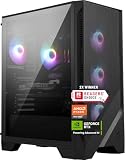
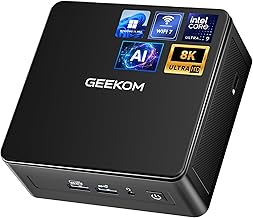
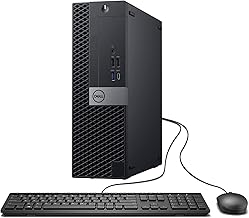
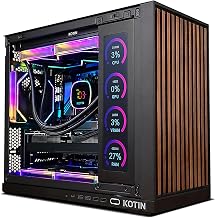
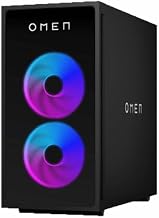
The best sleek gaming PC for most people is a compact prebuilt with a clean, minimal chassis, such as an NZXT Player-series PC or an Alienware Aurora compact model, while the Corsair One is the premium choice for a very small, elegant tower. If you want the smallest possible footprint, mini gaming PCs such as the Minisforum AtomMan G1 Pro or ASUS ROG NUC fit a graphics card or laptop-class GPU into a tiny case. Decide by size, GPU class and how much cooling noise you can accept.
Quick comparison of sleek gaming PC picks
| Pick | Best for | Key specs | Price range |
|---|---|---|---|
| Corsair One (i500 or i600) | Premium compact tower with a clean look | Compact chassis, high-end GPU class (RTX 5080 listed in reviews), liquid-cooled | Premium |
| NZXT Player series | Clean minimal build | Compact Mini-ITX style designs, GPU options from mid to high | Upper mid-range |
| Alienware Aurora (compact) | Compact case with recognizable styling | Mini-ITX style layouts, RTX 50-series class options | Upper mid-range to premium |
| Minisforum AtomMan G1 Pro | Smallest size with a real GPU | Mini PC with a low-profile RTX 5060 (per PC Gamer) | Mid-range to upper mid-range |
| ASUS ROG NUC | Mini PC with gaming-grade performance | Compact enclosure, laptop-class RTX GPU, small footprint | Upper mid-range to premium |
| ZOTAC MEK | Small chassis near a budget price | Compact build, RTX 5060 and Ryzen 5 configuration in reviews | Mid-range |
Best premium compact: Corsair One
The Corsair One packs a high-end GPU and CPU into a slim vertical tower with a restrained design. Reviews describe a clean look with premium materials. It costs a lot compared with a standard tower of equal performance, and upgrades are limited by the custom layout.
Best clean design: NZXT Player series
NZXT focuses on tidy cable management and a minimal case. These PCs suit desks where appearance matters. You pay for the design and build, and the airflow in small cases can mean more fan noise under load than in a large tower.
Best recognizable styling: Alienware Aurora compact
Alienware’s compact Aurora models aim for a slimmer profile than full towers. Specifications vary, so check the exact GPU and CPU. Upgradability is more limited than a standard ATX tower.
Best tiny GPU PC: Minisforum AtomMan G1 Pro
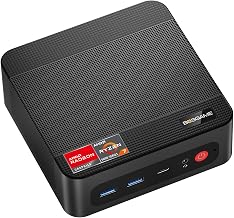
Minisforum’s G1 Pro is notable for fitting a low-profile RTX 5060 inside a stylish small chassis, according to PC Gamer. It targets 1080p and some 1440p gaming. The trade-off is limited upgrades and thermals tighter than a full desktop.
Best mini gaming option: ASUS ROG NUC
The ROG NUC combines a gaming-grade mobile GPU in a mini PC form. It suits desks or living rooms where space is limited. Performance depends on the laptop-class GPU, which is below the same-named desktop card.
Best value compact: ZOTAC MEK
ZOTAC’s MEK line gives a small chassis at a lower price point, with an RTX 5060 and a Ryzen 5 configuration appearing in reviews. It is a pragmatic choice for 1080p and moderate 1440p gaming rather than a showpiece.
How to choose a sleek gaming PC
Case volume
Volume is measured in liters. Mini PCs often sit below 5 liters, small-form-factor towers are typically 10 to 15 liters, and standard mid-tower cases exceed 40 liters. Smaller volume means less cooling headroom and fewer upgrade options.
GPU class and resolution
For 1080p high settings, an RTX 5060 class or Radeon equivalent is a solid base. For 1440p at high refresh, look at RTX 5070 or higher. FPS varies with game, settings, CPU and patch, so treat published numbers as ranges.
Power and cooling check
Add the CPU and GPU power draw plus about 100 W for the rest of the system. A 250 W GPU and a 125 W CPU suggest a power supply of around 650 W. Small cases use SFX or custom power supplies, so confirm the wattage in the spec sheet.
Noise
Small cases need faster fans. Check reviews for noise under load, and ask whether the fan curve can be tuned in the BIOS or software.
Upgradability and ports
Proprietary layouts can limit upgrades. Check for front-panel USB-C, extra M.2 slots and whether RAM and storage can be swapped without tools.
Choice by situation
| Situation | Choose | Reason |
|---|---|---|
| Premium living-room or desk statement | Corsair One | Elegant compact design |
| Minimal desk setup | NZXT Player series | Clean look |
| Tiny footprint | Minisforum AtomMan G1 Pro or ROG NUC | Mini PC size |
| Budget compact | ZOTAC MEK | Lower price |
| Brand-style gaming look | Alienware Aurora compact | Familiar styling |
Ownership realities
Dust filters need regular cleaning, since compact cases clog quickly. Thermal paste may need replacing after a few years. Proprietary parts can be hard to replace, so check the warranty term. Keep air space around vents and avoid enclosed cabinets.
Sleek does not mean low power: spec classes to expect
Compact PCs span a wide range. A 5-liter mini PC with a laptop-class GPU delivers roughly the performance of a mid-range gaming laptop, which is enough for 1080p high settings in most games and 1440p with upscaling. A 12-to-15-liter small-form-factor tower can hold a full-size desktop GPU in the RTX 5070 to RTX 5080 class, which targets 1440p high refresh and entry 4K. Treat published frame rates as approximate ranges that vary with game, settings, resolution, CPU and patch version.
Display and desk pairing
A compact PC suits a clean desk, so pair it with a monitor that matches its GPU class. A 1080p 144 Hz monitor suits an RTX 5060 class system. A 1440p 165 Hz monitor suits RTX 5070 class hardware. Check the PC’s ports: a mini PC may offer one HDMI and one DisplayPort output, which limits multi-monitor setups.
Cable management and peripherals
Sleek builds depend on tidy cabling. A single-cable monitor with USB-C power and data, a wireless keyboard and mouse, and a headset stand keep the desk clear. If you use a controller, check that the PC has Bluetooth, since many compact systems include it.
Common mistakes when buying a sleek gaming PC
People often pay a design premium and then discover the case runs loud. Check noise ratings in reviews before buying. Another mistake is choosing a mini PC with integrated graphics for demanding games; look for a dedicated or laptop-class GPU. A third is ignoring warranty terms on custom chassis, which can be harder to service than standard cases. Finally, leave space around the vents: a PC pushed into a closed cabinet will throttle and get hot.
Frequently Asked Questions
Can small gaming PCs run modern games?
Yes. Many compact PCs run current games at 1080p and 1440p, with performance dependent on the GPU class.
Are mini PCs good for gaming?
Some are, especially those with a dedicated or laptop-class GPU. Mini PCs with only integrated graphics are limited to lighter games.
Do compact gaming PCs run hot?
They have less cooling space, so they run louder or hotter than large towers. Well-designed models manage heat with good airflow and tuned fans.
Can I upgrade a compact gaming PC?
Often only partly. RAM and storage are easy to swap, while GPUs and motherboards depend on the case layout.
Is a sleek PC worth the extra cost?
If desk space and appearance matter, yes. If raw performance per dollar is your priority, a standard tower is usually better value.