Key takeaways
- Months 1-3: Foam feels firm, sometimes reported as too stiff for users under 150lbs. No noticeable settling yet.
- Months 4-8: Seat foam softens into its “broken in” state, generally the most comfortable period. EPU leather (a synthetic polyurethane-coated fabric, not genuine leather) still looks close to new if kept out of direct sun.
- Months 9-14: This is when EPU leather starts showing its age. Unlike genuine leather, EPU doesn’t stretch or patina, it cracks and peels, especially at high-flex points: the front edge of the seat, the armrest pads, and anywhere elbows or forearms rest repeatedly.
- Year 2 and beyond: Foam compression becomes noticeable for heavier users (above the 240lb practical threshold mentioned earlier), and EPU peeling accelerates if the chair sits near a window or heat source. Sun exposure is the single biggest accelerant of EPU breakdown, more than usage hours.
What's inside
- Seat Dimensions vs. Your Body Size: The Real Fit Math
- The 299lb Weight Cap: What It Actually Means Long-Term
- How the High-Density Foam and EPU Leather Hold Up After a Year
- 2D Armrests: What They Do and Don’t Do
- Assembly: What the 30-45 Minute Estimate Actually Involves
- Who Should Buy the Enki X, and Who Shouldn’t
The Razer Enki X gaming chair fits most users between 5’2″ and 6’2″ comfortably thanks to its 21-inch seat width and 152-degree recline range, but taller or heavier users near the 299lb weight cap should check the sizing math below before buying, since the fit gets tight fast outside that window.
- Seat Dimensions vs. Your Body Size: The Real Fit Math
- The 299lb Weight Cap: What It Actually Means Long-Term
- How the High-Density Foam and EPU Leather Hold Up After a Year
- 2D Armrests: What They Do and Don’t Do
- Assembly: What the 30-45 Minute Estimate Actually Involves
- Who Should Buy the Enki X, and Who Shouldn’t
Razer positions the Enki X as the budget-friendly sibling to the standard Enki and the Iskur X ergonomic gaming chair, stripping out multi-directional lumbar adjustment and premium foam density to hit a lower price point. That tradeoff matters more than the spec sheet suggests, especially for anyone planning to keep the chair for several years. This review breaks down where the Enki X holds up, where it doesn’t, and how to tell if your body type and budget actually match what this chair is built for.

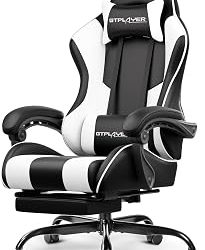
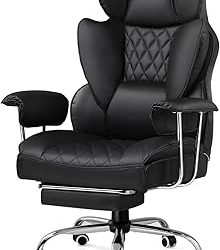
Razer Enki X Essential Gaming Chair, All-Day Comfort, Black
Included for 'Razer Enki X Review: Build Quality, Comfort, and Body-Size Fit' because the listing specifies All-Day Comfort and Black, details this guide uses to compare options.
View on Amazon
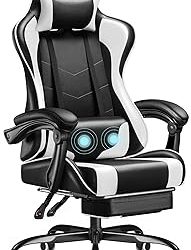
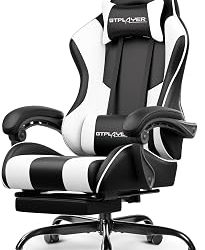
Razer Enki Gaming Chair, Built-in Lumbar Arch, All-Day Comfort, Black/Green
Included for 'Razer Enki X Review: Build Quality, Comfort, and Body-Size Fit' because the listing specifies Built-in Lumbar Arch and All-Day Comfort, details this guide uses to compare options.
View on Amazon
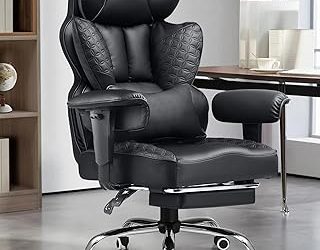
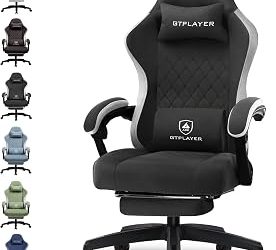
Razer Enki Gaming Chair, Built-in Lumbar Arch, All-Day Comfort, Black
Included for 'Razer Enki X Review: Build Quality, Comfort, and Body-Size Fit' because the listing specifies Built-in Lumbar Arch and All-Day Comfort, details this guide uses to compare options.
View on Amazon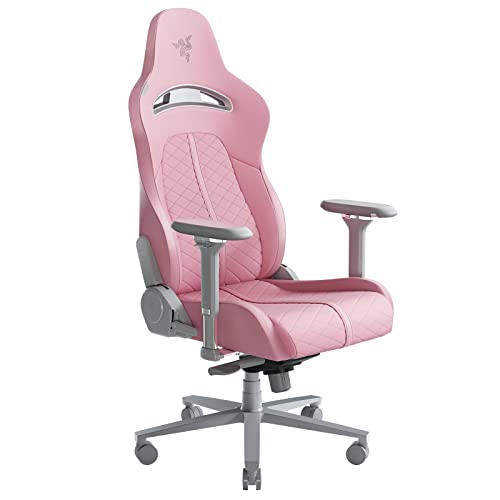
Razer Enki Gaming Chair, Built-in Lumbar Arch, All-Day Comfort, Pink
Included for 'Razer Enki X Review: Build Quality, Comfort, and Body-Size Fit' because the listing specifies Built-in Lumbar Arch and All-Day Comfort, details this guide uses to compare options.
View on AmazonSeat Dimensions vs. Your Body Size: The Real Fit Math
The 21-inch seat width sounds generous until you factor in hip clearance and thigh support. Razer designed the Enki X around a mid-size frame, and the seat depth (roughly 20 inches) is where most fit complaints originate, not the width. Someone at 5’2″ will have 2-3 inches of dead space behind their knees when seated fully back, which is fine for reclining but awkward for upright desk work. Someone at 6’2″ will often find their knees pressing against the front lip of the seat pan if they sit back far enough to use the lumbar support properly.
Here’s how the fit breaks down by height range, based on the seat depth, backrest height (about 33 inches), and the 152-degree recline ceiling:
| Height Range | Seat Depth Fit | Recline Comfort (152° max) | Overall Verdict |
|---|---|---|---|
| 5’2″ – 5’5″ | Excess depth, needs cushion or seated-forward posture | Full range usable, headrest may sit too high | Workable, not ideal |
| 5’6″ – 5’9″ | Near-perfect match | Full range comfortable, headrest aligns well | Best fit zone |
| 5’10” – 6’0″ | Good match, slight knee crowding at full recline | Full range usable | Solid fit |
| 6’1″ – 6’2″ | Tight, knees near seat lip when upright | 152° often feels short of “fully reclined” for taller frames | Usable but compromised |
| 6’3″ and up | Seat depth and backrest height both undersized | Recline limit reached before torso is supported | Look elsewhere (Iskur X or larger frame chair) |
If you’re at the edges of this range, sitting in a comparable chair at a retail store before buying is worth the trip. Online spec comparisons can’t tell you how your specific torso-to-leg ratio interacts with a 152-degree recline limit.
The 299lb Weight Cap: What It Actually Means Long-Term
Weight capacity ratings on gaming chairs are tested at a single point in time under static load, not after a year of daily compression cycles. A user at 280lbs is technically within the 299lb cap, but they’re also compressing the foam and stressing the gas lift cylinder far closer to its failure threshold than a 180lb user.
A rough rule that holds across most chairs in this class: stay 15-20% under the stated cap for daily 6+ hour use if you want the chair to still feel supportive after 12-18 months. That puts the practical comfortable ceiling for the Enki X closer to 240-255lbs for heavy daily use, with the remaining margin reserved for occasional use or lighter sitters who lean and shift weight less predictably.
How the High-Density Foam and EPU Leather Hold Up After a Year
This is where the Enki X separates itself from the pricier Enki and the Iskur X ergonomic gaming chair, and not in its favor. The seat cushion uses a high-density foam that’s firmer out of the box than most memory foam gaming chairs, which is good for posture but means less give over time as the foam cells break down.
- Months 1-3: Foam feels firm, sometimes reported as too stiff for users under 150lbs. No noticeable settling yet.
- Months 4-8: Seat foam softens into its “broken in” state, generally the most comfortable period. EPU leather (a synthetic polyurethane-coated fabric, not genuine leather) still looks close to new if kept out of direct sun.
- Months 9-14: This is when EPU leather starts showing its age. Unlike genuine leather, EPU doesn’t stretch or patina, it cracks and peels, especially at high-flex points: the front edge of the seat, the armrest pads, and anywhere elbows or forearms rest repeatedly.
- Year 2 and beyond: Foam compression becomes noticeable for heavier users (above the 240lb practical threshold mentioned earlier), and EPU peeling accelerates if the chair sits near a window or heat source. Sun exposure is the single biggest accelerant of EPU breakdown, more than usage hours.
If you’re comparing this against the Razer Enki X Essential gaming chair, note that the Essential trim often uses fabric upholstery instead of EPU leather in some configurations, which sidesteps the peeling issue entirely at the cost of a different cleaning routine (fabric absorbs spills, EPU wipes clean). If you live somewhere hot and humid, or your setup gets direct sunlight for part of the day, that tradeoff is worth weighing before committing to leatherette.
2D Armrests: What They Do and Don’t Do
The Enki X uses 2D armrests, meaning height and width adjustment only, no depth or pivot. This is a meaningful step down from the 4D armrests on the pricier Iskur X ergonomic gaming chair, which also adjust depth (forward/back) and pivot angle.
In practice, 2D armrests work fine for keyboard-and-mouse desk setups where your arm position doesn’t change much. They become a limitation if you shift between leaning forward to type and reclining back to watch something, since the armrest won’t follow your arm depth-wise. If your daily use involves a lot of posture changes throughout long sessions, that’s a real point in favor of spending more on 4D armrests rather than a spec you can ignore.
Assembly: What the 30-45 Minute Estimate Actually Involves
Razer lists assembly at roughly 30-45 minutes with two people, and that estimate holds up if you follow the order below rather than the box’s suggested sequence, which tends to have you attach the armrests before the backrest, making the later steps harder to reach.
- Attach the base to the gas lift cylinder (2-3 minutes). This just presses in, no tools needed.
- Mount the seat pan to the cylinder (5 minutes). This is where a second person helps most, holding the cylinder steady while the seat is pressed down.
- Bolt the backrest to the seat pan (10-15 minutes). This is the longest step. The bolts are recessed, so a longer hex key (usually included) is necessary. Doing this with the chair on its side, rather than upright, makes the bolt holes easier to see and align.
- Attach the armrests last (8-10 minutes). Doing this after the backrest, not before, means you’re not working around the backrest hardware while your hands are already full.
- Attach the headrest pillow and lumbar cushion (5 minutes). Strap-based, no tools.
The most common assembly complaint isn’t difficulty, it’s stripped screws from over-tightening the backrest bolts. Hand-tightening until snug, then giving a quarter turn with the hex key, avoids this without leaving anything loose.
Who Should Buy the Enki X, and Who Shouldn’t
The Enki X makes sense if you’re 5’6″ to 6’0″, under roughly 250lbs for daily heavy use, and mainly need a supportive chair for desk work with occasional recline. It’s a reasonable step up from entry-level gaming chairs, usually priced in the $300-$400 range depending on retailer and color option.
It makes less sense if you’re outside that height window, need 4D armrest adjustment for frequent posture shifts, or live somewhere with strong direct sunlight hitting your desk setup, since EPU leather degradation will show up faster than the foam wears out. In those cases, the Iskur X ergonomic gaming chair’s adjustable lumbar support and 4D armrests, or the fabric-upholstered Enki X Essential gaming chair, are worth the price difference.