Key takeaways
- A specification-based Razer Orochi V2 review covering dual wireless connections, AA/AAA battery choices, compact fit, and important software unknowns.
This review analyzes published product information. We have not performed detailed research of this unit.
As an Amazon Associate, we earn from qualifying purchases.
A compact Razer mouse with a practical battery choice
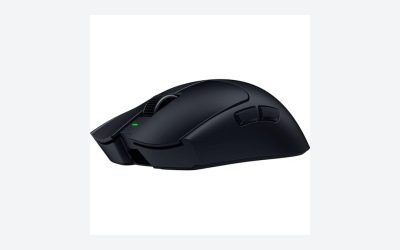
The Razer Orochi V2 puts portability and flexible power ahead of a long list of advertised controls. This review covers the white wireless variant with a hybrid slot accepting either one AA or one AAA battery. Its defining combination is Bluetooth, Razer HyperSpeed Wireless, and a compact body advertised at under 60 grams before a battery is installed.
This is a specification-based assessment of the supplied retailer listing, not a hands-on test. The strongest buying argument is the ability to choose both a wireless mode and a battery format to suit your routine. The biggest caveats are equally practical: the headline weight excludes the power source, runtime figures are maximum claims, and the evidence leaves control customization and software requirements unresolved.
The listed configuration at a glance
| Item | Supplied specification |
|---|---|
| Model and variant | Razer Orochi V2 wireless mouse, white |
| Wireless connections | Bluetooth and Razer HyperSpeed Wireless |
| Sensor | Razer 5G Advanced optical sensor, 18,000 DPI |
| Advertised body weight | Under 60 g, excluding battery |
| Separate listing weight | 0.13 pounds; battery inclusion not specified |
| Dimensions as listed | 4.26 × 1.52 × 2.47 inches |
| Power | One AA or one AAA battery in a hybrid slot |
| Claimed maximum runtime | 950 hours on Bluetooth; 425 hours on HyperSpeed Wireless |
| Main switch specification | Second-generation Razer mechanical switches with gold-plated contacts; rated up to 60 million clicks |
Choose the connection around the task
The listing positions Bluetooth as the efficient option for everyday productivity and HyperSpeed Wireless as the low-latency option for gaming. That gives the Orochi V2 a clear potential role as one mouse for work and play, rather than a device selected exclusively for competitive sessions. These are manufacturer positioning claims, however, not independently established latency results.
The advertised endurance differs substantially between modes: up to 950 hours on Bluetooth versus up to 425 hours on HyperSpeed. That makes Bluetooth the logical mode to consider when endurance matters more than the gaming-focused connection. Neither number should be treated as a promised interval between battery changes. The supplied facts do not identify the battery type used for those claims, the test conditions, or separate results for AA and AAA cells.
Connection details also stop short of a complete compatibility checklist. The evidence does not specify supported operating systems, receiver contents, receiver connector type, or a wired operating mode. If your setup depends on particular ports or managed-device restrictions, confirm those points rather than assuming that two wireless options settle every compatibility question.
Under 60 grams is not the ready-to-play weight
The most important qualification in the weight claim is that it excludes the battery. The Orochi V2 still needs one AA or AAA cell to operate, so the advertised figure cannot describe its complete operating weight. The separate 0.13-pound listing field does not explain whether a battery is included and should not override that explicit exclusion.
Supporting either battery format gives buyers a genuine configuration choice without requiring a different mouse model. Razer presents that choice as a way to balance weight and endurance, and describes the hybrid slot as intended to manage weight distribution. The evidence does not quantify the resulting balance, total mass, or runtime for each format. Buyers prioritizing low weight should therefore evaluate the installed battery as part of the mouse, not as an incidental accessory.
The compact design and listed dimensions make portability a sensible reason to shortlist it. Fit is less certain. Dimensions alone cannot establish palm support, finger placement, or whether a particular grip will remain comfortable through a long session. If you normally rely on a large body to support your hand, this compact format deserves closer scrutiny. The listing’s reduced-fatigue messaging is not a substitute for checking personal fit.
Sensor and switches: useful specifications, limited guarantees
The Orochi V2 uses a Razer 5G Advanced optical sensor with an advertised 18,000-DPI specification. That identifies the sensor platform, but a high sensitivity ceiling does not establish better aim or more reliable tracking for an individual player. The seller’s accuracy language should be read as promotional positioning rather than proof of results in a particular game.
For the main switches, the listing names Razer’s second-generation mechanical design, gold-plated contact points, and a rating of up to 60 million clicks. This is a mechanical-switch configuration; it should not be confused with optical-switch specifications attached to other Razer mice. The click rating is a durability claim, not a guarantee of a particular service life, click feel, or freedom from faults.
Controls and software need verification before purchase
The supplied evidence does not establish the button count, which controls can be reassigned, macro support, onboard profile storage, or scroll-wheel modes. It also does not name a compatible Synapse version or explain which settings require software. Those are meaningful unknowns for a Razer-focused buyer, especially if custom bindings matter more than portability.
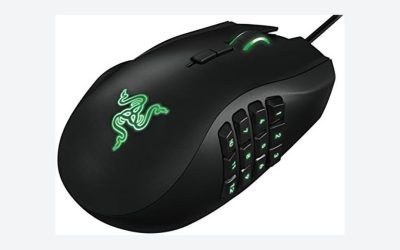
Do not assume that features advertised for the Basilisk or Naga families carry over here. For a binding-heavy workflow, verify the exact controls and persistence of settings first. For broader selection context, the site’s gaming mouse buying guide provides a starting point beyond this single model.
Verdict: prioritize portability, then check the details
The Orochi V2 is worth considering when a compact body, two wireless modes, and a choice of AA or AAA power match your needs. Its strongest specification-based appeal is flexibility between everyday use and gaming. Look more closely before committing if you need a known ready-to-use weight, substantial hand support, or documented advanced controls: those requirements are not settled by the supplied listing.
Sources: Razer Orochi V2 retailer listing. Specifications and manufacturer claims discussed here come from the supplied listing evidence.
Check the exact product and current offer on Amazon