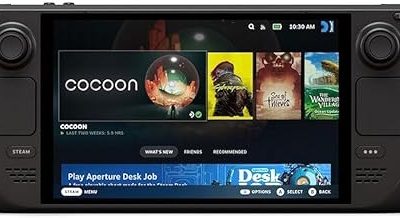
SteamOS versus Windows is the gaming debate that actually matters in 2026. A few years ago this comparison would have been lopsided in Windows’ favor, but Valve’s continued investment in Proton and the atomic SteamOS platform has changed the calculus. Today the two operating systems represent genuinely different philosophies: one is a lean, console-like environment tuned for gaming above all else, while the other is a do-everything desktop OS with the widest compatibility on the planet.
To keep the comparison grounded, we frame it around the Valve Steam Deck, since it is the reference device where you can run SteamOS out of the box or install Windows yourself. That makes it the perfect testbed for seeing how each OS behaves on identical hardware. Below we break down where each system wins, where it stumbles, and how to decide which one deserves a spot on your gaming machine.
Our top picks
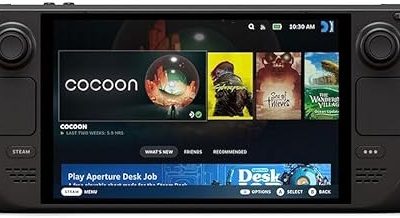
 Valve Steam Deck OLED 1TB Handheld Gaming
- 1TB NVMe SSD
- 1280 x 800 HDR OLED display with premium…
- Wi-Fi 6E
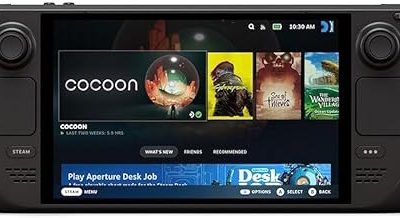
 Valve Steam Deck OLED 1TB NVMe SSD
- A high dynamic range display, longer battery life,…
 VALVE Steam Deck OLED 1TB SSD +
- International (UK) Version
- 7.4” diagonal, HDR OLED, 1280 x 800 x…
- SteamOS 3.0 (Arch-based)
| Product | Key specs | |
|---|---|---|
| Valve Steam Deck OLED 1TB Handheld Gaming | 1TB NVMe SSD 1280 x 800 HDR OLED display with premium… Wi-Fi 6E | Check price |
| Valve Steam Deck OLED 1TB NVMe SSD | A high dynamic range display, longer battery life,… | Check price |
| VALVE Steam Deck OLED 1TB SSD + | International (UK) Version 7.4” diagonal, HDR OLED, 1280 x 800 x… SteamOS 3.0 (Arch-based) | Check price |
 VALVE Steam Deck OLED 512GB SSD + VALVE Steam Deck OLED 512GB SSD + | Brighter colours, blacker blacks: Steam Deck's HDR OLED… 【More time to play】 Steam Deck OLED has… Lighter, cooler: Thanks to a larger fan and… | Check price |
 Valve Steam Deck OLED 2TB Handheld Gaming Valve Steam Deck OLED 2TB Handheld Gaming | 【Upgraded】We sells product with professionally upgraded to 2TB… 【Stunning 7.4" HDR OLED & 90Hz Motion】 Experience… 【30-50% More Battery & Efficient Performance】 Play your… | Check price |
 Steam Deck Oled 512 GB Handheld Gaming Steam Deck Oled 512 GB Handheld Gaming | 512 GB NVMe SSD: Fast storage for quicker… OLED Display: 1200x800 resolution with deep contrasts and… Custom AMD APU: Power-efficient Zen 2 CPU and… | Check price |
 Valve Steam Deck 1TB Upgraded Handheld Gaming Valve Steam Deck 1TB Upgraded Handheld Gaming | Valve is entering the gaming console marketplace with… Players can play a huge variety of games… Like the name suggests, the Steam Deck will… | Check price |
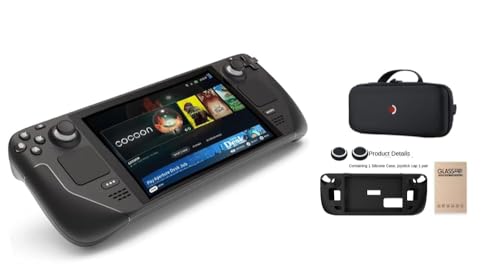 Valve Steam Deck OLED Handheld Gaming Console Valve Steam Deck OLED Handheld Gaming Console | Features a vibrant 1280 x 800 OLED LCD… Equipped with a spacious 1TB storage drive allowing… Includes carrying case, silicone soft cover protector, joystick… | Check price |
As an Amazon Associate we earn from qualifying purchases at no extra cost to you.
⚡ Save on Your Next PC — Amazon Prime
Prime members get fast free shipping on the systems above, plus early access to Prime Day & Black Friday PC deals. New members get a 30-day free trial.
Watch: Steamos Vs Windows For Gaming — Video Review
Quick Verdict
For handheld and living-room gaming, SteamOS is the better default in 2026 thanks to instant resume, lower overhead, and a friction-free console-style interface. Windows remains the safer choice if you play competitive titles with kernel-level anti-cheat, use the machine for work, or want guaranteed compatibility with every launcher and mod tool. On a device like the Steam Deck, SteamOS wins for pure gaming convenience, while Windows wins for flexibility.
SteamOS
SteamOS is built for one job and does it exceptionally well. On the Steam Deck OLED it boots directly into a gamepad-driven interface, suspends and resumes games in seconds, and manages power draw intelligently to squeeze extra runtime from the battery. Because it is an atomic, Arch-based system, updates apply cleanly and are far less likely to break your setup than a typical desktop OS.
The headline feature is Proton, Valve’s compatibility layer that translates Windows game calls to Linux on the fly. In 2026 the vast majority of single-player titles simply work, often with no configuration at all, and the Deck Verified program tells you upfront which games are guaranteed to run. The main limitation is anti-cheat: a handful of popular online shooters still refuse to launch, and that gap is unlikely to fully close soon.
SteamOS also keeps background clutter to a minimum. With no heavy telemetry stack or constant update service fighting for resources, frame pacing tends to feel consistent, and the whole system feels responsive even under load.
Windows
Windows is the universal option. Every game launcher, every mod manager, every anti-cheat system, and every peripheral driver is built with Windows in mind first, which means you almost never hit a compatibility wall. If your library includes competitive multiplayer titles or niche launchers, Windows removes the guesswork entirely.
On a Steam Deck, though, Windows shows its rough edges. It was never designed for a 7-inch handheld, so touch targets are small, the interface needs a lot of manual tweaking to feel controller-friendly, and battery life is typically shorter than under SteamOS because of heavier background activity. You also take on the maintenance burden of drivers and updates yourself.
Where Windows pulls ahead is versatility. The same machine can be a gaming device, a productivity workstation, and a media hub without compromise. If you want one OS that does everything and never says no to a piece of software, Windows is still that OS.
Which Should You Choose?
- Choose SteamOS if you primarily play single-player and Deck Verified games and want the smoothest, most console-like handheld experience with the best battery life.
- Choose Windows if your library leans on competitive shooters with kernel-level anti-cheat that Proton cannot yet run.
- Choose Windows if you want the device to double as a work or general-purpose computer alongside gaming.
- Choose SteamOS if you value low maintenance and update reliability over maximum flexibility.
- Consider dual-booting if you cannot compromise, keeping SteamOS for daily play and Windows for the specific titles or tasks that require it.
Frequently Asked Questions
Can I install Windows on a Steam Deck?
Yes. The Steam Deck supports installing Windows either alongside SteamOS as a dual-boot setup or as a full replacement. You will need to download Valve’s official drivers to get audio, Wi-Fi, and the controls working correctly.
Does SteamOS run games faster than Windows?
In many titles the two are within a few frames of each other. SteamOS can edge ahead in efficiency and frame consistency because of its lower overhead, while a few games still perform slightly better under Windows due to native optimization. The gap is small enough that convenience usually matters more.
Will my anti-cheat games work on SteamOS?
Some do and some do not. Many titles have enabled Proton support for their anti-cheat, but several major online shooters still block Linux entirely. Always check the current status for your specific games before switching.
Is SteamOS harder to use than Windows?
For pure gaming, SteamOS is actually easier because it works like a console with no setup required. Windows is more familiar if you also need desktop apps, but on a handheld it takes more effort to configure comfortably.
Final Verdict
In 2026 the honest answer is that both operating systems are excellent, and the right pick depends on how you play. SteamOS has earned its place as the default for handheld and couch gaming, delivering a slick, low-maintenance, battery-friendly experience on hardware like the Steam Deck. Windows keeps its crown for universal compatibility and multi-purpose use. If gaming convenience is your top priority, start with SteamOS; if you need one machine to do it all without exceptions, stick with Windows, and dual-boot if you genuinely want both.