Key takeaways
- Pro: Crisp, satisfying Razer Green clicky switches with clear actuation.
- Pro: Dedicated media keys, scroll wheel, and comfortable magnetic wrist rest.
- Pro: Bright, fully programmable per-key RGB with underglow.
- Pro: Durable doubleshot keycaps and solid chassis.
What's inside
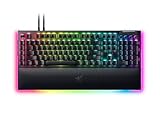
The Razer BlackWidow V4 has become a staple recommendation for gamers who want a full-featured mechanical keyboard without stepping into custom-board territory. With Razer’s own Green clicky switches, per-key RGB, dedicated media controls, and a comfortable wrist rest, it aims to be the do-it-all gaming board. After extended daily use, it largely delivers on that promise.
This review covers the standard BlackWidow V4 with Green switches, but the wider V4 family, including the V4 X, V4 Pro, V4 75%, and TKL Wireless, means there is a variant for nearly every desk and preference. Here is how the BlackWidow V4 performs where it counts and who should consider it.
As an Amazon Associate we earn from qualifying purchases at no extra cost to you.




⚡ Save on Your Next PC — Amazon Prime
Prime members get fast free shipping on the systems above, plus early access to Prime Day & Black Friday PC deals. New members get a 30-day free trial.
Watch: Razer BlackWidow V4 Review — Video Review
Design & Build
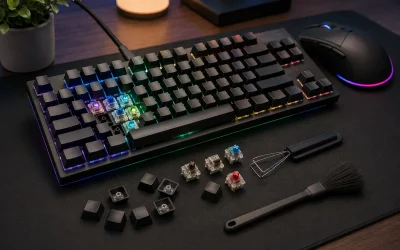
The BlackWidow V4 feels reassuringly solid, with a sturdy chassis, a comfortable magnetic wrist rest, and a clean layout that includes dedicated media keys and a scroll wheel, a genuine convenience for volume and playback. Underglow RGB adds a premium touch around the base, and the doubleshot keycaps resist shine over time. It is a large full-size board, so it commands desk space, but the fit and finish justify it.
Performance
In gaming, the Razer Green switches provide a crisp, tactile click with a clear actuation point that competitive and typing-heavy users tend to love, while quicker Yellow linear switches are available on other V4 models for silent, rapid presses. Per-key RGB via Synapse is bright and fully programmable, and n-key rollover ensures every input registers during frantic moments. The onboard media controls and macro support round out a responsive, feature-rich experience.
Pros & Cons
- Pro: Crisp, satisfying Razer Green clicky switches with clear actuation.
- Pro: Dedicated media keys, scroll wheel, and comfortable magnetic wrist rest.
- Pro: Bright, fully programmable per-key RGB with underglow.
- Pro: Durable doubleshot keycaps and solid chassis.
- Con: Full-size footprint takes significant desk space.
- Con: Green switches are loud; not ideal for shared or quiet rooms.
- Con: Synapse software is required for full customization.
Alternatives to Consider
If the clicky Greens are too loud, the Razer BlackWidow V4 X with Yellow linear switches offers a quieter, faster feel, while the BlackWidow V4 75% shrinks the footprint with Orange tactile switches for smaller desks. For a cable-free setup, the BlackWidow V4 TKL Wireless or Low Profile Wireless models bring the same family features in more compact, wireless forms.
Frequently Asked Questions
Are Razer Green switches good for gaming?
Yes. Greens are clicky and tactile with a clear actuation point, which many players enjoy for both gaming and typing. If you want quiet and fast, choose a Yellow-switch model instead.
Is the BlackWidow V4 too big for a small desk?
The standard V4 is full-size and does take room. For tight spaces, the V4 75% or a TKL model offers the same feel in a smaller footprint.
Do I need Razer Synapse to use it?
The keyboard works out of the box, but Synapse is needed to fully customize RGB, macros, and per-key settings.
Is there a wireless version?
Yes. The BlackWidow V4 TKL Wireless and Low Profile Wireless models bring the family’s features to a cable-free setup.
Verdict
The Razer BlackWidow V4 is a polished, feature-complete gaming keyboard that earns its popularity with crisp Green switches, genuinely useful media controls, and premium RGB. Its size and click noise are the main caveats, easily solved by choosing a Yellow-switch, 75%, or wireless variant. If you want a durable full-size board that does everything well, the BlackWidow V4 is an easy recommendation.