
Key takeaways
- Buying by screen size only: A 14-inch display does not guarantee compatibility with every 14-inch sleeve.
- Using exterior sleeve dimensions: Thick foam and stitched seams reduce usable interior space.
- Choosing a sleeve that is too tight: If the zipper requires force, the fit is too small and may put pressure on the corners or screen.
- Choosing a sleeve that is too large: More than about 0.75 inch of side-to-side play allows the laptop to move during carrying.
- Putting a charger in the laptop bay: Hard power bricks and adapters can create concentrated pressure points.
- Ignoring zipper placement: A zipper that closes directly against an unprotected edge can scratch an aluminum chassis over time.
- Forgetting fitted skins or cases: A thin vinyl skin usually has little effect, but a hard shell can add enough bulk to make a close-fitting sleeve unusable.
The Short Answer
A Razer Blade 14 needs a sleeve with an interior clearance of at least 13.0 x 9.25 x 0.9 inches (33.0 x 23.5 x 2.3 cm) for a close, protective fit. That size accommodates the common Razer Blade 14 footprint of roughly 12.2 to 12.6 inches wide, 8.7 to 8.9 inches deep, and 0.6 to 0.7 inches thick.
Do not shop by the “14-inch” label alone. That number describes the display diagonal, not the outside size of the laptop. A generic 14-inch sleeve can be too narrow, while some 13-inch or 15-inch sleeves may technically fit but leave too much empty space. For the best balance of protection and portability, look for a sleeve specifically listed for the Blade 14 or compare the seller’s internal dimensions with your laptop’s measurements.
Our top picks
 Smatree Laptop Shoulder Case for 15-16 inch
- Model No.: A490
- Wide Compatibility: Compatible for 16 inch Razer Blade…
- Ultra Protection: Smatree laptop shoulder bag features protective…
 Razer 16" Laptop Sleeve
- Designed to fit laptops up to 16 inches,…
- Dense padded interior with reinforced edges and plush…
- Constructed from abrasion-resistant tactical polyester weave that withstands…
 Smatree 14 inch Laptop Sleeve for Razer
- Model No.: E425
- Professional Shock Protection- “Super Corner” Technology: Engineered for…
- Specifically designed for 14 inch Razer Blade 14…
| Product | Key specs | |
|---|---|---|
| Smatree Laptop Shoulder Case for 15-16 inch | Model No.: A490 Wide Compatibility: Compatible for 16 inch Razer Blade… Ultra Protection: Smatree laptop shoulder bag features protective… | Check price |
| Razer 16" Laptop Sleeve | Designed to fit laptops up to 16 inches,… Dense padded interior with reinforced edges and plush… Constructed from abrasion-resistant tactical polyester weave that withstands… | Check price |
| Smatree 14 inch Laptop Sleeve for Razer | Model No.: E425 Professional Shock Protection- “Super Corner” Technology: Engineered for… Specifically designed for 14 inch Razer Blade 14… | Check price |
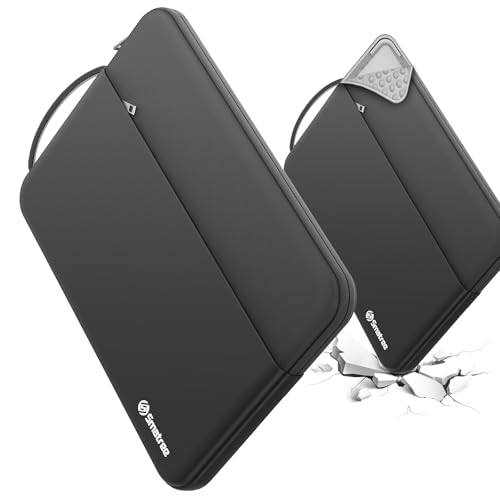 Smatree Urbanedge Laptop Case for 14 inch Smatree Urbanedge Laptop Case for 14 inch | Model No.:UE413 Specifically designed for 14" Razer Blade 14 2024/2023 360° Patented Super-Corner Protection: Reinforced silicone corners help… | Check price |
As an Amazon Associate we earn from qualifying purchases at no extra cost to you.
For most buyers using the Razer Blade 14 Sleeve Size Measurements Guide in 2026, a dedicated 14-inch Blade-compatible sleeve is the simplest choice. Expect a fitted padded sleeve to cost about $45 to $55; premium branded, water-resistant, or shoulder-carry styles commonly run $75 to $85.
Standard Sizes
Razer Blade 14 dimensions vary slightly by chassis generation, so measure your own computer when possible. The table below shows practical sleeve-sizing ranges rather than relying only on a screen-size category.
| Item or Fit Category | Width | Depth | Thickness | Recommended Use |
|---|---|---|---|---|
| Compact Razer Blade 14 chassis | 12.23 in / 31.1 cm | 8.83 in / 22.4 cm | 0.62 in / 1.6 cm | Fits tailored 14-inch Blade sleeves |
| Standard Razer Blade 14 chassis | 12.59 in / 32.0 cm | 8.66 in / 22.0 cm | 0.71 in / 1.8 cm | Fits most Blade-specific 14-inch sleeves |
| Minimum recommended sleeve interior | 13.0 in / 33.0 cm | 9.25 in / 23.5 cm | 0.9 in / 2.3 cm | Close everyday fit with thin padding |
| Roomy sleeve interior | 13.4 in / 34.0 cm | 9.6 in / 24.4 cm | 1.1 in / 2.8 cm | Allows a slim document sleeve or light accessory storage |
| Oversize 15-inch sleeve interior | 14.3 in / 36.3 cm | 10.2 in / 25.9 cm | 1.1 in / 2.8 cm | Usually too loose unless used inside another bag |
A close fit does not mean forcing the zipper. Leave about 0.25 to 0.5 inch (0.6 to 1.3 cm) of clearance at the sides and top. The sleeve should zip smoothly without pressing on the corners, display lid, or hinge area.
How to Measure Your Space
Whether you are buying online or checking a sleeve you already own, use a tape measure or rigid ruler and measure the laptop at its widest points. Measure the sleeve’s usable interior, not its exterior fabric dimensions.
- Shut down and close the laptop. Remove USB receivers, cables, and any bulky clip-on accessories before measuring.
- Measure width. Place the laptop flat and measure from the far-left edge to the far-right edge. Do not measure only the keyboard deck; include the full aluminum chassis.
- Measure depth. Measure from the front edge to the back edge, including any rear lip near the hinges.
- Measure thickness at the thickest point. Check the front and rear sections. The rear edge can be slightly thicker, particularly around the cooling and hinge assembly.
- Add clearance. Add 0.25 to 0.5 inch to width and depth. Add at least 0.15 to 0.25 inch to thickness for a lightly padded sleeve.
- Check the sleeve interior. Product listings often show exterior measurements, which can be 0.4 to 0.8 inch larger than the actual usable cavity because of foam, seam binding, and zipper construction.
- Account for what travels with the computer. A microfiber cloth is fine in a fitted sleeve. A charger, mouse, hard drive, or notebook requires a separate pocket or a roomier case.
Most Blade 14 configurations weigh roughly 3.6 to 4.1 pounds (1.6 to 1.9 kg) before the charger. A sleeve may add another 0.4 to 1.2 pounds (0.2 to 0.5 kg), depending on its foam thickness, handle, and accessory compartments.
By Room or Use Case
Commuting to Work or School
Choose a padded sleeve with a snug interior of approximately 13.0 x 9.25 x 0.9 inches. Look for a soft lining, reinforced corners, and a zipper guard or recessed zipper track so metal hardware does not rub against the laptop. If the sleeve will go inside a backpack, a handle is optional and a slim profile is usually more useful than a large accessory pocket.
A simple fitted sleeve in this category generally costs $45 to $55. It is the best choice for buyers who already carry a backpack and want scratch protection without unnecessary bulk.
Travel and Airport Use
For frequent travel, select a sleeve or slim shoulder case with interior dimensions around 13.4 x 9.6 x 1.1 inches. This gives enough room for paperwork, a thin mouse, and perhaps a compact USB-C adapter without placing pressure on the laptop lid.
Keep the power brick out of the main laptop compartment when possible. Performance-oriented Blade 14 chargers can be substantially larger and heavier than a compact USB-C charging adapter. A separate padded pocket prevents the charger from pressing into the display during transit. A shoulder case with a luggage strap, carry handle, and water-resistant outer fabric is worth considering for this use, with typical pricing around $75 to $85.
Home Office Storage
For desk drawers, shelving, or occasional storage, a basic soft sleeve is enough. Prioritize a smooth interior and accurate fit over handles, straps, or extra pockets. Your storage space should allow at least 14 x 10 x 2 inches (35.6 x 25.4 x 5.1 cm) per sleeved laptop so you can slide it in and out without catching the zipper.
Do not store the laptop in a sleeve while it is warm from gaming, rendering, or charging. Let it cool on a hard surface first. A sleeve protects against scratches and minor knocks, but it does not replace ventilation.
Gaming Setup and LAN Events
A sleeve is best for carrying the Blade 14 itself, not the entire gaming setup. If you bring a mouse, headset, controller, external SSD, and charger, use a separate accessory pouch or a larger backpack. Putting dense accessories in the same narrow compartment can dent the lid or stress the zipper seams.
For a Blade 14 used with a compact 100-watt USB-C charger, a modest front pocket may be sufficient for light travel. For the original high-output power adapter, plan on a separate compartment. Avoid choosing a larger 15-inch sleeve simply to fit the charger alongside the laptop; that leaves the computer free to shift around.
Common Sizing Mistakes
- Buying by screen size only: A 14-inch display does not guarantee compatibility with every 14-inch sleeve.
- Using exterior sleeve dimensions: Thick foam and stitched seams reduce usable interior space.
- Choosing a sleeve that is too tight: If the zipper requires force, the fit is too small and may put pressure on the corners or screen.
- Choosing a sleeve that is too large: More than about 0.75 inch of side-to-side play allows the laptop to move during carrying.
- Putting a charger in the laptop bay: Hard power bricks and adapters can create concentrated pressure points.
- Ignoring zipper placement: A zipper that closes directly against an unprotected edge can scratch an aluminum chassis over time.
- Forgetting fitted skins or cases: A thin vinyl skin usually has little effect, but a hard shell can add enough bulk to make a close-fitting sleeve unusable.
FAQ
What size sleeve should I buy for a Razer Blade 14?
Buy a Blade-specific 14-inch sleeve or one with interior dimensions of at least 13.0 x 9.25 x 0.9 inches. Measure your laptop first if you have a newer or older chassis, since outside dimensions are not identical across all versions.
Will a standard 14-inch laptop sleeve fit?
Some will, but not all. A standard 14-inch sleeve may be designed for a narrower ultrabook. Check that the interior width is at least 13.0 inches and the interior depth is at least 9.25 inches before ordering.
Can I use a 13-inch or 15-inch sleeve instead?
A 13-inch sleeve is generally too small for the Blade 14. A 15-inch sleeve may fit physically, but it is often too loose for secure standalone carrying. Use a larger sleeve only when it sits inside a structured backpack or case that limits movement.
Should the charger fit inside the sleeve with the laptop?
Only if the sleeve has a separate accessory pocket. Do not place a charger, mouse, or power bank directly against the laptop in the main compartment. For the safest fit, carry the Blade 14 in the padded sleeve compartment and keep hard accessories in a separate pocket or pouch.








