Key takeaways
- A specification-based Razer Viper V4 Pro review covering its 49g design, wireless polling, battery tradeoffs, optical controls and Synapse 4 support.
This review analyzes published product information. We have not performed detailed research of this unit.
As an Amazon Associate, we earn from qualifying purchases.
A competitive mouse with a clear configuration choice
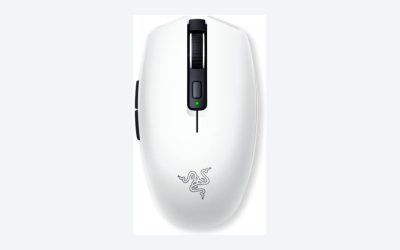
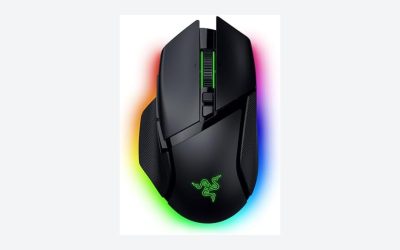
The Razer Viper V4 Pro reviewed here is the black, nominally 49g wireless configuration supplied with a HyperSpeed wireless dongle, grip tape and a USB Type A to USB Type C cable. Its listing emphasizes low weight, high polling rates and optical controls rather than a large bank of programmable buttons. That makes its specification sheet most relevant to players prioritizing mouse movement and primary inputs over extensive command mapping.
This is a specification-based assessment of the supplied retailer listing, not a hands-on test. Razer’s stated sensor limits, battery endurance and switch lifespan should therefore be treated as claims, not verified results. The interesting buying decision is not simply whether the numbers are high: it is whether the polling options, software requirements and unresolved fit details suit your setup.
The listed hardware at a glance
| Exact configuration | Razer Viper V4 Pro wireless mouse, black, listed at 49g |
|---|---|
| Wireless technology | Razer HyperSpeed Wireless Gen-2 |
| Maximum polling rate | 8000 Hz, according to the listing |
| Sensor | Focus Pro 50K DPI Optical Sensor Gen-3 |
| Claimed tracking limits | 930 IPS and 90 G acceleration |
| Scroll wheel | Optical actuation with tactile feedback |
| Main switches | Optical Gen-4; claimed 100-million-click lifespan |
| Claimed battery life | Up to 180 hours at 1000 Hz; up to 45 hours at 8000 Hz |
| Configuration software | Synapse 4, listed as compatible with PC and Mac |
| Included accessories | Grip tape, HyperSpeed wireless dongle, USB Type A to USB Type C cable |
Choose polling around endurance, not just the maximum
HyperSpeed Wireless Gen-2 and an advertised 8000 Hz polling ceiling are central to this model’s positioning. A higher polling rate allows more frequent mouse reports, but the listing does not establish the practical difference on your computer or in your games. It provides no test conditions that would let us translate its latency marketing into a reliable prediction of perceived responsiveness.
The battery figures offer a more concrete decision framework. Razer claims up to 180 hours at 1000 Hz, compared with up to 45 hours at 8000 Hz. On those figures, maximum polling reduces the stated endurance to one quarter of the 1000 Hz figure. Both remain conditional maximums; neither should be read as a guarantee for everyday use.
For someone who values fewer charging interruptions, 1000 Hz is the more sensible starting point based on the supplied endurance claims. The 8000 Hz option is better viewed as something to evaluate in your own setup rather than a setting you must enable to justify the mouse. Charging time and endurance at other polling rates are not supplied.
Optical controls without a complete button map
The scroll wheel uses optical actuation, with the listing claiming improved consistency and durability while retaining tactile feedback. That describes the sensing approach and intended feel, but it does not establish wheel resistance, noise or how clearly individual steps register under a finger. There is also no supplied confirmation of wheel tilt or free-spin operation, so buyers wanting those conveniences should not assume they are included.
The Gen-4 optical switches carry a claimed 100-million-click lifespan. That is a component durability claim, not a promise about the service life of the entire mouse. It also cannot tell you whether the click force or sound will suit you.
A more immediate limitation for control-heavy games is the missing button count and layout. The evidence does not describe a full set of programmable inputs or macro capabilities. If your purchasing decision depends on specific thumb-button assignments, confirm the physical controls before choosing this over a mouse with a documented command layout.
Sensor tuning depends on the software details
The Focus Pro 50K DPI Optical Sensor Gen-3 is listed with tracking limits of 930 IPS and 90 G. Those are advertised operating limits, not evidence that the mouse will improve aim. The listing also describes Frame Sync as coordinating sensor data with the PC to reduce latency, but supplies no independent measurements or configuration requirements for that feature.
More directly useful is the stated Synapse 4 support for sensitivity adjustments, mouse rotation and changes in 1-DPI increments. These options suggest scope for fine adjustment, although their value depends on your preferences rather than the size of the maximum DPI number.
The listing explicitly names PC and Mac compatibility for Synapse 4. It does not specify supported operating-system versions, feature parity between platforms or whether settings persist without the software running. Anyone relying on a managed work computer or switching between systems should check those details rather than assume the same customization experience everywhere.
Low weight is documented; hand fit is not
The stated 49g weight is a clear reason to consider this configuration if you prefer a light mouse. Included grip tape also gives buyers a supplied option for modifying the contact surface. Neither detail establishes comfort, however: low mass does not resolve whether a shell’s width, height and contours suit a particular hand or grip.
The dimensions field lists 5 by 2.51 by 0.1 inches. That unusually small third measurement makes it unsuitable for confidently assessing shell height. Without a dependable dimensional drawing or grip guidance, this review cannot recommend the mouse specifically for palm, claw or fingertip use.
Connection planning is clearer. The package includes a wireless dongle and a USB Type A to USB Type C cable, and the listing states that wired and wireless play are supported. Bluetooth is not documented. Check your available ports, since no separate adapter is identified among the supplied accessories.
Verdict: prioritize movement, then verify fit
The Viper V4 Pro is a credible specification-led candidate for buyers seeking a 49g wireless mouse with optical controls and a choice between extended claimed endurance and 8000 Hz polling. Its strongest buying argument is that combination, not an unverified promise of better competitive results. Confirm shell dimensions, button layout and software support before committing. For broader selection context, see our gaming mouse buying guide.
Sources: Product specifications, package contents and manufacturer claims were drawn from the supplied Razer Viper V4 Pro retailer listing.
Check the exact product and current offer on Amazon