Best Chairs for Gaming With Cooling: Fans and Cooling Gel Picks
Compare gaming chairs with real cooling features, from built-in fans and ventilated seats to cooling gel cushions, and learn how to choose the right type.
A standard gaming chair can feel warm long before a long session ends. Foam holds heat, leather-style covers trap warm air against your back and legs, and a room that felt comfortable at the start can feel very different after a few hours of play. Chairs for gaming with cooling try to solve that problem in a more direct way than ordinary padding, and they do it in two main ways.
The first approach is active cooling. A fan built into the seat or the backrest moves air through the cushion while you sit, so heat and moisture do not just build up in one place. The second approach is passive cooling with gel. A cooling gel seat cushion, a gel layer in the seat, or a removable gel pad is listed as dispersing heat and helping the contact surface feel cooler for longer. Both approaches appear in the listings below, and each product was included only because its listing names a specific cooling feature. Ordinary breathable fabric on its own was not enough to qualify, because many chairs claim breathability without offering any dedicated cooling system at all.
That distinction matters when you shop. If you run hot in the seat, a ventilated seat with fans is the most direct answer. If your back is the problem, a fan in the backrest or a gel pad you can position behind your lower back may suit you better. If you want a simpler chair with no cables or power source to manage, a cooling gel seat is the low-maintenance option. The four picks below cover those different needs, from a full climate-control seat to a mesh chair with a gel seat cushion.
Quick Picks
Best active seat cooling: AutoFull M6 Gaming Chair with Climate Control Massage — a ventilated seat with two fans, three settings, and graphite heating for colder days.
Best back cooling: COUGAR NxSys Aero — an integrated 200mm RGB fan in the backrest that circulates air toward your back.
Best removable gel pad: Dowinx Gaming Chair with Gel Pad — a removable gel cushion you can place on the seat or against the lumbar pillow, plus pocket spring cushioning.
Best gel seat in a mesh chair: RESPAWN SPIRE — a cooling gel seat cushion with heat-dispersing gel, paired with a knitted mesh back and flip-back arms.
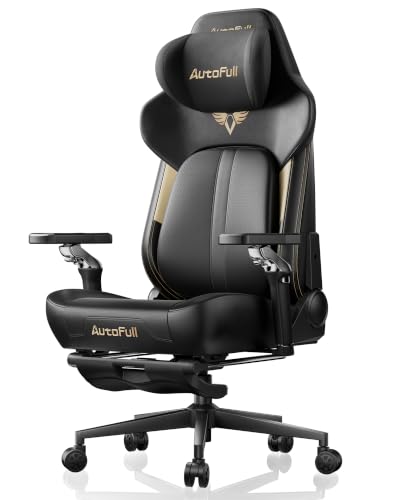
1. AutoFull M6 Gaming Chair with Climate Control Massage — Ventilated and Heated Seat
Top Pick
1. AutoFull M6 Gaming Chair with Climate Control Massage — Ventilated and Heated Seat
Cooling feature: Ventilated seat with two built-in fans and three adjustable settings
Heating: Integrated graphite heating up to 40 degrees Celsius (104 degrees Fahrenheit)
Lumbar support: Third-generation active lumbar support with fore-aft, height, and auto-swivel adjustment
The AutoFull M6 is the most complete cooling design in this guide because the cooling system is built into the seat itself rather than added as an accessory. Its listing describes a ventilated and heated seat with two high-performance fans that keep you cool and dry during intense gaming, with three adjustable settings so you can run the airflow gently or more strongly depending on the room. The same seat also includes graphite heating that warms up to 40 degrees Celsius, or 104 degrees Fahrenheit, which makes this a year-round chair rather than a summer-only purchase.
Cooling is only part of the package. The M6 uses a third-generation active lumbar support system that tracks your movement, listed with fore-aft and height adjustment and a small auto-swivel range, instead of a loose pillow that shifts out of place. The armrests rotate through a full circle and adjust in several directions, and the listing also includes lumbar and leg massage functions. Because the fans, heating, and massage all need power, plan your cable routing before you set the chair up, and check the listing for exactly how the seat connects.
The COUGAR NxSys Aero takes the opposite approach to the AutoFull and puts the cooling in the backrest. An integrated 200mm RGB fan sits inside the back of the chair and circulates cool air within the chair, directing the airflow toward your back. For players who feel heat build up between their shoulder blades rather than under their legs, that placement makes more sense than a seat fan.
The fan is powered from a power bank held in a discreet slot at the back of the chair, connected by internal wiring, so there is no loose cable trailing across the floor while you play. Built-in switches control both the fan speed and the RGB lighting. The backrest itself uses an adaptive elastomer mesh, and the chair is fitted with premium PVC leather selected to let air pass through toward the fan system. Support comes from a lumbar pillow described as made to physiotherapy standards and a magnetic head cushion that is easy to position and remove. Check the listing carefully for what is included in the box, especially around the power bank, before you plan on using the fan on day one.
The Dowinx takes the passive route. Instead of fans, it comes with a removable gel cushion that you can place on the surface of the seat or against the lumbar pillow, so the cooling sits exactly where you feel warmest. The listing describes this as an all-around cooling system: the gel cushion aligns with your back or hips to dissipate heat and reduce sweat during long sessions, and the brand notes the pad can be refrigerated, though not frozen, to lower its temperature before you sit down. There is nothing to plug in and no battery to charge.
The rest of the chair is built around a pocket spring seat cushion, where each spring works independently to respond to pressure, giving a softer, sofa-like feel than a solid foam base. The seat uses a flat, wingless design, which suits players who shift position or sit cross-legged. The backrest reclines to 135 degrees and pairs with a retractable footrest, and the chair includes a massage lumbar pillow, a head pillow, and storage bags. The cover is a technical fabric rather than a leather-style finish, which the listing pairs with the gel pad as part of its cooling design.
The RESPAWN SPIRE is the pick for players who prefer a mesh office-style chair but still want a named cooling feature in the seat. Its listing describes seat cooling technology with a heat-dispersing gel layer: a premium cooling gel seat cushion designed to regulate temperature and prevent overheating during intense gaming or work sessions. The gel is built into the seat rather than supplied as a loose pad, so it stays in place when you move.
Above the seat, a 3D knitted mesh back promotes airflow and works with an adjustable headrest and lumbar support. The arms flip back out of the way, which helps when you want to pull the chair close to a desk or switch to a controller position with your elbows free. The overall shape is a high-back reclining design aimed at home and desk use as much as gaming, so it fits a mixed work and play setup better than a racing-style bucket seat. The fill material is listed as gel and the cushion style as a gel layer, under model number RSP-SGMB07-STEALTH in the black version.
Start with the type of cooling, because that decision shapes everything else. Active fan systems, like the ventilated seat in the AutoFull M6 or the backrest fan in the COUGAR NxSys Aero, move air continuously and give you settings to adjust. They are the strongest option for warm rooms and long sessions, but they need power, either from a cable or a power bank, and that affects where the chair can go and how tidy the setup stays. Gel systems, like the Dowinx pad and the RESPAWN SPIRE seat, need no power at all and are silent, but the cooling is passive: a gel surface feels cool and disperses heat for a while, then gradually reaches body temperature.
Next, match the cooling location to where you actually get hot. Seat cooling helps if your legs and hips feel warm and you shift around in the cushion. Back cooling helps if your shirt sticks to the backrest. A removable gel pad is the flexible middle ground because you can move it between the two, while a built-in gel seat or a fixed fan only cools one zone.
Then check the ordinary chair basics with the same care you would use for any gaming chair. Confirm the listed weight capacity and seat dimensions against your body, look at how far the backrest reclines if you take breaks in the chair, and decide whether you want armrests that adjust in several directions or flip away entirely. If the chair has massage, heating, or fans, read the listing for how each function is powered and what is included in the box, so there are no surprises when you assemble it.
Finally, think about upkeep. A gel pad that can be removed is easy to chill and clean. A fan system should have vents you can keep clear of dust. Fabric, mesh, and leather-style covers each need different care, and the listing care instructions are the right guide for the model you choose.
FAQs
Do gaming chairs with fans really cool you down?
A fan system moves air through the seat or backrest, which carries heat and moisture away from the contact surface while you sit. Listings for fan chairs describe adjustable settings, so you can run the airflow lower for quiet play or higher in a warm room. The effect depends on room temperature and clothing, but it is active airflow rather than a material claim.
Is cooling gel as good as a built-in fan?
They work differently. Cooling gel feels cool on contact and disperses heat for a period of time, and a removable pad can be refrigerated before a session to extend that effect. A fan keeps working for as long as it has power. Gel is simpler and silent, while a fan is the better fit if you stay hot through very long sessions.
Can I use a cooling gaming chair for office work too?
Yes. Every chair in this guide is listed for gaming and desk or home office use, and features such as adjustable lumbar support, headrests, and recline limits matter just as much for a workday as for a game. A mesh and gel design like the RESPAWN SPIRE is the most office-friendly shape here.
What should I check before buying a chair with powered cooling?
Check how the cooling is powered, whether a cable or power bank is needed, whether the listing says a power source is included, and how the controls work. Also confirm the weight capacity, seat size, and assembly requirements on the same listing, because powered chairs have more parts than a basic model.
Does a breathable mesh chair count as a cooling chair?
Mesh helps air move through a backrest, but on its own it is not a dedicated cooling feature. The chairs in this guide were included because their listings name a specific cooling system, such as built-in fans, a ventilated seat, a cooling gel seat, or a removable gel pad, rather than breathability alone.
Conclusion
The best chairs for gaming with cooling solve the heat problem in different ways, so the right pick depends on where you feel warm and how much complexity you want. Choose the AutoFull M6 if you want the strongest seat cooling, with two fans, three settings, and heating for the rest of the year. Choose the COUGAR NxSys Aero if your back overheats and you want a large integrated fan aimed there. Choose the Dowinx if you like the idea of a gel pad you can move or chill before a session, and choose the RESPAWN SPIRE if you want gel seat cooling in a cleaner mesh chair that also suits a desk. Whichever type you pick, confirm the cooling feature, power needs, size, and capacity on the listing before you order, and the chair should stay comfortable long after a standard padded seat would have warmed up.
R
Razer Gaming Series Editorial Team
We compare specs, materials and verified owner reviews before a product earns a spot. Rankings are never paid.
Affiliate disclosure. As an Amazon Associate we earn from qualifying purchases at no extra cost to you. Prices accurate as of the date shown.
Our guide to best asian live webcams explains how to pick live webcam platforms safely: privacy, payment safety, moderation, regional rules and age checks.
Learn how to judge webcam forum platforms safely with this guide to best anal webcams extreme forums, covering privacy, moderation, scams and age rules.
The best 60fps webcams under 50 keep motion smooth on calls and streams for work and play. Compare four webcams with autofocus, privacy covers and microphones.
Four arranger keyboards compared on key count, voices and styles, recording features and speakers, using only the details printed on their Amazon listings.
The best chairs for gaming tables fit your desk height, support long sessions and roll smoothly. Compare four chairs built for gaming setups and long play.
Compare the best gaming chairs under 120 for long sessions: four budget-class chairs with footrests, reclining backs, lumbar support and sturdy frames.
The best animal webcams are indoor pet cameras with a phone app and two-way talk. Compare rotating treat cameras and pan-tilt monitors from Furbo and Petcube.
Palm, claw and fingertip grips explained: how to find your natural mouse grip, match it to hand and shell size, and what switching grips costs your aim.



 4. RESPAWN SPIRE — Cooling Gel Seat in a Mesh Gaming Chair