Key takeaways
- Find the best gaming desks under 70 with this practical guide to desktop size, frame strength, monitor room, cable routing and lighting for a budget setup.
As an Amazon Associate we earn from qualifying purchases.
A gaming desk has one job that matters most: it has to hold everything you play with, where you need it, without shaking or crowding your hands. When the budget is tight, that job gets harder, because every desk here makes trade-offs somewhere — a narrower top, a lighter frame, or fewer built-in extras. The real decision is not finding the flashiest desk you can afford; it is deciding which trade-offs you can live with for the way you play, and which ones will annoy you every session.
This guide is written for first-time setup builders putting together a station from scratch, students fitting a desk into a dorm room or shared bedroom, younger gamers getting a first proper setup, and home workers whose desk pulls double duty for daytime work and evening play. Instead of ranking models, it walks through the measurements, frame details, and features worth checking on any desk you consider, so the one you order fits your room, your monitors, and the way you sit.
What to Expect From a Desk in This Budget Range
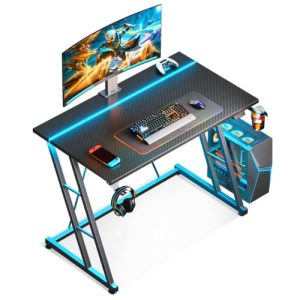
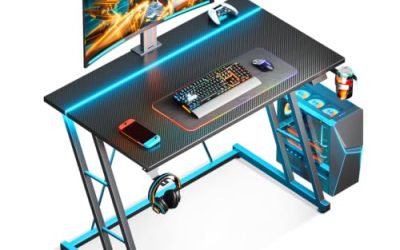
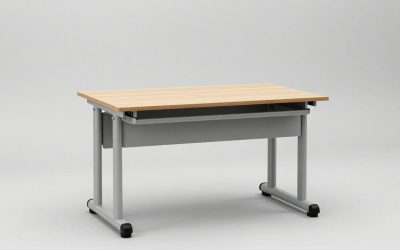
Most desks in this range share the same basic recipe: a rectangular or L-shaped top with a carbon-fiber-style finish, a steel tube frame, and a handful of small extras such as a cup holder, a headphone hook, or a couple of cable holes. Widths usually land between 40 and 55 inches, which covers one wide monitor or two standard ones with the keyboard in front, and depths run around 20 to 24 inches, enough for a monitor base, a full-size keyboard, and a mousepad with a little room to spare. A few models add a raised monitor shelf, a side storage shelf, or an LED strip along the edge, and L-shaped versions use the corner return for a tower, a console, or a second work surface.
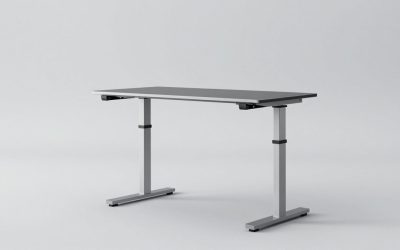
What you generally will not find here is height adjustment, a thick solid-wood top, or a frame rated for very heavy loads. Tops are usually engineered wood or particleboard with a laminated finish, so they are light and easy to move but can chip at the edges if they are knocked during assembly or a move. Assembly is part of the bargain as well: expect an hour with the included tools, a second pair of hands for the L-shaped models, and a quick check that every bolt is tight before you load the desk up. Knowing these limits up front keeps expectations honest and makes the differences between models easier to judge.
How to Choose
Measure the Desktop Against Your Gear
Start with the gear, not the room. Lay out the width of your monitor or monitors, add the keyboard and mousepad, and leave a few inches on each side so your elbows are not hanging off the edge and your mouse has a full sweep. A single 27-inch screen with a full-size keyboard fits comfortably on a 47-inch top, while two monitors side by side usually want 55 inches or an L-shaped return. Depth matters just as much: a shallow top pushes the screen too close to your eyes and leaves no space for a wrist rest, so look for at least 20 inches of depth, and more if you use a monitor arm or a large mousepad.
Check the Frame and Leg Design
A desk only feels solid if the frame underneath it is. Look for steel legs with crossbars or a Z-shaped frame, which resist side-to-side wobble far better than four straight legs with no bracing. Adjustable feet are a small detail that pays off on uneven floors, and a stated load rating tells you how much weight the top is built to carry — compare that number with the combined weight of your monitors, tower, and anything else that will live on the desk. If the listing shows the frame from underneath, study that photo: a desk with visible cross-supports and wide feet will stay steadier during long sessions than one that hides its structure.
Look at Cable Management and Storage
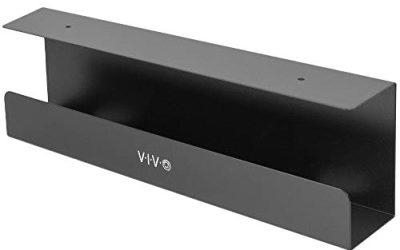
Cables multiply fast once a monitor, a tower, speakers, a charger, and a headset all share one desk. A couple of cable holes in the top, a tray or hooks underneath, and a monitor shelf that lifts screens off the surface all help keep cords out of the way of your mouse hand. Storage matters too: a side shelf or a small drawer gives controllers, notebooks, and spare cables a home, while an L-shaped return can hold a tower off the floor where it stays cooler and cleaner. Decide what you actually need to store before you shop, because storage you never use just eats desktop space.
Weigh Lighting and Extra Features
LED strips, cup holders, headphone hooks, and built-in power outlets look exciting in photos, and some of them genuinely help. A headphone hook keeps a headset off the desk, a cup holder keeps drinks away from the keyboard, and a monitor shelf improves posture by lifting the screen toward eye level. Lighting is the most optional extra of the lot: it looks good in a dark room, but it adds nothing to comfort or stability, so treat it as a bonus rather than a deciding factor. Spend your attention on size and frame first, then let the extras break ties between two desks that are otherwise equal.
Plan the Room Around the Desk
Measure the wall or corner before you order anything, and write the numbers down. A straight desk needs its full width plus a few inches on each side for the chair to slide in and out, while an L-shaped desk needs both wall lengths measured, because the return can run into a door, a radiator, or a bed frame that looked further away in your head. Check the height of any windowsill or shelf above the spot too, since a monitor on a riser can end up blocking a window or sitting too high for comfortable viewing. Tape the outline on the floor if you can: walking around the taped shape for a day reveals problems a tape measure alone will miss.
Think about the rest of the room as well. The tower needs airflow, so leave a gap behind and beside it rather than wedging it into a corner. A power outlet should sit within easy reach of the desk, because a long extension lead trailing across the floor is a trip hazard and a clutter magnet. If the desk will sit on carpet, adjustable feet or a hard mat under the legs will keep it level and stop it sinking over time. A little planning at this stage saves the frustration of assembling a desk only to find it blocks a door or leaves your chair with nowhere to go.
Which One Fits Your Situation
A Single Monitor in a Bedroom Corner
A compact straight desk around 40 to 47 inches wide is plenty for one monitor, a keyboard, and a mousepad, and it leaves the rest of the room free. Pick a model with a headphone hook and a cable hole so the small surface stays clear, and skip the L-shape unless the corner genuinely has space for the return.
Two Monitors and a Full PC Tower
Two screens and a tower need width and a strong frame, so look at a 55-inch straight desk or an L-shaped model with the tower on the return. A monitor shelf frees up the surface underneath for the keyboard, and a cable tray keeps the extra cords from piling up behind the screens.
A Shared Desk for Work and Play
When one desk serves daytime work and evening games, a plain rectangular top with a monitor shelf works well, because it leaves room for notebooks and papers during the day. A neutral finish suits both uses, and a drawer or side shelf gives work papers a place to go when the game starts.
A First Setup for a Younger Gamer
A first desk should be simple, sturdy, and easy to assemble, with rounded or protected edges and a size that fits a bedroom without dominating it. A cup holder and headphone hook add fun without adding clutter, and a smaller top is fine now — a growing setup can add a monitor shelf later.
Common Mistakes
- Buying by width alone and forgetting depth: a long, shallow top leaves the monitor too close to your eyes and the keyboard hanging off the front edge, so check both numbers on the listing before ordering.
- Skipping the frame check: four unbraced legs wobble under a heavy monitor and tower, so look for crossbars, a Z-shaped frame, or wide feet in the listing photos.
- Placing the desk without measuring chair clearance: a desk that fits the wall can still trap the chair against a bed or door, so measure the space behind the chair as well as the desk itself.
- Loading the desk before every bolt is tight: a half-tightened frame works loose under weight and starts to rock, so do a final pass over every fixing once the desk is standing.
- Choosing lighting over stability: an LED strip looks great in photos but does nothing for wobble or space, so settle size and frame first and treat lighting as a bonus.
Frequently Asked Questions
How wide should a gaming desk be for two monitors?
Two monitors side by side usually need a top around 55 inches wide, with the keyboard in front and a few inches to spare on each side. A 47-inch top can work if the monitors are narrow-bezel models on a dual arm, but the setup will feel cramped. An L-shaped desk is another answer: one screen on each wing gives both monitors room without needing a very long straight top.
Are L-shaped desks better than straight desks for gaming?
An L-shape wins when you have a corner and gear to spread out, because the return holds a tower, a console, or a second screen without widening the main desk. A straight desk wins in a narrow room or against a single wall, where a return would block a door or eat walking space. The better shape is the one that matches your room, not the one with more surface.
What should I check before assembling a budget gaming desk?
Count every part against the manual before you start, and confirm the desktop has no chips or cracks from shipping. Lay the pieces out on a soft surface so the laminated top does not scratch, and keep the screws grouped by size. Assemble the frame first, then add the top, and tighten every bolt in a second pass once the desk is upright and level.
Can a budget gaming desk hold a PC tower and a monitor arm?
Many can, provided the load rating covers the weight and the top is thick enough for the arm clamp. Check the load rating on the listing, keep the tower on the floor or on the L-shaped return, and use a monitor arm with a wide clamp that spreads pressure. If the top is thin, a grommet-mounted arm or a freestanding monitor riser is a safer choice than an edge clamp.
FAQ
How wide should a gaming desk be for two monitors?
Are L-shaped desks better than straight desks for gaming?
What should I check before assembling a budget gaming desk?
Can a budget gaming desk hold a PC tower and a monitor arm?
More from Amazon
Programs that pair well with the guide above. Offers and eligibility are set by Amazon and may change.
Free shipping on eligible items, Prime Video and more. Eligible new members can start with a free trial.
Start a Prime free trialAd-free music streaming. Eligible new subscribers can start with a free trial.
Try Music Unlimited freeA Prime membership for ages 18-24 with a trial period. Eligibility is set by Amazon.
See Prime for Young AdultsAudiobooks and podcasts to listen to on the go. Eligible new members can start with a free trial.
Try Audible freeAs an Amazon Associate we earn from qualifying purchases.