Key takeaways
- Find the best headsets for Pixel 2 VR, from Google Daydream View to Cardboard viewers and Bluetooth audio options, with setup and comfort tips.
As an Amazon Associate we earn from qualifying purchases.
The best headsets for Pixel 2 VR start with one clear answer: the Google Daydream View headset made for the Pixel 2 is the only viewer that unlocks the full Daydream virtual reality platform on this phone, while generic Cardboard viewers and good Bluetooth headphones cover everything else. The Pixel 2 launched in 2017 as a Daydream-ready phone, and that timing shapes every choice in this guide. Daydream is discontinued, the official headset is long out of production, and the used market is now the main source for it. That does not make Pixel 2 VR useless. It means the smartest approach is knowing exactly which headset type matches what you want to do, whether that is playing Daydream games, watching VR video, or exploring Cardboard apps that still work today.
This guide explains the headset options that actually work with a Pixel 2, how to tell a genuine Daydream-compatible viewer from a lookalike, what to check before buying a used headset, and how to pair audio so the experience feels complete. There are no shopping links here, because the hardware involved is discontinued and availability changes constantly. Instead, you get the facts you need to buy confidently on the secondhand market or to make the most of a viewer you already own.
How Pixel 2 VR Works
The Pixel 2 was built for Google Daydream, Google’s phone-based VR platform. A Daydream-ready phone needs a fast processor, a high-resolution low-persistence display, and precise motion sensors, and the Pixel 2 met all of those requirements at launch. When you slide the phone into a Daydream View headset, the phone becomes both the screen and the computer. The headset supplies the lenses, the strap system, and a small wireless controller that tracks your hand movements.
Daydream is not the same thing as Google Cardboard. Cardboard is an open standard: any phone and any viewer with the right lenses can run Cardboard apps. Daydream is a closed, certified platform. Only Daydream-ready phones can run Daydream apps, and only certified Daydream headsets can run them properly. The Pixel 2 is Daydream-ready, but a random plastic VR viewer from a discount store will not open the Daydream home screen. It will only work with Cardboard apps, which are a different and much simpler experience.
Google shut down Daydream in 2019 and stopped selling the Daydream View headset. The Daydream app is no longer available from the Play Store for new installs, and newer Android versions do not support it. A Pixel 2 still running an older Android version with Daydream already installed can keep using it, but a factory reset can make the platform very hard to restore. Keep that in mind before buying a headset: the software side matters as much as the hardware.
The Main Option: Google Daydream View (2017 Model)
The 2017 Daydream View is the headset Google designed alongside the Pixel 2, and it remains the best headset for Pixel 2 VR by a wide margin. It is a soft fabric headset with a hinged front flap. You open the flap, drop the Pixel 2 in, and close it. A small NFC tag inside the headset tells the phone to switch into Daydream mode automatically. The headset ships with a wireless controller that has a clickable touchpad, two buttons, and motion tracking. The controller is essential: many Daydream apps and games are unusable without it.
The 2017 model improved on the original 2016 Daydream View in several ways that matter for the Pixel 2. The field of view is wider, the lenses are better, the fabric is softer, and the headset fits over glasses more comfortably. It also has a removable front flap design that makes inserting and removing the phone easier. If you are shopping for a used Daydream View, the 2017 model is the one to look for. The 2016 model works with the Pixel 2 too, but its narrower field of view and stiffer fit make it the weaker choice.
When buying a used Daydream View, check four things. First, the controller must be included and working, because a headset without its controller loses most of its value. Second, the front flap should close firmly and the phone should sit flat without wobbling. Third, the lenses should be clean, with no scratches or haze, because scratched lenses blur the whole image. Fourth, the fabric should be clean and free of odors, since this headset sits directly against your face. Ask the seller whether the controller pairs and holds a charge, and whether the headset was used with a Pixel phone or another Daydream-ready model.
There is one more detail worth checking: the Daydream View was sold in several colors, including charcoal, fog, and coral. The color makes no difference to performance, so choose whichever used listing is in the best condition rather than chasing a particular color.
The Original Daydream View (2016 Model)
The 2016 Daydream View was Google’s first headset for the platform, and it works with the Pixel 2. It is lighter and a little smaller than the 2017 model, and it uses the same basic design: fabric body, hinged front flap, NFC auto-launch, and a wireless controller. The lenses offer a narrower field of view, and the headset can feel tighter on larger heads. It is also harder to wear with glasses.
Buy the 2016 model only if it is much cheaper than a 2017 model in similar condition, or if it is the only one available. The experience is genuinely usable, and the controller works the same way. But the 2017 headset is better in every way that affects comfort and image quality, and used prices for the two models are usually close. If both are available, the newer one is the better buy.
Cardboard Viewers: A Cheaper, Simpler Alternative
If you cannot find a Daydream View, or you only want casual VR, a Google Cardboard viewer is a reasonable alternative. Cardboard viewers are simple plastic or cardboard shells with two lenses. You slide the Pixel 2 in, open a Cardboard-compatible app, and look around. There is no controller, no NFC auto-launch, and no access to Daydream apps. What you get is access to Cardboard apps, 360-degree photos and videos, and simple VR experiences.
Cardboard viewers vary enormously in quality. The best ones have adjustable lenses, a comfortable strap, a button or trigger for interacting with apps, and ventilation to reduce lens fog. The worst ones are flimsy shells with fixed lenses that blur the image and pinch your nose. When choosing a Cardboard viewer for the Pixel 2, look for a model that fits phones up to six inches, has adjustable interpupillary distance or focus, and includes a head strap rather than requiring you to hold the viewer to your face.
One important limitation: Cardboard apps are far less polished than Daydream apps. The graphics are simpler, there is no hand controller, and interaction is limited to looking at things and tapping a button. That is fine for watching 360-degree video or showing VR to a friend for the first time, but it is not a replacement for the Daydream experience. Treat a Cardboard viewer as a budget way to try phone VR, not as an equal alternative to Daydream View.
Standalone Headsets Are Not Pixel 2 Headsets
It is worth clearing up a common confusion. Headsets like the Oculus Go, the Lenovo Mirage Solo, and the Meta Quest line are standalone VR headsets. They have their own screens, processors, and software, and they do not use a phone at all. The Pixel 2 does not slot into them, and they do not run Daydream or Cardboard apps from your phone. They are excellent VR devices in their own right, and if you want a modern VR experience, a standalone headset is the better investment. But they are not accessories for a Pixel 2, and buying one will not improve your Pixel 2 VR setup. If your goal is specifically to use the Pixel 2 in VR, spend your money on a Daydream View instead.
Audio: The Headphones That Complete the Experience
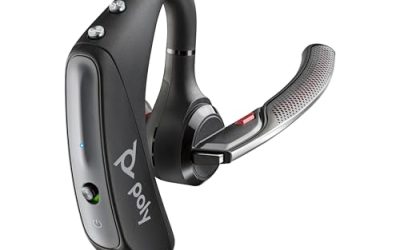
The Daydream View has no built-in headphones, so audio is an important part of the setup. The Pixel 2 has no headphone jack, which pushes the choice toward Bluetooth headphones or a USB-C adapter with wired headphones.
Bluetooth over-ear headphones are the most comfortable option for longer sessions. They sit outside the headset straps, they block outside noise, and they do not add wires that tangle with the controller. Look for a pair with low latency, because a delay between the picture and the sound is distracting in VR. Many modern Bluetooth headphones include a low-latency mode for gaming or video, and that feature is worth having here.
Bluetooth earbuds are a good alternative if you find over-ear headphones hot or heavy. They are light, they stay out of the way of the headset strap, and they are easy to carry with the phone and headset. The tradeoff is shorter battery life and less noise isolation, but for short VR sessions they work well.
Wired headphones with a USB-C adapter are the cheapest option and have zero wireless latency. The downside is the cable: it hangs from the phone inside the headset, and it can snag or pull. If you go wired, use a short cable and route it carefully so it does not tug the headset out of position. A USB-C to headphone adapter that also supports charging is useful, because VR drains the Pixel 2 battery quickly and you cannot charge the phone while it is sealed inside the headset.
Whatever you choose, test the audio before a long session. Pair the headphones, open a Daydream app, and check that the sound is in sync and loud enough to cover the room. A good audio setup turns a decent VR demo into something genuinely immersive.
Setting Up Your Pixel 2 for VR
Before your first session, run through a short setup checklist. First, confirm that the Daydream app is installed and that your Pixel 2 is running an Android version that still supports it. Android 10 was the last version with full Daydream support, and later updates removed it. If your phone has already been updated past that point, Daydream apps may refuse to launch, and no headset will fix that.
Second, charge the phone fully and close background apps. VR is demanding, and the Pixel 2 can get warm during a session. A warm phone dims its screen to protect itself, which hurts image quality. Short sessions of twenty to thirty minutes are better than one long session, both for the phone and for your comfort.
Third, clean the phone screen and the headset lenses with a microfiber cloth. Dust and fingerprints are magnified by the lenses, so a quick wipe makes a visible difference. Do not use paper towels or rough cloths on the lenses, because they scratch easily.
Fourth, pair the Daydream controller. Press and hold its home button until the LED blinks, then follow the pairing prompt on the phone. Keep the controller charged, and store it with the headset so the pair stays together.
Fifth, adjust the fit. The Daydream View strap should sit snugly but not tightly, with the weight spread across your forehead and the back of your head. The lenses should sit centered on your eyes. If the image looks blurry at the edges, slide the headset slightly up or down until the center is sharp. Most blur problems come from a headset sitting too low or too high, not from a broken lens.
Comfort and Safety Tips
Phone VR is fun, but it rewards a little caution. Take a break every twenty to thirty minutes, especially the first few times you use it. If you feel dizzy, nauseous, or get a headache, stop and rest. These symptoms usually fade with experience, but pushing through them makes them worse.
Use VR in a clear space. You will be blind to the room while the headset is on, so move furniture, cables, and anything you could trip over before you start. Sit down for your first few sessions. Standing VR with a phone headset adds nothing and increases the chance of a fall.
Keep the headset clean. The fabric face pad absorbs sweat, so wipe it down after use and let it air out. If you share the headset, a wipeable cover or a fresh face pad is worth having. Store the headset somewhere cool and dry, with the lenses facing away from sunlight. Direct sun focused through VR lenses can damage the phone screen and the lenses themselves, so never leave the headset lens-side up near a window.
Comparison Table
| Headset type | Works with Daydream | Controller included | Best for |
|---|---|---|---|
| Daydream View 2017 | Yes | Yes | Full Pixel 2 VR experience |
| Daydream View 2016 | Yes | Yes | Budget Daydream on a Pixel 2 |
| Cardboard viewer | No | No | Casual 360 video and simple apps |
| Standalone VR headset | No | Built in | Modern VR without a phone |
| Bluetooth headphones | With any headset | Not applicable | Immersive audio for any setup |
Frequently Asked Questions
Can the Pixel 2 work with any VR headset?
The Pixel 2 works with Daydream-certified headsets for the full Daydream experience and with Cardboard viewers for simpler Cardboard apps. Generic VR viewers that are not Daydream-certified will only run Cardboard apps. Standalone headsets do not use the phone at all.
Is the Daydream View still worth buying in 2026?
It is worth buying if your Pixel 2 still runs a Daydream-compatible Android version with the app installed, and if you can find a used headset with a working controller at a fair price. If your phone has been updated past Daydream support, the headset will not bring the platform back.
Can I use the Pixel 2 with a Meta Quest headset?
No. The Meta Quest is a standalone headset with its own hardware and software. The Pixel 2 does not connect to it or slot into it. The two devices serve different purposes.
Why does my VR image look blurry?
The most common causes are a dirty phone screen, dirty lenses, or a headset sitting too high or low on your face. Clean both surfaces with a microfiber cloth, recenter the headset, and check that the phone is seated flat inside the viewer.
Do I need headphones for Pixel 2 VR?
Headphones are not required, since the phone speaker still works inside the headset, but the sound is muffled and thin. Bluetooth over-ear headphones or earbuds make the experience far more immersive and are strongly recommended.
Conclusion
The best headsets for Pixel 2 VR are simple to rank. The 2017 Daydream View is the clear winner, because it is the only viewer that unlocks the full Daydream platform the Pixel 2 was built for, and it comes with the controller that makes Daydream apps playable. The 2016 Daydream View is a solid backup if the newer model is unavailable or much more expensive. A good Cardboard viewer is a cheap way to enjoy 360-degree video and simple VR apps, but it cannot run Daydream. Standalone headsets belong to a different category entirely and are not Pixel 2 accessories.
Before you buy anything, check your phone first. Confirm that Daydream is installed and that your Android version still supports it, because a headset cannot fix a software problem. Then look for a used Daydream View in good condition with a working controller, clean lenses, and a firm front flap. Pair it with comfortable Bluetooth headphones, keep your sessions short while you get used to VR, and take care of the lenses and fabric. Do that, and the Pixel 2 still delivers a fun and surprisingly capable VR experience years after launch.
More from Amazon
Programs that pair well with the guide above. Offers and eligibility are set by Amazon and may change.
Free shipping on eligible items, Prime Video and more. Eligible new members can start with a free trial.
Start a Prime free trialAd-free music streaming. Eligible new subscribers can start with a free trial.
Try Music Unlimited freeA Prime membership for ages 18-24 with a trial period. Eligibility is set by Amazon.
See Prime for Young AdultsAudiobooks and podcasts to listen to on the go. Eligible new members can start with a free trial.
Try Audible freeAs an Amazon Associate we earn from qualifying purchases.