5 Best Bluetooth Gaming Keyboards to Buy (November 2026)
Compare the best Bluetooth gaming keyboards from ASUS, SteelSeries, Razer, Corsair and Logitech G, with tri-mode connections, switch types and battery life explained.
The real decision here is not whether Bluetooth belongs on a gaming keyboard. It is whether Bluetooth is the only wireless route your setup actually offers. A gaming PC can take a 2.4GHz dongle, but a tablet, a phone, a smart TV, a handheld or a work laptop with locked-down USB ports often cannot, and those are exactly the screens many people game on away from the desk. So the question becomes which boards genuinely game well over Bluetooth, hold several pairings at once, and still give you a faster mode to fall back on when a match matters.
This guide is for couch gamers playing through a TV box, players who split time between a PC and a tablet or phone, and anyone who wants one keyboard to follow them between machines. Every pick below was chosen from the names and specifications on its Amazon product page, and each pairs over Bluetooth while also offering a 2.4GHz or wired mode where input lag matters most.
Quick Picks
As an Amazon Associate we earn from qualifying purchases.
Product
Best for
Key spec from title
ASUS ROG Azoth
One board for a PC, tablet and laptop rotation
Tri-mode connectivity with OLED display
SteelSeries Apex Pro Mini Wireless
Competitive players who tune actuation per key
OmniPoint 2.0 adjustable switches
Razer BlackWidow V3 Mini HyperSpeed
Clicky switches and the longest time between charges
Up to 200 hours of battery life
Corsair K70 PRO MINI WIRELESS
Cherry MX fans who swap switches
Swappable Cherry MX Red switches
Logitech G PRO X 60 LIGHTSPEED
Optical switches and deep key remapping
GX Optical tactile switches
How to Choose
Start With the Bluetooth Side, Not the Dongle
Check how many devices a board can remember and how switching works, because that is the feature you will touch daily. The ROG Azoth, for example, connects to three devices over Bluetooth and swaps between them from the board itself, which suits a PC, tablet and phone rotation. Look for a recent Bluetooth version and a physical mode switch or clearly marked shortcut keys. If the listing only says “wireless” without naming Bluetooth in the connection list, assume the board is dongle-only and keep looking, since a dongle cannot help a phone or most tablets.
Keep a Faster Mode in Reserve for Serious Matches
Honesty matters here: Bluetooth is built for convenience and low power draw, and it polls less aggressively than a gaming 2.4GHz link, so fast-paced shooters can feel a touch less immediate over Bluetooth than over a dongle or cable. That gap is hard to notice in strategy games, RPGs and couch play, but ranked FPS players usually feel it. The practical answer is a tri-mode board. Game over Bluetooth on the tablet, TV or second laptop, then switch to the 2.4GHz receiver or plug in the USB-C cable when you sit down at your main rig for competitive sessions.
Match the Switch to How You Actually Play
Switch choice changes a Bluetooth board more than any logo does. Adjustable magnetic switches, like the OmniPoint 2.0 set in the Apex Pro Mini Wireless, let you set a shallow actuation for movement keys and a deeper one for abilities, with rapid trigger behaviour on top. Optical switches, as in the Logitech G PRO X 60, actuate with light and suit players who want consistent, fast resets. Traditional mechanical switches split by feel: linear for smooth key presses, tactile for a bump you can feel, clicky for audible feedback that roommates may not thank you for.
Weigh Layout Against Battery Honestly
Compact layouts are why most Bluetooth gaming boards exist, but each step down removes keys you may use. A 75 percent board like the Azoth keeps the function row and arrows, a 65 percent board keeps arrows only, and a 60 percent board moves arrows and F-keys behind a function layer. Battery claims need the same scrutiny. Manufacturers quote best-case figures with lighting off, so a board rated for very long runtimes can still need charging far sooner with RGB running. Check the listing for the figure that matches how you will really use it.
The 5 Best Options
ASUS ROG Azoth
Top Pick
ASUS ROG Azoth
Best for: players rotating one keyboard between a gaming PC, a tablet and a laptop.
Layout: 75% layout
Connectivity: Bluetooth, ROG SpeedNova 2.4 GHz RF, and wired USB
Switches: ROG NX Snow linear mechanical, hot-swappable and pre-lubricated
players rotating one keyboard between a gaming PC, a tablet and a laptop.
Watch out for
the headline battery figure assumes the OLED screen and RGB are switched off, and competitive sessions still belong on the 2.4GHz mode rather than Bluetooth.
The Azoth is the pick for players whose keyboard has to live several lives in one day. Its Bluetooth mode holds three devices at once, so it can drive a tablet on the couch, then a laptop, then return to the gaming PC, where its ROG SpeedNova 2.4GHz link takes over for low-latency play. A gasket mount and three-layer dampening give it a softer, quieter typing feel than most gaming boards, the pre-lubed ROG NX Snow switches are hot-swappable, and the OLED screen shows system stats or keyboard settings at a glance. A DIY lube kit in the box underlines that this board expects to be tuned, not just used.
SteelSeries Apex Pro Mini Wireless
Runner-Up
SteelSeries Apex Pro Mini Wireless
Best for: FPS players who want tuned actuation at the desk and Bluetooth everywhere else.
Layout: 60% layout, 61 keys
Switches: OmniPoint 2.0 Adjustable HyperMagnetic with Rapid Trigger and 2-in-1 action keys
Actuation: 40 levels of per-key adjustment
Connectivity: Quantum 2.0 Dual Wireless, 2.4 GHz and Bluetooth 5.0, plus detachable USB-C wired
For competitive players, this is the Bluetooth board with the fewest compromises once you plug in or switch to its dongle. The OmniPoint 2.0 HyperMagnetic switches offer 40 levels of per-key actuation adjustment, so movement keys can fire on a whisper of pressure while ability keys demand a deliberate press, and Rapid Trigger resets keys the moment they start rising. Quantum 2.0 Dual Wireless covers the 2.4GHz link and Bluetooth 5.0, the frame uses a premium aluminum top plate, and the 60 percent layout leaves maximum room for wide mouse sweeps. Over Bluetooth it becomes the travel and tablet board; over 2.4GHz it is a tournament-style deck.
Razer BlackWidow V3 Mini HyperSpeed
Razer BlackWidow V3 Mini HyperSpeed
Best for: clicky-switch fans who game on several devices and hate charging cables.
Layout: 65% layout with arrow keys retained
Switches: Razer Green mechanical switches, tactile and clicky
Connectivity: Bluetooth, Razer HyperSpeed Wireless 2.4 GHz, and USB-C wired
Battery life is the headline here, and it changes how the board fits a Bluetooth-first setup. Razer rates the BlackWidow V3 Mini for up to 200 hours, and its listing positions Bluetooth as the efficient power-saving mode, with the HyperSpeed 2.4GHz connection reserved for lag-free gaming and USB-C for charging while you play. The 65 percent layout keeps real arrow keys, which many players refuse to give up, and the Green mechanical switches deliver the tactile, clicky feedback this version is built around. Chroma RGB lighting is on board, though leaving it off is how the longest runtimes happen.
Corsair K70 PRO MINI WIRELESS
Corsair K70 PRO MINI WIRELESS
Best for: Cherry MX loyalists who want hot-swap freedom in a travel-size gaming board.
Layout: 60% layout
Switches: Cherry MX Red mechanical, swappable
Connectivity: SLIPSTREAM WIRELESS 2.4 GHz, Bluetooth, and USB-C wired
Cherry MX loyalists who want hot-swap freedom in a travel-size gaming board.
Watch out for
battery life falls to the listing’s 32-hour figure with RGB on, so Bluetooth couch sessions are fine but a lighting-heavy desk setup needs regular charging.
Corsair’s entry is the one for players loyal to Cherry MX switches and the freedom to change them. The K70 PRO MINI WIRELESS uses swappable Cherry MX Red switches in an aluminum frame with PBT double-shot keycaps, so worn or unwanted switches pull out without soldering. Its SLIPSTREAM connection is the gaming mode, described on the listing as sub-1ms wireless, while Bluetooth handles phones, tablets and second machines, and a USB-C cable covers wired play and charging. Corsair AXON hyper-processing sits behind the wired and dongle performance. It is a small board with a spec sheet aimed squarely at enthusiasts rather than casual typists.
Logitech G PRO X 60 LIGHTSPEED
Logitech G PRO X 60 LIGHTSPEED
Best for: competitive players who want optical switches and layered remaps, with Bluetooth for everything off the main rig.
Layout: 60% ultra-compact TKL design
Switches: GX Optical tactile switches
Connectivity: LIGHTSPEED wireless, Bluetooth, and USB-C wired
competitive players who want optical switches and layered remaps, with Bluetooth for everything off the main rig.
Watch out for
the optical switches are not hot-swappable, so the switch feel you buy is the one you keep, and the 60 percent layout leans heavily on programmed layers.
The PRO X 60 was designed with esports players, and it treats Bluetooth as the second seat rather than the headline act. LIGHTSPEED wireless is the mode for matches, Bluetooth covers the tablet, phone or laptop you pair it with between games, and USB-C covers wired play. Its GX Optical tactile switches actuate with light instead of metal contacts, KEYCONTROL in G HUB lets you stack commands and layers onto the compact 60 percent layout, and the dual-shot PBT keycaps and LIGHTSYNC RGB keep it feeling like a pro deck rather than a travel accessory. A carrying case is included for taking it on the road.
Which One Fits Your Situation
You Game Mostly on a Tablet, Phone or TV Box
Bluetooth is not the backup here, it is the only connection that works, so choose for pairing quality and battery. The BlackWidow V3 Mini HyperSpeed suits this life best, with its long rated runtime and Bluetooth framed as the power-saving mode, while the ROG Azoth is the upgrade if you want a function row and three remembered devices to hop between.
You Play Ranked FPS but Want One Keyboard for Everything
Keep the dongle for matches and let Bluetooth handle the rest of your day. The Apex Pro Mini Wireless gives you adjustable actuation and Rapid Trigger for ranked sessions over 2.4GHz, then pairs over Bluetooth with a laptop or tablet. The Logitech G PRO X 60 follows the same pattern with optical switches and deeper remapping through KEYCONTROL.
Your Desk Is Shared Between Work and Play
A board that remembers several Bluetooth devices saves daily re-pairing. The ROG Azoth, with three Bluetooth connections and an OLED screen for settings, moves between a work laptop and a gaming PC cleanly. The Corsair K70 PRO MINI WIRELESS is the alternative if your work typing has to feel like Cherry MX Red and you like the option of swapping switches later.
You Travel to LANs, Friends’ Houses or Campus
Size and a protective case matter as much as switch specs. The Logitech G PRO X 60 ships with a carrying case and shrugs off bag duty, while the SteelSeries Apex Pro Mini Wireless packs an aluminum top plate into the same small footprint. Both reconnect over Bluetooth to whatever machine you land at, no dongle required.
Common Mistakes
Buying a “wireless” keyboard that turns out to be 2.4GHz-only, then discovering it cannot pair with a phone or tablet at all.
Judging Bluetooth latency by shooter gameplay alone, then blaming the keyboard for a limitation that a 2.4GHz or wired mode on the same board would have solved.
Trusting the biggest battery number on the listing without checking whether it assumes RGB and screens are switched off.
Choosing a 60 percent layout for gaming, then realising your favourite titles and work apps lean on F-keys and arrows you now reach through layers.
Forgetting that clicky switches, like the Green set in the BlackWidow V3 Mini, are a household decision as much as a gaming one.
Frequently Asked Questions
Is Bluetooth actually good enough for gaming?
For most genres, yes. Strategy games, RPGs, racing titles, platformers and turn-based games play comfortably over Bluetooth, and the connection is stable at couch distance. The honest exception is high-level competitive FPS play, where the lower polling of Bluetooth can feel slightly less immediate. That is why every board in this guide also carries a 2.4GHz or wired mode for those sessions.
Why do Bluetooth gaming keyboards also include a 2.4GHz dongle?
Because the two connections solve different problems. Bluetooth pairs directly with phones, tablets, TVs and laptops that may have no spare USB port, and it sips power while doing so. The 2.4GHz dongle exists purely for speed on a PC, where a free port is easy to find. A tri-mode board means you never have to choose which of those worlds to give up.
Can one of these keyboards connect to an iPad or Android tablet?
Yes, that is one of the main reasons to buy one. Each keyboard here lists Bluetooth among its connection modes, so it pairs with a tablet or phone the same way it pairs with a PC, and most remember more than one device. Just confirm the game itself supports keyboard input on that platform, since some mobile titles limit controls to touch or gamepads.
Does Bluetooth or 2.4GHz drain the battery faster?
The 2.4GHz gaming link generally uses more power because it is built to poll faster and stay constantly responsive, while Bluetooth is designed around efficiency. Razer’s listing for the BlackWidow V3 Mini says this plainly, presenting Bluetooth as the power-saving mode behind its longest runtime figure. Lighting is the other big drain, so RGB settings often matter more than the connection you pick.
R
Razer Gaming Series Editorial Team
We compare specs, materials and verified owner reviews before a product earns a spot. Rankings are never paid.
FAQ
Is Bluetooth actually good enough for gaming?
For most genres, yes. Strategy games, RPGs, racing titles, platformers and turn-based games play comfortably over Bluetooth, and the connection is stable at couch distance. The honest exception is high-level competitive FPS play, where the lower polling of Bluetooth can feel slightly less immediate. That is why every board in this guide also carries a 2.4GHz or wired mode for those sessions.
Why do Bluetooth gaming keyboards also include a 2.4GHz dongle?
Because the two connections solve different problems. Bluetooth pairs directly with phones, tablets, TVs and laptops that may have no spare USB port, and it sips power while doing so. The 2.4GHz dongle exists purely for speed on a PC, where a free port is easy to find. A tri-mode board means you never have to choose which of those worlds to give up.
Can one of these keyboards connect to an iPad or Android tablet?
Yes, that is one of the main reasons to buy one. Each keyboard here lists Bluetooth among its connection modes, so it pairs with a tablet or phone the same way it pairs with a PC, and most remember more than one device. Just confirm the game itself supports keyboard input on that platform, since some mobile titles limit controls to touch or gamepads.
Does Bluetooth or 2.4GHz drain the battery faster?
The 2.4GHz gaming link generally uses more power because it is built to poll faster and stay constantly responsive, while Bluetooth is designed around efficiency. Razer’s listing for the BlackWidow V3 Mini says this plainly, presenting Bluetooth as the power-saving mode behind its longest runtime figure. Lighting is the other big drain, so RGB settings often matter more than the connection you pick.
Affiliate disclosure. As an Amazon Associate we earn from qualifying purchases at no extra cost to you. Prices accurate as of the date shown.
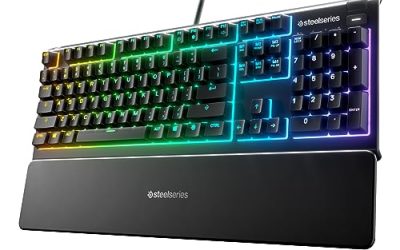
Four starter keyboards for new gamers compared: quiet membrane, mecha-membrane and first mechanical picks with spill resistance, wrist rests and simple controls.
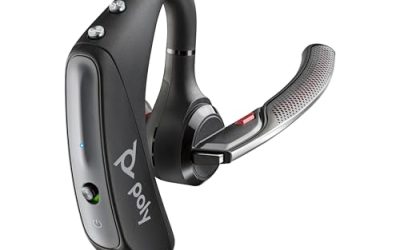
Find the best wireless phone headsets for hands-free calls. Compare five Bluetooth headsets with call microphones, long talk time, and comfortable all-day fits.
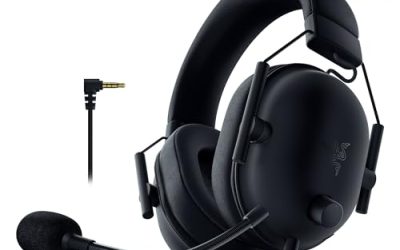
Find the best wired headsets for PS5 with clear chat, Tempest 3D Audio support, and long-session comfort. Compare wired picks for the DualSense controller.
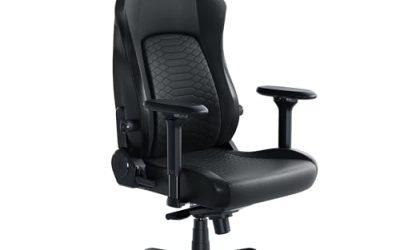
'The best chairs for gaming and have back problems sorted: adjustable lumbar support, ergonomic backrests and seat-depth controls for comfortable sessions.'
The best keyboards for developers combine quiet typing, programmable keys and comfort. See five boards built for long coding sessions and multi-device setups.
Compare the best Nintendo Switch 2 TV docks for big-screen play — cradle, hub, and travel picks with 4K output, charging, and per-generation fit compared.
Compare 5 studio monitor speakers for gaming desks: flat, accurate near-field pairs from KRK, JBL, Edifier, PreSonus, and Mackie, with inputs and desk fit.


 Corsair K70 PRO MINI WIRELESS
 Logitech G PRO X 60 LIGHTSPEED