Key takeaways
- Find the best place to find adult korean webcams safely: camera quality, lighting, privacy controls and platform safety explained for creators and viewers.
As an Amazon Associate we earn from qualifying purchases.
Choosing where to stream or watch adult Korean webcam content is less about chasing the loudest promotion and more about matching a space to the way you actually want to work or watch. A platform that suits a casual viewer may frustrate a creator who needs reliable scheduling, clear boundaries and dependable moderation, while a creator-focused service may feel needlessly complex for someone who only wants a straightforward, respectful viewing experience. The right choice protects your time, your privacy and your comfort from the first session onward.
This guide is written for adult creators based in Korea or reaching Korean-speaking audiences, for creators elsewhere who want to connect with that audience, for viewers who want a safer and more transparent place to watch, and for newcomers who are still deciding whether webcam work fits their goals at all. Each group has different priorities, so the sections below separate camera setup, lighting, privacy and platform safety into decisions you can weigh one at a time.
How to Choose
Camera Quality and Stream Stability
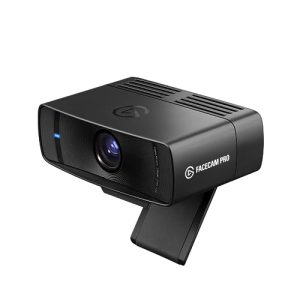
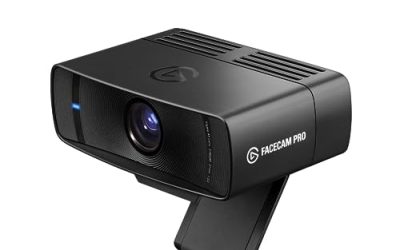
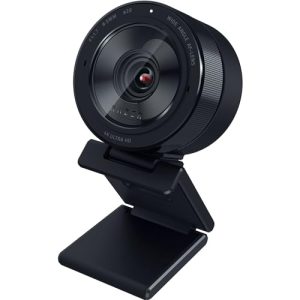
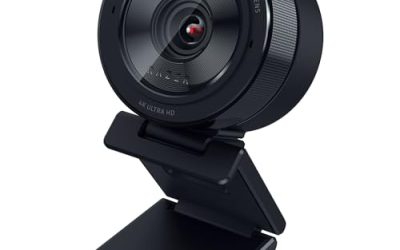
A clear, steady picture matters more than an expensive camera body, because viewers leave quickly when a stream freezes, drifts out of focus or looks washed out in low light. Look for a camera or webcam that holds focus at close range, handles changing light without sudden exposure jumps and delivers smooth motion. Test the full chain before going live, including the cable, capture software and connection, since a weak link can undo a strong camera. Record a short private test, watch it on another device and check for softness or smearing. Keep firmware updated, keep a spare cable nearby and choose settings you can maintain for a whole session.
Lighting, Framing and Audio Clarity
Good lighting does more for a webcam stream than a camera upgrade. A soft key light slightly above eye level, a gentler fill light on the opposite side and a plain, uncluttered background produce a calm, professional image. Avoid a bright window directly behind you, because it turns the subject into a silhouette, and avoid a single harsh overhead bulb that creates deep shadows. Frame the shot so head and shoulders sit comfortably in view, and check the edges for anything personal that should stay off camera. For sound, a close microphone in a quiet room will usually beat a distant built-in microphone, and a short spoken test will reveal echo, hum or background noise before an audience does.
Privacy Controls and Identity Protection
Privacy controls should be checked before you create a profile, not after a problem appears. Look for clear settings for who can view a stream, who can send messages, who can record or clip content and how quickly unwanted contact can be blocked and reported. Creators should keep personal accounts, phone numbers, addresses and workplace details separate from a streaming identity, and review what appears in the background and in reflections before each session. Use strong, unique passwords, turn on two-factor authentication and review connected apps regularly. Read the privacy policy in plain terms: what the service stores, how long it keeps recordings, whether others can download content and how to request removal if something is shared without permission.
Platform Safety, Moderation and Payment Rules
A safe platform is one where the rules are written clearly and enforced consistently, so creators and viewers both know where they stand. Look for visible community standards, an age-verification process, active moderation during live sessions and a reporting system that explains what happens after a report is made. Pay attention to how earnings, payouts and refunds are handled, including minimum thresholds, processing times and any fees that apply. A trustworthy service states these terms in advance instead of changing them without notice. Before committing, read creator guidance from the platform, test support with a question and leave any service that pressures you to share personal details, move a conversation off the platform or accept payment through an unverified channel.
Which One Fits Your Situation
New Creator Setting Up a First Stream
A newcomer benefits most from a platform with a simple setup flow, clear onboarding and strong default privacy settings. Choose a space where you can run private test streams, set viewing limits easily and find help documentation written for beginners. Start with the camera and lighting you already own, learn the moderation tools in a short session and keep your first schedule modest. A gentle learning curve matters more than advanced features you will not use at first.
Experienced Creator Upgrading a Home Studio
An experienced creator should choose a platform that rewards consistency and control rather than novelty. Look for dependable scheduling, detailed audience controls, reliable recording options and moderation tools that scale to a larger room. A dedicated streaming camera, a second light source and a treated corner of a room can lift production quality without a full rebuild. Review payout reporting and support access before moving an established audience, because switching costs rise once regular viewers expect a familiar routine.
Viewer Looking for a Trustworthy Space
A viewer should prioritise transparency over variety alone. Choose a platform that verifies creators, displays clear rules, offers straightforward reporting and keeps payment and account details protected. Read the community standards, check how moderation is handled during live sessions and use the block and mute tools without hesitation when a room feels uncomfortable. A calm, well-managed space with fewer distractions is usually a better choice than a crowded service with unclear safeguards.
Creator Working Across Time Zones and Languages
A creator reaching Korean-speaking viewers from another time zone needs a platform that makes scheduling and communication easy across that gap. Look for clear time-zone display, the ability to publish a recurring schedule, language settings for profiles and messages, and moderation support that covers the languages your audience uses. Prepare bilingual notes for your profile and stream rules, keep session times consistent weekly and use automated messages sparingly so new viewers receive a personal welcome.
Common Mistakes
- Starting live without a private test run: Skipping a test means discovering a focus problem, a muted microphone or a cluttered background only after viewers have arrived, and that first impression is difficult to recover in the same session. A short rehearsal lets you check the camera angle, the lighting, the audio level and the moderation controls in a calm moment, and it gives you time to fix a loose cable or a distracting reflection before anyone else sees it. Note the settings that worked, so the next session starts from a known baseline instead of a fresh guess. Treat the test as part of the stream, not as an optional extra.
- Leaving personal details visible in the frame: Many creators focus on the subject and forget the room around them, yet a mirror, a window view, a parcel label, a calendar or a screen in the background can reveal far more than intended. Walk through the shot before going live, look at the edges of the frame and remove or cover anything that identifies a home, a workplace or another person. Check reflections in glass and glossy surfaces as well, because they often show details that are easy to miss at first glance. A quick photo of the set from the camera position can help you spot anything you overlooked while standing in the room.
- Choosing a platform for popularity alone: A large audience sounds appealing, but size alone says little about moderation, payout reliability, privacy controls or how the service treats creators. A smaller, well-run platform with clear rules and responsive support can be a better fit than a busy service where reports go unanswered and terms change without warning. Compare the safety tools, the payment terms and the community standards side by side before you invest time in building a profile and a regular schedule. Ask how long a payout usually takes, how disputes are handled and whether help is available in your language, because those answers reveal more about a service than its audience size.
- Ignoring audio and lighting while upgrading the camera: A sharper camera cannot rescue a stream that sounds distant or looks harsh, because viewers notice echo, hum and unflattering shadows before they notice extra resolution. Balance the setup by improving the microphone position, softening the key light and reducing background noise, then judge the result on a separate device at normal viewing distance. Small, inexpensive adjustments to sound and light often produce a larger improvement than a costly camera change. Move the microphone closer, soften the brightest light and close a noisy door before you consider new equipment.
- Sharing account access or moving conversations off platform: Accepting help from a stranger who asks for a password, a verification code or remote access to a streaming account puts the whole profile at risk, and moving a conversation to an unverified chat app removes the moderation and reporting tools that protect both sides. Keep login details private, use the platform messaging and payment systems for platform business and report anyone who pressures you to leave those channels. A legitimate collaborator or supporter will accept the safeguards that keep the space safe. Change passwords, review active sessions and contact platform support promptly if you suspect an account has been exposed, rather than waiting to see whether the problem resolves itself.
Frequently Asked Questions
What should a new adult creator check first before choosing a webcam platform?
Start with age verification, privacy settings, moderation tools and payout terms, because those four areas shape daily work more than any single feature. Check who can view and message you, how quickly unwanted contact can be blocked and how earnings are processed. Read the community standards, run a private test stream and contact support with a simple question to see how clearly it responds before you commit.
How much camera and lighting equipment is needed for a good Korean webcam stream?
A reliable webcam or mirrorless camera, a stable mount, a soft key light and a quiet room are enough for a professional-looking stream. Add a close microphone for clear speech, keep the background simple and test the setup at settings you can sustain for a full session. Upgrade one element at a time after you know which part limits quality, rather than buying a full studio before your first broadcast.
How can creators protect their privacy while streaming to Korean-speaking audiences?
Keep a separate streaming identity, use strong unique passwords and two-factor authentication, and review the frame for personal items, reflections and location clues before every session. Use the platform controls for viewing, messaging and recording, block and report unwanted contact promptly and avoid sharing personal contact details or moving conversations to unverified apps. Review connected sessions and privacy settings regularly.
What should viewers look for in a safe place to watch adult Korean webcams?
Look for creator verification, clear community standards, visible moderation and a straightforward way to report a problem. A safe platform protects payment and account details, explains its rules in advance and gives viewers block and mute tools that work immediately. Leave any service that hides its terms, tolerates harassment or pressures you to share personal information, and choose a calm, well-managed room instead.
FAQ
What should a new adult creator check first before choosing a webcam platform?
How much camera and lighting equipment is needed for a good Korean webcam stream?
How can creators protect their privacy while streaming to Korean-speaking audiences?
What should viewers look for in a safe place to watch adult Korean webcams?
More from Amazon
Programs that pair well with the guide above. Offers and eligibility are set by Amazon and may change.
Free shipping on eligible items, Prime Video and more. Eligible new members can start with a free trial.
Start a Prime free trialAd-free music streaming. Eligible new subscribers can start with a free trial.
Try Music Unlimited freeA Prime membership for ages 18-24 with a trial period. Eligibility is set by Amazon.
See Prime for Young AdultsAudiobooks and podcasts to listen to on the go. Eligible new members can start with a free trial.
Try Audible freeAs an Amazon Associate we earn from qualifying purchases.