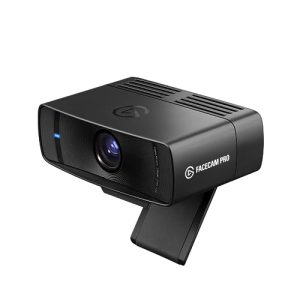
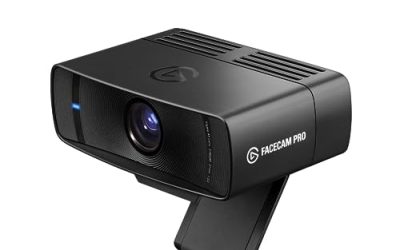
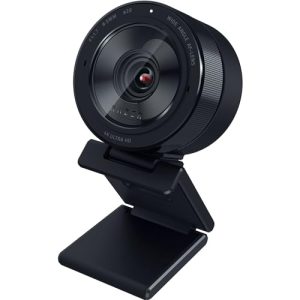
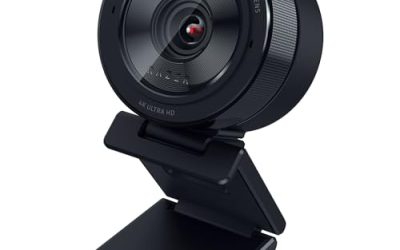
Key takeaways
- Find the best webcams united states shoppers can trust: compare resolution, autofocus, field of view and low-light handling for calls, streaming and recording.
As an Amazon Associate we earn from qualifying purchases.
Buying a webcam in the United States is not really a contest over the highest number on the box. The decision that matters is whether the camera still looks good in your room, on your connection, with the apps you open every day. A camera that holds focus while you move, copes with a dim corner, and frames you at a natural height will serve you better than a sharper sensor that hunts for focus or turns your face into a silhouette. Get the everyday behaviour right first, and the headline specifications become a secondary question.
This guide is written for remote workers who live on video calls, streamers and Let’s Play creators recording facecam footage, teachers and students in online classes, and families keeping in touch across the country. It compares webcam types by the features that change daily use, and explains the practical side of buying in the US, from retailers and returns to warranty and support.
How to Choose
Resolution and Frame Rate That Match Your Connection
Resolution decides how much detail survives compression. A 1080p picture stays crisp in the small window callers see, and it is the sensible baseline for meetings, classes and family chats. A 4K camera adds room to crop, zoom or record a sharper file, yet the gain only shows when your connection and your software can both carry it. Frame rate matters just as much: 30 frames per second looks calm when you sit still, while 60 frames per second keeps gestures, laughter and head turns smooth on streams and recordings. Before paying for the highest numbers, check what your upload speed and apps actually support, because a camera can only deliver what the rest of the chain allows.
Autofocus and Low-Light Handling in Real Rooms
Most webcams are used in rooms that were never designed as studios, so autofocus and low-light handling decide more than the resolution figure does. A good autofocus system locks onto your face once and stays there, instead of drifting to the bookshelf behind you when you lean forward. Low-light handling is about the size and quality of the sensor, which decides how much grain and smearing appears when the sun goes down or the only light is a desk lamp. A wide aperture and sensible noise handling will keep your face readable without turning the background into a blocky mess. Test any new camera in the evening light you actually use, before judging it by a bright showroom image.
Field of View and Framing for One Person or a Group
Field of view decides how much of the room the camera takes in, and the right width depends on who is sitting in front of it. A narrower angle, roughly 70 to 78 degrees, suits a single person at a desk, because it keeps you large in the frame and leaves little clutter. A wider angle, around 90 degrees, suits two people sharing a screen, a teacher at a whiteboard, or a streamer who moves around a gaming setup. Some cameras let you narrow the view digitally, which is useful when you want a tighter shot without moving the tripod. Check whether the camera remembers your framing between calls, so you are not repositioning it every morning.
Microphones, Privacy Shutters and Mounting
A webcam is also a microphone and a mount, and both deserve the same attention as the picture. Built-in microphones have improved a lot, and a dual-microphone array with noise reduction suits ordinary calls, where a clear voice matters more than a polished recording. Streamers, teachers recording lessons, and anyone publishing their audio should still plan on a separate microphone, because a mic inches from your mouth will always beat one sitting on a monitor. A physical privacy shutter is a simple, reliable way to know the lens is covered, and a clip that grips a monitor firmly, plus a standard tripod thread underneath, gives you far more placement options than a fixed stand.
Buying a Webcam in the United States
Webcams sold in the US are easy to find, and the safest route is a retailer you already know. Amazon US, Best Buy, Walmart, Target, B&H Photo and Newegg all stock the major brands, and most brands also sell direct from their own online stores. Wherever you buy, check that the seller is the brand itself or an authorised retailer listed on the brand’s own site, because marketplace listings from unknown sellers are where mismatched model numbers and repackaged stock tend to appear. If a listing is vague about the exact model, the included cable, or the warranty, treat that as a reason to buy elsewhere rather than a puzzle to solve after checkout.
Warranty and support deserve a read before you buy, not after something goes wrong. Warranty terms vary by brand and by model, so check how long the cover lasts, what it includes, and whether support is handled in the US. Keep the receipt and the box until you are sure the camera is a keeper, and register the product if the brand offers it, since registration can speed up a warranty claim. Be careful with imported or grey-market models: a camera made for another region may look identical and still carry no US warranty, and its software or support pages may be aimed at a different market. Confirm the model number is the US version before ordering.
Returns and taxes are the other two practical details that catch buyers out. Return windows differ from one retailer to another, so check the terms for the store you are using before you buy, and test the camera properly inside that window rather than leaving it in the box. Sales tax varies by state and is added at checkout, so the total you pay depends on where the order is shipped. Buying in a store has one advantage worth using: you can check the box, the mount and the cable length in person, and ask what happens if the camera does not work with your setup.
Setting Up Your Webcam for Sharp Video
A good camera still looks poor when it is placed badly, so start with position. Put the lens roughly at eye level and about an arm’s length away, using a monitor clip, a small tripod or a stack of books, and angle it so the top of your head sits near the top of the frame. Light should fall on your face, not behind you: a window or a lamp in front of you is worth more than any camera upgrade, while a bright window behind you turns you into a silhouette that no sensor can rescue. Clear the background of anything distracting, and close the door if the room echoes.
Then check the software side. Most modern webcams are plug-and-play on Windows and macOS, using the standard driver built into the operating system, so they appear in Zoom, Teams, Meet, Discord and OBS without extra software. The brand’s own app, where one exists, usually unlocks the finer controls: field of view, zoom, autofocus behaviour, white balance and firmware updates. Plug the camera directly into a port on the computer rather than a cheap hub when you can, since a hub can starve a high-resolution camera of bandwidth. Finally, make a test call with a friend and record a short clip, because that is the only way to hear your microphone and see your lighting exactly as others will.
Which One Fits Your Situation
The Remote Worker on Calls All Day
A straightforward 1080p plug-and-play camera is the right approach here, with reliable autofocus, a privacy shutter and a microphone that keeps your voice clear on long calls. Resolution beyond that adds little when your colleagues see you in a small window, while a camera that holds focus and handles a dim home office pays off in every meeting. Spend the saving on a small light in front of you instead.
The Streamer or Let’s Play Creator
A higher-resolution camera with a smooth frame rate fits a creator, because the facecam is part of the content rather than a utility. Look for autofocus that holds steady while you react, a field of view wide enough for your setup, and a mount that stays put on a monitor or tripod. Plan on a separate microphone and a light facing you, since the camera alone cannot carry the audio and lighting a stream needs.
The Teacher, Student or Family Caller
Simplicity wins for classes and family calls, so a plug-and-play camera that works the moment it is connected is the right approach. A wider field of view helps when two people share the screen, and a sturdy clip matters if the camera moves between a desk, a kitchen table and a laptop. Check that it works with the apps your school or family already uses before settling on a model.
The Traveller or Small-Desk Buyer
A compact camera with a short cable and a firm monitor clip suits a bag or a crowded desk, because it packs away without a tripod and sets up in seconds. A privacy shutter matters more here, since the camera travels with you, and a plug-and-play connection means no software to install on a borrowed machine. Accept a narrower field of view in exchange for the smaller size.
Common Mistakes
- Buying the highest resolution available before checking whether your upload speed and your usual apps can actually carry it, and ending up with a camera that performs no better than a simpler one on real calls.
- Sitting with a bright window behind you and blaming the camera for a dark, silhouetted picture, when moving the light in front of you would have fixed it for free.
- Assuming the built-in microphone is enough for streaming or recorded lessons, then discovering the echo and keyboard noise only after publishing.
- Ordering an imported model with no US warranty to save a little, and finding that support, repairs and returns all point back to another country.
- Leaving the camera in its box past the retailer’s return window, and only discovering a focus problem, a loose mount or an incompatible app when it is too late to send it back.
Frequently Asked Questions
Do I need a 4K webcam for video calls?
For most video calls, no. A 1080p camera is sharp enough in the small window other callers see, and it needs less bandwidth than 4K. A 4K camera earns its place when you record video, crop or zoom into the frame, or stream to viewers on large screens, where the extra detail survives. If your calls are mostly work meetings and family chats, spend on autofocus and low-light handling instead.
Will a webcam bought in the United States work in another country?
In almost every case, yes. USB webcams use the standard driver built into Windows and macOS, so the camera works anywhere, and it draws power over USB, so there is no plug or voltage issue. Support and warranty may be limited to the US, and bundled software can be region-specific. Check the brand’s warranty terms before travelling with a camera you may need to claim on abroad.
Is the built-in microphone good enough?
For ordinary calls, yes. A modern dual-microphone array with noise reduction keeps your voice clear in a quiet room, and most colleagues will never notice the difference. For streaming, podcasting or recorded lessons, a separate microphone is worth it, because a mic close to your mouth picks up far less room echo and keyboard noise. Test the built-in microphone on a real call before deciding whether you need more.
What should I check in the first few days after buying?
Test the camera in every app you use, in the lighting you use, and at the times you normally call. Check that autofocus holds on your face, the microphone sounds clear, and the field of view frames you the way you want. Keep the box and receipt until you are happy, and confirm the return terms, so a problem found on day three is still one you can send back.
FAQ
Do I need a 4K webcam for video calls?
Will a webcam bought in the United States work in another country?
Is the built-in microphone good enough?
What should I check in the first few days after buying?
More from Amazon
Programs that pair well with the guide above. Offers and eligibility are set by Amazon and may change.
Free shipping on eligible items, Prime Video and more. Eligible new members can start with a free trial.
Start a Prime free trialAd-free music streaming. Eligible new subscribers can start with a free trial.
Try Music Unlimited freeA Prime membership for ages 18-24 with a trial period. Eligibility is set by Amazon.
See Prime for Young AdultsAudiobooks and podcasts to listen to on the go. Eligible new members can start with a free trial.
Try Audible freeAs an Amazon Associate we earn from qualifying purchases.