Key takeaways
- A specification-based review of the Razer Firefly V2 Pro mouse mat, covering its illuminated surface, USB dongle port, desk fit and setup limitations.
This review analyzes published product information. We have not performed detailed research of this unit.
As an Amazon Associate, we earn from qualifying purchases.
A mouse mat built around visible lighting
The Razer Firefly V2 Pro makes the most sense for a desk where lighting is part of the buying decision, rather than an incidental extra. Its advertised illumination extends across the surface instead of serving only as an edge accent. A built-in USB port gives it a second purpose: placing a wireless mouse receiver near the working area.
This review examines the Phantom White variant in the listed 14.2-by-11-inch size using retailer specifications, not detailed research. The evidence supports a clear assessment of its connections and intended use, but not a conclusion about tracking accuracy, surface feel or lighting uniformity. Those distinctions matter when a mouse mat combines a contact surface with powered electronics.
Listed specifications and their practical meaning
| Model and variant | Razer Firefly V2 Pro, Phantom White |
|---|---|
| Listed size | 14.2L x 11W inches |
| Listed dimensions | 14.18 x 10.95 x 0.1 inches |
| Lighting | Backlit frosted surface; 15 Razer Chroma zones; advertised 16.8 million colors |
| Surface | Low-friction, micro-textured finish, advertised as optimized for optical sensors |
| Accessory connection | Integrated USB 2.0 port |
| Cable | Detachable USB Type-C cable |
| Base | Rubberized anti-slip base |
The rounded size and more precise dimensions describe essentially the same footprint. Use them to plan the mouse area, while allowing additional room for the cable connection. The listing does not provide a separate clearance measurement for connected plugs, so fitting the rectangle alone is not a complete desk-layout check.
Chroma coverage is the main attraction
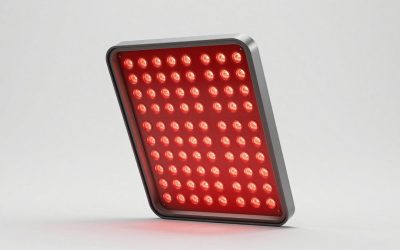
Razer describes a frosted surface that distributes light from an LED strip across the mat. For someone who wants an illuminated area beneath the mouse, that is a more relevant feature than the color count alone. The 15-zone arrangement also gives the lighting more scope than a single uniform color setting.
The listing advertises customizable patterns and effects that respond to games. It does not identify the required software version, supported operating systems, onboard lighting memory or physical lighting controls. Buyers planning a coordinated Razer setup should therefore verify those details before assuming their preferred effects will work on every computer. Game-reactive lighting should likewise be treated as an integration feature, not a promise that every title will trigger it.
The lighting specification does not establish brightness adjustment range or how evenly the surface appears illuminated in normal room conditions. Nor does the Phantom White designation establish a different lighting capability. Choose this variant for its appearance, while basing functional expectations on the Firefly V2 Pro specifications.
The USB port offers convenience, not a wireless guarantee
The integrated USB 2.0 port is intended to hold a mouse dongle close to the mouse. That is a useful layout option if your receiver would otherwise sit at a less convenient computer port. It also makes receiver placement part of the mat setup rather than a separate desk accessory decision.
The seller links that proximity to reduced interference and improved wireless performance, but the supplied evidence contains no testing to establish either outcome. Treat the port as a convenient location, not as a guaranteed cure for connection problems. The listing also does not specify downstream power limits or establish suitability for every USB accessory; its clearest stated role is hosting a mouse receiver.
A detachable USB Type-C cable is another practical detail. Razer says it can be moved from the mat to charge a wireless mouse or another Type-C device. This is cable reuse, not a claim that the mat wirelessly charges a mouse. Swapping the cable also means it is no longer connected to the mat. Cable length, the computer-end connector and supported charging rates are not supplied, so check those points against your desk routing and device requirements.
Surface and footprint deserve more attention than the effects
The surface is described as micro-textured and low-friction, with optical sensors as the intended pairing. That suggests a product aimed at buyers seeking easy movement rather than choosing a mat solely for strong resistance. However, the listing’s promise of both speed and control cannot establish how it will feel with your mouse feet, grip pressure or sensitivity.
There are no supplied friction measurements, comparative tracking tests or wear results. The evidence also does not name the surface material. It would therefore be inappropriate to infer a specific material composition or promise a particular stopping feel. Buyers who already have strong surface preferences should seek confirmation rather than treating RGB coverage as a substitute for that information.
The roughly 14.2-by-11-inch footprint needs a realistic movement check. If your play style involves broad sweeps, mark out that area on your desk and compare it with the travel you actually use. If you make smaller movements, the question may instead be whether the illuminated area fits comfortably beside the keyboard without crowding your setup.
A rubberized base is specified to resist sliding. That is a sensible supporting feature for repeated mouse movements, but its effectiveness on a particular desktop is untested here. For help choosing the mouse itself, see our gaming mouse buying guide; sensor suitability and a comfortable mouse remain separate decisions from mat lighting.
Verdict: buy for the illuminated workspace
The Firefly V2 Pro is a coherent choice for someone who specifically wants surface-wide Chroma lighting, a nearby receiver port and a detachable cable in one mouse mat. Its strongest documented appeal is setup convenience and visual customization, not proven competitive improvement. Confirm the footprint, software support and cable requirements first. If lighting is unimportant or surface feel is your overriding priority, the supplied specifications leave too much unanswered to make this an automatic choice.
Sources: Supplied retailer listing for the Razer Firefly V2 Pro. Features and dimensions discussed here are listing claims rather than independently measured results.
Check the exact product and current offer on Amazon