Key takeaways
- Every Ethernet port is 2.5G, ideal for multi-gig internet
- Fast WiFi 7 6GHz performance to compatible devices
- Clean internal-antenna design and easy app setup
- EasyMesh support, HomeShield security, and VPN built in
What's inside
The TP-Link Archer BE550 is a tri-band WiFi 7 router that brings next-generation wireless to a mainstream price. With full 2.5G Ethernet ports, six internal antennas, and support for the 6GHz band plus EasyMesh expansion, it targets homes that are ready to move past WiFi 6 without paying the eye-watering sums the earliest WiFi 7 flagships commanded.
This router is for the household with a fast internet plan and a growing pile of devices, gaming PCs, consoles, phones, smart-home gear, that wants headroom for the future. Its 2.5G ports make it especially appealing to anyone with multi-gig internet or a wired gaming rig. If you have a modest connection and only a handful of devices, a good WiFi 6 router will save you money for now.
As an Amazon Associate we earn from qualifying purchases at no extra cost to you. Product prices and availability are accurate as of the date shown and are subject to change.





⚡ Save on Your Next PC — Amazon Prime
Prime members get fast free shipping on the systems above, plus early access to Prime Day & Black Friday PC deals. New members get a 30-day free trial.
Watch: TP-Link Archer BE550 Review — Video Review
Design & Build
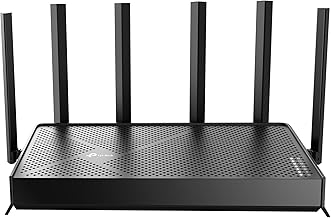
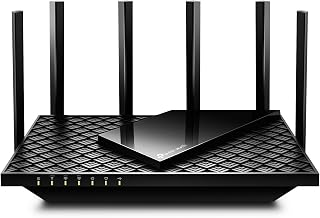
The BE550 hides its six antennas inside a tall, matte-black tower that looks far more at home in a living room than the spider-like designs of many gaming routers. The all-internal-antenna approach keeps it tidy while still covering up to around 2,000 square feet. Every wired port is 2.5 Gigabit, which is the standout hardware decision here and future-proofs the router in a way that gigabit-only rivals can’t match. Setup runs through TP-Link’s Tether app, which is genuinely beginner-friendly, and the router includes HomeShield security and solid VPN client and server support out of the box.
Performance
On the 6GHz band, WiFi 7 features like wider channels and improved efficiency deliver very fast throughput to compatible devices at close-to-medium range, and the 2.5G ports let a wired PC or NAS actually exploit a multi-gig plan. Coverage across a typical home is strong, and adding an EasyMesh node extends it cleanly. The honest caveats: you only unlock the full WiFi 7 benefit with WiFi 7 client devices, 6GHz range drops off faster through walls than 5GHz, and a few advanced features live behind the app rather than a full desktop interface. For most homes, though, real-world performance is excellent.
Pros & Cons
- Every Ethernet port is 2.5G, ideal for multi-gig internet
- Fast WiFi 7 6GHz performance to compatible devices
- Clean internal-antenna design and easy app setup
- EasyMesh support, HomeShield security, and VPN built in
- Full benefits require WiFi 7 client devices
- 6GHz range falls off faster through walls
- Some settings are app-only rather than in a full web UI
Alternatives to Consider
If you need even more speed and a 10G port, the Archer BE550 Pro steps up the wired connectivity and throughput. Homes wanting broader coverage and more capacity can look at the Archer BE600, while budget-minded buyers who don’t yet need top-end WiFi 7 will find the Wi-Fi 6 Archer AX55 a cheaper and still capable option.
Frequently Asked Questions
Do I need WiFi 7 devices to benefit from this router?
You get the full WiFi 7 performance only with WiFi 7 client devices. That said, older WiFi 6 and 5 devices still connect and benefit from the tri-band design, 2.5G ports, and improved overall capacity.
How large a home can it cover?
It is rated for roughly 2,000 square feet on its own. For larger or multi-story homes, adding an EasyMesh-compatible node extends coverage seamlessly under one network name.
Are the 2.5G ports really useful?
Yes, if you have a multi-gig internet plan or wired devices like a gaming PC or NAS that can push past gigabit. On a standard sub-gigabit plan the benefit is smaller but still future-proofs your setup.
Is it hard to set up?
No. The TP-Link Tether app walks you through installation step by step, and most users are online within a few minutes without touching advanced settings.
Verdict
The TP-Link Archer BE550 is one of the most sensible ways to adopt WiFi 7 in 2026, pairing genuinely fast 6GHz performance with all-2.5G wired ports and an easy setup. It shines brightest for homes with multi-gig internet and modern devices; if your connection and device list are modest, it is worth buying for the future rather than an immediate necessity.