Key takeaways
- Operating System: Windows handhelds (Legion Go S, Claw A8) run your full Steam/Epic library and any PC app, but have more background overhead. SteamOS devices (Steam Deck OLED) boot faster and sleep more reliably, though compatibility with non-Steam launchers can be limited.
- Display Quality: OLED panels deliver deeper blacks and better contrast for dark games, while high-refresh IPS screens (120Hz) favor fast-paced competitive titles. Match the panel type to the genres you play most.
- Performance vs. Battery Life: Higher-end chips like the Ryzen Z2 Extreme push more frames but drain batteries faster on demanding AAA titles. If you play mostly indie or 2D games, a mid-tier chip stretches battery life significantly further.
- Storage and Expandability: 512GB fills up fast with modern AAA installs. Prioritize devices with 1TB SSDs or a microSD/SD card slot so you’re not constantly uninstalling games to make room.
- Use Case Fit: A portable monitor extends an existing console or laptop rather than replacing it, and a retro handheld is a low-cost way to revisit classic libraries—don’t pay handheld-PC prices if all you need is one of these simpler use cases.
Handheld gaming devices have exploded in variety, and that’s created a real problem: shoppers can’t tell whether they need a full Windows PC in their pocket, a Linux-based SteamOS machine, a portable monitor to upgrade their existing console, or a cheap retro emulator for nostalgia. Specs like “Ryzen Z2 Extreme” or “90Hz OLED” don’t mean much without context, and overpaying for power you won’t use is easy to do.
This guide breaks down six of 2026’s most notable gaming devices, from premium Windows handhelds to budget retro consoles, so you can match performance and price to how you actually play. Below, we cover what to look for, review the top picks, and answer common buying questions.
Our top picks




As an Amazon Associate we earn from qualifying purchases at no extra cost to you. Ratings are shown as listed on Amazon.
🎮 Get More From Your Setup — Free
Prime Gaming gives you free PC games every month, in-game loot, and a free Twitch channel sub — plus fast free shipping on all the gear above. New members get a 30-day free trial.
Watch: Best Gaming Devices — Video Review
How to Choose a Gaming Device (2026)
- Operating System: Windows handhelds (Legion Go S, Claw A8) run your full Steam/Epic library and any PC app, but have more background overhead. SteamOS devices (Steam Deck OLED) boot faster and sleep more reliably, though compatibility with non-Steam launchers can be limited.
- Display Quality: OLED panels deliver deeper blacks and better contrast for dark games, while high-refresh IPS screens (120Hz) favor fast-paced competitive titles. Match the panel type to the genres you play most.
- Performance vs. Battery Life: Higher-end chips like the Ryzen Z2 Extreme push more frames but drain batteries faster on demanding AAA titles. If you play mostly indie or 2D games, a mid-tier chip stretches battery life significantly further.
- Storage and Expandability: 512GB fills up fast with modern AAA installs. Prioritize devices with 1TB SSDs or a microSD/SD card slot so you’re not constantly uninstalling games to make room.
- Use Case Fit: A portable monitor extends an existing console or laptop rather than replacing it, and a retro handheld is a low-cost way to revisit classic libraries—don’t pay handheld-PC prices if all you need is one of these simpler use cases.
The Best Gaming Devices (2026)s Reviewed
Lenovo Legion Go S
The Legion Go S pairs a smooth 120Hz PureSight display with 16GB of memory and AMD’s efficient Z2 Go chip, making it a strong all-rounder for mainstream AAA and indie titles alike. Its 512GB storage is on the tighter side, so plan on a microSD card if you keep a large game library installed.
Valve Steam Deck OLED (1TB)
Valve’s OLED refresh remains the gold standard for SteamOS handhelds, with a vibrant screen, excellent battery efficiency, and the deepest third-party compatibility layer (Proton) in the category. The 1TB model gives you ample room for a large, actively-played library without needing expansion right away.
Steam Deck OLED (International Version)
This international variant offers the same 1TB storage and 16GB RAM as the standard OLED model, with a slightly higher 90Hz refresh rate that’s noticeable in fast-scrolling 2D and platformer games. It’s a great pick for buyers outside core launch regions who still want the full SteamOS experience.
MSI Claw A8
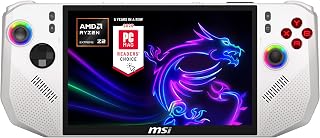
The Claw A8 is the most performance-forward device here, built around the Ryzen Z2 Extreme and a generous 24GB of LPDDR5x memory that keeps demanding modern titles running smoothly at 120Hz. Thunderbolt 4 support also makes it the most flexible option for docking into an external GPU or high-speed storage setup.
WGK 15.6″ Portable Monitor
Rather than a standalone console, this is the accessory that turns a Switch, Xbox, PS5, or laptop into a genuine on-the-go setup, with a sharp 1080p panel, built-in speakers, and a stand for quick deployment. It’s an easy way to add a second screen for co-op play or extend battery-free gaming sessions away from a TV.
Frequently Asked Questions
Do I need a Windows handheld or a SteamOS device?
Choose Windows (Legion Go S, Claw A8) if you rely on non-Steam launchers, mods, or specific PC software. Choose SteamOS (Steam Deck OLED) if your library is primarily on Steam and you want faster boot times with less background maintenance.
How much storage do I actually need?
512GB is workable if you rotate a handful of games at a time, but 1TB is safer for anyone keeping multiple AAA titles installed simultaneously. Devices with SD card slots let you start smaller and expand later.
Are retro handhelds like the RF40H worth it?
Yes, for a very specific use case: casual, low-cost access to classic-era games without the price or complexity of a modern PC handheld. Don’t expect it to run anything beyond older-generation titles.
Can a portable monitor replace a dedicated handheld?
No—it serves a different purpose. A portable monitor like the WGK adds a screen to consoles or laptops you already own, while handhelds are self-contained gaming systems with their own processor and battery.
Final Thoughts
For most buyers, the Valve Steam Deck OLED remains the best balance of performance, battery life, and software polish, while the MSI Claw A8 is the top choice if you want maximum power and Windows flexibility. If pure frame rate and screen smoothness matter most, the Lenovo Legion Go S is also a excellent 120Hz alternative worth considering.