Key takeaways
- Bluetooth, 8 hours/day of mixed use: 950 ÷ 8 ≈ 119 days — about four months per battery.
- HyperSpeed dongle, 5 hours/day of gaming: 425 ÷ 5 = 85 days — roughly 12 weeks.
- Lithium AAA on Bluetooth, 8 hours/day: ~400 ÷ 8 ≈ 50 days — around seven weeks.
What's inside
The Razer Orochi V2 is the easiest pick for anyone who needs a genuinely pocketable wireless gaming mouse in 2026: a roughly 104mm shell that drops to about 66g with a lithium AAA, runs up to 950 hours on Bluetooth, and accepts either a AA or AAA cell so you can buy a battery in any airport on earth. As a razer orochi v2 mobile wireless gaming mouse pitch, it holds up — with two real caveats. The sub-60g figure Razer advertises is the shell without a battery, and the tiny body only suits claw and fingertip grips for most hands. This review breaks down the weight math, the battery math, and exactly who should buy it.
The Weight Math: What “Sub-60g” Actually Means
Razer’s quoted weight is under 60g, but that number excludes the battery — and the Orochi V2 does not run without one. What the mouse actually weighs in your hand depends entirely on which of the four battery combinations you load into its clever hybrid slot, which accepts one AA or one AAA cell.
| Battery option | Battery weight | Ready-to-use weight | Estimated runtime (Bluetooth / HyperSpeed) |
|---|---|---|---|
| Lithium AAA | ~8g | ~66g | ~400h / ~175h (est.) |
| Alkaline AAA | ~11.5g | ~70g | ~350h / ~150h (est.) |
| Lithium AA (bundled) | ~15g | ~74g | up to 950h / 425h (official) |
| Alkaline AA | ~23g | ~82g | ~700–800h / ~300–350h (est.) |
The AAA estimates come from a simple capacity ratio: a lithium AAA cell holds roughly 1,200–1,250mAh versus about 3,000mAh for a lithium AA — around 40% of the capacity, so expect roughly 40% of the runtime. The practical takeaway is that “sub-60g” is a marketing number, but a 66g wireless mouse with a real gaming sensor is still remarkable — and being able to swing between 66g and 82g depending on the trip is a flexibility no fixed-battery rival offers.
Battery Life in Real Numbers
Razer claims up to 950 hours on Bluetooth and up to 425 hours over the 2.4GHz HyperSpeed dongle with a lithium AA. Converting that to calendar time makes the value obvious:
- Bluetooth, 8 hours/day of mixed use: 950 ÷ 8 ≈ 119 days — about four months per battery.
- HyperSpeed dongle, 5 hours/day of gaming: 425 ÷ 5 = 85 days — roughly 12 weeks.
- Lithium AAA on Bluetooth, 8 hours/day: ~400 ÷ 8 ≈ 50 days — around seven weeks.
The tradeoff hiding in those numbers: Bluetooth mode drops the effective report rate to roughly 125Hz versus the full 1000Hz over HyperSpeed. For strategy games, MOBAs, and everyday laptop work, 125Hz is fine and buys you more than double the battery life. For anything where aim matters, use the dongle — it lives in a slot under the magnetic top cover, so there is no excuse to leave it behind. The efficient 5G 18,000 DPI optical sensor (450 IPS tracking) is what makes these runtimes possible; it sips power in a way high-performance sensors from a few years ago simply did not.
Does a 104mm Mouse Fit Your Grip?
Here is a useful rule of thumb: for a comfortable claw or fingertip grip, mouse length should land around 60–65% of your hand length. At ~104mm, the Orochi V2 hits that ratio for hands between roughly 16 and 18cm — which covers most people. Measure from wrist crease to middle fingertip.
- Hands under 16cm: full palm grip is possible, claw and fingertip both work.
- Hands 16–18.5cm: claw and fingertip are the sweet spot; palm grip will feel cramped.
- Hands over 18.5cm: fingertip only — your palm hangs off the back and the hump offers no support.
The shape itself is safe and slightly ambidextrous-looking, though the side buttons sit on the left, making it right-handed in practice. The hump sits fairly centered rather than pushed to the rear, which suits claw grips that want knuckle support without a tall back end filling the palm. The 60mm grip width is narrow, which is precisely why fingertip players like it — nothing crowds your thumb or pinky.
Travel Details That Matter on the Road
- No wired mode exists. The Orochi V2 is battery-only — no USB cable will turn it into a wired mouse. Carry one spare battery in the laptop bag and the point becomes irrelevant.
- Bluetooth pairs with tablets, iPads, and phones directly, so the same mouse covers your laptop, a tablet for media, and a work machine without touching the dongle.
- The bottom switch has three positions — Bluetooth, off, and HyperSpeed — so there is no software dependency for power management on a plane.
- Gen-2 mechanical switches are rated for 60 million clicks. That is plenty for a travel mouse, but they are mechanical rather than optical, so treat the mouse as a consumable over a multi-year horizon.
- There is no RGB lighting — a deliberate omission that is part of why the battery figures look the way they do.
Orochi V2 vs the Common Alternatives
| Mouse | Length | Weight (with battery) | Battery | Claimed max battery life | Dongle polling |
|---|---|---|---|---|---|
| Razer Orochi V2 | ~104mm | ~66–82g | 1× AA or AAA | 950h BT / 425h 2.4GHz | 1000Hz |
| Logitech G305 | ~117mm | ~95–99g | 1× AA | ~250h | 1000Hz |
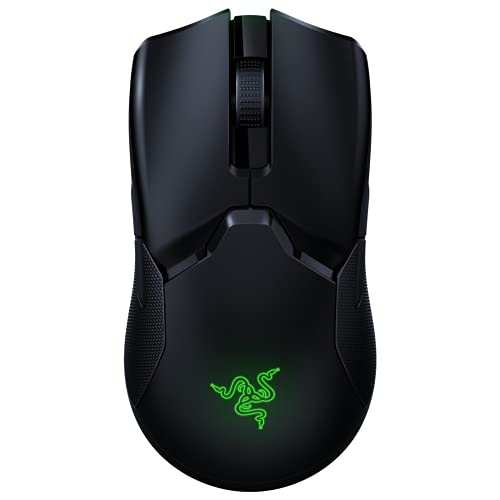
| Razer Viper V3 HyperSpeed | ~127mm | ~82g | 1× AA | ~280h | 1000Hz |
The comparison makes the decision easy: the G305 is cheaper on sale but heavier and lasts a third as long; the Viper V3 HyperSpeed has a better sensor but is a full-size mouse that defeats the point of packing light. If portability is the priority, the Orochi V2 has no direct rival in this class.
Recommended Setup for Travel Use
- Load a lithium AAA for daily use (~66g); pack a lithium AA and swap it in before a long trip for the full 950-hour endurance.
- In Synapse, set only two DPI stages — say 800 and 1600 — so cycling with the DPI button never lands you on a stage you do not use.
- Lock polling at 1000Hz and set the sleep timer to 5 minutes; wake-from-sleep takes a fraction of a second and it meaningfully extends battery life.
- Keep Windows “Enhance pointer precision” off — acceleration is the last thing you want on an unfamiliar hotel desk.
- Reserve Bluetooth for tablets and casual work; plug in the dongle for any game where 125Hz would show.
Verdict: Buy It or Skip It
- Buy it if you game on a laptop, pack light, have hands under ~18.5cm, and play claw or fingertip. Usually priced in the $40–$70 range, it is one of the best-value wireless mice still on sale in 2026.
- Skip it if you palm-grip with large hands, want a rechargeable battery, or need a wired fallback — look at a full-size rechargeable wireless mouse instead.
FAQ
Can you use the Orochi V2 wired?
No. It is battery-powered only — the wireless dongle and Bluetooth are the sole connections. A spare battery is your wired-mode equivalent.
AAA or AA — which should you actually use?
Lithium AAA for the lightest setup (~66g) when weight matters; lithium AA when battery life matters. The runtime difference is roughly 2.4× in the AA’s favor, so default to AA for trips and AAA at home.
Does it work with Mac and iPad?
Yes, over Bluetooth as a standard mouse. Synapse customization is Windows-focused, so side-button remapping and DPI stages should be configured on a Windows machine first.
Is the 18,000 DPI sensor still good enough in 2026?
For a travel mouse, comfortably. The 450 IPS tracking speed handles aggressive low-sensitivity flicks without spinning out, and the power efficiency is exactly what enables the 950-hour battery claim.