Our Top Picks
 Razer DeathAdder v2 Mini Gaming Mouse: 8500K DPIMouse + Grip Tape2.57 x 4.5 x 1.52 inches0.24 poundsCheck on Amazon
 Razer DeathAdder Essential Ergonomic Wired Gaming Mouse5.01 x 2.86 x 1.69 inches0.3 poundsCheck on Amazon
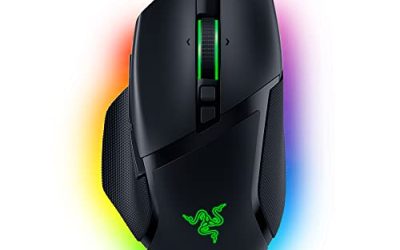
 Razer Basilisk V3 Customizable RGB Wired Ergonomic GamingMouse2.96 x 5.12 x 1.67 inches0.2 poundsCheck on Amazon
Pros & cons
- 11 programmable buttons support extensive macro and function assignment
- HyperScroll tilt wheel switches between free-spin and tactile modes
- Optical switches are rated for up to 70 million clicks per button
- Wired-only design limits freedom compared to wireless alternatives
- 11 lighting zones require Razer software to fully customize
Razer DeathAdder V2 mouse review, short version: the DeathAdder V2 is a large, wired, right-handed ergonomic mouse with a 20K DPI Focus+ optical sensor, optical switches and a Speedflex cable. It suits palm and relaxed-claw grips on medium to large hands, and it is a strong pick if you want a proven shape rather than the lightest mouse possible.
Verdict: Is the DeathAdder V2 Still Worth Buying?
The DeathAdder V2 kept the shape that made the DeathAdder line popular and fixed most of what held the older Elite back: weight dropped, the sensor moved to Focus+, and the main buttons switched from mechanical to optical actuation. Reviewers at PC Gamer, GamesRadar and Tom’s Hardware all described it as an improvement over the Elite in nearly every respect, and the sensor was singled out for being accurate and responsive.
It is no longer Razer’s newest DeathAdder. The line has moved on through the V3 family and the V4 Pro, which are lighter and support higher polling rates. So the honest question is not “is it good” but “does the shape suit you, and is the V2 (or a nearby variant) the right version to buy today?”. This guide answers both, and it also covers the versions people search for next to it: the DeathAdder Essential, the V2 Mini, the V2 X HyperSpeed and the V2 Special Edition.
- Best for: medium to large right hands, palm grip, shooters and general play where comfort over long sessions matters.
- Skip if: you have small hands, use an ambidextrous or left-handed setup, or want a sub-60g mouse for fast flicks.
- Wired only: the standard V2 uses a Speedflex cable. The wireless version is a separate model, the DeathAdder V2 Pro.
Razer DeathAdder V2 Specs
These figures come from Razer’s published specifications as repeated by several editorial reviews. Where outlets disagree, the table says so.
| Spec | DeathAdder V2 |
|---|---|
| Connection | Wired USB, Speedflex cable |
| Sensor | Focus+ optical, up to 20,000 DPI |
| Tracking speed | 650 IPS, 50G acceleration (maker figures) |
| Switches | Razer Optical Mouse Switches, rated for 70 million clicks |
| Buttons | 8 programmable |
| Weight | About 82g without cable (some outlets list 80g) |
| Polling rate | 1000 Hz |
| Dimensions | About 127 x 70 x 42.7 mm |
| Onboard memory | 5 profiles |
| Feet | 100% PTFE |
| Shape | Right-handed ergonomic |
If a spec you care about is not in the table, such as exact lift-off distance, check the maker’s page before you buy.
Shape and Comfort
The DeathAdder shape is a tall, arched back with a gentle slope toward the right side and a thumb rest on the left. It is a hump-forward design that fills the palm, which is why it has stayed popular for years. Tom’s Hardware noted that the mouse can look larger than expected at first, and that matches the dimensions: at roughly 127 mm long it is not a compact mouse.
Which grips work
- Palm grip: the natural fit. The full hand rests on the shell and the thumb sits on the left rest.
- Relaxed claw: works well for many people because the hump supports the base of the fingers.
- Fingertip grip: possible on large hands, but the mouse is heavier and longer than typical fingertip-friendly shapes.
Hand size guidance
Medium hands usually manage fine, large hands are the sweet spot, and small hands may find the reach to the buttons long. If you are unsure, measure your hand from the wrist crease to the tip of the middle finger and compare it with the mouse length. A common rule of thumb is that a mouse around 120 to 130 mm long suits a hand of roughly 18 to 20 cm. Comfort varies from person to person, so treat this as a guide, not a guarantee. If your hands are on the small side, the V2 Mini below keeps the DeathAdder style in a smaller body.
Side grips and surface
The DeathAdder line has traditionally used rubberized side panels so the mouse stays put when your fingers sweat during long sessions. That is part of the reason the shape works so well for palm grip: you rarely need to squeeze to control it. If you play with damp hands or in a warm room, a grip tape set is a cheap upgrade; Razer sells one pre-cut for the V2 Mini.
Performance by Use
Shooters and FPS
The Focus+ sensor is the headline. Reviewers called it very accurate, and at the DPI values most players actually use (400 to 1600) the extra headroom up to 20K is mostly marketing. What matters is consistent tracking, and Focus+ delivers that. The weight of about 82g is middle of the road for a mouse of this size: heavier than the new featherweight designs, lighter than the older Elite. Players who rely on rapid micro-adjustments with a fingertip grip may prefer something lighter.
MOBA, RTS and general play
Eight programmable buttons give room for macros, ability binds and push-to-talk, all mapped through Razer Synapse. The optical switches have no mechanical debounce delay, and Razer rates them for 70 million clicks, which is a durability figure rather than something you can feel on day one.
Everyday and office use
The soft Speedflex cable drags less than a stiff rubber cable, and the PTFE feet glide on most cloth pads. Long work sessions suit the shape, since the palm is supported rather than pinched. The side buttons are easy to find by feel, which helps for back and forward navigation in a browser.
Software
Razer Synapse handles DPI stages, button remapping, lighting and the five onboard profiles. The profiles are stored on the mouse, so your settings follow you after the first setup. Synapse is required for customization; the mouse works with default settings without it.
How to Set Up the DeathAdder V2
- Plug in and let the OS install the driver. The mouse works immediately with default DPI stages.
- Install Razer Synapse only if you want to remap buttons or change lighting.
- Pick a DPI you can actually control. Start at 800 and adjust the in-game sensitivity rather than pushing DPI to the maximum.
- Save to onboard memory. Write your preferred profile to the mouse so it travels to other PCs.
- Keep polling at 1000 Hz. That is the V2’s rating, and it is plenty for most players.
- Route the cable with a bungee or the edge of the desk if it catches.
A short test-in-game session with a lower sensitivity than you are used to often feels better than chasing the highest DPI figure. The point of the 20K sensor is headroom and tracking quality, not a reason to run at 20,000.
Who Should Buy the DeathAdder V2 and Who Should Skip It
| Buy it if | Skip it if |
|---|---|
| You have medium to large right hands | You are left-handed or want an ambidextrous shape |
| You prefer a palm or relaxed-claw grip | You want a mouse under 60g |
| You want a proven, comfortable shape | You need wireless without choosing a different model |
| You like optical switches and a flexible cable | You want 4K or 8K polling |
DeathAdder V2 Variants Compared
The search results around this mouse mix several products. Here is how they differ, using the listing facts available for each.
| Model | Connection | Sensor | Weight | Buttons | Best for |
|---|---|---|---|---|---|
| DeathAdder Essential | Wired | 6400 DPI optical | Not listed | 5 | Tight budgets |
| DeathAdder V2 (standard) | Wired | Focus+ 20K DPI | About 82g | 8 | Full-size comfort |
| DeathAdder V2 Mini | Wired | 8500 DPI optical | 62g | 6 | Smaller hands |
| DeathAdder V2 X HyperSpeed | Wireless | 14K DPI optical | Not listed | 7 | Cable-free play |
Razer DeathAdder V2 Mini Gaming Mouse
The V2 Mini is the answer to “I like the shape but my hand is small”. The listing describes a 62g lightweight design, an 8500 DPI optical sensor, Chroma RGB lighting and six programmable buttons, with anti-slip grip tape included in the box. It keeps the family look but trims the length and the weight, which also makes it the version of the shape that best suits claw and fingertip grips.
Razer DeathAdder v2 Mini Gaming Mouse: 8500K DPI Optical Sensor - 62g Lightweight Design - Chroma RGB Lighting - 6 Programmable Buttons - Anti-Slip Grip Tape Included - Classic Black
Chosen because it specifies 62g Lightweight Design and Chroma RGB Lighting.
View on Amazon- Weight: 62g per the listing
- Sensor: 8500 DPI optical
- Buttons: 6 programmable
- Extras: Chroma RGB, grip tape included
Best for: small to medium hands and fingertip or claw grips. Skip if: you have large hands, since a smaller shell will feel cramped.
Pros: much lighter than the standard V2; keeps the DeathAdder profile; grip tape in the box. Cons: fewer buttons; lower maximum DPI; the smaller body will not suit big hands.
Razer DeathAdder V2 X HyperSpeed Wireless Gaming Mouse
This is the wireless route in the V2 family. The listing highlights HyperSpeed wireless, a 235 hour battery life, seven programmable buttons, Gen 2 mechanical switches and a 14K DPI optical sensor. Note that it uses mechanical switches rather than the optical switches of the standard V2, so the click feel and the switch technology are not identical.

Razer DeathAdder V2 X HyperSpeed, Award-Winning Ergonomic Design, Black | Ultra-Fast HyperSpeed Wireless, 235hr Battery Life, 7 Programmable Buttons, Gen 2 Mechanical Switches, 14K DPI Optical Sensor
Chosen because it specifies Award-Winning Ergonomic Design and Black.
View on Amazon- Wireless: HyperSpeed 2.4 GHz
- Battery: up to 235 hours per the listing
- Sensor: 14K DPI optical
- Switches: Gen 2 mechanical
Best for: players who want a V2-style shape without a cable. Skip if: you want the optical switches or the Focus+ sensor of the standard V2.
Pros: long battery life; no cable drag; familiar shape. Cons: different switch type; seven buttons instead of eight; weight not listed here, so check the maker.
Razer DeathAdder Essential Ergonomic Wired Gaming Mouse
The Essential is the entry point. It keeps the DeathAdder shape with a 6400 DPI optical sensor, five programmable buttons, rubber side grips and mechanical mouse switches, according to the listing. We have a separate write-up of this model on the site, so here is the short version: it is the lowest-cost way into the shape, and it gives up the newer sensor and switch technology.
Razer DeathAdder Essential Ergonomic Wired Gaming Mouse, Black | 6400 DPI Optical Sensor, 5 Programmable Buttons, Rubber Side Grips, Mechanical Mouse Switches
Chosen because it specifies Black and 6400 DPI Optical Sensor.
View on AmazonBest for: budget buyers and secondary setups. Skip if: you want optical switches or more than five buttons.
Pros: low cost; side grips; familiar shape. Cons: fewer buttons; older switch design; lower DPI ceiling.
Razer DeathAdder V2 Special Edition
The Special Edition version of the V2 is a cosmetic variant that Razer has released in limited colorways and finishes. We could not confirm a current store listing for it, so check the maker’s page for availability and for any spec changes. In general, treat it as the standard V2 with a different look unless the maker states otherwise, and compare any listing against the spec table above before you buy.
Alternatives Worth a Look
DeathAdder V3 Wired
The listing shows a 59g weight, 8 kHz polling, a Focus Pro 30K optical sensor, Gen-3 optical switches and six programmable buttons. It keeps the shape at a much lower weight, which is the main reason to step up from the V2. The trade-off is two fewer buttons.

Razer DeathAdder V3 Wired Gaming Mouse, 8Khz, 59g, Black | Focus Pro 30K Optical Sensor, Fast Optical Switches Gen-3, 6 Programmable Buttons, Ergonomic, Speedflex Cable
Chosen because it specifies 8Khz and 59g.
View on AmazonRazer Basilisk V3
A wired ergonomic mouse with a 26K DPI optical sensor, 11 programmable buttons and a HyperScroll tilt wheel per the listing. Choose it if you want many buttons and a thumb-heavy MMO or productivity layout instead of the DeathAdder’s simple side pair.
Razer Basilisk V3 Customizable RGB Wired Ergonomic Gaming Mouse, Black | Fastest Gaming Mouse Switch, Chroma RGB Lighting, 26K DPI Optical Sensor, 11 Programmable Buttons, HyperScroll Tilt Wheel
Chosen because it specifies Black and Fastest Gaming Mouse Switch.
View on AmazonDeathAdder Elite
The predecessor, listed with a 16,000 DPI optical sensor, seven programmable buttons and mechanical switches. It is only worth considering if it is clearly cheaper than the V2 and you accept the older technology.

Razer DeathAdder Elite Gaming Mouse: 16,000 DPI Optical Sensor - Chroma RGB Lighting - 7 Programmable Buttons - Mechanical Switches - Rubber Side Grips - Matte Black
Chosen because it specifies 000 DPI Optical Sensor and Chroma RGB Lighting.
View on AmazonDeathAdder V2 vs V3: What Actually Changes
| Area | V2 | V3 (wired) |
|---|---|---|
| Weight | About 82g | 59g per the listing |
| Sensor | Focus+ 20K | Focus Pro 30K |
| Switches | Optical | Gen-3 optical |
| Polling | 1000 Hz | 8 kHz per the listing |
| Buttons | 8 | 6 |
The V3 is the better mouse on paper, and if the price gap is small it is the easier recommendation. The V2 still makes sense when you value the extra buttons or a lower cost, and when 1000 Hz polling is enough for the games you play.
Care and Longevity
- Wipe the shell and side grips with a slightly damp cloth to keep the rubber from getting slick.
- Check the feet every so often; worn PTFE feet make the glide scratchy and can be replaced.
- Avoid tight cable bends at the mouse end, which is where cables usually fail.
- Clean the sensor window with a dry cotton swab if the cursor stutters.
Buying Checklist for a DeathAdder-Style Mouse
Before you pick a version, run through these points. They save most of the returns people make with ergonomic mice.
1. Hand size and grip
Palm grip with a medium or large hand points to the standard V2. Claw or fingertip grip with a small or medium hand points to the V2 Mini. If you switch between grips, the full-size shape is more forgiving than a mini shell, because you can slide your hand back or forward.
2. Wired or wireless
Wired mice need no charging and carry no battery weight. Wireless options in this family trade that for freedom of movement. If you play at a desk with a short cable path, wired is simpler. If your desk setup is messy or you travel, wireless is worth the extra cost.
3. Weight target
Under 65g is the featherweight tier, 65 to 85g is the middle tier where the standard V2 sits, and above 85g is the heavy tier. Lighter is not automatically better: many players with palm grips prefer a bit of mass because it feels stable during slow, precise aim.
4. Buttons you will really use
Count the side and top buttons you plan to map. Most players use two side buttons and a DPI switch. If you never touch macros, five or six buttons are enough and the Essential or V3 will not hold you back.
5. Software tolerance
Razer Synapse is needed for remapping and lighting. If you dislike background software, set everything once, save to onboard memory and close the app. The mouse keeps the saved profile.
6. Return policy
Whatever you buy, a mouse shape is personal. Look at the seller’s return window so you can swap sizes if the shell feels wrong after a few days of normal use.
DPI and Sensitivity: A Practical Starting Point
The jump from older 16K sensors to 20K on the V2 is not something you need to chase. A better way to think about it is in terms of effective sensitivity, which is DPI multiplied by in-game sensitivity.
| Play style | Typical DPI range | Note |
|---|---|---|
| Tactical shooters | 400 to 800 | Low sensitivity, large arm movements |
| Fast arena shooters | 800 to 1600 | Balanced wrist and arm aim |
| MOBA and RTS | 1200 to 2400 | Fast cursor travel across the screen |
| Desktop and office | 1000 to 1600 | Match your monitor resolution |
These are common ranges, not rules. Set a DPI stage, adjust the in-game sensitivity until aiming feels natural, and then leave it alone for a few weeks so your muscle memory can settle.
How We Researched This Review
This guide is based on published specifications and editorial reviews, plus the details in current store listings. We did not use these mice ourselves, so comfort notes reflect the shape and reviewer reports, not personal impressions. Where a figure was unavailable or conflicting we say “not listed” or give the range.
Frequently Asked Questions
How much does the Razer DeathAdder V2 weigh?
Most sources list about 82g without the cable, though a couple of outlets list 80g. The V2 Mini is listed at 62g.
Is the DeathAdder V2 wireless?
No, the standard V2 is wired. Razer sells a wireless DeathAdder V2 Pro and the cheaper DeathAdder V2 X HyperSpeed for cable-free play.
What is the difference between the DeathAdder V2 and the V2 Mini?
The Mini is smaller and lighter at 62g, with an 8500 DPI sensor and six buttons, while the standard V2 is larger with a 20K DPI Focus+ sensor and eight buttons.
Is the DeathAdder Essential the same as the V2?
No. The Essential uses a 6400 DPI sensor, five buttons and mechanical switches, while the V2 uses Focus+, optical switches and eight buttons.
Does the DeathAdder V2 work for small hands?
It can feel long for small hands. The V2 Mini keeps the same style in a smaller body and is the safer choice.
Is the DeathAdder V2 good for FPS games?
Yes for players who like a palm or relaxed-claw grip, since the sensor is accurate. Players who prefer very light mice may want the V3 instead.
Do I need Razer Synapse?
Only for customization such as remapping, DPI stages and lighting. The mouse works with default settings without it, and it stores five profiles onboard.
Which DeathAdder Should You Choose?
- Full-size hands and want the classic: the standard DeathAdder V2.
- Small hands: the V2 Mini.
- Want wireless on a budget: the V2 X HyperSpeed.
- Tightest budget: the DeathAdder Essential.
- Want lighter weight and higher polling: the DeathAdder V3.
Sources
- Windows Central: Razer DeathAdder V2 review
- GamesRadar: Razer DeathAdder V2 review
- PC Gamer: Razer DeathAdder V2 gaming mouse review
- Tom’s Hardware: Razer DeathAdder V2 gaming mouse review
- ProSettings.net: Razer DeathAdder V2 review
Last updated: November 2026
FAQ
Verdict: Is the DeathAdder V2 Still Worth Buying?
How much does the Razer DeathAdder V2 weigh?
Is the DeathAdder V2 wireless?
What is the difference between the DeathAdder V2 and the V2 Mini?
Is the DeathAdder Essential the same as the V2?
Does the DeathAdder V2 work for small hands?
Is the DeathAdder V2 good for FPS games?
Do I need Razer Synapse?
More from Amazon
Programs that pair well with the guide above. Offers and eligibility are set by Amazon and may change.
Free shipping on eligible items, Prime Video and more. Eligible new members can start with a free trial.
Start a Prime free trialAd-free music streaming. Eligible new subscribers can start with a free trial.
Try Music Unlimited freeA Prime membership for ages 18-24 with a trial period. Eligibility is set by Amazon.
See Prime for Young AdultsAudiobooks and podcasts to listen to on the go. Eligible new members can start with a free trial.
Try Audible freeAs an Amazon Associate we earn from qualifying purchases.