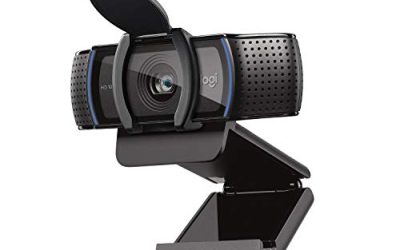
Our Top Picks
A Twitch facecam sits in a small corner of the screen, yet it carries the whole broadcast: viewers read your reactions long before they register the gameplay. So the real decision is not the biggest resolution number printed on the box. It is which camera keeps your face sharp, evenly exposed and in focus at the size and frame rate Twitch actually delivers, hour after hour, under the lighting your room really has on a weekday evening.


This guide is for new streamers stepping up from a laptop camera, regulars whose evening streams look grainy, and creators who record clips from the same setup they broadcast with. Every pick below is a streaming-focused webcam chosen from the names and specifications on its Amazon product page, spanning fixed, autofocus and AI-tracking designs, so the differences that matter live on air are easy to compare side by side.
Quick Picks
As an Amazon Associate we earn from qualifying purchases.
| Product | Best for | Key spec from title |
|---|---|---|
| Logitech MX Brio | One camera for streams and recorded clips | 4K at 30 fps, 1080p at 60 fps |
| Razer Kiyo Pro Ultra | Dim rooms and evening streams | 1/1.2″ Sony STARVIS 2 sensor |
| Elgato Facecam Pro | Full-screen talking segments in maximum detail | True 4K at 60 fps |
| OBSBOT Tiny 2 | Streamers who stand up and move around | AI tracking on a 2-axis gimbal |
| Insta360 Link 2C | Compact desks and vertical clips | 1/2″ sensor with HDR |
How to Choose
Start from what Twitch actually broadcasts
Twitch delivers streams at up to 1080p and 60 frames per second, and a facecam is usually shown far smaller than full screen. That reframes the spec sheet: a clean, stable 1080p60 picture beats a noisy 4K30 one for live play, because motion stays smooth and your reactions stay readable. A 4K sensor still earns its place, just for different reasons. It gives you crop headroom when you punch in digitally, cleaner downscaling to 1080p, and better footage when the same camera records videos or clips off-stream. Buy 4K for flexibility, not because viewers will see 4K.
Sensor size decides how your evening streams look
Most streaming happens after dark, in rooms lit by a monitor and maybe one lamp. In that light, sensor size and lens aperture matter more than resolution: a larger sensor with a wider aperture gathers more light, so the camera raises gain less and your face stays clean instead of speckled. Compare the listings here and the spread is wide, from the roughly half-inch sensors in the Link 2C and Tiny 2 up to the 1/1.2-inch sensor in the Kiyo Pro Ultra. A key light still helps any camera, but the sensor sets the floor your lighting starts from.
Pick a focus and framing style you will not fight
Fixed-focus cameras are set for a typical desk distance and simply stay there, which suits a streamer who sits in one spot. Autofocus models adjust when you lean in to read chat or hold a product up to the lens, though cheaper systems can hunt visibly. Tracking designs go further: the Tiny 2 physically pans and tilts on a gimbal, while the Link 2C reframes digitally. Movement is freedom if you stand, demo gear or play standing games, but every layer of automation is also a layer that can misbehave mid-stream, so match the mechanism to how still you actually sit.
Check the software controls and the microphone plan
The companion app is where a streaming camera earns its keep, because that is where you lock exposure and white balance. Locking them matters on Twitch: when a bright game menu flashes up, an unlocked camera dims your face to compensate, and viewers see the picture pump. Before buying, confirm the maker offers a desktop app for your operating system. Microphones need the same honesty. Most of these cameras include serviceable built-in mics, one includes none at all, and none of them replaces a dedicated microphone placed near your mouth for your main voice.
The 5 Best Options
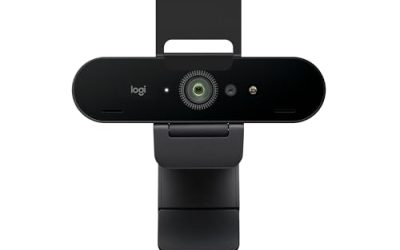
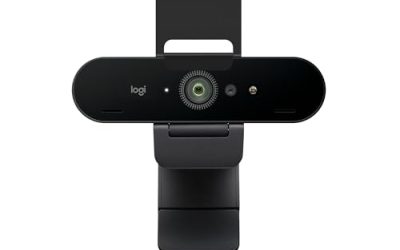
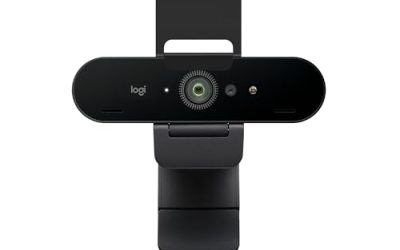
Logitech MX Brio
The MX Brio is the balanced flagship for streamers who want one camera to handle live broadcasts and recorded content without a shelf of accessories. Its 4K mode tops out at 30 frames per second, but the mode you will actually stream in, 1080p at 60 fps, is smooth and clean, and the adjustable field of view lets you tighten the frame from 90 degrees down to 65 when your background is busy. Show Mode tilts the camera down to your desk for unboxings or hand shots, and the dual beamforming microphones are a workable backup if your main mic fails mid-stream.
Specs
- Video: 4K Ultra HD at 30 fps; 1080p at 60 fps
- Sensor: 8.5MP Sony STARVIS CMOS with 70% larger pixels than the previous Brio
- Field of view: 90°, adjustable to 78° or 65°
- Focus: AI-enhanced autofocus
- Microphones: dual beamforming mics with noise reduction
- Extras: Show Mode desk view, built-in privacy shutter
- Connection: USB-C with detachable cable
Best for: streamers who want one dependable camera for Twitch broadcasts and recorded videos alike.
Watch out for: 4K is capped at 30 fps, so treat that mode as a recording feature; the manual image controls live in Logitech’s software, so install it before your first stream.
ASIN: B0BFJ4CRKD
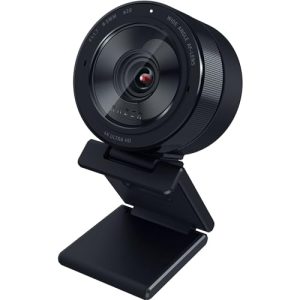
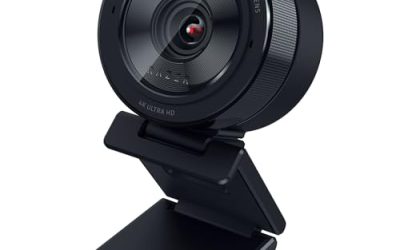
Razer Kiyo Pro Ultra
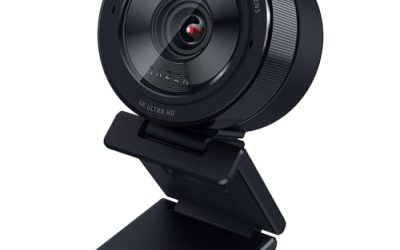
If your streams happen in a dim room, this is the camera built for exactly that problem. The Kiyo Pro Ultra carries a 1/1.2-inch Sony STARVIS 2 sensor behind an f/1.7 lens, a combination far larger and faster than anything else in this roundup, so it holds detail and color at light levels where smaller webcams dissolve into noise. Face-tracking autofocus keeps you locked in as you shift in your chair, HDR helps when a window or bright monitor sits behind you, and your settings are stored on the camera itself, so they survive a move to a second PC without re-tuning.
Specs
- Sensor: 1/1.2″ Sony STARVIS 2 with 2.9 μm pixel size
- Lens: custom f/1.7 aperture
- Video: 4K at 30 fps, 1440p at 30 fps, uncompressed 1080p at 60 fps; HDR at 30 fps
- Focus: face-tracking autofocus
- Microphone: built-in microphone
- Extras: built-in privacy shutter, on-board memory for saved settings
- Connection: USB 3.0
Best for: evening streamers whose rooms are lit by screens and a lamp rather than studio lights.
Watch out for: full settings control runs through Razer Synapse on Windows; on macOS the listing supports basic plug-and-play capture with limited adjustment. The body is also large and heavy for a webcam, so check your mount.
ASIN: B0CT6FFK4R
Elgato Facecam Pro

The Facecam Pro is the detail pick, the only camera here that captures a true 4K picture at 60 frames per second. That combination suits streamers whose camera feed regularly goes full screen: just-chatting segments, podcast-style shows and reaction content where your face is the content rather than an overlay. The autofocus lens can also be switched to manual focus and left locked, which ends focus hunting entirely, and Elgato’s Camera Hub software gives the kind of direct exposure and color control that broadcasters expect. Plan your audio separately, because this camera deliberately leaves the microphone out.
Specs
- Video: true 4K at 60 fps
- Lens: Elgato premium autofocus lens, f/2.0, 21 mm
- Sensor: Sony STARVIS CMOS
- Field of view: up to 90°
- Focus: autofocus or manual variable focus
- Mount: monitor clamp with 1/4-inch thread
- Connection: USB-C
Best for: full-screen talking segments and streamers who also record high-detail footage with the same camera.
Watch out for: there is no built-in microphone at all, so a separate mic is mandatory, and 4K60 needs full USB 3.0 bandwidth, so plug it straight into the PC rather than an unpowered hub.
ASIN: B0BJL7Q3SR
OBSBOT Tiny 2

The Tiny 2 answers a different question: what if the streamer will not sit still? Its camera head rides on a two-axis gimbal and uses AI tracking to pan and tilt after you, with modes for upper body, close-up, hand and zone tracking, plus voice and gesture controls for starting or stopping tracking without touching the keyboard. The 1/1.5-inch sensor and 1080p60 output keep the picture itself competitive with fixed cameras, and the dual microphones with AI noise reduction are better than most built-ins. For desk tours, standing games and product demos, nothing else here follows you around the room.
Specs
- Video: 4K at 30 fps; 1080p at 60 fps
- Sensor: 1/1.5″ CMOS
- Gimbal: 2-axis PTZ with AI tracking in four modes
- Focus: all-pixel autofocus
- Controls: voice control and gesture control
- Microphones: dual omnidirectional mics with AI noise reduction
- Connection: USB-C 3.0
Best for: streamers who stand, move around, or show physical products and gear on camera.
Watch out for: OBSBOT notes the camera can get warm during extended use, which is worth knowing before a marathon stream, and the zoom is digital only, so framing from across a room costs resolution.
ASIN: B0C3B6ZR1V
Insta360 Link 2C

The Link 2C is the compact route into a large-sensor picture. Its 1/2-inch sensor is bigger than the chips in most 4K webcams, HDR runs at every resolution, and AI auto framing crops and adjusts to keep you centered without any moving parts. It also rotates for a true vertical 4K mode, which suits streamers who cut their broadcasts into vertical clips, and the built-in microphone with AI noise canceling is genuinely usable for chat. At under fifty grams without its magnetic mount, it disappears on top of a monitor in a way the bigger flagships here do not.
Specs
- Video: 4K at 30 fps; 1080p at 60 fps in landscape and portrait
- Sensor: 1/2″ CMOS with f/1.8 aperture
- HDR: supported at all resolutions and frame rates
- Framing: AI auto framing, DeskView and whiteboard modes
- Audio: built-in microphone with AI noise canceling
- Mount: magnetic mount with 1/4-inch thread, built-in privacy shutter
- Connection: USB-C
Best for: smaller desks, laptop-based setups and streamers who also publish vertical clips.
Watch out for: there is no gimbal, so the auto framing crops digitally rather than physically following you, and Insta360’s Link Controller software does not support ARM-based Windows PCs.
ASIN: B0DDTGY8FG
Which One Fits Your Situation
Your first upgrade from a laptop camera
Start with the Logitech MX Brio if your budget stretches, or the Insta360 Link 2C if it does not. Both give you the two upgrades viewers notice immediately, a clean 1080p60 picture and exposure that stops swinging around, without new software habits to learn. The Brio adds recording headroom and a wider set of manual controls; the Link 2C adds a smaller footprint and vertical video for clips.
You stream at night in a dim room
Choose the Razer Kiyo Pro Ultra. Its oversized sensor and fast f/1.7 lens were designed for exactly your lighting, and they buy you a clean image before you spend anything on lamps. Add even a modest key light later and the same camera scales with you, because the sensor was never the bottleneck. The MX Brio is the fallback if you also need the camera for daytime meetings on a second machine.
Your face goes full screen, not into a corner
Take the Elgato Facecam Pro. Just-chatting and reaction formats put your face under a microscope, and its true 4K60 capture holds up when the feed fills the frame or when you crop in during editing. Lock the focus manually, set exposure in Camera Hub once, and pair it with the separate microphone this format demands anyway. The Tiny 2 only beats it here if you also move around while you talk.
You stand up, move and demo things on stream
Pick the OBSBOT Tiny 2. The gimbal tracking means you can walk to a shelf, hold up a controller or pace during a story without leaving the frame or shouting back at a fixed camera. Gesture control lets you start and stop tracking hands-free mid-segment. Fixed cameras, however sharp, cannot follow you, so for this style of stream the tracking hardware matters more than sensor bragging rights.
Common Mistakes
- Buying a 4K webcam and then streaming at settings Twitch downscales anyway, while leaving the facecam running at 30 fps and wondering why motion looks choppy next to the game.
- Leaving auto exposure and auto white balance on, so your face dims and shifts color every time a bright menu or white web page opens on your main monitor.
- Plugging a 4K camera into a USB 2.0 port, a front-panel port or an unpowered hub, then losing the top resolution and frame-rate modes without any error message.
- Mounting the camera on top of a tall monitor far from your face and cropping in hard, instead of moving it closer on a small tripod at eye level.
- Using the webcam’s built-in microphone as your main voice mic while it sits an arm’s length away, picking up your mechanical keyboard as loudly as your voice.
Frequently Asked Questions
Do I need a 4K webcam for Twitch?
No. Twitch output tops out at 1080p and 60 frames per second, so no viewer will ever see a 4K feed from you. A 4K camera still helps in two ways: downscaling to 1080p looks cleaner than a native 1080p sensor, and you get cropping headroom plus better footage when you record videos or clips with the same camera between streams.
Why does 60 fps matter for a facecam?
Because your gameplay is already moving at 60 frames per second or more, and a 30 fps facecam visibly stutters against it, especially when the overlay is large or you react quickly. A 1080p60 feed keeps head movement and expressions in step with the game, which reads as higher production quality to viewers even though the resolution on paper is unchanged.
Will these webcams work with OBS and Streamlabs?
Yes. All five are standard USB cameras that OBS Studio, Streamlabs and Twitch Studio recognize as video capture devices without drivers on Windows and macOS. The makers’ companion apps, such as Camera Hub, Synapse or OBSBOT’s software, are only needed to change settings like exposure, focus mode and tracking; the stream itself runs entirely through your broadcasting software.
Can I stream using the webcam’s built-in microphone?
You can, and several of these cameras include noise-reduced mics that are fine for a first stream or as an emergency backup. Distance is the problem: a mic on your monitor hears the room and your keyboard along with your voice. A separate microphone near your mouth is the single biggest audio upgrade, and the Facecam Pro has no built-in mic at all.
FAQ
Do I need a 4K webcam for Twitch?
Why does 60 fps matter for a facecam?
Will these webcams work with OBS and Streamlabs?
Can I stream using the webcam’s built-in microphone?
More from Amazon
Programs that pair well with the guide above. Offers and eligibility are set by Amazon and may change.
Free shipping on eligible items, Prime Video and more. Eligible new members can start with a free trial.
Start a Prime free trialAd-free music streaming. Eligible new subscribers can start with a free trial.
Try Music Unlimited freeA Prime membership for ages 18-24 with a trial period. Eligibility is set by Amazon.
See Prime for Young AdultsAudiobooks and podcasts to listen to on the go. Eligible new members can start with a free trial.
Try Audible freeAs an Amazon Associate we earn from qualifying purchases.