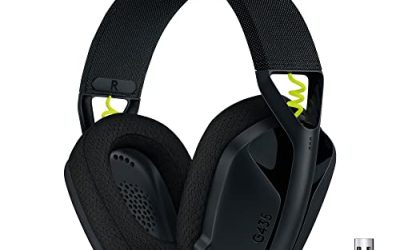
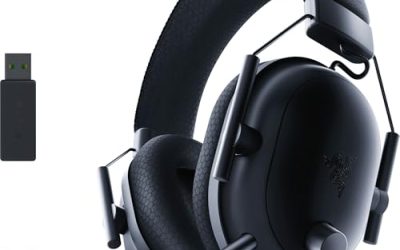
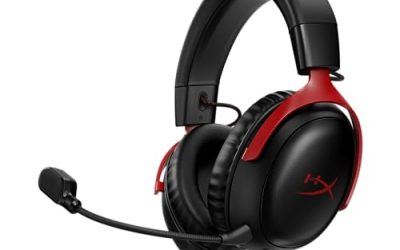
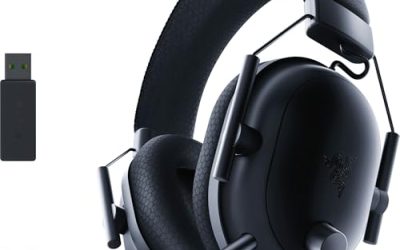
Our Top Picks
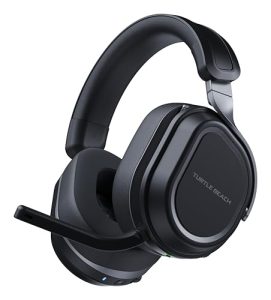
 Turtle Beach Stealth 700 Wireless Gaming Headset forStandard7.87 x 6.81 x 3.7 inches0.9 poundsCheck on Amazon
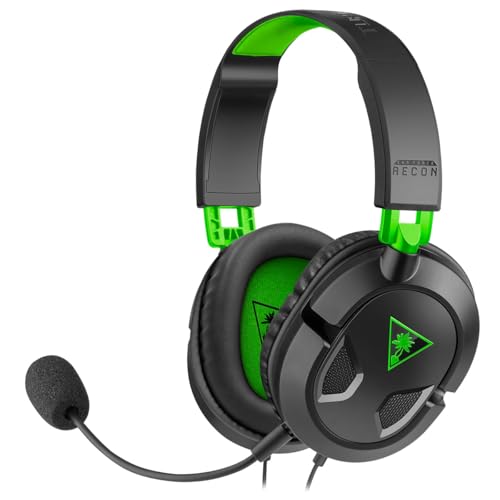
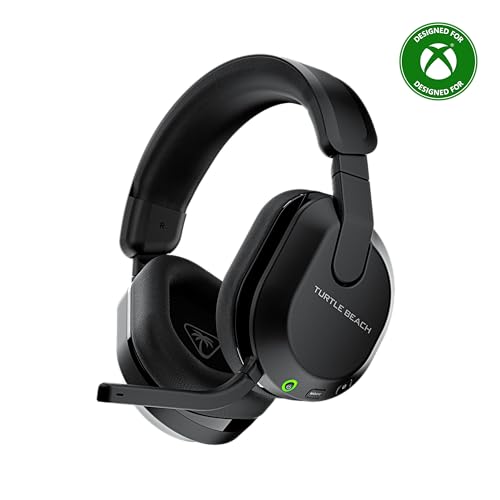 Turtle Beach Stealth 600 Wireless Gaming Headset forStandard8.58 x 7.81 x 3.74 inches1.32 poundsCheck on Amazon
 SteelSeries Arctis 9X Wireless Gaming HeadsetWireless8.07 x 8.26 x 3.62 inches1.2 poundsCheck on Amazon
As an Amazon Associate I earn from qualifying purchases.
The Short Answer
The Turtle Beach Stealth 700 Gen 3 is the strongest all-around pick among the best wireless gaming headsets for xbox. It pairs 60mm Eclipse dual drivers with an 80-hour battery life, Bluetooth 5.2, a flip-to-mute microphone with A.I. noise reduction, and two USB transmitters for switching between Xbox and PC. The Turtle Beach Stealth 600 Gen 3 keeps the same 80-hour battery and Bluetooth 5.2 in a lighter headset with 50mm Nanoclear drivers. The ASTRO A20 Wireless Gen 2 for Xbox is the simplest pick, connecting through one USB transmitter, while the SteelSeries Arctis 9X pairs directly to the console over Xbox Wireless with no transmitter at all.
Our Top Picks
- Best overall: Turtle Beach Stealth 700 Gen 3 — 60mm Eclipse dual drivers, 80-hour battery, Bluetooth 5.2, dual transmitters.
- Best battery life for the weight: Turtle Beach Stealth 600 Gen 3 — 80-hour battery, 50mm Nanoclear drivers, Bluetooth 5.2, QuickSwitch button.
- Best simple transmitter setup: ASTRO A20 Wireless Gen 2 for Xbox — 2.4 GHz wireless through a USB transmitter, flip-to-mute boom microphone.
- Best direct Xbox Wireless pairing: SteelSeries Arctis 9X — integrated Xbox Wireless plus Bluetooth, 20-plus-hour battery.
Quick Comparison
| Headset | Wireless connection | Battery life | Drivers | Microphone | Best for |
|---|---|---|---|---|---|
| Turtle Beach Stealth 700 Gen 3 | 2.4 GHz, two USB transmitters, Bluetooth 5.2 | Up to 80 hours | 60mm Eclipse dual drivers | Flip-to-mute, A.I. noise reduction | Most Xbox players |
| Turtle Beach Stealth 600 Gen 3 | 2.4 GHz wireless, Bluetooth 5.2 | Up to 80 hours | 50mm Nanoclear drivers | Flip-to-mute, A.I. noise reduction | Long sessions at a lighter weight |
| ASTRO A20 Wireless Gen 2 for Xbox | 2.4 GHz through a USB transmitter | Up to 15 hours | 40mm drivers | Flip-to-mute boom microphone | A straightforward plug-and-play setup |
| SteelSeries Arctis 9X | Integrated Xbox Wireless, Bluetooth 4.1 | 20-plus hours | 40mm drivers | Retractable microphone | Pairing straight to the console |
How to Choose
Start with how the headset connects to Xbox
Xbox consoles use a dedicated Xbox Wireless radio, the same system controllers use. A headset with integrated Xbox Wireless, such as the SteelSeries Arctis 9X, pairs directly to the console with no dongle: press the pairing button on the headset and on the console, and the two find each other. Most others, including both Turtle Beach models and the ASTRO A20, use a USB transmitter plugged into a USB port, talking to the headset over a 2.4 GHz link. A transmitter keeps latency low but uses a USB port, so confirm you buy the Xbox version.
Bluetooth causes the most confusion. Xbox consoles do not accept Bluetooth for game audio, so a Bluetooth-only headset will not carry game sound from your console. Bluetooth is still useful as a second connection: on headsets that support simultaneous wireless and Bluetooth, such as both Turtle Beach models, you can hear game audio while taking a call or listening to music from your phone.
Battery life, microphone, and comfort
Battery life in this guide ranges from around 15 hours to around 80 hours. An 80-hour headset, like either Turtle Beach model, can go many long sessions between charges. A headset with around 15 to 20 hours still covers several sessions, but you will need to charge it regularly. The Stealth 700 Gen 3 adds quick charging, with a 15-minute charge listed as providing 3 hours of battery life, while the Arctis 9X lists a 4-hour charge time.
Flip-to-mute microphones, found on both Turtle Beach models and the ASTRO A20, mute as soon as you flip the boom up, which is fast and hard to get wrong mid-match. The Arctis 9X uses a retractable microphone that slides into the earcup when you do not need it. Both Turtle Beach models list A.I. noise reduction on the microphone, designed to block background noise and let only your voice through.
For comfort, look at weight, cushions, and the headband. The Stealth 600 Gen 3 weighs 320 grams with memory foam cushions in athletic-weave fabric and ProSpecs glasses relief technology. The Stealth 700 Gen 3 weighs 14.4 ounces with memory foam cushions in leatherette and athletic-weave fabric, a steel-reinforced headband, and the same glasses relief design. The Arctis 9X weighs 372 grams (about 13 ounces) with a steel-reinforced headband.
Sound tuning and the box
The Turtle Beach models list 50mm or 60mm drivers tuned for spatial audio, with four audio presets including Bass Boost, Signature Sound, Treble Boost, and Vocal Boost, plus a 10-band equalizer and up to five custom presets through the Swarm II app. The Stealth 700 Gen 3 uses 60mm Eclipse dual drivers that split low and high frequencies between a distinct woofer and tweeter. The Arctis 9X lists 40mm drivers, and the A20 lists 40mm drivers.
Read the listing for what is in the box and which platforms the exact version supports. The Stealth 700 Gen 3 ships with two CrossPlay USB transmitters, a charging cable, and a user manual. The Stealth 600 Gen 3 ships with one USB transmitter, a charging cable, and a quick start guide. The A20 ships with its USB transmitter and a USB-C to USB-A charging cable. The Arctis 9X needs no transmitter at all.
The Picks in Detail
Turtle Beach Stealth 700 Gen 3
View the Turtle Beach Stealth 700 Gen 3 on Amazon
The Stealth 700 Gen 3 is the flagship of this group. Its 60mm Eclipse dual drivers are the largest in this guide. It is officially licensed for Xbox Series X and Xbox One, and it also works with PC, mobile, and other consoles. Its CrossPlay system includes two USB transmitters, and a CrossPlay button switches between console and PC without moving transmitters. Simultaneous Bluetooth 5.2 lets you hear phone audio alongside game audio. Battery life is listed at up to 80 hours, with quick charging that provides 3 hours from a 15-minute charge. The flip-to-mute microphone has A.I. noise reduction, and the Swarm II app adds presets, a 10-band equalizer, and Advanced Superhuman Hearing. It weighs 14.4 ounces, with a steel-reinforced headband and memory foam cushions with ProSpecs glasses relief.
Pros:
- 60mm Eclipse dual drivers with separate woofer and tweeter
- Up to 80 hours of battery life with quick charging
- Two CrossPlay USB transmitters for Xbox and PC
- Simultaneous Bluetooth 5.2 for phone audio alongside game audio
- Flip-to-mute microphone with A.I. noise reduction
- Steel-reinforced headband and glasses-friendly cushions
Cons:
- Heaviest headset in this guide at 14.4 ounces
- Full features depend on the Swarm II app
- Two transmitters add clutter on a single-console setup
Turtle Beach Stealth 600 Gen 3
View the Turtle Beach Stealth 600 Gen 3 on Amazon
The Stealth 600 Gen 3 is the lighter sibling of the Stealth 700 Gen 3, and it keeps the 80-hour battery life. It uses 50mm Nanoclear drivers instead of the 60mm Eclipse dual drivers and ships with a single USB transmitter. It is a wireless multiplatform headset for Xbox Series X and Xbox One, PC, and mobile, with low-latency 2.4 GHz wireless plus Bluetooth 5.2. A QuickSwitch button switches between the 2.4 GHz link and Bluetooth with one press. The flip-to-mute microphone has A.I. noise reduction, and the Swarm II app adds mic presets and a 10-band microphone equalizer. The audio side adds presets, a 10-band equalizer, and Superhuman Hearing. The cushions are memory foam in athletic-weave fabric with ProSpecs glasses relief. The headset weighs 320 grams and lists a frequency response of 20 Hz to 20 kHz. The listing names a 15-hour charging time that looks inconsistent, so confirm charging details on the listing.
Pros:
- Up to 80 hours of battery life, matching the flagship model
- Lighter than the Stealth 700 Gen 3 at 320 grams
- Bluetooth 5.2 with a QuickSwitch button for fast source changes
- Flip-to-mute microphone with A.I. noise reduction
- 10-band equalizer and custom presets through the Swarm II app
- Memory foam cushions with glasses relief technology
Cons:
- 50mm drivers instead of the 60mm Eclipse dual drivers
- Single USB transmitter, so no CrossPlay dual-transmitter switching
- Listed charging time looks inconsistent, so confirm it on the listing
ASTRO A20 Wireless Gen 2 for Xbox
View the ASTRO A20 Wireless Gen 2 for Xbox on Amazon
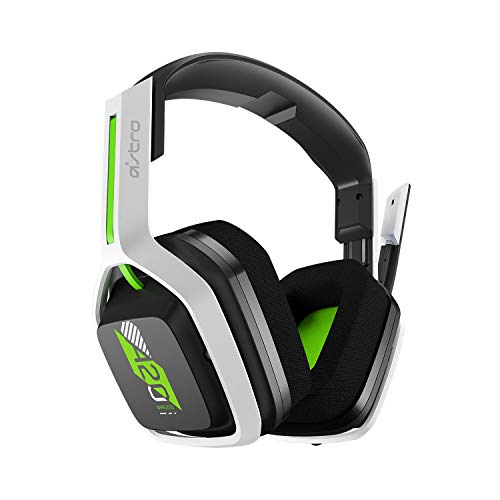
The ASTRO A20 Wireless Gen 2 for Xbox is the simplest headset in this guide, and that simplicity is its appeal. It connects over a 2.4 GHz wireless signal through a USB transmitter in the box, with a toggle on the transmitter for switching between Xbox and PC. You plug the transmitter into the console, turn the headset on, and you are playing. The headset is built for Xbox Series X, Xbox Series S, Xbox One, PC, and Mac. The flip-to-mute boom microphone mutes when you flip it up. The headset lists a wireless range of up to 15 meters and a battery life of up to 15 hours on a charge, with USB-C charging. The A20 is sold in platform-specific versions, and the included transmitter determines the intended setup, so confirm the version you buy is the Xbox version.
Pros:
- Simple plug-and-play setup through the included USB transmitter
- Flip-to-mute boom microphone that is fast to use mid-game
- Wireless range of up to 15 meters for couch and room play
- Xbox-specific version with a transmitter toggle for Xbox and PC
- Straightforward design with no app required
Cons:
- Battery life of up to 15 hours is the shortest in this guide
- No Bluetooth for simultaneous phone audio
- Driver size and frequency response need confirming on the listing
- Platform-specific versions, so the wrong version will not fit your setup
SteelSeries Arctis 9X
View the SteelSeries Arctis 9X on Amazon
The SteelSeries Arctis 9X is the only headset in this guide with Xbox Wireless built in, and that changes the setup completely. There is no transmitter to plug in and no USB port used. You pair it to the console the same way you pair a controller, by pressing the pairing button on both devices. The Arctis 9X is built for Xbox One and Xbox Series X, and it adds Bluetooth 4.1 so you can pair a phone at the same time for calls and music. Battery life is listed at more than 20 hours, with a 4-hour charge time, and the headset uses 40mm drivers with a listed impedance of 32 ohms. The microphone retracts into the earcup; confirm mic details on the listing. The headset weighs 372 grams (about 13 ounces), uses a steel-reinforced headband, and lists a 1-year warranty. Confirm fit details on the listing. The Arctis 9X is an older model than the Turtle Beach Gen 3 headsets, but it remains the best choice for players who value a direct Xbox Wireless connection above all else.
Pros:
- Integrated Xbox Wireless pairs directly to the console with no transmitter
- Bluetooth 4.1 for simultaneous phone calls and music
- More than 20 hours of battery life
- Retractable microphone that hides away when not needed
- Steel enclosure and a 1-year warranty
Cons:
- Older Bluetooth version than the newer headsets in this guide
- 4-hour charge time with no quick-charge claim in the listing
- 40mm drivers are smaller than the Turtle Beach drivers here
- Fit details vary across listing fields, so confirm them on the listing
Who Should Choose What
Choose the Turtle Beach Stealth 700 Gen 3 if you want the most complete wireless Xbox headset in this guide. It suits players who game on Xbox and PC, take calls or listen to music from a phone while they play, and want the longest battery life with the deepest tuning options.
Choose the Turtle Beach Stealth 600 Gen 3 if you want the same 80-hour battery life in a lighter headset. It suits players who mainly use one console, who wear glasses, and who want app tuning and a clear flip-to-mute microphone without the dual-transmitter system.
Choose the ASTRO A20 Wireless Gen 2 for Xbox if you want the simplest setup possible. It suits players who plug in and play, charge their gear after sessions, and do not need Bluetooth or app tuning. It is also a good pick for a second console or a shared household setup.
Choose the SteelSeries Arctis 9X if you want to pair directly to the console with no transmitter. It suits players who move the headset between rooms, dislike dongles, and want Bluetooth for phone audio alongside Xbox Wireless for game audio.
Common Mistakes
The most common mistake is buying a Bluetooth-only headset and expecting it to carry game audio from an Xbox. Xbox consoles do not accept Bluetooth for game audio, so a headset that only lists Bluetooth will not work as a gaming headset on the console. Always check that the headset lists Xbox Wireless or a USB transmitter for Xbox, not just Bluetooth.
The second mistake is buying the wrong platform version. Many wireless headsets come in Xbox and PlayStation versions that look nearly identical, and the difference is the transmitter or the wireless radio inside. The ASTRO A20 is a clear example: the included transmitter determines the intended setup. Read the title and the platform list on the listing, and confirm the version in your cart before you check out.
The third mistake is ignoring battery life until the headset dies mid-match. A headset with around 15 hours of battery life needs charging after a few long sessions, while an 80-hour headset can go much longer.
The fourth mistake is forgetting the microphone. Sound quality gets most of the attention, but your squad hears your microphone, not your drivers. A flip-to-mute or retractable microphone with noise reduction will do more for your team communication than a small upgrade in driver size. If you play in a noisy room, give extra weight to headsets that name noise reduction in the listing.
The fifth mistake is assuming every feature works the same way in every mode. On the Turtle Beach models, some app features are listed as not supported in Bluetooth mode.
FAQ
Do wireless Xbox headsets need a dongle?
It depends on the model. The SteelSeries Arctis 9X uses integrated Xbox Wireless and pairs directly to the console with no dongle. The Turtle Beach models and the ASTRO A20 use USB transmitters.
Can I use Bluetooth headphones with my Xbox?
Bluetooth alone will not carry game audio from an Xbox console, because the console does not accept Bluetooth for game audio. Headsets here that list Bluetooth use it as a second connection for phone calls and music, while game audio travels over Xbox Wireless or a 2.4 GHz USB transmitter link.
How long do wireless Xbox headset batteries last?
The Turtle Beach Stealth 600 Gen 3 and Stealth 700 Gen 3 both list up to 80 hours. The SteelSeries Arctis 9X lists more than 20 hours, and the ASTRO A20 Wireless Gen 2 lists up to 15 hours.
Which wireless Xbox headset is best for party chat?
Look for a clear microphone with noise reduction and a mute control you can use without thinking. The Turtle Beach models have flip-to-mute microphones with A.I. noise reduction and adjustable monitoring through the Swarm II app. The ASTRO A20 has a flip-to-mute boom microphone, and the Arctis 9X has a retractable microphone.
Do these headsets work with Xbox Series X and Xbox One?
Yes. All four headsets list Xbox Series X, Xbox Series S, and Xbox One support, though the exact platform list varies by model and version.
Should I pick the Stealth 600 Gen 3 or the Stealth 700 Gen 3?
Pick the Stealth 700 Gen 3 if you want the larger 60mm Eclipse dual drivers, two CrossPlay transmitters, and simultaneous Bluetooth alongside game audio. Pick the Stealth 600 Gen 3 if you want the same 80-hour battery life in a lighter headset with a QuickSwitch button, and you mainly play on one console.
Conclusion
The best wireless gaming headsets for xbox are the ones that match how you actually play. The Turtle Beach Stealth 700 Gen 3 leads with 60mm Eclipse dual drivers, an 80-hour battery, dual CrossPlay transmitters, and simultaneous Bluetooth. The Stealth 600 Gen 3 keeps the same long battery life in a lighter package. The ASTRO A20 Wireless Gen 2 is the simplest choice, with a plug-in transmitter and a flip-to-mute boom microphone. The SteelSeries Arctis 9X is the pick for a dongle-free setup, pairing directly to the console over Xbox Wireless. Confirm the Xbox version on the listing before you buy.
FAQ
Do wireless Xbox headsets need a dongle?
Can I use Bluetooth headphones with my Xbox?
How long do wireless Xbox headset batteries last?
Which wireless Xbox headset is best for party chat?
Do these headsets work with Xbox Series X and Xbox One?
Should I pick the Stealth 600 Gen 3 or the Stealth 700 Gen 3?
More from Amazon
Programs that pair well with the guide above. Offers and eligibility are set by Amazon and may change.
Free shipping on eligible items, Prime Video and more. Eligible new members can start with a free trial.
Start a Prime free trialAd-free music streaming. Eligible new subscribers can start with a free trial.
Try Music Unlimited freeA Prime membership for ages 18-24 with a trial period. Eligibility is set by Amazon.
See Prime for Young AdultsAudiobooks and podcasts to listen to on the go. Eligible new members can start with a free trial.
Try Audible freeAs an Amazon Associate we earn from qualifying purchases.