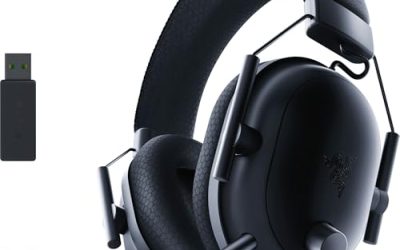
Our Top Picks
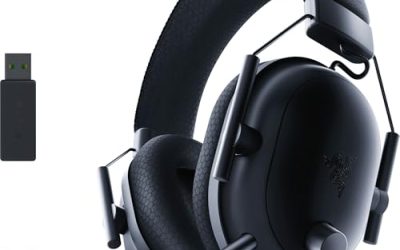
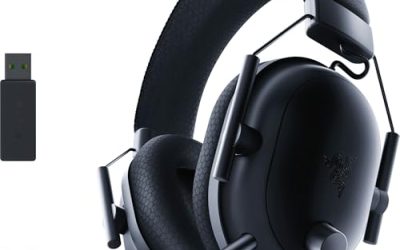
 Razer BlackShark V2 X Wired Gaming Headset with3.5 mm7.6 x 6.76 x 3.86 inches0.5 poundsCheck on Amazon
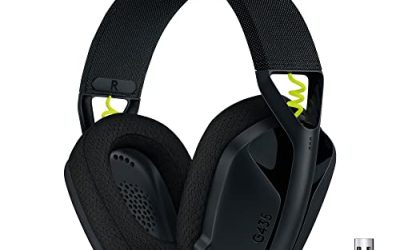
 Logitech G432 Wired Gaming Headset7.2 x 3.2 x 6.8 inches7.8 x 4.3 x 9 inches0.7 poundsCheck on Amazon
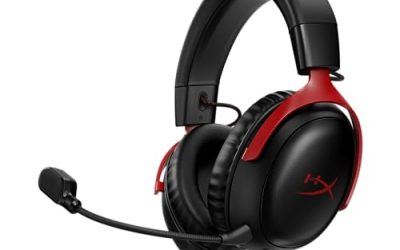
 HyperX Cloud Stinger 2 Core Wired Gaming PCOne Size7.05 x 3.74 x 7.64 inches0.6 poundsCheck on Amazon
Shopping for the best affordable headsets means deciding where a lower spend still buys sound you can live with for hours, and where it starts to cost you comfort, clarity, or durability. A headset in this class should handle game audio, voice chat, music, and calls, and it should stay comfortable through a long evening session. The trap is chasing one headline feature, such as surround sound, while ignoring the ear cushions, microphone, and cable you will notice daily.
This guide covers three kinds of buyers: PC and console gamers who want a wired headset for nightly play, students and remote workers who need one headset for classes, calls, and entertainment, and parents choosing a starter headset that needs no extra software or accessories. Each pick below was chosen from its Amazon title and listed specifications, weighing driver size, microphone design, connection type, weight, and supported platforms, so you can match it to the devices you already own.
Quick Picks
As an Amazon Associate we earn from qualifying purchases
| Product | Best for | Key spec from title |
|---|---|---|
| Razer BlackShark V2 X Gaming Headset | Competitive play and long sessions | 7.1 Surround Sound, 50mm drivers, memory foam cushion |
| Logitech G432 Wired Gaming Headset | PC gaming with USB and analog options | 7.1 Surround Sound, DTS Headphone:X 2.0, flip-to-mute mic |
| HyperX Cloud Stinger 2 Core | Lightweight comfort on a tight budget | DTS Headphone:X Spatial Audio, 40mm drivers, swivel-to-mute mic |
How to Choose
Start with the connection your devices actually use
A wired headset with a standard 3.5mm plug works with a PC, a console controller, a handheld, and many phones without charging, pairing, or a dongle, which is why all three headsets in this guide use that connection as their foundation. The Logitech G432 adds a USB option for PC play, suiting a desktop setup where the headset stays in one place. Before choosing, check the jack on your controller, laptop, and phone, and confirm whether an older PC needs a splitter for separate headphone and microphone sockets. A headset that plugs straight into everything you own will get used far more than one needing an adapter you keep losing.
Weigh comfort against driver size and build
Large drivers can deliver fuller game audio, yet they also add weight and bulk, and a heavy headset becomes a distraction during a long session. Look at the whole package: weight, cushion material, headband padding, and whether the ear cups close around your ears or press on them. The Razer BlackShark V2 X weighs 240 grams with memory foam cushions, the HyperX Cloud Stinger 2 Core weighs 275 grams with soft foam cushions, and the Logitech G432 uses leatherette ear pads and a padded headband. If you wear glasses, watch cushion softness and clamping force, because a firm seal that sounds good for ten minutes can press on your glasses after an hour.
Judge the microphone by how you mute it and how it picks up your voice
A boom microphone matters most when you play with a squad, join voice calls, or record clips, and the mute control is the part you will reach for constantly. A flip-to-mute design, as on the Logitech G432, silences you with one upward movement and makes mute state obvious at a glance. A swivel-to-mute design, as on the HyperX Cloud Stinger 2 Core, rotates the boom away from your mouth. The Razer BlackShark V2 X uses a HyperClear cardioid microphone, designed to focus on your voice and reduce sound from the sides. Choose the mute action that feels natural, and remember that a boom without a clear mute control can leave you talking when you meant to stay silent.
Treat surround sound as a feature with limits
Surround processing can help you place footsteps and other directional cues in a game, but it usually depends on software running on a Windows PC, and it does not change the drivers inside the ear cups. The Razer BlackShark V2 X lists 7.1 surround sound for Windows 10, the Logitech G432 uses DTS Headphone:X 2.0, and the HyperX Cloud Stinger 2 Core includes DTS Headphone:X Spatial Audio with an activation code. On a console or a phone, you will generally hear stereo sound through the same headset, which is still fine for most games and music. Decide whether your platform can use the surround mode, and do not let that one feature outweigh comfort, microphone quality, and wide compatibility.
The 3 Best Options
Razer BlackShark V2 X Gaming Headset
The Razer BlackShark V2 X fits a player who wants a focused esports headset without moving into wireless or premium territory, and its closed ear cups help shut out room noise during competitive matches. Its 50mm TriForce Titanium drivers divide sound into separate highs, mids, and lows, giving game audio a cleaner shape, and the HyperClear cardioid microphone keeps your callouts intelligible to teammates. At 240 grams it sits lightly for an over-ear design, and the memory foam cushions plus passive noise isolation make it easy to wear through a long ranked session.
Specs
- Drivers: 50mm TriForce Titanium drivers
- Surround sound: 7.1 surround sound, Windows 10 only
- Microphone: HyperClear cardioid microphone
- Noise isolation: advanced passive noise cancellation with closed earcups
- Ear cushions: memory foam cushions
- Weight: 240 grams
- Connection: wired 3.5mm audio jack
- Compatible devices: PC, PS4, PS5, Switch, Xbox One, Xbox Series X|S, mobile
- Model number: RZ04-03240100-R3U1
Best for: Competitive gamers who want clear directional audio, a focused microphone, and a light wired headset for long sessions.
Watch out for: Surround sound works through software on Windows, so console and mobile play uses stereo sound, and the wired cable is fixed rather than detachable.
Logitech G432 Wired Gaming Headset
The Logitech G432 suits a PC gamer who likes having two ways to connect, because it provides both a USB connection and a 3.5mm jack, and its large 50mm drivers give game audio and music a full, roomy presentation. Its DTS Headphone:X 2.0 processing adds a sense of space to positional audio on a compatible PC, while the flip-to-mute boom microphone makes muting yourself a single, unmistakable motion during a call or a match. Leatherette ear pads and a padded headband spread the weight across long sessions, and the headset also works with Mac, Xbox One, PlayStation 4, and Nintendo Switch through its analog connection.
Specs
- Drivers: 50mm audio drivers
- Surround sound: 7.1 surround sound, DTS Headphone:X 2.0
- Microphone: flip-to-mute boom microphone
- Ear pads: leatherette ear pads
- Connection: USB and 3.5mm audio jack
- Compatible devices: PC, Mac, Xbox One, PS4, Nintendo Switch
- Item weight: 1.2 pounds
- Model number: 981-000769
- Colour: Black/Blue
Best for: PC gamers who want USB and analog connections, a flip-to-mute microphone, and surround processing in one affordable headset.
Watch out for: At 1.2 pounds it is the heaviest headset in this guide, so try to gauge how that weight feels over a long session, and surround processing depends on a compatible PC setup.
HyperX Cloud Stinger 2 Core
The HyperX Cloud Stinger 2 Core is the lightest-feeling starter pick in this guide, built for a buyer who wants a simple wired headset that works straight out of the box. Its 40mm directional drivers are tuned for enhanced bass, which gives explosions and game effects a satisfying weight without overwhelming dialogue, and its DTS Headphone:X Spatial Audio adds directional cues on a compatible setup. The swivel-to-mute microphone rotates up and away when you do not need it, the adjustable steel slider holds its fit over time, and the 275-gram frame stays comfortable during homework, casual gaming, and video calls.
Specs
- Drivers: 40mm directional drivers
- Surround sound: DTS Headphone:X Spatial Audio, 2-year activation included
- Microphone: swivel-to-mute microphone, noise cancelling
- Weight: 275 grams
- Connection: wired 3.5mm audio jack, PC extension cable included
- Headband: adjustable steel slider
- Impedance: 32.5 ohms
- Compatible devices: PC, Xbox Series X|S, Xbox One, PS5, PS4, Nintendo Switch, mobile devices with CTIA connection
- Model number: 683L9AA
Best for: First-time buyers, students, and casual gamers who want a light, comfortable, plug-and-play headset for many devices.
Watch out for: The DTS Headphone:X activation included with the headset covers two years, and the 40mm drivers deliver less low-end depth than the 50mm drivers in the other two picks.
Which One Fits Your Situation
You play competitive games most nights
Choose the Razer BlackShark V2 X, because its closed ear cups, passive noise isolation, and cardioid microphone are built around hearing cues clearly and being heard clearly in return. Its light frame and memory foam cushions help during long ranked sessions, and the 3.5mm connection means it can move from your PC to a console controller without a second headset.
You want one headset for a PC desk and everything else
Choose the Logitech G432, because its USB and 3.5mm connections cover a desktop setup and a wide range of other devices, and its flip-to-mute microphone is ideal for calls as well as squad chat. The large drivers and DTS processing suit long PC sessions, while the leatherette pads and padded headband keep it comfortable through work and play. It is the heaviest pick here, so it suits a desk-first routine better than a headset you carry everywhere.
You need a starter headset for a student or a younger gamer
Choose the HyperX Cloud Stinger 2 Core, because it is light, simple to use, and compatible with the consoles, PC, and mobile devices a household already owns. The swivel-to-mute microphone is easy to understand, the steel slider adjusts as different people use it, and there is no battery to charge or software to install before the first game. It is also a sensible shared headset for a family, since one plug covers so many devices.
You split time between gaming, calls, and music
Choose the Logitech G432 if your PC is the hub, since its USB connection and microphone controls fit calls and meetings, or choose the HyperX Cloud Stinger 2 Core if you move between devices and want the lightest, simplest option. Both handle music and video well enough for everyday listening, and both keep your voice clear on a call. The deciding factor is whether you value the Logitech dual connection and larger drivers or the HyperX lower weight and portability.
Common Mistakes
- Buying for surround sound alone, then discovering it only works through software on a Windows PC while your main platform is a console.
- Ignoring weight and cushion material, which matter more than driver size once a session passes the first hour.
- Choosing a headset without checking whether your PC needs a splitter for separate headphone and microphone jacks.
- Assuming every microphone has an obvious mute control, when some designs leave you guessing whether you are live.
- Picking a headset that only fits one device, then buying a second one for the console or phone you use just as often.
Frequently Asked Questions
Do affordable headsets work with both PC and consoles?
Yes, most affordable wired headsets use a standard 3.5mm plug that works with a PC, a PlayStation controller, an Xbox controller, a Nintendo Switch, and many mobile devices. All three headsets in this guide use that connection, and the Logitech G432 adds a USB option for PC use. Check whether your PC has a combined headset jack or separate sockets, since an older PC may need a splitter.
Is surround sound worth it on a budget headset?
Surround processing can help you notice the direction of footsteps and other game sounds, but it usually runs through software on a Windows PC and does not replace good drivers or comfortable cushions. The three headsets here all provide surround or spatial audio on a compatible PC, yet they still sound clear in stereo on consoles. Treat surround as a useful extra, and judge comfort and microphone quality first.
How do I mute the microphone quickly during a game?
The method depends on the headset you choose, so pick the action that feels most natural to you. The Logitech G432 mutes when you flip its boom microphone upward, which gives you a clear physical signal that you are muted. The HyperX Cloud Stinger 2 Core mutes when you swivel its microphone up and away from your mouth.
What should I check before buying an affordable headset?
Check the connection type, the weight, the ear cushion material, and the microphone design, because those four details shape daily use more than any single specification. Confirm that the headset fits the devices you own, that the cable is long enough for your setup, and that the ear cups suit your head size and whether you wear glasses.
FAQ
Do affordable headsets work with both PC and consoles?
Is surround sound worth it on a budget headset?
How do I mute the microphone quickly during a game?
What should I check before buying an affordable headset?
More from Amazon
Programs that pair well with the guide above. Offers and eligibility are set by Amazon and may change.
Free shipping on eligible items, Prime Video and more. Eligible new members can start with a free trial.
Start a Prime free trialAd-free music streaming. Eligible new subscribers can start with a free trial.
Try Music Unlimited freeA Prime membership for ages 18-24 with a trial period. Eligibility is set by Amazon.
See Prime for Young AdultsAudiobooks and podcasts to listen to on the go. Eligible new members can start with a free trial.
Try Audible freeAs an Amazon Associate we earn from qualifying purchases.