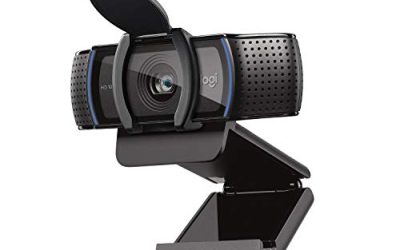
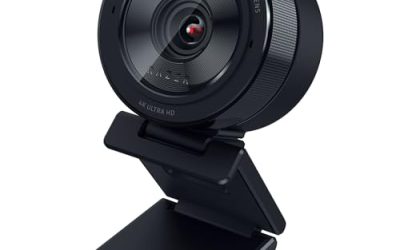
Our Top Picks
The best always on webcams are built to stay running. Most webcams are used for a short call and then switched off, but an always-on camera might stream for hours, hold a video feed open through a full workday, or watch a room while you are away from the desk. That kind of use exposes weaknesses that short calls never reveal: a camera that overheats will soften its image or shut down, a weak autofocus will drift during a long session, and a flimsy mount will slowly sag until you are framed out of shot. Choosing a webcam for continuous use means judging it on stamina and reliability, not just on how sharp it looks in the first five minutes.


Always-on use takes several forms. Streamers keep a camera live for entire broadcasts, sometimes for six hours or more, and need steady exposure and colour that does not wander as room light changes. Remote workers keep a camera open for back-to-back meetings and want to look clear without adjusting settings between calls. Creators use a webcam as a second camera that watches a desk, a whiteboard, or a room, and need it to hold focus and framing without attention. Some households use a webcam to check on a room, a pet, or a workspace while away, which calls for a camera that can sit quietly for long stretches and still deliver a usable image when checked.
The picks in this guide are USB webcams suited to long sessions: models with large sensors or strong low-light handling, reliable autofocus or AI tracking that keeps you framed, sturdy mounts, and designs that manage heat well during continuous use.
How to Choose
Heat Handling and Long-Session Stability
The first question for an always-on webcam is whether it can run for hours without its image degrading. Cameras with larger sensors and efficient designs handle continuous use better, because they gather more light per pixel and need less aggressive processing. Give the camera airflow rather than tucking it behind a monitor in a warm corner. A camera that stays cool is a safer choice for all-day use.
Resolution and Frame Rate
4K resolution gives you room to crop and reframe without losing sharpness, which matters when a camera stays on for hours. A 4K sensor also looks sharper when downscaled to 1080p for a call, because the extra detail smooths edges and fine textures. Frame rate matters too: 60 frames per second makes movement look smoother, which helps streamers and presenters who move around, while 30 frames per second is enough for seated calls. Choose the combination that fits your software, because not every app accepts 4K at 60 frames per second over USB.
Autofocus and Tracking
A camera that stays in focus without attention is essential for always-on use. Fast autofocus keeps you sharp when you lean in or move back, and AI tracking models go further by panning and tilting to follow you around a room. Tracking is valuable for teachers, presenters, and streamers who move during a session, but it can be distracting if it moves too often, so look for a model with tracking modes you can adjust or switch off.
Low-Light Performance
Rooms change light through the day, and an always-on camera has to cope with morning sun, afternoon cloud, and evening lamps without constant adjustment. Larger sensors and wider apertures gather more light and keep the image cleaner in dim rooms, while good automatic exposure smooths the transition when light changes. A camera with strong low-light handling lets you keep the camera running without adding extra lighting, though a simple desk light still improves any webcam noticeably. If your room is often dim, prioritise sensor size over resolution.
Field of View
Field of view decides how much of the room the camera shows. A wide view around 90 degrees suits group calls, whiteboard work, and rooms where you move around, while a narrower view around 65 to 78 degrees suits solo calls by keeping the focus on you and cropping out clutter at the edges. Some cameras let you adjust the field of view in software, which is useful for an always-on setup that serves more than one purpose. Think about what sits behind you before you choose, because a wide camera will show it all day.
Microphones and Audio
Built-in microphones are convenient for an always-on setup because they remove one more device to manage, and dual microphones with noise reduction can sound clear in a quiet room. For long calls and streams, though, a dedicated microphone or headset usually sounds better, because it sits closer to your mouth and picks up less room echo. Treat the built-in microphones as a backup rather than the main audio source if your calls matter.
Mounting, Privacy, and Software
A camera that runs all day needs a mount that holds its position. A solid clip mount works on most monitors, while a standard tripod thread opens up desk stands and wall mounts for monitoring a room. A physical privacy shutter matters more for an always-on camera than for any other kind, because it gives you a visible way to block the lens when you step away. Finally, check the software: the best always-on webcams offer exposure, white balance, and framing controls that stay put between sessions.
Top Picks
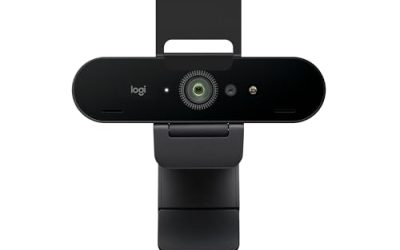
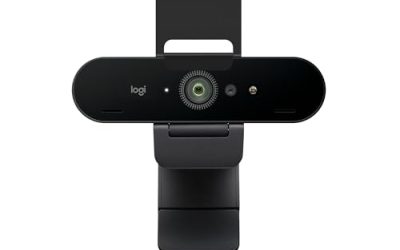
Logitech Brio 4K
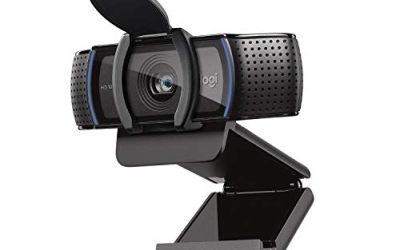
The Logitech Brio 4K is the reliable all-rounder for always-on use, and the pick for a home office camera that stays open through a full day of calls. Its 4K sensor delivers a sharp image that holds up when downscaled for meeting software, and the automatic light correction adapts smoothly as daylight changes, so you look consistent from the first call to the last. Windows Hello support adds face login for Windows users, and the wide field of view can be adjusted in software between wide, medium, and narrow framing.
The Brio is built for long sessions. It connects over USB, works with the major meeting platforms without extra drivers, and its clip mount grips firmly to monitors of different thicknesses. The privacy shutter slides closed with a clear click, which matters when a camera sits on your monitor all day. Dual microphones with noise reduction handle quiet rooms well, and the automatic light correction keeps your face visible in mixed lighting rather than letting a bright window turn you into a silhouette.
The limits are modest. The Brio records 4K at 30 frames per second, so streamers who want 4K at 60 frames per second should look at the higher-end picks below. Its autofocus is reliable for seated use but not designed to follow you around a room, so it suits a fixed desk better than a moving presenter. For an always-on office camera that simply works every day, the Brio is a dependable starting point.
OBSBOT Tiny 2
The OBSBOT Tiny 2 is the pick for presenters and streamers who move during long sessions and want the camera to follow them. Its two-axis gimbal pans and tilts to keep you centred, using AI tracking that follows your movement around a room, and gesture control lets you zoom or start tracking with a hand signal instead of reaching for software. The large 1/1.5-inch sensor gathers plenty of light, which keeps the image clean in rooms that are not brightly lit, and 4K video at up to 60 frames per second gives streams a smooth and detailed look.
For always-on use, the tracking is the main advantage. A teacher walking to a whiteboard, a streamer standing to stretch, or a presenter moving between a desk and a shelf all stay framed without a camera operator. The camera also offers desk and whiteboard modes that adjust framing for different tasks, and voice control adds another hands-free option. The USB connection works with common streaming and meeting software.
There are trade-offs to consider. Tracking needs to be set up well, or it can follow the wrong movement in a busy room, so take time to adjust the tracking area and sensitivity before a long session. The gimbal adds moving parts, which means more to think about than a fixed camera, and the software is needed to unlock the full set of modes. For anyone whose always-on camera has to cope with movement, the Tiny 2 is the most capable pick in this guide.
Logitech MX Brio

The Logitech MX Brio is the premium office pick, built for people whose camera is on for most of the working day and whose image quality is part of their professional presence. Its large sensor and wide aperture handle dim rooms better than most webcams, and the AI-based image enhancement keeps faces clear and natural without the harsh sharpening that some cameras apply. It records 4K at 30 frames per second or 1080p at 60 frames per second, so you can choose sharpness or smoothness depending on the call.
The MX Brio feels designed for continuous use. The aluminium body helps spread heat during long sessions, the dual microphones use noise reduction to keep voice clear, and the Show Mode lets you tilt the camera down to show documents on your desk, which is useful for walkthroughs and demonstrations. The privacy shutter is built in, and the Logitech software offers fine control over exposure, white balance, and field of view, with settings that stay put between sessions.
The main caveat is that this is a fixed camera, so it will not follow you if you stand and walk around. It is also aimed at professional use, so streamers who want tracking or a gimbal will find the OBSBOT models more flexible. For a desk-bound professional who wants the clearest and most consistent image through hours of calls, the MX Brio is the strongest choice here.
Elgato Facecam Pro

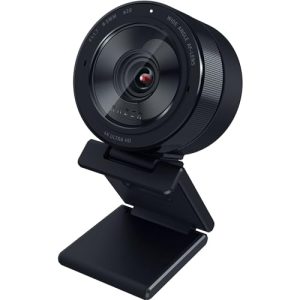
The Elgato Facecam Pro is the streaming pick, and the one to choose when your camera runs for entire broadcasts at the highest quality. It captures true 4K at 60 frames per second, which gives streams a smooth and detailed look that lower-frame-rate cameras cannot match, and the large Sony sensor keeps the image clean in low light. The autofocus lens with a wide aperture holds focus reliably, and the 90-degree field of view covers a full desk setup without forcing you to sit close to the lens.
For long streams, the Facecam Pro offers DSLR-style manual controls through Elgato software, letting you set shutter speed, ISO, and white balance precisely and leave them alone for the whole broadcast. That control is what separates it from simpler webcams: once tuned, the image stays consistent hour after hour instead of drifting as the software guesses at exposure. The USB-C connection is straightforward, the camera works with OBS and major meeting platforms, and the fixed-focus option suits streamers who sit in one place.
The limits are that there is no built-in microphone, so you will need a separate microphone or headset for audio, and there is no tracking, so the camera stays where you point it. The manual controls are powerful but take time to learn, so this pick suits streamers who enjoy tuning their setup. For always-on streaming at full quality, the Facecam Pro is the most capable fixed camera in this guide.
Insta360 Link
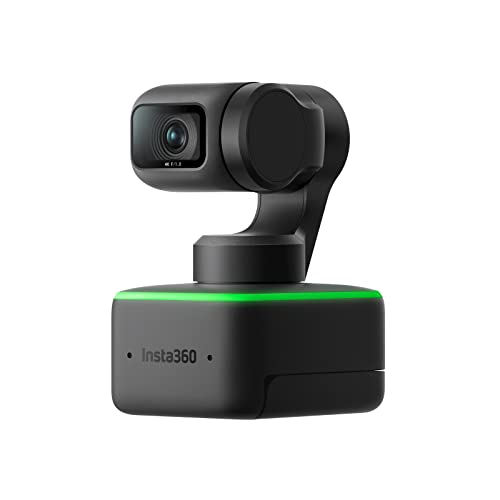
The Insta360 Link is the versatile tracking pick, combining a gimbal-mounted 4K camera with AI framing that suits both calls and streams. Its half-inch sensor delivers a sharp image with good dynamic range, and the AI tracking follows you as you move, with gesture control for zoom and tracking that works without touching the keyboard. The camera offers 4K at 30 frames per second, HDR for tricky lighting, and specialised modes for whiteboard and overhead desk shots, which make it useful for teaching and demonstrations as well as calls.
For always-on use, the Link is at its best in a room where the camera serves more than one job. It can sit on a monitor for calls, follow a presenter across a room, and then switch to a desk view for showing objects or notes, all without remounting. The noise-cancelling microphones handle quiet rooms well, and the USB connection works with common meeting and streaming software. Its compact gimbal design keeps the desk tidy compared with a larger camera on a tripod.
The trade-offs are similar to other tracking cameras. The gimbal needs a clear view and a little setup to track smoothly, and the camera is fixed to its mount, so it cannot be repositioned mid-session without moving the whole unit. HDR can also look different between apps, so check how your software handles it before a long broadcast. For a single always-on camera that covers calls, teaching, and streaming, the Link is a flexible final pick.
Comparison Table
| Webcam | Resolution and Frame Rate | Sensor and Focus | Tracking | Microphones | Best For |
|---|---|---|---|---|---|
| Logitech Brio 4K | 4K at 30 fps | Autofocus, auto light correction | No | Dual with noise reduction | All-day office calls |
| OBSBOT Tiny 2 | 4K at 60 fps | 1/1.5-inch sensor, fast autofocus | AI pan and tilt tracking | Dual noise-cancelling | Moving presenters and streamers |
| Logitech MX Brio | 4K at 30 fps, 1080p at 60 fps | Large sensor, AI image enhancement | No | Dual with noise reduction | Professional video presence |
| Elgato Facecam Pro | 4K at 60 fps | Large Sony sensor, autofocus lens | No | None built in | Long high-quality streams |
| Insta360 Link | 4K at 30 fps, HDR | Half-inch sensor, AI tracking | AI pan and tilt tracking | Noise-cancelling | Mixed calls, teaching, and streaming |
Which One Is Right for You?
Start by deciding whether you move during your sessions. If you sit at a desk for calls all day, a fixed camera is simpler and more reliable, and the choice comes down to image quality: the Logitech Brio 4K covers everyday calls well, while the Logitech MX Brio adds better low-light handling and a more polished image for professional use. Streamers who sit in one place and want the smoothest possible picture should choose the Elgato Facecam Pro for its 4K at 60 frames per second and manual controls, accepting that it needs a separate microphone.
If you move around, tracking changes the decision entirely. The OBSBOT Tiny 2 suits streamers and presenters who need the camera to follow them for hours, with its large sensor and fast tracking, while the Insta360 Link suits teachers and creators who also need whiteboard and desk modes from the same camera. In every case, think about privacy and mounting too: a shutter you can close and a mount that holds its position matter more for a camera that runs all day than for one you switch on for a single call.
Frequently Asked Questions
What does always on mean for a webcam?
It means the camera is expected to run for long stretches without being switched off: full-day video calls, multi-hour streams, or continuous room monitoring. A webcam suited to that use handles heat well, holds focus and exposure steady, and keeps working with your software for hours. Ordinary webcams can manage short calls, but long sessions reveal problems with heat, focus drift, and mounts that slowly shift.
Can a USB webcam run all day without overheating?
Most modern USB webcams can run for hours, but heat handling varies by model. Cameras with larger sensors, metal bodies, and efficient designs tend to stay cooler, and giving the camera airflow helps. If a camera feels very hot or its image softens after an hour, move it into open air, lower the resolution, or choose a model built for continuous use. A camera that shuts down from heat is a sign it is not suited to always-on work.
Do I need 4K for an always-on webcam?
Not always. A 4K sensor looks sharper and lets you crop the image without losing detail, which is useful when a camera stays on for hours and framing needs to stay flexible. For seated calls, a good 1080p camera with a large sensor can look better than a cheap 4K camera, because sensor size and light handling matter more than pixel count alone. Choose 4K when you stream, record, or crop often, and prioritise sensor quality when you mostly sit in calls.
Should an always-on webcam have a privacy shutter?
Yes, if the camera sits in a bedroom, home office, or shared space. A physical shutter gives you a visible and certain way to block the lens when you step away, which matters more for a camera that is always connected than for one you plug in for a single call. If your pick has no shutter, a simple slide-on lens cover does the same job, and software mute controls add a second layer of control.
Disclosure: As an Amazon Associate, we may earn from qualifying purchases.
FAQ
Which One Is Right for You?
What does always on mean for a webcam?
Can a USB webcam run all day without overheating?
Do I need 4K for an always-on webcam?
Should an always-on webcam have a privacy shutter?
More from Amazon
Programs that pair well with the guide above. Offers and eligibility are set by Amazon and may change.
Free shipping on eligible items, Prime Video and more. Eligible new members can start with a free trial.
Start a Prime free trialAd-free music streaming. Eligible new subscribers can start with a free trial.
Try Music Unlimited freeA Prime membership for ages 18-24 with a trial period. Eligibility is set by Amazon.
See Prime for Young AdultsAudiobooks and podcasts to listen to on the go. Eligible new members can start with a free trial.
Try Audible freeAs an Amazon Associate we earn from qualifying purchases.