Logitech MX Keys S Wireless Keyboard, Low Profile, Fluid Precise Quiet Typing, Programmable Keys, Backlighting, Bluetooth, USB C Rechargeable, for Windows PC, Linux, Chrome, Mac – Graphite
Best for: Long writing days at a fixed desk with a MacBook Pro nearby.
Low-profile full-size layout with a numeric keypad
Apple Magic Keyboard with Touch ID and Numeric Keypad: Wireless, Bluetooth, Rechargeable. Works with Mac Computers with Apple Silicon; US English – Black Keys
Best for: A clean Apple setup where the board should look and feel like part of the Mac.
Logitech K380 Multi-Device Bluetooth Keyboard for Mac with Compact Slim Profile, Easy-Switch, 2 Year Battery, MacBook Pro/MacBook Air/iMac/iPad Compatible – Off White
Best for: Small desks, bags, and shared use across a MacBook Pro and an iPad.
Bluetooth connection with Easy-Switch for up to 3 devices
Compact slim profile with a Mac layout
Two-year battery life with two AAA alkaline batteries pre-installed
A MacBook Pro already has a fine built-in keyboard, so an external board has to earn its place on the desk. The real decision is not about adding more keys. It is about matching the Mac layout, keeping Command and Option where your fingers expect them, and choosing a feel that stays comfortable through long documents, long messages, and long work sessions without crowding the laptop.
OUR TOP PICK
Logitech MX Keys S Wireless Keyboard, Low Profile, Fluid Precise Quiet Typing, Programmable Keys, Backlighting, Bluetooth, USB C Rechargeable, for Windows PC, Linux, Chrome, Mac
This guide covers writers, editors, coders, and people who move between a desk and a sofa with the same laptop. The five boards below were chosen from names and listed details on Amazon pages: the MX Keys S, the Apple Magic Keyboard with Touch ID and Numeric Keypad, the Satechi Slim X3, the Razer Pro Type Ultra, and the Logitech K380 for Mac.
Quick Picks
As an Amazon Associate we earn from qualifying purchases
Product
Best for
Key spec from title
Logitech MX Keys S Wireless Keyboard, Low Profile, Fluid Precise Quiet Typing, Programmable Keys, Backlighting, Bluetooth, USB C Rechargeable, for Windows PC, Linux, Chrome, Mac – Graphite
Long writing days at a full-size desk
Low profile with backlighting and Bluetooth
Apple Magic Keyboard with Touch ID and Numeric Keypad: Wireless, Bluetooth, Rechargeable. Works with Mac Computers with Apple Silicon; US English – Black Keys
A clean Apple match with Touch ID
Wireless Bluetooth with Touch ID and numeric keypad
Satechi Slim X3 Bluetooth Backlit Keyboard for Mac, Illuminated Keys & Multi-Device Sync, for MacBook Air/Pro M5/M4, iPad Air/Pro M5/M4/M3, iPad mini, Mac mini, iMac – Space Gray
A slim Mac board with a numeric keypad
Bluetooth backlit keyboard with multi-device sync
Razer Pro Type Ultra Wireless Mechanical Keyboard: Silent, Linear Switches – Ergonomic Design – HyperSpeed Technology – Connect up to 4 Devices – Fully Programmable Keys & Smart Controls
Quiet mechanical typing with a wrist rest
Silent linear switches with HyperSpeed wireless
Logitech K380 Multi-Device Bluetooth Keyboard for Mac with Compact Slim Profile, Easy-Switch, 2 Year Battery, MacBook Pro/MacBook Air/iMac/iPad Compatible – Off White
A compact board for small desks and bags
Compact slim profile with Easy-Switch
How to Choose
Layout and Key Feel
A Mac layout matters more than a familiar brand name. Look for Command and Option in Mac positions, a function row that controls brightness and media, and keys that match the spacing your fingers already know from the laptop. Low-profile scissor keys feel close to a MacBook, while mechanical switches give a deeper press and a clearer landing. Try to picture a full day of typing, not a few minutes. A board that feels firm and even across the whole row will serve you better than one with a lively middle and a mushy edge.
Connection and Pairing
Bluetooth is the clean way to link a board to a MacBook Pro, because it needs no port and no dongle on the desk. Some boards also offer a USB receiver or a wired USB-C link, which can help when Bluetooth feels crowded in a busy room. Multi-device pairing is useful when you also use an iPad or a second computer. Check how many devices the board can hold in memory and how the switch works. A clear button or key combination beats a hidden menu when you move between machines during the day.
Mac Keys and Shortcuts
A board made for Mac should carry the right legends from the first day. Command, Option, and Control should sit where macOS expects them, and the function keys should handle Mission Control, Spotlight, brightness, and media without extra setup. Programmable keys can help if you repeat the same actions in writing, editing, or coding, but only when the software runs on macOS and keeps your layout. Avoid a board that forces you to relearn common shortcuts or to hunt for a missing Command key.
Size, Weight, and Desk Space
Size shapes how a board fits your room and your bag. A full-size board with a numeric keypad suits a fixed desk and anyone who enters numbers often. A compact board leaves room for a mouse, a notebook, and a cup, and it slips into a bag with less bulk. Weight matters when you carry the board between rooms, while a heavier board can stay put during fast typing. Measure the space in front of your MacBook Pro before you choose, and leave room for your wrists to rest in a neutral line.
The 5 Best Options
Logitech MX Keys S Wireless Keyboard, Low Profile, Fluid Precise Quiet Typing, Programmable Keys, Backlighting, Bluetooth, USB C Rechargeable, for Windows PC, Linux, Chrome, Mac – Graphite
Top Pick
Logitech MX Keys S Wireless Keyboard, Low Profile, Fluid Precise Quiet Typing, Programmable Keys, Backlighting, Bluetooth, USB C Rechargeable, for Windows PC, Linux, Chrome, Mac – Graphite
Best for: Long writing days at a fixed desk with a MacBook Pro nearby.
Low-profile full-size layout with a numeric keypad
Logitech MX Keys S Wireless Keyboard, Low Profile, Fluid Precise Quiet Typing, Programmable Keys, Backlighting, Bluetooth, USB C Rechargeable, for Windows PC, Linux, Chrome, Mac – Graphite gives a MacBook Pro owner a full-size board with a calm, low-profile feel. The keys sit close to the body, the layout includes a numeric keypad, and the backlighting adjusts to the light around you. It pairs over Bluetooth or a Logi Bolt receiver, and it holds three devices in memory, so a laptop, a tablet, and a second computer can share one board.
Apple Magic Keyboard with Touch ID and Numeric Keypad: Wireless, Bluetooth, Rechargeable. Works with Mac Computers with Apple Silicon; US English – Black Keys
Runner-Up
Apple Magic Keyboard with Touch ID and Numeric Keypad: Wireless, Bluetooth, Rechargeable. Works with Mac Computers with Apple Silicon; US English – Black Keys
Best for: A clean Apple setup where the board should look and feel like part of the Mac.
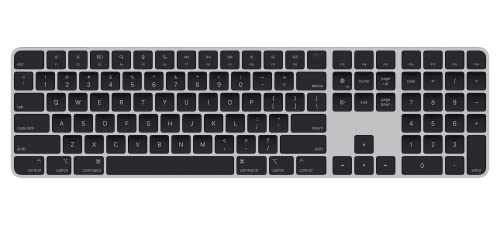
Apple Magic Keyboard with Touch ID and Numeric Keypad: Wireless, Bluetooth, Rechargeable. Works with Mac Computers with Apple Silicon; US English – Black Keys is the closest match to the MacBook Pro itself. The layout, key spacing, and legends follow Apple design, while Touch ID adds a fingerprint sensor for sign-in and secure actions on Mac computers with Apple silicon. The numeric keypad suits spreadsheets and data entry, and the wireless Bluetooth link keeps the desk free of cables.
Satechi Slim X3 Bluetooth Backlit Keyboard for Mac, Illuminated Keys & Multi-Device Sync, for MacBook Air/Pro M5/M4, iPad Air/Pro M5/M4/M3, iPad mini, Mac mini, iMac – Space Gray
Satechi Slim X3 Bluetooth Backlit Keyboard for Mac, Illuminated Keys & Multi-Device Sync, for MacBook Air/Pro M5/M4, iPad Air/Pro M5/M4/M3, iPad mini, Mac mini, iMac – Space Gray
Best for: A slim desk setup that still needs a numeric keypad and clear keys at night.
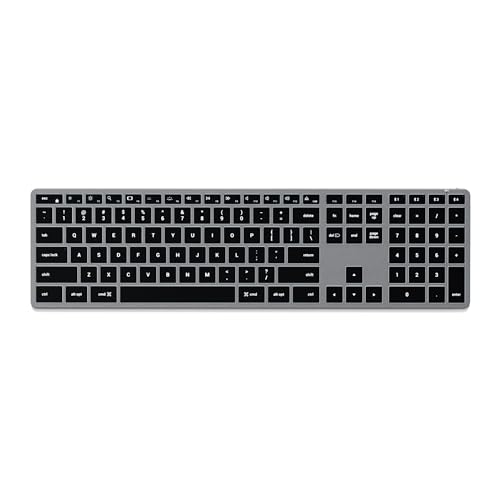
Satechi Slim X3 Bluetooth Backlit Keyboard for Mac, Illuminated Keys & Multi-Device Sync, for MacBook Air/Pro M5/M4, iPad Air/Pro M5/M4/M3, iPad mini, Mac mini, iMac – Space Gray is a slim Mac board with a full layout and a numeric keypad. The illuminated keys stay readable in a dim room, and the Mac legends put Command, Option, and media controls where a MacBook Pro owner expects them. Multi-device sync lets the board move between a laptop, a tablet, and a desktop without a fresh pairing each time.
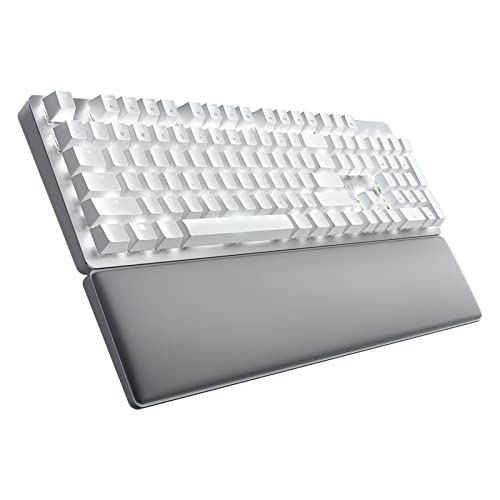
Razer Pro Type Ultra Wireless Mechanical Keyboard: Silent, Linear Switches – Ergonomic Design – HyperSpeed Technology – Connect up to 4 Devices – Fully Programmable Keys & Smart Controls
Razer Pro Type Ultra Wireless Mechanical Keyboard: Silent, Linear Switches – Ergonomic Design – HyperSpeed Technology – Connect up to 4 Devices – Fully Programmable Keys & Smart Controls
Best for: Quiet mechanical typing through long work days with wrist support in the box.
Razer Yellow silent linear mechanical switches
Sound-dampening foam inside the case
HyperSpeed 2.4 GHz, Bluetooth, and wired USB-C links
Razer Pro Type Ultra Wireless Mechanical Keyboard: Silent, Linear Switches – Ergonomic Design – HyperSpeed Technology – Connect up to 4 Devices – Fully Programmable Keys & Smart Controls brings mechanical typing to a quiet work room. The silent linear switches move smoothly without a sharp click, while sound-dampening foam inside the case softens each press. A cushioned wrist rest ships in the box, and the board connects over HyperSpeed wireless, Bluetooth, or a wired USB-C link to as many as four devices.
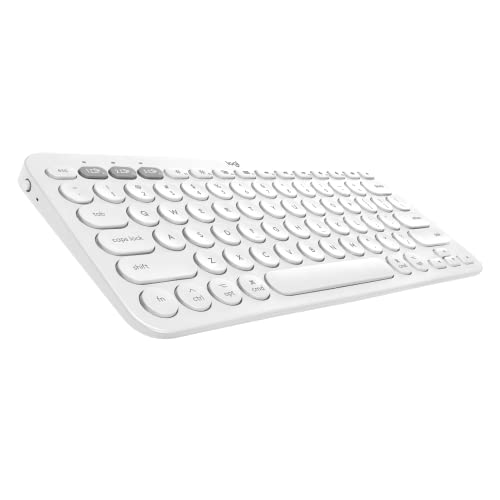
Logitech K380 Multi-Device Bluetooth Keyboard for Mac with Compact Slim Profile, Easy-Switch, 2 Year Battery, MacBook Pro/MacBook Air/iMac/iPad Compatible – Off White
Logitech K380 Multi-Device Bluetooth Keyboard for Mac with Compact Slim Profile, Easy-Switch, 2 Year Battery, MacBook Pro/MacBook Air/iMac/iPad Compatible – Off White
Best for: Small desks, bags, and shared use across a MacBook Pro and an iPad.
Bluetooth connection with Easy-Switch for up to 3 devices
Compact slim profile with a Mac layout
Two-year battery life with two AAA alkaline batteries pre-installed
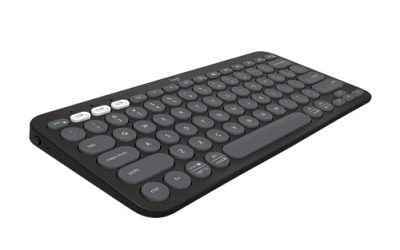
Logitech K380 Multi-Device Bluetooth Keyboard for Mac with Compact Slim Profile, Easy-Switch, 2 Year Battery, MacBook Pro/MacBook Air/iMac/iPad Compatible – Off White is the compact pick for a small desk or a bag. The Mac layout carries the right function keys for Mission Control, Spotlight, and brightness, while the round, scooped keys feel close to a laptop board. Easy-Switch moves the board between three devices, and two AAA alkaline batteries come pre-installed, so the board is ready to pair with a MacBook Pro out of the box.
Which One Fits Your Situation
A Full Desk Setup With a Numeric Keypad
Choose a full-size board when your MacBook Pro stays on one desk and you enter numbers often. The MX Keys S, the Apple Magic Keyboard with Touch ID and Numeric Keypad, the Satechi Slim X3, and the Razer Pro Type Ultra all give you a numeric keypad and a wide, stable base. Pick the Apple board for the closest Mac match, the MX Keys S for backlighting and three-device memory, or the Razer board for mechanical keys.
A Small Desk or a Shared Room
Choose a compact board when space is tight and a full-size body would push your mouse off the desk. The K380 for Mac fits a small surface, leaves room for a notebook, and still carries a proper Mac function row. It also moves easily to a kitchen table or a shared room, then back to the main desk without a cable to unplug. Keep the layout simple and let the laptop screen do the heavy work.
Quiet Typing in a Shared Home
Choose a quiet board when other people work, read, or sleep nearby. The Razer Pro Type Ultra uses silent linear switches and foam to soften each press, while the MX Keys S and the Apple Magic Keyboard use low-profile keys that land with a soft, even sound. Avoid a loud mechanical switch in a shared room, and place the board on a mat if the desk surface adds echo to each key press.
Moving Between a Laptop and a Tablet
Choose a board with multi-device memory when you write on a MacBook Pro in the morning and an iPad later in the day. The MX Keys S, the Satechi Slim X3, the Razer Pro Type Ultra, and the K380 for Mac all hold more than one device, so a single button moves the connection without a fresh pairing. Keep the Mac layout in mind, because the same Command and Option positions should work on both screens.
Common Mistakes
Buying a Windows layout and hoping the Command and Option keys will feel natural after a week.
Choosing a full-size board for a small desk, then losing mouse space and wrist room.
Ignoring the function row, then missing Mission Control, Spotlight, and brightness controls.
Picking a loud mechanical board for a shared room, then typing less to avoid disturbing others.
Forgetting to check Touch ID support on your Mac model before choosing an Apple board with that sensor.
Frequently Asked Questions
Does a wireless keyboard work well with a MacBook Pro?
Yes, a Bluetooth keyboard pairs cleanly with a MacBook Pro and needs no dongle in most cases. Turn on Bluetooth on the laptop, put the board in pairing mode, and choose it from the Bluetooth menu. A Mac layout helps from the first day, because Command, Option, and the function row sit where macOS expects them.
Do I need a Mac-specific keyboard for a MacBook Pro?
No, a general board can work, but a Mac-specific board removes daily friction. The right legends, a proper Command key, and Mac function keys save time and reduce errors. If you choose a general board, check that the layout can be remapped in macOS and that the function keys still control brightness and media.
Is a numeric keypad worth it on a wireless keyboard?
A numeric keypad helps when you enter numbers, work in spreadsheets, or use data tools often. It also widens the board and pushes the mouse farther to the right, which can strain the shoulder on a small desk. If numbers are rare in your work, a compact board gives you more mouse room and a lighter bag.
Can one keyboard pair with a MacBook Pro and an iPad?
Yes, many boards in this guide hold two or more devices in memory. Pair the board with the MacBook Pro first, then pair it with the iPad, and use the switch key or button to move between them. The connection changes in a moment, and the Mac layout still works on the iPad for common shortcuts.
R
Razer Gaming Series Editorial Team
We compare specs, materials and verified owner reviews before a product earns a spot. Rankings are never paid.
FAQ
Does a wireless keyboard work well with a MacBook Pro?
Yes, a Bluetooth keyboard pairs cleanly with a MacBook Pro and needs no dongle in most cases. Turn on Bluetooth on the laptop, put the board in pairing mode, and choose it from the Bluetooth menu. A Mac layout helps from the first day, because Command, Option, and the function row sit where macOS expects them.
Do I need a Mac-specific keyboard for a MacBook Pro?
No, a general board can work, but a Mac-specific board removes daily friction. The right legends, a proper Command key, and Mac function keys save time and reduce errors. If you choose a general board, check that the layout can be remapped in macOS and that the function keys still control brightness and media.
Is a numeric keypad worth it on a wireless keyboard?
A numeric keypad helps when you enter numbers, work in spreadsheets, or use data tools often. It also widens the board and pushes the mouse farther to the right, which can strain the shoulder on a small desk. If numbers are rare in your work, a compact board gives you more mouse room and a lighter bag.
Can one keyboard pair with a MacBook Pro and an iPad?
Yes, many boards in this guide hold two or more devices in memory. Pair the board with the MacBook Pro first, then pair it with the iPad, and use the switch key or button to move between them. The connection changes in a moment, and the Mac layout still works on the iPad for common shortcuts.
Affiliate disclosure. As an Amazon Associate we earn from qualifying purchases at no extra cost to you. Prices accurate as of the date shown.
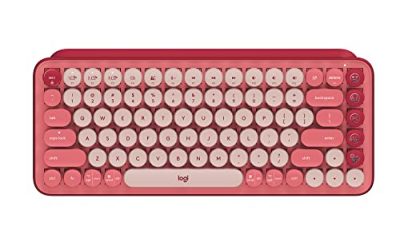
Five Bluetooth keyboards that pair with Android phones and tablets and put emoji one tap away, from swappable emoji keys to a dedicated emoji menu key.
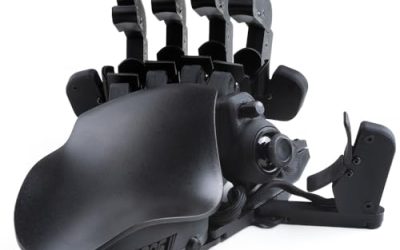
Compare the best one handed keyboards and gaming keypads: analog thumbsticks, d-pads and analog keys explained, with key counts and switches as listed.
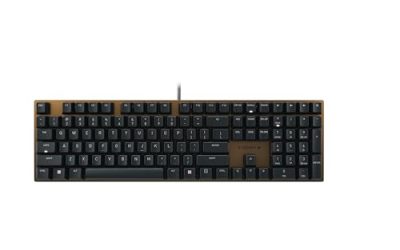
Discover the best cherry mx brown keyboards with genuine Cherry MX Brown switches, quiet tactile feedback, and full-size, tenkeyless, and compact layouts.
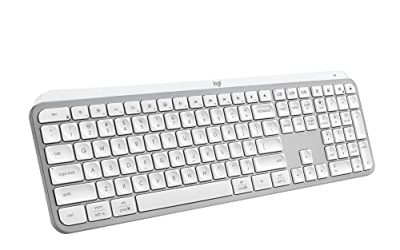
Find the best keyboards for MacBooks with Mac-ready layouts, Bluetooth and USB-C connections, and comfortable typing for work, study, and everyday use.


 Razer Pro Type Ultra Wireless Mechanical Keyboard: Silent, Linear Switches – Ergonomic Design – HyperSpeed Technology – Connect up to 4 Devices – Fully Programmable Keys & Smart Controls
 Logitech K380 Multi-Device Bluetooth Keyboard for Mac with Compact Slim Profile, Easy-Switch, 2 Year Battery, MacBook Pro/MacBook Air/iMac/iPad Compatible – Off White