Our Top Picks
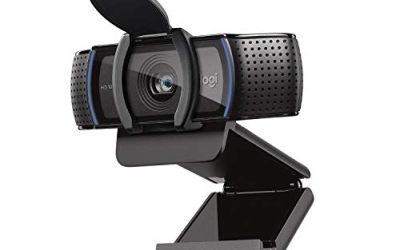
 Logitech StreamCam Premium Webcam for Streaming and ContentFull HD 1080p 60 fps1.89 x 2.28 x 3.35 inches0.6 poundsCheck on Amazon
The best foot webcams are webcams chosen and mounted for a low, floor-level view: the camera sits near the ground, on a low tripod, a floor stand, or a desk edge, and looks slightly upward or straight across a room. Streamers use this angle for full-body shots, dance and fitness sessions, craft demonstrations, and room tours. Teachers use it to show a whiteboard from below, a workbench, or a floor exercise. Video callers use it when a desk mount cannot capture the whole scene, or when the laptop sits on a low table and the camera needs to match that height.
A low camera angle changes every requirement. A narrow webcam frames a face and nothing else, which is useless when the subject is a whole person, a workspace, or a room. A camera with no tilt control cannot aim upward from the floor. A short cable cannot reach from a floor stand to a laptop on a desk. And a camera that loses focus when the subject steps back will blur exactly when the action starts. This guide explains how to choose a webcam for low, floor-level use, then compares four webcams that handle wide framing, flexible mounting, and steady focus from the floor up. Every pick below is a real webcam sold on Amazon US, with a direct link so you can confirm the exact model and current availability on the listing before you buy.
How to Choose
Field of view
Field of view matters more at floor level than anywhere else. A camera near the ground needs a wide lens to capture a standing person, a workbench, or a group without being placed far across the room. A view around 90 degrees or wider is the practical starting point for full-body and room shots, while an adjustable view lets you narrow the frame for a seated call and widen it for a demonstration. Digital zoom helps too, because it lets you tighten the shot without moving the stand. Before you buy, measure the distance from the camera position to the subject: a small room needs a wider lens than a large room, and a camera that is too narrow will cut off feet, hands, or the edges of a workspace.
Pan, tilt, and tracking
A floor-level camera needs to move, or to be easy to aim. A pan and tilt base lets you sweep across a room and tilt upward toward a standing presenter. AI tracking goes further: the camera follows the subject as they move, keeping them centred without a camera operator. That is useful for fitness sessions, dance practice, teaching, and any stream where the presenter walks around. If you prefer a fixed camera, look for a wide lens and a mount that tilts smoothly, so you can set the angle once and leave it. Either way, the camera should hold its angle without drifting, because a floor stand vibrates when someone walks past, and a camera that slowly droops will ruin a long session.
Mounting at floor level
Mounting decides whether a low-angle setup works at all. Look for a standard tripod thread underneath the camera, which is the fitting that screws onto a small tripod, a floor stand, a clamp mount, or a desk arm. A camera with only a monitor clip is hard to use at floor level, because the clip has nothing to grip. Weight and balance matter as well: a light camera sits happily on a small tripod, while a heavier camera needs a sturdier stand with a wide base. A camera that folds or detaches from its clip is easier to move between a laptop lid and a floor stand. Check the base of the camera before you buy, and plan the stand at the same time as the camera, because the two are bought together in practice.
Cable length and connection
A floor-level camera sits further from the laptop than a lid-mounted camera, so cable length becomes a real constraint. A short cable forces the laptop onto the floor, which is awkward and risks a tripped cable. A longer cable, or a camera that works over a standard USB extension, lets you keep the laptop on a desk while the camera stands on the floor. Check the connection type as well: USB-C cameras suit newer laptops, while USB-A cameras suit older machines and hubs. If your laptop has only one free port, plan for a hub, and confirm the camera still works through it. A wireless camera is rarely the answer here, because a wired connection is steadier for long streams and calls.
Autofocus and light handling
Autofocus is essential at floor level, because the subject moves toward and away from the camera constantly. A fixed-focus camera will blur as soon as the presenter steps forward to show something, or steps back to show the whole room. Look for continuous autofocus that adjusts smoothly rather than hunting back and forth. Light handling matters too, because floor-level cameras often face windows, lamps, and uneven room light. Automatic light correction, HDR support, and a sensor that performs well in dim rooms all help the image stay clear as the subject moves through different light. A camera that handles backlight well is especially useful when the subject stands between the camera and a window.
Microphone reach
A microphone on a floor-level camera sits further from the speaker than a lid-mounted microphone, so its reach matters. Dual microphones with noise reduction help the camera pick up voice across a room while filtering out footsteps, fan noise, and room echo. For a solo presenter standing a few steps from the camera, a good built-in microphone is often enough for calls and casual streams. For a larger room, a group session, or a recording you plan to keep, a separate headset or desk microphone will sound clearer, and the camera microphone becomes a backup. Plan your audio at the same time as your camera position, and run a short call before an important session to hear how the room actually sounds.
Top Picks
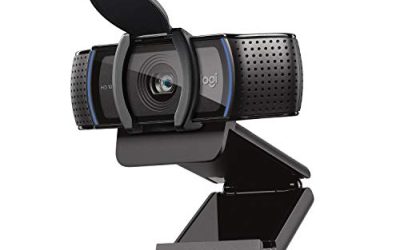
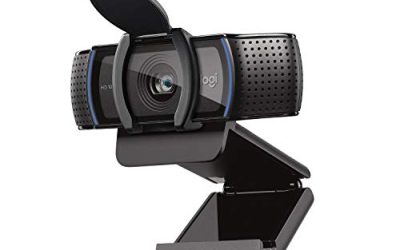
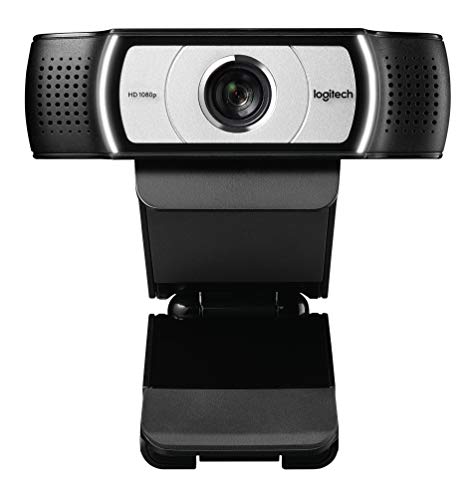
Logitech C930e Business Webcam
Logitech C930e Business Webcam
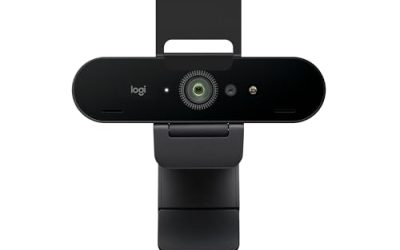
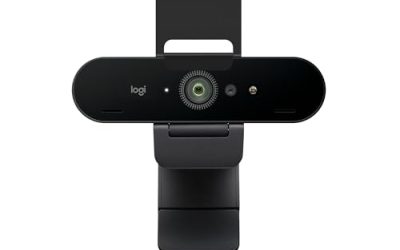
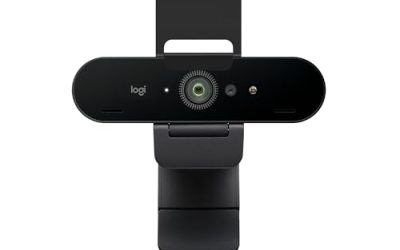
The Logitech C930e is the wide-angle workhorse of this list, and the simplest way to capture a broad scene from a low position. It records 1080p video at 30 frames per second, with a 90-degree field of view, pan, tilt, and 4x digital zoom. That wide lens captures a standing presenter, a whiteboard, or a small group without placing the camera far across the room, and the zoom lets you tighten the frame without moving the stand. Autofocus keeps the subject sharp as they move, and the camera is certified for common meeting platforms. A standard tripod thread underneath fits a small tripod or a floor stand.
Who it is for: teachers, trainers, and group callers who need a wide, steady shot from a low tripod, and anyone who presents to a camera while standing. It suits a classroom, a workshop, a fitness space, and a living room where the camera sits low and the subject moves.
Caveats: the C930e is a business camera, so its image is clean and natural rather than stylised, and it has no tracking or gesture control. The 90-degree view shows a lot of background, so a plain wall or a tidy room helps the shot. Two close identifiers exist for this model line, so confirm the listing names the C930e with the 90-degree view before you buy, and check the live listing for the exact model number.
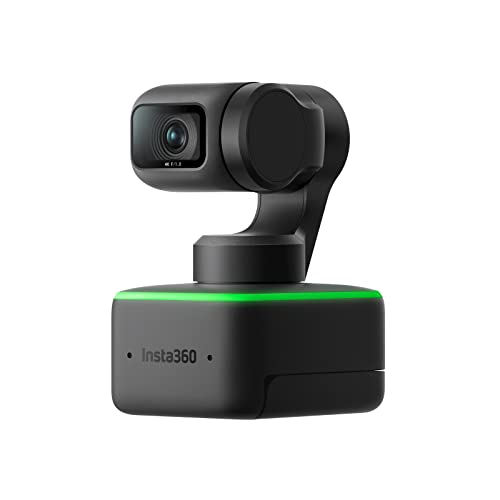
Insta360 Link PTZ 4K Webcam
The Insta360 Link is a small 4K webcam on a motorised pan and tilt base, built for exactly the kind of moving, low-angle shot this guide covers. It captures 4K video with a half-inch sensor, AI tracking, gesture control, HDR, and noise-cancelling microphones, and it can follow a presenter around a room, zoom in on a whiteboard, or switch to an overhead desk mode for showing objects from above. That flexibility makes it the most capable camera here for a presenter who moves, demonstrates, and changes scenes during a session.
Who it is for: presenters, teachers, and streamers who move while they talk and want the camera to keep them in frame without an operator. It suits a floor stand, a low tripod, or a desk edge, and it is a strong choice for a room where one camera has to cover several different shots.
Caveats: the tracking and scene modes need companion software and a little setup time, so this is not a plug-and-play camera for a locked-down work laptop. The motorised base needs a stable stand, because a wobbling tripod will show in the footage. Two identifiers appear in search results for the original Link, so confirm the listing names the original Insta360 Link and matches the model you expect before you order.
Logitech StreamCam Premium Webcam, Graphite
Logitech StreamCam Premium Webcam, Graphite
The Logitech StreamCam is the smooth-motion pick of this list, and a good match for a low camera that records movement. It captures 1080p video at 60 frames per second, with a premium glass lens, smart autofocus, and a mount that turns the camera on its side for vertical video. The 60 frames per second capture keeps dance steps, hand movements, and demonstrations smooth, while the dual mounting options let you place the camera on a tripod, a monitor, or a desk stand. A USB-C connection suits newer laptops, and the camera works with common streaming and meeting software.
Who it is for: streamers and creators who record movement from a low angle, including fitness, dance, craft, and unboxing sessions, and anyone who wants vertical video for short-form platforms. It suits a floor tripod in a home studio and a desk stand in a workshop.
Caveats: the StreamCam comes in more than one colour, and the graphite and white versions carry different identifiers, so confirm the listing names the graphite model before you buy. The camera has no AI tracking, so the presenter needs to stay in the frame or the operator needs to adjust the mount. Its field of view is narrower than the wide-angle cameras here, so it needs more distance from the subject for a full-body shot.
Insta360 Link 2 PTZ 4K Webcam

The Insta360 Link 2 is the newer generation of the tracking webcam above, and the pick for a low-angle setup that has to work for a long session without adjustment. It captures 4K video with a half-inch sensor, AI tracking on a two-axis gimbal, gesture control, HDR, and an AI noise-cancelling microphone. The gimbal pans and tilts smoothly to follow a presenter, and the camera offers modes for whiteboard work and overhead desk shots, which suit teaching and demonstration from a floor stand. A standard mounting thread fits a tripod, and the camera connects over USB-C.
Who it is for: teachers and streamers who run long sessions from a floor stand and want the camera to handle framing on its own, and presenters who switch between talking to the camera, showing a board, and showing objects on a desk. It suits a home studio, a classroom, and a workshop where one camera covers the whole room.
Caveats: as with the original Link, the tracking features need companion software, and the camera performs best on a stable, weighted stand rather than a light travel tripod. The Link 2 and the Link 2C are different models with different identifiers, so confirm the listing names the Link 2 in graphite black and matches the model code you expect. The gimbal adds moving parts, so handle the camera with care when you move the stand.
Comparison Table
| Product | Video | Field of view | Tracking | Microphone | Mounting |
|---|---|---|---|---|---|
| Logitech C930e | 1080p at 30 fps | 90 degrees, wide | Pan and tilt, manual | Dual mics | Tripod thread, lid clip |
| Insta360 Link | 4K | Wide, AI framing | AI tracking, gimbal | Noise-cancelling mics | Tripod thread, clip mount |
| Logitech StreamCam, Graphite | 1080p at 60 fps | Standard, vertical option | No tracking | Dual mics | Tripod thread, dual mount |
| Insta360 Link 2 | 4K | Wide, AI framing | AI tracking, two-axis gimbal | AI noise-cancelling mic | Tripod thread |
Which One Is Right for You?
Start with the shot you need. If you want a wide, steady view of a room, a whiteboard, or a small group from a low tripod, the Logitech C930e gives you that with the least setup: mount it, aim it, and start the call. If you move while you present and you want the camera to follow you, choose one of the Insta360 models: the original Link is the proven tracking camera, while the Link 2 brings a smoother gimbal and newer scene modes for teaching and demonstration. If your sessions involve fast movement, dance, or practical work, the Logitech StreamCam earns its place with 60 frames per second capture and a mount that turns vertical for short-form video.
Plan the stand and the cable at the same time as the camera. A floor-level camera needs a stable tripod with a wide base, a cable long enough to reach the laptop on a desk, and a clear path so nobody trips over the cable during a session. Run a short call before anything important, check the framing at the edges of the room, and listen to the audio from the far side of the space. A camera that looks good on a desk can frame badly from the floor, and a short practice session will show you that before your audience does.
Frequently Asked Questions
What does a foot-level webcam setup mean?
It means the camera sits low, near floor level, on a low tripod or a floor stand, instead of on a laptop lid or a monitor. The angle captures a standing person, a full workspace, or a whole room, rather than a close-up of one face. It is a camera position, not a different kind of camera: any webcam with a wide lens, a tripod thread, and good autofocus can work in this position.
How far should a floor-level webcam sit from the subject?
It depends on the lens. A wide-angle camera such as the C930e can sit a short distance away and still capture a full person, while a narrower camera such as the StreamCam needs more distance for the same shot. As a starting point, place the camera at the far side of the space you are filming, check the frame on screen, and move the stand until feet, hands, and the edges of the workspace are all in view.
Do I need AI tracking for a low camera angle?
Not always. Tracking helps when the presenter moves around the room, because the camera follows them without an operator. A fixed wide-angle camera works well when the presenter stays in one area, such as a whiteboard, a workbench, or a marked floor space. If you are unsure, a tracking camera gives you more freedom, while a fixed camera gives you a simpler setup with fewer settings to manage.
How do I keep a floor-level camera steady?
Use a tripod or a floor stand with a wide base, and place it where nobody will walk into it. Keep the cable tidy and out of walkways, and avoid a lightweight travel tripod for a heavier camera. If the floor vibrates when someone walks past, move the stand onto a rug or a mat, and check the shot after any movement. A short practice call will show any wobble before a real session begins.
Disclosure: As an Amazon Associate, we may earn from qualifying purchases.
FAQ
Which One Is Right for You?
What does a foot-level webcam setup mean?
How far should a floor-level webcam sit from the subject?
Do I need AI tracking for a low camera angle?
How do I keep a floor-level camera steady?
More from Amazon
Programs that pair well with the guide above. Offers and eligibility are set by Amazon and may change.
Free shipping on eligible items, Prime Video and more. Eligible new members can start with a free trial.
Start a Prime free trialAd-free music streaming. Eligible new subscribers can start with a free trial.
Try Music Unlimited freeA Prime membership for ages 18-24 with a trial period. Eligibility is set by Amazon.
See Prime for Young AdultsAudiobooks and podcasts to listen to on the go. Eligible new members can start with a free trial.
Try Audible freeAs an Amazon Associate we earn from qualifying purchases.