Key takeaways
- Learn how to measure your hand length and width, match your grip style to mouse length, and pick a gaming mouse size that fits without cramping.
A gaming mouse that does not fit your hand will fight you in every match. Fingers that stretch too far for the main buttons click late, a shell that is too short leaves the palm unsupported, and a grip that is too wide twists the thumb into an awkward angle. The fix is not a higher sensitivity setting, a fancier sensor, or a new desk. It is a mouse whose length, width, and hump match the hand holding it, and finding that match starts with two measurements that take less than a minute.
This guide covers the whole process: measuring hand length and width, telling palm grip from claw and fingertip grip, turning your measurements into a mouse length with the 60 percent rule, and checking width, hump shape, and weight. It is for players who buy online and cannot try a mouse first, and for anyone whose current mouse never quite felt right.
As an Amazon Associate, we earn from qualifying purchases.
How to Choose
Measure your hand length first
Hand length is the number that sets your size band, so measure it before you look at any mouse. Lay your hand flat on a desk, fingers together and relaxed, then measure from the crease where the palm meets the wrist to the tip of your middle finger. A soft tape follows the hand better than a ruler, and measuring twice catches errors from a bent finger. Under 17 centimeters counts as a small hand, 17 to 19 centimeters is medium, and 19 centimeters or more is large. Write the number down, since mouse listings state their length in millimeters. An 18 centimeter hand is 180 millimeters, and that number is the starting point for every size decision afterward.
Measure your hand width as well
Length sets the band, but width decides whether a shell feels roomy or cramped. Measure across the knuckles of your four fingers, leaving the thumb out, with the hand flat. Under 9 centimeters is narrow, 9 to 10 centimeters is medium, and over 10 centimeters is wide. Width matters because mouse grip width is measured at the narrowest point, and a hand wider than the shell has nowhere to rest its fingers. A narrow hand on a wide shell faces the reverse: the fingers stretch sideways to reach the buttons, which slows clicks and tires the hand. Check width on the listing beside length, and treat any shell wider than your hand as a poor fit.
Identify your grip style
Grip style changes the size you need, so find how you hold a mouse first. In a palm grip the whole hand rests on the shell, the fingers lie flat, and the palm touches the rear hump. In a claw grip the palm rests on the back and the fingers arch, so only the fingertips and the heel of the palm touch down. In a fingertip grip only the fingertips touch. Palm grip wants the longest shell in your band and a tall hump. Claw and fingertip grips can run shorter, since fewer contact points need less shell, and a low, light shell suits them. If you are unsure, watch your hand on your current mouse.
Turn your hand size into a mouse length
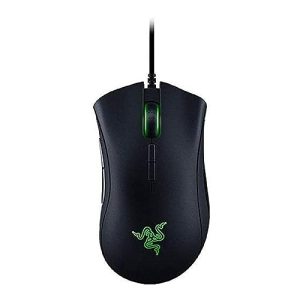
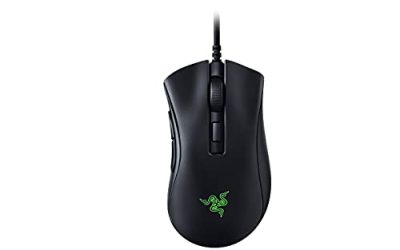
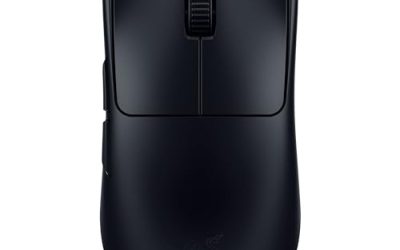
The 60 percent rule is the quickest way to turn a hand measurement into a mouse length. Multiply your hand length by 0.6 for a good starting length in fingertip or claw grip. Palm grip players should aim for 60 to 70 percent, since the whole hand rests on the shell. A 17 centimeter hand works out to about 102 millimeters, pointing at compact shells around 112 to 120 millimeters, while a 19 centimeter palm-grip hand wants roughly 125 to 132 millimeters. Published dimensions help: the Razer Viper V3 Pro is 128 millimeters, and the Razer Cobra is 119.6 millimeters. Compare the listing number with your target, and do not trust a name like mini or pro.
Check width, height, and hump shape
Length is only one of three dimensions, and the other two decide comfort too. Compare your hand width with the grip width at the narrowest point of the shell, and keep the mouse narrower than your hand so the fingers do not splay. Height works through the hump: a tall rear hump fills the palm for palm grip, while a low, flat top suits fingertip players who want nothing pressing into the hand. Hump position counts too: a rear hump supports the palm, while a centered hump suits claw grip. Right-handed ergonomic shells add a thumb rest and a shaped side, while symmetrical shells suit either hand and make switching grips easier. Read all three numbers on the listing.
Weigh the mouse against what you play
Weight and genre are the last filters, after size is settled. Light mice, roughly 60 grams or less, suit fast shooters where the mouse lifts and flicks constantly, while a heavy shell slows those movements. A slightly heavier mouse can steady slow, precise aiming, and desk workers may prefer the planted feel. Extra side buttons matter for games with many commands, but they also widen the shell, so check that the button cluster still fits under your thumb. Sensor and polling settings come after fit: even the strongest sensor cannot fix a shell that cramps your hand. Choose the size first, then pick the lightest mouse in that size that carries the buttons your games need.
Which One Fits Your Situation
You have small hands and play fast shooters
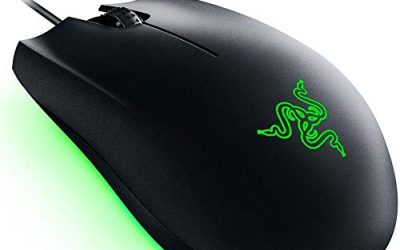
With a hand under 17 centimeters, pick a short, light shell between 112 and 120 millimeters long and no wider than about 63 millimeters, and favor claw or fingertip grip. Compact shells like the Razer Cobra keep the buttons within easy reach of short fingers and let the mouse lift cleanly during fast flicks and long matches. Avoid full-size ergonomic mice, since the rear hump sits too far back and the thumb buttons fall out of reach.
You have large hands and palm grip
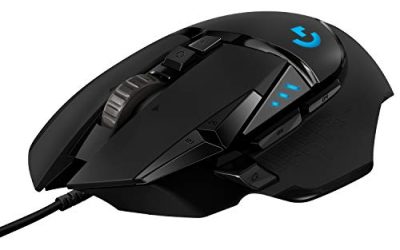
With a hand of 19 centimeters or more, look for a long ergonomic shell around 125 to 132 millimeters with a tall rear hump and a defined thumb rest. Shells in the DeathAdder class fill the palm and keep the wrist straight during long sessions. The tall hump fills the palm and the thumb rest keeps the thumb in place. Short symmetrical mice will leave the palm unsupported and force the fingers to curl, which tires the hand fast.
You share one mouse for work and games
A medium hand of 17 to 19 centimeters has the widest choice, so pick a shell of 120 to 128 millimeters that works in two grips. A mild ergonomic shape with a few extra buttons covers office work and evening games without forcing a single grip. A shell with two or three side buttons covers most shortcuts without widening the grip. Keep the weight moderate and the hump low enough that long work sessions stay comfortable.
Your wrist aches after long sessions
Check size before you blame the game. A mouse that is too small forces the wrist to bend and the fingers to claw, while one that is too large stretches the thumb and fingers. Measure again before your next session, match the shell to your band, and raise the hump if you palm grip. Take a short break every hour, keep the wrist straight rather than bent, and lower the sensitivity instead of gripping harder to make small movements.
Common Mistakes
- Measuring with the fingers spread or bent, which adds a centimeter and pushes you into the wrong size band, so keep the hand flat and relaxed.
- Buying the longest mouse available for a large hand without checking grip style, so a palm-sized shell ends up in a fingertip grip and feels clumsy from the first match.
- Ignoring hand width and ending up with fingers that cramp against a shell wider than the hand, even when the length looks right.
- Copying a professional player’s mouse without matching hand size, since the same shell fits two very different hands in very different ways.
- Judging fit from photos or the box instead of the published length, width, and height on the listing, which are the only numbers that decide fit.
Frequently Asked Questions
How do I measure my hand for a gaming mouse?
Lay your dominant hand flat on a desk with the fingers together. Measure from the crease where the palm meets the wrist to the tip of your middle finger for length, then measure across the knuckles without the thumb for width. A ruler works, but a soft tape follows the hand better. Measure twice, and write both numbers down in centimeters before you compare them with any mouse listing.
What size mouse fits a 17 centimeter hand?
A 17 centimeter hand sits at the bottom of the medium band. In claw or fingertip grip, look for a mouse around 115 to 122 millimeters long for most players. In palm grip, aim a little longer, around 120 to 128 millimeters, since the whole hand needs to rest on the shell. Check the width as well, and keep it under about 63 millimeters if your hand is narrow.
What is the 60 percent rule for mouse sizing?
The 60 percent rule says a mouse should measure about 60 percent of your hand length. Multiply your hand length by 0.6 to get a starting mouse length for claw and fingertip grips. Palm grip players should aim for 60 to 70 percent instead, since the palm needs more shell under it. It is a starting point, not a strict limit.
Does grip style change the size I need?
Yes, more than most buyers expect. Palm grip needs the longest shell in your size band, because the whole hand rests on the mouse. Claw and fingertip grips use less of the shell, so the same hand can run a shorter mouse. A 17 centimeter hand in fingertip grip can use a 112 millimeter mouse, while the same hand in palm grip wants closer to 125 millimeters.
Can a gaming mouse be too big or too small?
Yes. A mouse that is too small leaves the palm unsupported and forces the fingers to curl, which causes fatigue and late clicks over time. A mouse that is too large stretches the fingers to reach the buttons and pushes the thumb out of position. Both problems show up as sore hands and sloppy aim, and the fix is a shell that matches your measured hand length and width.
Should left-handed players size differently?
The measurements are the same for either hand, so measure your left hand the same way and use the same size bands. The difference is shape: most ergonomic shells are shaped for the right hand, so left-handed players should look for symmetrical mice or models made in a left-handed version. A symmetrical shell in the right length fits either hand equally well, and some makers list left-handed versions.
FAQ
How do I measure my hand for a gaming mouse?
What size mouse fits a 17 centimeter hand?
What is the 60 percent rule for mouse sizing?
Does grip style change the size I need?
Can a gaming mouse be too big or too small?
Should left-handed players size differently?
More from Amazon
Programs that pair well with the guide above. Offers and eligibility are set by Amazon and may change.
Free shipping on eligible items, Prime Video and more. Eligible new members can start with a free trial.
Start a Prime free trialAd-free music streaming. Eligible new subscribers can start with a free trial.
Try Music Unlimited freeA Prime membership for ages 18-24 with a trial period. Eligibility is set by Amazon.
See Prime for Young AdultsAudiobooks and podcasts to listen to on the go. Eligible new members can start with a free trial.
Try Audible freeAs an Amazon Associate we earn from qualifying purchases.