Key takeaways
- Best keyboards S9 Plus explained for the Galaxy S9 Plus phone: on-screen keyboards, Bluetooth keyboards, DeX and cases, with setup tips for an older phone.
As an Amazon Associate we earn from qualifying purchases.
The best keyboards S9 Plus setup is not a single product, because the Galaxy S9 Plus never had one official keyboard made only for it. The S9 Plus is a phone from 2018, so the best answer depends on how you type today: on the screen, on a small Bluetooth keyboard, or on a full desktop keyboard through Samsung DeX. This guide sorts out those options, clears up a common confusion with the Galaxy Tab S9 Plus, and helps you choose a typing setup that still works well on an older phone.
That confusion matters. Searches for keyboards S9 Plus now return a mix of results for two very different devices: the Galaxy S9 Plus phone, released in 2018, and the Galaxy Tab S9 Plus tablet, released in 2023. A keyboard case made for the tablet will not fit the phone, and a phone keyboard case will not fit the tablet. Before you buy anything, check which device you own. If your device is a phone with a 6.2-inch screen, a curved display, and a fingerprint sensor on the back below the camera, it is the Galaxy S9 Plus phone. If it is a large tablet with an S Pen and a magnetic keyboard connector, it is the Tab S9 Plus. This guide is about the phone.
Why the S9 Plus Needs a Keyboard Decision
The Galaxy S9 Plus has a large screen for a phone of its time, but it is still a phone. Typing a short message is easy, while typing a long email, a document, or a school assignment on glass is tiring. The on-screen keyboard covers almost half the display, the keys are small, and there is no physical feedback. That is fine for everyday messages, but it is a poor setup for long writing sessions.
A second issue is age. The S9 Plus stopped receiving major Android updates years ago, and many newer accessories are designed for newer Samsung phones and tablets. That does not mean the phone is useless for typing. It still supports Bluetooth keyboards, USB keyboards through an adapter, and Samsung DeX, and it still runs the main on-screen keyboard apps. The trick is to choose accessories that use open standards, such as Bluetooth and USB, rather than accessories made for a single newer model.
Option 1: The On-Screen Keyboard
For most S9 Plus owners, the best keyboard is the one already on the phone. The default Samsung Keyboard is simple, stable, and built for the phone, with predictive text, autocorrect, and a one-handed mode that shrinks the keyboard to one side of the screen. If you type with one hand on the move, turn on one-handed mode and try the floating keyboard option, which lets you move the keyboard to a comfortable spot.
Two free alternatives are worth trying before you spend anything on hardware. Gboard, from Google, offers glide typing, voice typing, and a wide range of languages, plus a clipboard and a translate option in some versions. SwiftKey, from Microsoft, is known for its predictions and for learning your writing style over time. Both work on older Android phones, and both let you change the keyboard size, the key layout, and the vibration feedback.
A few settings make a large difference on the S9 Plus. Increase the keyboard height in the keyboard settings so the keys are larger and easier to hit. Turn off aggressive autocorrect if it keeps changing words you type often, and add those words to your personal dictionary instead. Turn on the number row if you type passwords, dates, and codes often, so you do not have to switch layouts. If you write in two languages, add both languages to the keyboard and switch between them with the space bar or the globe key, rather than installing a second keyboard app.
On-screen keyboards also have limits. They are not a good choice for long documents, for coding, or for precise editing, because you cannot feel the keys and you cannot use keyboard shortcuts. If you regularly type more than a few hundred words at a time, move on to the Bluetooth options below.
Option 2: A Small Bluetooth Keyboard
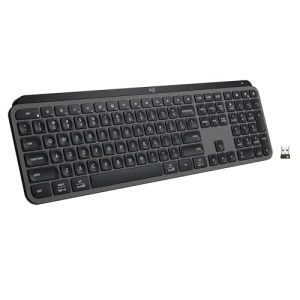
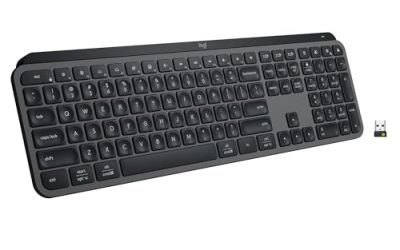
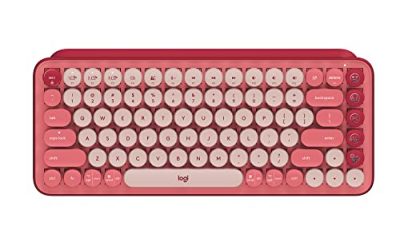
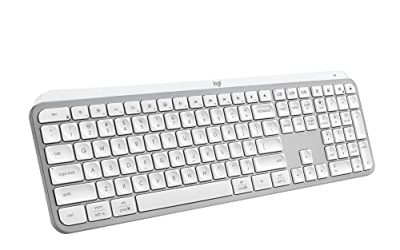
A compact Bluetooth keyboard is the most practical hardware upgrade for the S9 Plus. It pairs with the phone over Bluetooth, works with almost any app, and can be carried in a bag with the phone. Look for a keyboard that is small enough to carry, but large enough to type on comfortably. A tenkeyless layout, without a number pad, is a good balance. A full-size keyboard is more comfortable at a desk, but it is harder to carry.
Battery life is a key detail. Many compact Bluetooth keyboards run for months on a pair of AAA batteries, while rechargeable models need charging every few weeks depending on use. Either is fine, but a keyboard that uses standard batteries is easier to keep working on an older phone, because you do not have to worry about a built-in battery that has degraded over time.
Multi-device pairing is also useful. Some Bluetooth keyboards can pair with up to three devices and switch between them with a key press. That lets you use the same keyboard with your phone, a tablet, and a laptop, which is good value if you own more than one device. Check that the keyboard supports Android, because some keyboards are made mainly for Apple devices and may have a different layout for keys such as Home, Back, and the app switcher.
To pair a Bluetooth keyboard with the S9 Plus, turn on Bluetooth on the phone, put the keyboard in pairing mode, and select it from the Bluetooth settings. Once paired, the phone should reconnect automatically the next time you turn the keyboard on. If the on-screen keyboard keeps appearing while the physical keyboard is connected, check the phone settings for a physical keyboard option and turn off the on-screen keyboard while a physical keyboard is in use. A small phone stand is a useful addition, because it holds the phone upright at a comfortable viewing angle while you type.
A folding Bluetooth keyboard is another option for travel. It folds in half for a bag and opens to a full-size layout, but the hinge can make the middle of the keyboard feel less stable, and the key travel is often shallow. Try one in a shop if you can, or choose a solid compact keyboard if you type at a desk most of the time.
Option 3: Samsung DeX and a Desktop Keyboard
Samsung DeX is the most powerful typing setup for the S9 Plus, and it is built into the phone. DeX turns the phone into a desktop-style experience when it is connected to a monitor or a television. You get a taskbar, windows that can be resized, and a desktop layout that is far better for documents, email, and web browsing than the phone screen alone.
There are two ways to use DeX on the S9 Plus. The first is with a DeX Station or DeX Pad, or a compatible USB-C hub, connected to a monitor by HDMI. The second is DeX on a computer, which runs DeX in a window on a Windows or Mac computer. The hub method is better for a dedicated desk setup, because you can connect a full-size USB keyboard and mouse, charge the phone, and use a large monitor at the same time.
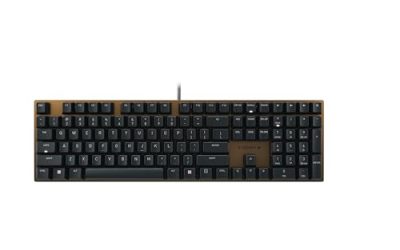
For DeX, a standard USB or Bluetooth keyboard works well. A full-size keyboard with a number pad is useful if you work with spreadsheets, while a compact keyboard is enough for writing and email. A keyboard with a built-in trackpad can replace a separate mouse in a small setup, but a separate mouse is usually more comfortable for precise work. The phone screen can also be used as a trackpad in DeX mode, which is a useful backup.
DeX is best for a simple reason: it turns a phone you already own into a usable computer for writing. It is not a replacement for a modern laptop, and some apps do not support a full desktop layout, but for documents, email, and web research it is a practical way to get more life from an older phone. If you plan to use DeX regularly, invest in a good USB-C hub with HDMI, USB ports, and charging, because a cheap hub that drops the connection will cause more frustration than any keyboard choice.
Option 4: Keyboard Cases and Folio Covers
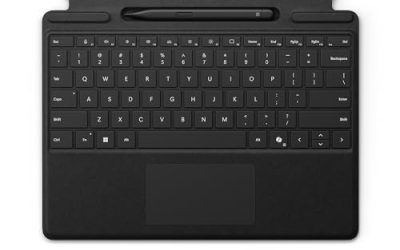
A keyboard case is a case with a built-in keyboard that attaches to the phone. For the S9 Plus, this category is the hardest to shop for, because most keyboard cases sold today are made for tablets, not for a 2018 phone. A case made for the Galaxy Tab S9 Plus will not fit the S9 Plus phone, and a generic keyboard case may not line up with the phone buttons and ports.
If you find a keyboard case that is listed specifically for the Galaxy S9 Plus phone, check the details carefully. Does it connect by Bluetooth, or does it use a physical connector? Does it cover the fingerprint sensor or the camera? Can you remove the keyboard and use the case on its own? Is the keyboard layout in your language? A keyboard case that is hard to remove, or that blocks a port you use often, will be abandoned quickly.
For most S9 Plus owners, a separate Bluetooth keyboard and a simple protective case are a better combination than a keyboard case. You can choose the keyboard you like, you can use it with other devices, and you can replace the case without replacing the keyboard. A keyboard case only makes sense if you want a single unit that you can open and start typing on without pairing anything.
Comparison Table
| Typing Option | Best For | Portability | Learning Curve |
|---|---|---|---|
| On-screen keyboard | Short messages and everyday typing | Highest, nothing to carry | Low, already installed |
| Small Bluetooth keyboard | Longer emails and notes on the move | High, fits in a bag | Low, pairs once and reconnects |
| Samsung DeX with desktop keyboard | Documents, email, and web work at a desk | Low, needs a monitor and hub | Medium, desktop layout takes time to learn |
| Keyboard case | All-in-one typing without pairing | Medium, adds bulk to the phone | Low, but fit and layout vary |
How to Set Up a Bluetooth Keyboard on the S9 Plus
Setting up a Bluetooth keyboard takes only a few minutes. Charge the keyboard or insert fresh batteries, then put it in pairing mode, usually by holding a Bluetooth key or a power button. On the S9 Plus, open Settings, then Connections, then Bluetooth, and make sure Bluetooth is on. The keyboard should appear in the list of available devices. Tap its name to pair, and enter a code on the keyboard if the phone asks for one.
After pairing, open a notes app and type a few sentences to check that the layout is correct. If some keys produce the wrong character, check the physical keyboard settings on the phone and make sure the layout matches your language. If the keyboard disconnects often, move it closer to the phone, turn off battery optimisation for Bluetooth if the phone offers that option, and check whether the keyboard has a sleep mode that turns it off after a few minutes of inactivity.
For DeX, connect the phone to a monitor with a compatible hub, then connect the keyboard by Bluetooth or USB. The DeX desktop should appear on the monitor, and the keyboard should work immediately. If the keyboard does not work in DeX, try a different USB port on the hub, or pair the keyboard by Bluetooth instead of USB.
Tips for Typing Well on an Older Phone
Keep the phone software and the keyboard app updated as far as the S9 Plus allows, because updates often fix typing bugs and improve predictions. Clear the keyboard cache if predictions become strange or the keyboard becomes slow. Back up your personal dictionary and your keyboard settings if the app offers that option, so you do not lose them if you reset the phone.
Think about your posture as well. Typing on a phone at a desk with the phone flat on the table strains your neck and wrists. A simple stand that holds the phone at eye level, plus a separate keyboard, is more comfortable than any keyboard app setting. Take breaks during long writing sessions, and use voice typing for a first draft if your hands get tired, then edit with the keyboard.
Finally, be realistic about the phone. The S9 Plus is a capable phone for its age, but it is not a modern tablet or laptop. A Bluetooth keyboard and DeX can extend its useful life for writing, but they cannot add a larger screen or a newer processor. If you type for hours every day for work or study, a tablet with a keyboard cover or a low-cost laptop may be a better long-term investment than more accessories for the phone.
Frequently Asked Questions
What is the best keyboard for the Galaxy S9 Plus?
There is no single best keyboard, because the S9 Plus is a phone and it works with many keyboards. For everyday use, the on-screen Samsung Keyboard, Gboard, or SwiftKey is best. For longer writing, a compact Bluetooth keyboard is the most practical upgrade. For desk work, Samsung DeX with a full-size keyboard is the most powerful option.
Can I use a Bluetooth keyboard with the Galaxy S9 Plus?
Yes. The S9 Plus supports Bluetooth keyboards, and pairing is done through the Bluetooth settings. Most Bluetooth keyboards made for Android, Windows, or general use will work, as long as they use standard Bluetooth and not a proprietary connection for a single device.
Is the S9 Plus the same as the Tab S9 Plus for keyboards?
No. The Galaxy S9 Plus is a phone from 2018, while the Galaxy Tab S9 Plus is a tablet from 2023. Keyboard cases and magnetic keyboard covers made for the tablet do not fit the phone. Bluetooth and USB keyboards, on the other hand, can work with both devices, because they do not depend on the size or shape of the device.
Does Samsung DeX work on the S9 Plus?
Yes, DeX is built into the S9 Plus. You can use it with a compatible USB-C hub connected to a monitor, or with DeX on a computer. A USB or Bluetooth keyboard and mouse work in DeX mode, and the phone screen can be used as a trackpad.
Should I buy a keyboard case for the S9 Plus?
Usually not, unless you find one made specifically for the Galaxy S9 Plus phone and you have checked the fit, the layout, and the ports it covers. A separate Bluetooth keyboard and a protective case are more flexible, work with other devices, and are easier to replace if one part breaks.
Conclusion
The best keyboards S9 Plus setup starts with a simple check: confirm you own the Galaxy S9 Plus phone, not the Tab S9 Plus tablet, then choose the typing method that fits how much you write. An on-screen keyboard is enough for messages, a compact Bluetooth keyboard is the best upgrade for longer notes and emails, and Samsung DeX with a desktop keyboard is the best way to turn the phone into a writing workstation. Avoid keyboard cases made for the tablet, choose accessories that use open Bluetooth and USB standards, and test the setup with a notes app before you commit to it for work. That approach gives an older phone a useful second life as a writing device, without spending money on accessories that do not fit.
FAQ
What is the best keyboard for the Galaxy S9 Plus?
Can I use a Bluetooth keyboard with the Galaxy S9 Plus?
Is the S9 Plus the same as the Tab S9 Plus for keyboards?
Does Samsung DeX work on the S9 Plus?
Should I buy a keyboard case for the S9 Plus?
More from Amazon
Programs that pair well with the guide above. Offers and eligibility are set by Amazon and may change.
Free shipping on eligible items, Prime Video and more. Eligible new members can start with a free trial.
Start a Prime free trialAd-free music streaming. Eligible new subscribers can start with a free trial.
Try Music Unlimited freeA Prime membership for ages 18-24 with a trial period. Eligibility is set by Amazon.
See Prime for Young AdultsAudiobooks and podcasts to listen to on the go. Eligible new members can start with a free trial.
Try Audible freeAs an Amazon Associate we earn from qualifying purchases.