Our Top Picks
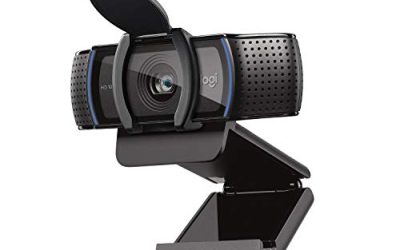
 Logitech C925-E Business Webcam HD 1080p/30fps with Lightcompact1.3 x 1.2 x 5 inches0.4 poundsCheck on Amazon
As an Amazon Associate, we earn from qualifying purchases made through links on this page.
People still search for Skype for Business webcams every day, usually because an office standard, an old procurement list or a meeting-room setup still carries the name. The platform itself is gone: Microsoft retired Skype for Business Online in 2021, support for the remaining server versions has ended, and Microsoft Teams is the replacement the company points everyone to. The hardware story is simpler than the software story. The business webcams that were certified for Skype for Business are standard UVC devices, and the same models are certified for Teams and work in Zoom, Webex and Google Meet without drivers. So this roundup focuses on the business lines from Logitech, Poly and Jabra: cameras that carry Skype for Business or Teams certification in the manufacturer’s own documentation, add the things IT departments actually ask for, such as privacy shutters, onboard encoding, fleet management software and multi-year business warranties, and are still sold through normal retail channels today.
That business focus is what separates these picks from a general webcam list. A camera for a company rollout has to behave the same way on the five hundredth laptop as it did on the first one, it has to be manageable without desk visits, and it has to keep working when the meeting platform changes its name, which is exactly the situation Skype for Business users are in now.
What to look for in a business webcam
Certification. Certification is a manufacturer programme, not a marketing adjective. Logitech, Poly and Jabra publish which of their cameras are certified for Skype for Business, Microsoft Teams or Zoom, and certified models are validated against the platform’s audio and video requirements. If your organisation standardised on Skype for Business and has since moved to Teams, a camera certified for either platform is the safe purchase, because the certification covers the same UVC behaviour both platforms rely on.
UVC plug-and-play. Every camera in this roundup is a USB Video Class device. It presents itself to Windows, macOS and ChromeOS as a standard camera, so it works in Teams and other meeting apps with no driver installation. That matters in locked-down corporate environments where users cannot install software.
Resolution and frame rate. Meeting platforms cap outgoing video well below 4K, and most business calls run at 1080p or lower. A 1080p camera with a good sensor and honest optics is enough for the large majority of desks. A 4K model earns its place when the same camera is used for recorded presentations, training material or town-hall contributions where the recording keeps the full resolution, or when you want digital zoom headroom inside a 1080p frame.
Field of view. A field of view around 78 degrees frames one person at a desk with little background. Around 90 degrees suits a small huddle space or a presenter who moves. Wider is not automatically better: the wider the lens, the more of the room, and the more edge stretching, you get.
Onboard encoding. Business models from Logitech’s e-series encode H.264 inside the camera. That takes compression work off the laptop CPU and keeps the video stream efficient on busy networks, which is one of the original reasons these models were specified for Skype for Business deployments.
Microphones. Built-in dual microphones are standard in this class. They are adequate for one person sitting at a normal desk distance. Anyone presenting from across a room needs a separate speakerphone or headset, because no webcam microphone in this roundup is designed for that distance.
Privacy and management. A physical privacy shutter is a line item in many corporate security policies. On the management side, Logitech Sync and Logi Tune, Poly Lens and Jabra Direct let IT teams push firmware updates and check device status across a fleet instead of relying on users. If you are buying more than a handful of cameras, that software support is worth as much as the optics.
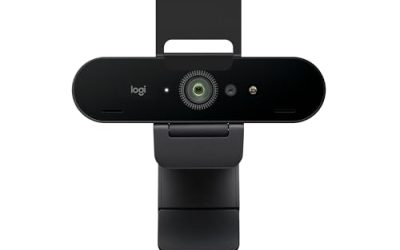
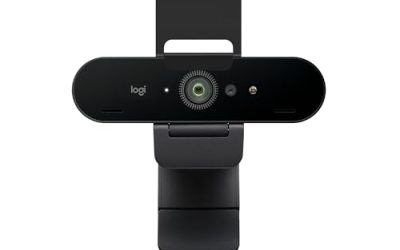
Logitech Brio 4K
ASIN: B01N5UOYC4 — View on Amazon
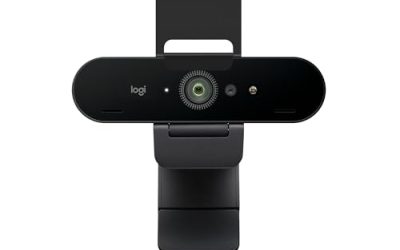
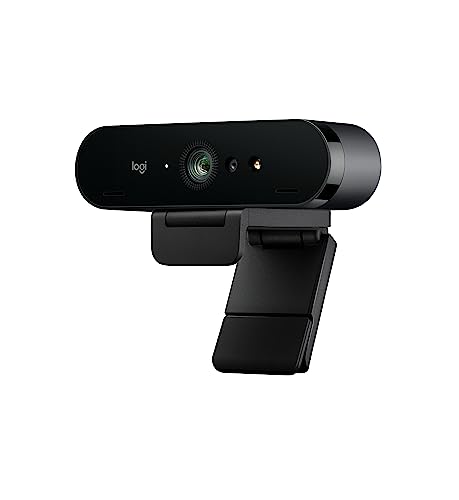
The original Brio is the camera most closely associated with the Skype for Business era, and Logitech’s documentation lists it as certified for Skype for Business, Microsoft Teams and Zoom. It records 4K Ultra HD at 30 frames per second, 1080p at up to 60 frames per second and 720p at up to 90 frames per second, with a digital field of view that can be set to 65, 78 or 90 degrees in Logitech’s software. RightLight 3 with HDR handles backlit offices and dim rooms, dual omnidirectional microphones include noise cancellation, and the infrared sensor supports Windows Hello face sign-in, which is a genuine convenience on a managed Windows fleet. It connects over USB 3.0 and is managed through Logi Tune and Logitech Sync like the rest of Logitech’s business range.
Who it is for: organisations that want one premium desk camera for executives, presenters and anyone whose recorded output is watched company-wide, and buyers who specifically want the model with documented Skype for Business certification plus Windows Hello.
Limitations: the 4K mode needs a USB 3.0 connection and an app that accepts it, and Teams meetings will still run at lower resolutions, so the 4K sensor is headroom rather than everyday call quality. This is an older design that Logitech has since supplemented with newer models, so check the listing is for the standard Brio (model 960-001105) and not a bundle variant before ordering in quantity.
Logitech C930e
ASIN: B00CRJWW2G — View on Amazon
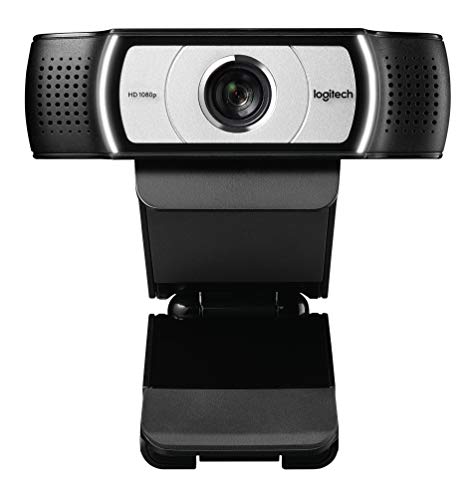
The C930e is the long-running fleet standard of this group. Logitech built it for Skype for Business deployments and lists certification for Skype for Business and Microsoft Teams. It delivers 1080p at 30 frames per second through a 90-degree field of view, the widest fixed view in this roundup, which makes it the natural pick for a small huddle space or two people sharing one desk screen. Its UVC H.264 onboard encoding is the feature IT teams bought it for: compression happens in the camera, keeping laptop CPUs free and streams lean. It has dual omnidirectional microphones, autofocus, RightLight 2 light correction, a 4x digital zoom and an attachable privacy shade, and it connects over USB 2.0, so it works in any spare port on any managed laptop.
Who it is for: IT departments equipping many desks or small huddle spaces with one consistent, certified 1080p camera, and anyone who values the wide 90-degree frame and in-camera encoding over headline resolution.
Limitations: output stops at 1080p and 30 frames per second, with no higher frame rate option at any resolution. The wide lens shows a lot of background and stretches faces near the edges of the frame, and the privacy shade is a separate attachable piece rather than a built-in shutter, so it can be misplaced.
Logitech C925e
ASIN: B01DPNPJ72 — View on Amazon
The C925e is the narrower, simpler sibling in Logitech’s business line, certified for Skype for Business and Microsoft Teams according to Logitech. It records 1080p at 30 frames per second with a 78-degree field of view that frames a single desk user without pulling in the whole room. Like the C930e it supports UVC H.264 encoding to keep streams efficient, and it adds an integrated privacy shutter that slides closed inside the housing, which answers the camera-cover question in security reviews without extra parts. Dual omnidirectional microphones, autofocus and RightLight 2 correction cover the standard meeting checklist, and the USB 2.0 plug-and-play connection keeps it compatible with older managed hardware.
Who it is for: companies rolling out cameras to individual desks at scale, where a tidy single-person frame, a built-in shutter and certified behaviour matter more than resolution, and home-based staff working on company-issued laptops.
Limitations: the 78-degree view is fixed, so it is the wrong choice for two-person framing or a presenter who stands and moves. It is a 1080p, 30-frame-per-second camera with no way to trade resolution for a smoother frame rate, and its feature set is deliberately basic next to the Brio.
Poly Studio P5

ASIN: B08TLJPZP8 — View on Amazon
The Studio P5 is Poly’s personal business camera, and its listing and documentation lead with certification for Microsoft Teams and Zoom. It records 1080p at 30 frames per second with an 80-degree field of view and a 4x digital zoom, and Poly tunes the image for meeting use, with automatic low-light compensation aimed at home offices and hotel rooms. The microphone is a single directional unit with noise reduction, designed to favour the voice in front of the camera over room sound. A privacy shutter is built in, the mount doubles as a monitor clamp and tripod adapter, and the camera is managed through the Poly Lens app, which is the same platform Poly uses across its business headsets and speakerphones, a real advantage for organisations already in that ecosystem.
Who it is for: hybrid workers and travelling staff in organisations that already standardise on Poly gear, and buyers who want a compact certified camera with a proper shutter and central management through Poly Lens.
Limitations: the single directional microphone is the narrowest audio setup in this roundup, so it suits one person at a desk and nothing more. Video stops at 1080p, and the digital zoom crops that 1080p frame, so zoomed images soften quickly. Organisations outside the Poly ecosystem get less from its management story.
Jabra PanaCast 20

ASIN: B099SDYQ1F — View on Amazon
The PanaCast 20 is Jabra’s premium personal camera, certified for Microsoft Teams, Zoom and Google Meet in Jabra’s documentation. Its 13-megapixel sensor records 4K Ultra HD, and the processing happens on the device: Intelligent Zoom frames the speaker automatically, Intelligent Lighting Optimization adjusts exposure as room light changes, and a picture-in-picture mode can show a whiteboard or presentation view alongside the speaker. The horizontal field of view is 90 degrees before the intelligent framing crops in. Three microphones handle voice pickup, an integrated privacy cover slides over the lens, and the aluminium body includes a standard tripod thread as well as the monitor clip. Jabra Direct provides the firmware and settings management on the desktop.
Who it is for: presenters, trainers and executives who move around while they talk and want the camera to handle framing, and organisations in the Jabra ecosystem that want on-device intelligence instead of software-dependent features.
Limitations: meetings still run at platform-capped resolutions, so the 4K sensor mainly serves the intelligent zoom and recorded content. The AI framing features are fixed to Jabra’s implementation and cannot be extended by third-party software, and there is no infrared sensor, so it cannot replace a Windows Hello camera for sign-in.
Comparison table
| Webcam | Max resolution | Field of view | Microphones | Certification (per manufacturer) | Connection |
|---|---|---|---|---|---|
| Logitech Brio 4K | 4K at 30 fps | 65, 78 or 90 degrees (adjustable) | Dual omnidirectional | Skype for Business, Microsoft Teams, Zoom | USB 3.0 |
| Logitech C930e | 1080p at 30 fps | 90 degrees | Dual omnidirectional | Skype for Business, Microsoft Teams | USB 2.0 |
| Logitech C925e | 1080p at 30 fps | 78 degrees | Dual omnidirectional | Skype for Business, Microsoft Teams | USB 2.0 |
| Poly Studio P5 | 1080p at 30 fps | 80 degrees | Single directional | Microsoft Teams, Zoom | USB 2.0 |
| Jabra PanaCast 20 | 4K at 30 fps | 90 degrees horizontal | Three built-in microphones | Microsoft Teams, Zoom, Google Meet | USB 3.0 |
FAQ
Is Skype for Business still available?
No. Microsoft retired Skype for Business Online in 2021 and has ended support for the Skype for Business Server versions as well, directing organisations to Microsoft Teams. The consumer Skype service was also retired in 2025. Nothing in this roundup depends on Skype for Business existing: these are UVC cameras, and they present themselves to the computer as standard webcams.
Will a webcam certified for Skype for Business work with Microsoft Teams?
Yes. Certification programmes changed names as the platform changed, and the manufacturers above list these models as certified for Teams, Skype for Business or both. Independently of certification, all five are UVC devices, so Teams, Zoom, Webex and Meet recognise them with no drivers.
Do these webcams need software installed?
Not to function. Video and audio work as soon as the camera is plugged in. The optional manufacturer apps, Logi Tune, Poly Lens and Jabra Direct, are only needed to adjust settings such as field of view, push firmware updates or manage devices across an organisation.
Is a 4K webcam worth it for business meetings?
For meetings alone, usually not, because platforms cap the video they send. The 4K models here earn their place through digital zoom headroom, recorded presentations and training content, and features built on the larger sensor, such as the PanaCast 20’s intelligent framing. For a standard desk rollout, the certified 1080p models cover the requirement.
What does certified actually guarantee?
It means the manufacturer has validated the camera against the platform vendor’s requirements for audio and video behaviour, and lists that certification in its own documentation. It does not change how the camera connects: a certified camera and an uncertified one are both UVC devices, but certification is the assurance IT departments ask for when they standardise hardware.
Conclusion
Skype for Business is retired software, but the hardware category it created is still the right shopping list for business meetings: certified behaviour, UVC plug-and-play, privacy shutters and fleet management. For a fleet rollout, the Logitech C930e and C925e remain the straightforward certified 1080p choices, split by how wide a frame you need. The Poly Studio P5 suits organisations already managed through Poly Lens. At the premium end, the Logitech Brio 4K adds Windows Hello and 4K headroom with documented Skype for Business certification, while the Jabra PanaCast 20 is the pick for presenters who want the camera to handle framing on its own. Any of the five will walk straight into Microsoft Teams, which is where Skype for Business users have ended up.
More from Amazon
Programs that pair well with the guide above. Offers and eligibility are set by Amazon and may change.
Free shipping on eligible items, Prime Video and more. Eligible new members can start with a free trial.
Start a Prime free trialAd-free music streaming. Eligible new subscribers can start with a free trial.
Try Music Unlimited freeA Prime membership for ages 18-24 with a trial period. Eligibility is set by Amazon.
See Prime for Young AdultsAudiobooks and podcasts to listen to on the go. Eligible new members can start with a free trial.
Try Audible freeAs an Amazon Associate we earn from qualifying purchases.