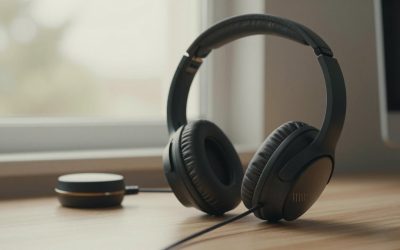
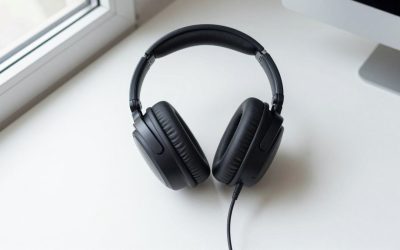
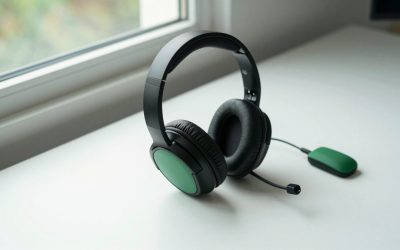
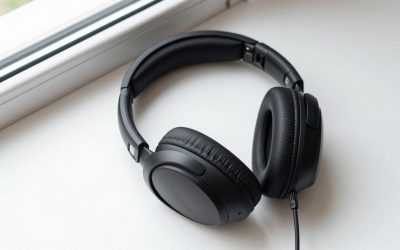
Our Top Picks
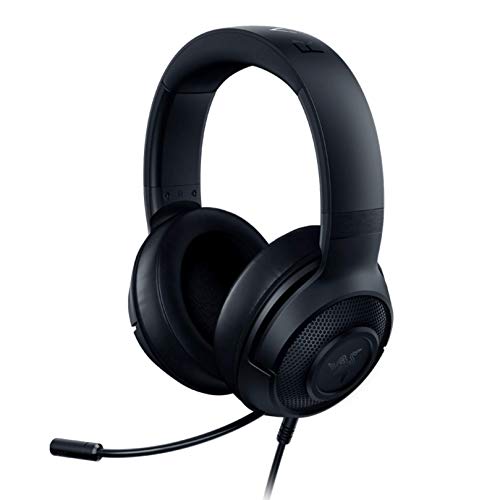 Razer Kraken X Ultralight Gaming Headset: 7.1 SurroundHeadset6.3 x 8.27 x 3.47 inches0.6 poundsCheck on Amazon
 SteelSeries New Arctis Nova 1P Multi-System Gaming wiredWired7.48 x 6.89 x 3.43 inches0.5 poundsCheck on Amazon
The best wired headsets for xbox series x keep things simple: plug the cable into the controller, and game audio and voice chat come through with no pairing step, no charging routine, and no wireless signal to drop at the worst moment. Every official controller carries a 3.5 mm headset jack, so any headset with a standard 3.5 mm plug works as soon as it is connected. Wired headsets also tend to be lighter than wireless ones, since they carry no battery. For long sessions, a comfortable fit matters as much as sound quality, and a headset that pinches after an hour will spend more time hanging on a hook than on your head. The five headsets below all connect through a 3.5 mm cable, and each one brings a different balance of comfort, microphone quality, and sound character.
How to Choose
Connection type
Every headset in this guide uses a wired 3.5 mm connection that plugs straight into the Xbox wireless controller. That is the connection to look for: a standard 3.5 mm plug needs no adapter on a current controller, and it carries both game audio and microphone chat through one cable. Headsets that connect only through USB will not work with the controller jack, so check the connector before anything else. A detachable cable is a useful bonus, because a damaged cable can be swapped instead of retiring the whole headset.
Sound quality
Driver size tells part of the story, and most wired headsets in this class use 40 mm drivers, which deliver a solid sense of space and impact in games. What matters more is tuning: some headsets push bass hard, which makes explosions feel heavy but can blur footsteps and dialogue, while others keep the low end restrained so positional cues stay clear. For multiplayer games where hearing an approaching opponent matters, a balanced sound profile with clear mids and highs is usually the better choice. Surround processing on Xbox comes from the console itself through Windows Sonic or Dolby Atmos for Headphones, so a headset does not need its own surround hardware to place sounds around you.
Microphone quality
A clear microphone keeps your callouts understandable, and the difference between a muddy mic and a clear one shows up fast in party chat. Look for a microphone that sits close to the mouth, picks up voice from the front, and rejects some of the sound coming from the sides. A flip-to-mute boom, a swivel-to-mute design, or an inline mute switch all work, and the best choice is the one you can operate without looking. Detachable microphones are handy when the headset doubles as a pair of headphones for music or video, since the boom can be removed entirely.
Comfort and fit
Comfort decides whether a headset gets used every day or gathers dust. Lightweight frames put less pressure on the top of the head, and deep ear cushions with soft foam keep the ears from touching the driver housing. Over-ear cups that fully enclose the ear are the most comfortable shape for long sessions, and a headband with even padding spreads the weight instead of concentrating it in one spot. Glasses wearers should look for softer foam at the temples, since a firm cushion pressing an arm into the skin becomes painful quickly. If possible, check the clamp force: a headset that grips too tightly causes headaches, while one that is too loose slides around during quick head movements.
Build quality and durability
A headset gets folded, tossed in a drawer, and pulled by its cable, so the frame and hinges need to survive daily handling. Steel or aluminium reinforcement in the headband adds resilience without much extra weight, and well-made yokes that let the earcups swivel flat tend to last longer than rigid plastic joints. Braided cables resist tangles and abrasion better than thin rubber ones, and a strain relief where the cable meets the earcup prevents the most common point of failure. Replaceable ear cushions extend the life of a headset further, since cushions wear out long before the drivers do.
Controls on the headset
On-ear or inline controls let you adjust volume and mute the microphone without opening a menu or pausing the game. A volume wheel on the earcup is the fastest option, while an inline remote on the cable works well when the headset is worn under a hood or the earcup is hard to reach. The controls should be easy to find by touch and hard to bump by accident. A headset with no controls at all still works fine, since the Xbox guide menu handles volume, but physical controls are more convenient during a match.
Xbox compatibility
Not every wired headset is tuned with Xbox in mind, so confirm that the model is listed as compatible with Xbox Series X and Xbox One before buying. Headsets that carry official Xbox licensing have been checked against Microsoft requirements, but many unlicensed headsets work just as well through the standard 3.5 mm jack. The key point is that the headset uses a single 3.5 mm plug carrying both audio and microphone signals, known as a TRRS plug, rather than separate plugs for headphones and microphone. A headset with two separate plugs needs an adapter to work with a controller, so avoid that layout unless an adapter is included in the box.
Top Picks
Turtle Beach Recon 70
View the Turtle Beach Recon 70 on Amazon
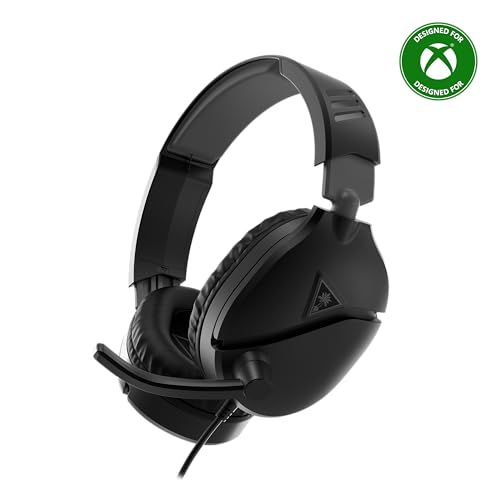
The Turtle Beach Recon 70 is a straightforward wired headset built around comfort and simplicity, and it is one of the most widely used headsets for Xbox play. It connects through a 3.5 mm cable, works with Xbox Series X and Xbox One as well as other platforms, and carries a flip-to-mute microphone that silences chat with a quick upward flick of the boom. Its 40 mm drivers deliver a full sound with a warm low end.
The ear cushions use soft synthetic leather over memory foam, and the headband is padded enough to spread the weight evenly. The Recon 70 is easy to forget during a long evening of play, which is exactly what a comfort-first headset should achieve. The microphone is clear enough for party chat and in-game callouts, and the flip-to-mute action is simple enough to use without thinking about it.
Who it is for: players who want a reliable, comfortable headset for everyday Xbox play without extra features to configure. It suits story games, casual multiplayer, and party chat equally well.
Caveats: the cable is fixed rather than detachable, so a damaged cable means replacing the headset. The sound leans warm, so players who want the sharpest possible positional detail may prefer a more neutral tuning. There are no on-ear volume controls; volume is adjusted through the controller or the console menu.
Razer Kraken X
View the Razer Kraken X on Amazon
The Razer Kraken X is an ultralight wired headset that weighs around 250 grams, making it one of the lightest full-size headsets available for Xbox. It plugs into the controller through a 3.5 mm cable and uses custom-tuned 40 mm drivers with a sound profile that keeps dialogue and positional cues clear. The bendable cardioid microphone picks up voice from the front while rejecting sound from the sides, which helps teammates hear callouts without background noise.
Cooling gel-infused ear cushions are a standout feature: they stay comfortable during long sessions and help with heat buildup, and the oval earcup shape fits naturally around the ear. On-headset volume and mute controls sit on the left earcup, so adjustments take a moment and do not require opening a menu. The aluminium-reinforced frame adds rigidity without noticeable weight.
Who it is for: players who prioritise light weight and long-session comfort, and anyone who plays in a warm room or wears a headset for hours at a time. The clear microphone also suits regular party chat.
Caveats: the 7.1 surround capability works through software on PC rather than on Xbox, where the console handles spatial audio instead. The cable is fixed, and the microphone is bendable but not detachable. Bass is restrained compared with bass-heavy headsets, so players who want maximum impact in cinematic games may find the sound lean.
HyperX CloudX Stinger Core

View the HyperX CloudX Stinger Core on Amazon
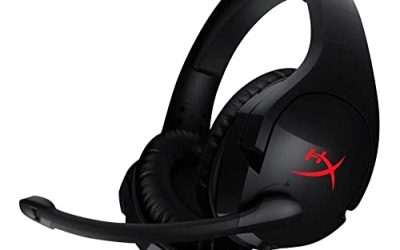
The HyperX CloudX Stinger Core is an officially licensed Xbox headset, which means it has been checked against Microsoft requirements for Xbox controllers. It connects through a 3.5 mm cable directly to the controller, and its 40 mm directional drivers are tuned to emphasise bass response for console gaming. The swivel-to-mute microphone rotates up to silence itself, and inline audio controls on the cable handle volume without reaching for the controller.
Signature HyperX memory foam fills the ear cushions, and the headset weighs around 275 grams, light enough for extended play. The adjustable steel sliders in the headband give a durable feel and hold their position well. Because it is licensed for Xbox, compatibility with Xbox Series X and Xbox One is confirmed rather than assumed, which removes any doubt at purchase time.
Who it is for: Xbox-only players who want a licensed headset with a simple setup, a bass-forward sound, and a microphone that mutes with a single motion. It is a strong fit for action games and casual multiplayer.
Caveats: the swivel microphone is fixed to the headset and cannot be detached for listening to music or video. The sound profile leans toward bass, so fine positional detail in competitive shooters is less sharp than on more neutral headsets. The ear cushions use synthetic leather, which can feel warm during very long sessions.
SteelSeries Arctis 1 Wired for Xbox

View the SteelSeries Arctis 1 Wired for Xbox on Amazon
The SteelSeries Arctis 1 Wired for Xbox is designed specifically for Xbox Series X and Xbox One, with a detachable ClearCast microphone that uses a bidirectional design to focus on the voice and reduce background noise. It connects through a 3.5 mm cable, and the same headset works with other platforms through the universal connector. The steel-reinforced headband and the ski-goggle style suspension strap spread weight evenly across the head, and the AirWeave ear cushions stay breathable during long sessions.
The drivers deliver a balanced presentation that keeps dialogue clear and positional cues readable. On-ear volume and mute controls sit on the left earcup, within easy reach. The detachable microphone is a genuine advantage: remove it and the Arctis 1 becomes a normal pair of headphones for music, video, or phone calls.
Who it is for: players who want one headset for gaming and everyday listening, and anyone who values a detachable microphone and a balanced sound. The suspension headband also suits players who find traditional padded bands uncomfortable.
Caveats: the suspension strap fit depends on head shape, and some users find it sits high or loose until adjusted. The ear cushions are fabric rather than leather, which breathes well but isolates less outside noise. The cable is detachable at the headset end, which is convenient, but a spare cable is not included.
SteelSeries Arctis Nova 1P
View the SteelSeries Arctis Nova 1P on Amazon
The SteelSeries Arctis Nova 1P is a multi-platform wired headset built on the Nova Acoustic System, with custom high-fidelity drivers designed for clear highs and controlled bass. It connects through a universal 3.5 mm jack that works with Xbox, PlayStation, PC, and Switch, and it supports 360-degree spatial audio through the console or PC. The noise-cancelling microphone uses AI-assisted processing on supported platforms to reduce background noise, and the retractable design lets it slide away into the earcup when not in use.
The adjustable ComfortMax system lets the headband and earcups adapt to different head shapes, and the AirWeave memory foam cushions keep the ears cool. On-ear controls handle volume and microphone mute, and the overall build feels more refined than its class suggests, with a clean design and sturdy hinges.
Who it is for: players who want the most detailed sound in this group and a headset that moves easily between Xbox and other platforms. The retractable microphone suits players who switch between gaming and listening.
Caveats: the AI noise-cancelling microphone features depend on software support, so the full effect is not available on every platform. The spatial audio presentation relies on the console or PC rather than the headset itself. The ear cushions are fabric, so isolation from room noise is moderate rather than strong.
Comparison Table
| Headset | Connection | Drivers | Microphone | Controls | Notable feature |
|---|---|---|---|---|---|
| Turtle Beach Recon 70 | 3.5 mm wired | 40 mm | Flip-to-mute boom | Console menu | Lightweight frame, memory foam cushions |
| Razer Kraken X | 3.5 mm wired | 40 mm | Bendable cardioid | On-ear volume and mute | Cooling gel cushions, 250 g frame |
| HyperX CloudX Stinger Core | 3.5 mm wired | 40 mm | Swivel-to-mute boom | Inline cable controls | Official Xbox licence, steel sliders |
| SteelSeries Arctis 1 for Xbox | 3.5 mm wired | Arctis drivers | Detachable ClearCast | On-ear volume and mute | Suspension headband, detachable mic |
| SteelSeries Arctis Nova 1P | 3.5 mm wired | Nova high-fidelity | Retractable noise-cancelling | On-ear volume and mute | ComfortMax fit, 360 spatial audio |
Which One Is Right for You?
Choose the Turtle Beach Recon 70 if you want the simplest possible setup: plug it in, flip the mic up to mute, and play. It is the easiest headset in this group to live with day to day, and its comfort suits long story-driven sessions.
Choose the Razer Kraken X if light weight matters most to you, or if you play in a warm room and want cooling gel cushions. It is the best fit for marathon sessions and for players who find heavier headsets tiring.
Choose the HyperX CloudX Stinger Core if you play only on Xbox and want a licensed headset with a bass-forward sound for action games. The swivel-to-mute microphone is the fastest mute action in this group.
Choose the SteelSeries Arctis 1 for Xbox if you want a detachable microphone and a headset that doubles for music and video. Its balanced sound and suspension headband suit players who value versatility over specialisation.
Choose the SteelSeries Arctis Nova 1P if you want the most detailed sound here and a headset that works across Xbox and other platforms. It is the strongest choice for players who split time between console and PC.
If you are unsure, start from the microphone and the fit: a comfortable headset with a clear mic will serve you better than a technically impressive one that hurts after an hour.
Frequently Asked Questions
Do wired headsets work with the Xbox Series X controller?
Yes. Every official Xbox wireless controller has a 3.5 mm headset jack at the bottom, and any headset with a standard 3.5 mm plug carrying audio and microphone signals connects directly. Plug the cable in, and game audio and chat route through the headset automatically. If a headset has separate plugs for headphones and microphone, it needs an adapter, so choose a model with a single combined plug.
Is a wired headset better than a wireless headset for Xbox?
Wired headsets have no battery to charge, no pairing step, and no wireless signal to interrupt, which makes them more reliable during long sessions. They are usually lighter as well. Wireless headsets give freedom of movement and no cable to manage, which suits players who move around the room.
Can I use these headsets on other platforms too?
Yes, all five headsets in this guide use a standard 3.5 mm connection, so they work with PlayStation controllers, PC, Switch, and most phones and tablets with a headset jack. The HyperX CloudX Stinger Core and the SteelSeries Arctis 1 for Xbox are tuned with Xbox in mind, but their 3.5 mm plugs are universal. Features that depend on software, such as surround processing or microphone noise cancelling, may behave differently on other platforms.
Why does my headset microphone sound quiet on Xbox?
First check the microphone mute switch or boom position, since a flipped-up or swivelled microphone is muted by design. Then open the Xbox guide, go to audio settings, and check the microphone monitoring and chat mixer levels. Make sure the cable is fully seated in the controller jack, since a partially inserted plug can carry game audio while dropping the microphone. If the problem continues, try the headset on another device to find out whether the issue follows the headset or the controller.
Disclosure: As an Amazon Associate, we may earn from qualifying purchases.
FAQ
Which One Is Right for You?
Do wired headsets work with the Xbox Series X controller?
Is a wired headset better than a wireless headset for Xbox?
Can I use these headsets on other platforms too?
Why does my headset microphone sound quiet on Xbox?
More from Amazon
Programs that pair well with the guide above. Offers and eligibility are set by Amazon and may change.
Free shipping on eligible items, Prime Video and more. Eligible new members can start with a free trial.
Start a Prime free trialAd-free music streaming. Eligible new subscribers can start with a free trial.
Try Music Unlimited freeA Prime membership for ages 18-24 with a trial period. Eligibility is set by Amazon.
See Prime for Young AdultsAudiobooks and podcasts to listen to on the go. Eligible new members can start with a free trial.
Try Audible freeAs an Amazon Associate we earn from qualifying purchases.