Key takeaways
- Performance: DDR5 offers much higher bandwidth and clock speeds that help gaming with modern CPUs and clearly benefit content creation, while DDR4 tops out lower.
- Price: DDR4 remains cheaper per gigabyte, whereas DDR5 pricing has fallen sharply and is now affordable for mainstream builds.
- Platform support: The newest CPU sockets are DDR5-only, while DDR4 is confined to older platforms with no forward path.
- Latency: DDR4 has lower raw CAS latency, but DDR5’s far higher speed more than compensates for real-world workloads.
- Features: DDR5 adds on-module voltage regulation and better error handling, while DDR4 keeps a simpler, well-understood design.
- Longevity & value: DDR5 protects a new build’s future, whereas DDR4 is best viewed as a final, cost-effective top-up for aging systems.
What's inside
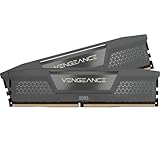
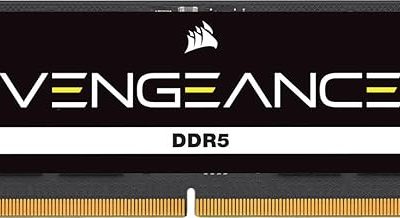
Memory is one of the last places builders still hesitate in 2026, and the DDR5 versus DDR4 question is at the heart of it. DDR5 kits like the CORSAIR Vengeance 32GB (2x16GB) and Lexar Thor Z RGB run at far higher clock speeds with on-module power management, while DDR4 remains a cheaper, proven standard that still powers millions of capable gaming and productivity rigs.
The choice matters because it’s tied directly to your platform: today’s newest CPU sockets are DDR5-only, so for a fresh build the decision is often already made for you. Where it still bites is on upgrades and budget builds, where the price and performance gap between the two standards can steer whether you spend on a new platform now or squeeze more life out of DDR4.
As an Amazon Associate we earn from qualifying purchases at no extra cost to you. Product prices and availability are accurate as of the date shown and are subject to change.


⚡ Save on Your Next PC — Amazon Prime
Prime members get fast free shipping on the systems above, plus early access to Prime Day & Black Friday PC deals. New members get a 30-day free trial.
Watch: DDR5 vs DDR4 RAM: Does It Matter in 2026? — Video Review
Quick Verdict
Choose DDR5 for any new 2026 build, especially on the latest Intel and AMD platforms that require it, and lean on a proven 6000MHz kit like the CORSAIR Vengeance DDR5 32GB for the sweet spot of speed and value. Stick with DDR4 only if you’re upgrading an existing DDR4 motherboard and want the cheapest capacity boost without changing your CPU or board.
Key Differences
- Performance: DDR5 offers much higher bandwidth and clock speeds that help gaming with modern CPUs and clearly benefit content creation, while DDR4 tops out lower.
- Price: DDR4 remains cheaper per gigabyte, whereas DDR5 pricing has fallen sharply and is now affordable for mainstream builds.
- Platform support: The newest CPU sockets are DDR5-only, while DDR4 is confined to older platforms with no forward path.
- Latency: DDR4 has lower raw CAS latency, but DDR5’s far higher speed more than compensates for real-world workloads.
- Features: DDR5 adds on-module voltage regulation and better error handling, while DDR4 keeps a simpler, well-understood design.
- Longevity & value: DDR5 protects a new build’s future, whereas DDR4 is best viewed as a final, cost-effective top-up for aging systems.
DDR5: The Standard for New Builds
DDR5 is where the entire industry is headed, and in 2026 it’s the obvious choice for anything new. High-speed kits like the CORSAIR Vengeance DDR5 and Lexar Thor Z RGB deliver the bandwidth that modern CPUs, integrated graphics, and creative applications crave, and prices have dropped to the point where the old cost objection barely applies.
Because the latest Intel and AMD sockets only accept DDR5, buying it also keeps your platform current and upgradeable. A 32GB 6000MHz kit hits the mainstream sweet spot for gaming and multitasking, while 6400MHz options like the Vengeance push a little further for enthusiasts. For creators, streamers, and future-minded gamers, DDR5 is simply the right foundation.
DDR4: The Value Upgrade for Existing Rigs
DDR4 still has a clear purpose: giving an existing DDR4 machine more capacity for the least money. If you already own a compatible motherboard and CPU, adding a 16GB or 32GB DDR4 kit is a fast, affordable way to fix multitasking slowdowns without rebuilding around a new platform.
What DDR4 can’t offer is a future. It’s locked to older sockets, so it’s a terminal upgrade rather than a foundation you’ll carry forward. Its lower raw latency is a small technical edge, but it can’t match DDR5’s bandwidth. Treat DDR4 as the smart, budget-minded way to extend the life of a system you’re not ready to replace yet.
Which Should You Buy?
- For a brand-new 2026 build: pick DDR5 because the latest sockets require it and prices are now mainstream-friendly.
- For gaming with a current-gen CPU: pick a 6000MHz DDR5 kit like the CORSAIR Vengeance because it hits the ideal speed-to-value sweet spot.
- For upgrading an old DDR4 PC: pick DDR4 because it adds capacity cheaply without forcing a new board and CPU.
- For content creation and heavy multitasking: pick DDR5 because its higher bandwidth measurably speeds up demanding applications.
- For the lowest possible cost per gigabyte: pick DDR4 because it remains cheaper when you already own the platform.
Frequently Asked Questions
Is DDR5 worth it for gaming in 2026?
Yes on a new build, since modern CPUs benefit from DDR5’s bandwidth and the newest platforms require it; a 6000MHz kit is the recommended starting point.
Can I put DDR5 in a DDR4 motherboard?
No, the standards are physically and electrically incompatible, so your motherboard dictates which type you must buy.
Does DDR4’s lower latency make it faster than DDR5?
Not in practice; DDR4 has lower raw CAS latency, but DDR5’s much higher clock speed delivers greater real-world bandwidth and overall performance.
How much RAM do I need in 2026?
A 32GB kit like the CORSAIR Vengeance 2x16GB is the sweet spot for gaming and multitasking, with 16GB as a budget minimum and 64GB for heavy creative work.
Final Verdict
For anyone building fresh in 2026, DDR5 is the clear answer, and a proven 6000MHz kit such as the CORSAIR Vengeance DDR5 32GB gives you the best blend of speed, capacity, and price. Reserve DDR4 for the specific case of cheaply expanding a system you already own on an older socket. Let your motherboard and your timeline decide, and the memory choice becomes straightforward.