Key takeaways
- Integrated OLED models offer gorgeous, calibrated panels and a seamless single-device experience.
- Extenders are affordable and add screens to a laptop you already like.
- Portability is strong on both, with the clip-ons weighing far less than carrying a second monitor.
- USB-C simplicity means one cable powers and drives many extender models.
Dual-screen laptops have moved from novelty to genuinely useful, and there are now two distinct ways to get there: a true dual-display machine with two built-in panels, or a standard laptop paired with a clip-on screen extender that folds out around the lid. Both give you more workspace on the go, but they suit very different budgets and workflows.
This review compares the leading options in each camp, from premium OLED two-in-ones to affordable portable extenders, so you can decide whether you want an integrated experience or a modular one that attaches to the laptop you already own.
Our top picks






As an Amazon Associate we earn from qualifying purchases at no extra cost to you. Ratings are shown as listed on Amazon.
🎮 Get More From Your Setup — Free
Prime Gaming gives you free PC games every month, in-game loot, and a free Twitch channel sub — plus fast free shipping on all the gear above. New members get a 30-day free trial.
Watch: Laptop With Two Screens: Review & Buyer’s Guide — Video Review
Design & Build
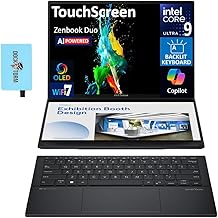
The integrated machines are the showpieces. The Lenovo Yoga Book 9i uses two 13.3-inch 2.8K OLED panels in a hinged clamshell that transforms into a stacked or side-by-side workstation, while the ASUS Zenbook Duo pairs a main 14-inch OLED touchscreen with a second display beneath the keyboard for a productivity-first layout. There is also a bulkier triple-screen desktop-replacement build with a 16-inch main panel flanked by two 10.5-inch wings and heavyweight Core i7 specs. The extenders take the opposite approach: the CIDETTY, KYY X90D, and 15.6-inch triple-monitor kits clamp onto your existing lid, adding one or two FHD panels via a single USB-C or HDMI cable. They are plasticky but impressively light and travel-friendly.
Performance
The built-in machines deliver the smoothest experience because the displays are color-calibrated, high-resolution, and driven directly by the laptop’s GPU. The Zenbook Duo’s Intel Ultra 9 and 32GB of RAM make it a capable creator and multitasker, and the Yoga Book 9i’s dual OLED panels are stunning for reference-heavy work. The extenders trade some polish for flexibility: they typically run 1080p, rely on DisplayLink or USB-C alt-mode, and occasionally need a driver install, as the KYY and CIDETTY units note. Once configured, though, they mirror or extend cleanly and are perfect for spreadsheets, code, and side-by-side documents when you are away from a desk.
Pros & Cons
- Integrated OLED models offer gorgeous, calibrated panels and a seamless single-device experience.
- Extenders are affordable and add screens to a laptop you already like.
- Portability is strong on both, with the clip-ons weighing far less than carrying a second monitor.
- USB-C simplicity means one cable powers and drives many extender models.
- Premium price on the Yoga Book 9i and Zenbook Duo puts them out of budget reach.
- Extenders need setup, and some require driver software that can be finicky.
- Battery drain increases noticeably when running multiple panels.
Alternatives to Consider
If you want the cleanest all-in-one experience and have the budget, the ASUS Zenbook Duo is the productivity champion and the Yoga Book 9i the most versatile for creative layouts. If you already own a capable laptop, a USB-C extender like the KYY X90D or CIDETTY panel gives you most of the multitasking benefit at a fraction of the cost. For those who need maximum screen real estate at a desk, the triple-screen desktop-replacement build is an option, though it sacrifices portability.
Frequently Asked Questions
Do screen extenders work with any laptop?
Most support 12 to 17.3-inch laptops and connect over USB-C or HDMI. Compatibility spans Windows, macOS, and Android, but some models like the KYY require a driver, so confirm your ports and OS before buying.
Are dual-screen laptops good for gaming?
The integrated OLED models prioritize productivity and color accuracy over high refresh rates, so they are better for creative and office work than competitive gaming. Extenders are also aimed at multitasking rather than fast-paced play.
Will a second screen drain my battery fast?
Yes, running an additional panel increases power draw. Built-in dual displays are more efficient than USB-powered extenders, but plan for shorter unplugged runtime either way.
Can I use an extender and still close my laptop?
Clip-on extenders attach to the lid and fold flat against it for transport, but you detach or fold them before fully closing. They are designed for quick setup and teardown.
Verdict
For a polished, self-contained machine, the ASUS Zenbook Duo and Lenovo Yoga Book 9i lead the pack with brilliant OLED panels. But for value and flexibility, a USB-C screen extender like the KYY X90D adds meaningful workspace to your current laptop for far less. Choose based on whether you want one integrated device or a modular setup you can add and remove at will.