Key takeaways
- Find a computer headset that fits your PC, your voice and your day, with clear guidance on sound, microphones, comfort and connections for gaming and work.
As an Amazon Associate we earn from qualifying purchases.
Choosing a computer headset is really a choice about how your PC fits into your day. A headset that sounds rich in a game can still make your voice thin on a call, and a model built for office work can feel flat when footsteps and dialogue matter. The connector, the weight after three hours, and the way the microphone handles a noisy room shape the result far more than any single headline feature.
This guide is for desktop and laptop users who need one headset to cover several jobs: competitive and relaxed gaming, video calls, online classes, streaming, and listening to music or films. It also suits first-time buyers, and anyone replacing a model that hurt, broke, or never sounded right. Instead of listing models, it walks through the decisions that separate a good match from a disappointing one, so you can judge any headset on the points that matter for your setup.
How to Choose
Connection Type and Compatibility
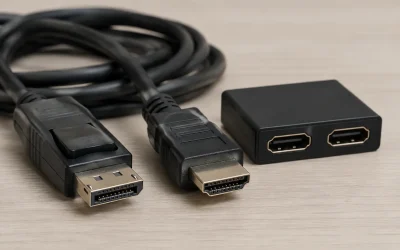
Start with the ports on your computer, because the wrong connector turns a good headset into a project. A 3.5 mm plug suits most laptops and many desktops, yet some PCs split audio and microphone into two separate jacks, which may need a splitter for the microphone. A USB headset usually carries its own sound processing, and can unlock surround sound or software controls that analogue cannot offer. Wireless models use a dongle or Bluetooth; the dongle generally gives steadier audio for gaming, while Bluetooth suits calls and music. Before settling on a type, check for a free USB port, built-in Bluetooth, and support for the operating system and apps you use every day.
Sound, Drivers and Surround Sound
Driver size tells only part of the story, so look at tuning and real use. Larger drivers can deliver deeper bass, but a well tuned smaller driver often gives clearer footsteps and dialogue. Closed ear cups block more outside noise and keep sound from leaking out, which helps in a shared room, while open designs can feel airier and less tiring, at the cost of letting sound escape. Virtual surround sound can widen the sense of space in games and films, though it needs the right connection and software, and some listeners prefer plain stereo for music. Listen for balance rather than boom: crisp highs, clear mids, and bass that supports the scene without swallowing speech.
Microphone Clarity and Controls
A headset microphone decides how other people hear you, so treat it as seriously as sound. A detachable or flip-to-mute boom microphone usually sits closer to your mouth and picks up less keyboard noise than one built into an ear cup. Noise reduction helps in a busy household, yet aggressive filtering can thin out your voice, so a natural, steady tone often beats heavy filtering. Easy controls matter during a live game or call: a clear mute switch, a volume wheel you can find without looking, and sidetone that lets you hear your own voice. Check whether the microphone needs specific software for its best sound, and whether it still works well when that software is closed.
Comfort, Build and Long Sessions
Comfort decides whether a headset stays on your head or ends up in a drawer. Weight, clamping force, ear cup depth, and headband padding all add up over a long session, and a headset that feels fine for ten minutes can press hard after two. Memory foam cushions usually seal better and feel softer at first, while fabric or velour cushions breathe more and suit warm rooms. Glasses wearers should look for softer cushions and gentler clamping, because a firm seal over glasses arms can ache quickly. Build matters too: a metal frame or reinforced headband survives daily handling better than thin plastic, and replaceable ear cushions extend the useful life of a headset you already like.
Which One Fits Your Situation
Competitive Gaming on a Desktop PC
Pick a wired headset with a USB connection or a low latency wireless dongle, closed ear cups, and a clear boom microphone. The wired route removes battery worries and keeps audio timing tight, while the closed design blocks household noise so footsteps and callouts stay audible. Choose a model with a mute control and software that lets you shape footsteps and voice chat separately, then check that the cable reaches from your PC to your chair without pulling.
Working From Home and Video Calls All Day
Pick a lightweight headset with a reliable microphone, comfortable cushions, and a connection that suits your meeting apps. A USB or Bluetooth model with clear voice pickup and a visible mute indicator helps you move between calls without fumbling. Fabric cushions and a gentle fit matter when the headset stays on for hours, and a detachable microphone is useful if you want to listen to music without a boom arm in front of your face.
Shared Rooms and Noisy Households
Pick a closed-back headset with thick cushions, a firm seal, and a microphone that focuses on your voice. The seal does two jobs at once: it keeps game audio and calls inside the ear cups, and it softens the washing machine, television, or conversation in the next room. A wired model avoids the extra distraction of charging, and a long cable or a wireless dongle gives you room to move without dragging the headset off your head.
Relaxed Gaming, Films and Music After Work
Pick a comfortable over-ear headset with balanced sound, a wide soundstage, and controls you can reach in the dark. Virtual surround sound can add depth to films and story games, while a detachable microphone keeps the design simple when you are not talking to anyone. Look for soft cushions, a headband that spreads the weight evenly, and a cable or wireless range that lets you lean back without losing the connection to your PC.
Common Mistakes
- Buying a headset made for another device and hoping it fits your PC. A model built mainly for a console may still produce sound through a 3.5 mm jack, yet its surround sound, microphone features, or software controls can stay locked to that console. The headset may also use a connector your computer does not have, or need an adapter that was never in the box. Before buying, read the compatibility list for the exact model and variant, check whether the listed features work on a desktop or laptop, and confirm which cable, dongle, or adapter is included. A few minutes on this step saves the frustration of a headset that plays audio but leaves your teammates hearing nothing, or a microphone that only works when plugged into the wrong device.
- Judging a headset by driver size alone. A large driver number looks impressive on a listing, yet it says nothing about tuning, ear cup design, or how the headset handles voices at normal volume. One model with large drivers can sound boomy and muddy, while another with smaller drivers can sound clear and precise because its tuning keeps bass, mids, and highs in balance. Instead of comparing millimetres, think about what you listen to most: footsteps and dialogue need clarity in the mids and highs, while films and music need bass that supports the sound rather than drowning it. If you can, compare descriptions of the sound character, check whether the headset offers an equaliser, and remember that a good seal around your ears changes the bass far more than a few extra millimetres of driver.
- Ignoring the microphone until the first call. Many buyers focus on game audio and discover the microphone problem during a meeting or a match, when their voice sounds distant, muffled, or full of keyboard clicks. A microphone that sits far from the mouth, lacks wind protection, or needs software that is not installed will struggle in exactly the moments that matter. Think about where you will speak: a quiet room forgives a basic microphone, while a shared or noisy space needs a boom microphone with sensible noise handling. Check where the mute control sits, whether the microphone detaches or flips away, and whether it works without extra software, so you are not troubleshooting audio while other people wait for you to speak.
- Choosing a fit that only works for short sessions. A headset can feel comfortable in a shop or during a quick unboxing, then press on the top of your head or squeeze your ears after an hour of play or work. Clamping force, ear cup depth, headband padding, and overall weight all matter, and they interact: a heavy headset needs a better headband, while a light one can still hurt if the ear cushions are shallow. Glasses wearers face an extra problem, because a firm cushion can press the arms into the side of the head. Look for deep ear cups, soft and replaceable cushions, and an adjustable headband, and pay attention to the total weight, because a difference that seems small on paper becomes obvious across a long evening.
- Forgetting software, updates, and everyday upkeep. A headset is not only hardware, and the software behind it can decide whether its best features ever appear. Surround sound, equaliser settings, microphone filters, and sidetone often depend on an app or driver that must be installed, updated, and kept running. Some features work only on one operating system, and some disappear entirely when the software is closed. Beyond software, simple upkeep matters: ear cushions wear out, cables fray where they bend, and a wireless headset needs a charging habit that fits your routine. Check what the software requires, whether the ear cushions can be replaced, how the cable is routed and protected, and whether the headset keeps working in a basic mode when the extras are switched off.
Frequently Asked Questions
Do I need a USB headset or a 3.5 mm headset for my computer?
It depends on your ports. A 3.5 mm headset is simple, works with most laptops and desktops, and needs no software, though some PCs need a splitter for separate audio and microphone jacks. A USB headset can add surround sound, software controls, and its own sound processing. Check your ports first, then choose the connection that gives you the features you will actually use.
Can one headset work well for both gaming and video calls?
Yes, provided the microphone and comfort are good enough for both jobs. Look for a clear boom microphone with an easy mute control, closed ear cups that keep your voice and game audio separate, and cushions you can wear for hours. A detachable microphone adds flexibility, letting you use the same headset for music without a boom arm. Test the microphone in your usual meeting app first.
Is a wired or wireless headset better for PC gaming?
Wired headsets suit players who want steady audio and no charging, and a USB wired model can also unlock software features. Wireless headsets suit players who move around, hate cables, or use the headset away from the desk, and a dedicated dongle usually gives steadier gaming audio than plain Bluetooth. Choose wired for simplicity, or wireless for freedom, and check the battery routine before you commit.
How do I know if a headset will stay comfortable for long sessions?
Look at weight, clamping force, ear cup depth, and headband padding together. Deep ear cups and soft, replaceable cushions help most people, while a wide headband spreads weight better than a narrow one. Glasses wearers should favour softer cushions and gentler clamping. If possible, wear it for a full session during the return window, and note any pressure on the ears or the top of your head.
FAQ
Do I need a USB headset or a 3.5 mm headset for my computer?
Can one headset work well for both gaming and video calls?
Is a wired or wireless headset better for PC gaming?
How do I know if a headset will stay comfortable for long sessions?
More from Amazon
Programs that pair well with the guide above. Offers and eligibility are set by Amazon and may change.
Free shipping on eligible items, Prime Video and more. Eligible new members can start with a free trial.
Start a Prime free trialAd-free music streaming. Eligible new subscribers can start with a free trial.
Try Music Unlimited freeA Prime membership for ages 18-24 with a trial period. Eligibility is set by Amazon.
See Prime for Young AdultsAudiobooks and podcasts to listen to on the go. Eligible new members can start with a free trial.
Try Audible freeAs an Amazon Associate we earn from qualifying purchases.