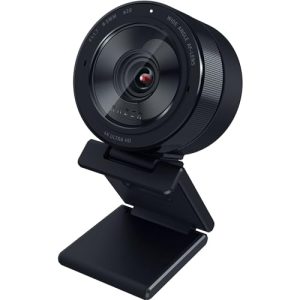
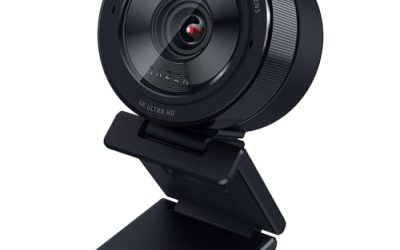
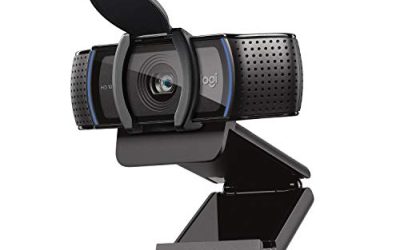
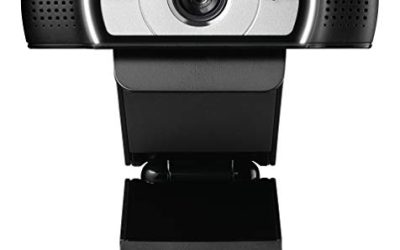
Our Top Picks
A note on the keyword first: world webcams names no brand, resolution class or use case, so this guide treats it honestly as a general best-webcams roundup, the strongest broadly verified models across the main jobs a webcam does. Those jobs are video calls, streaming and content recording, and the listings below state the facts that separate them: resolution, field of view, microphones and tracking.


The five picks serve home workers, streamers and creators who want one camera that covers the week. Every model was chosen from the names and specifications on its Amazon product page, from a 4K flagship with a gimbal to a 1080p staple with a privacy shutter. Where a listing’s facts are thin, the entry says so instead of dressing the camera in borrowed specifications.
Quick Picks
As an Amazon Associate we earn from qualifying purchases.
| Product | Best for | Key spec from title |
|---|---|---|
| Logitech Brio 4K (960-001419) | Home workers and creators who want one 4K camera that handles calls, recording and stills without fuss. | 4K UHD video, noise-cancelling mic |
| Insta360 Link 2 | Presenters, teachers and streamers who move around while the camera keeps them framed. | 4K30, 2-axis gimbal with AI tracking, PDAF |
| Logitech MX Brio | Professionals whose employers or clients expect certified hardware on Teams, Zoom or Meet calls. | 4K with 1080p60 mode, Teams Zoom Meet certified |
| Logitech C920s | Calls-first buyers who want dual mics and a physical privacy shutter at 1080p. | 1080p30, dual stereo mics, privacy shutter |
| Logitech Brio 500 (Rose) | Home workers in badly lit rooms who move around and want the camera to keep them framed. | 1080p, RightLight 4, auto-framing, USB-C |
How to Choose
Resolution decides how much you can crop and zoom
A 4K webcam is not really about showing a 4K call, since most platforms compress well below that. It buys digital zoom and cropping headroom: the camera can tighten on your face and still feed a sharp 1080p picture. The listings here split between 4K models and 1080p models, and both are honest tools. Buy 4K if you present, crop or record; buy 1080p if the camera only ever fills a call window at its natural size.
Tracking and auto-framing serve people who move
A fixed camera assumes a seated, still subject. The gimbal model in this guide physically follows you, and the auto-framing model re-crops digitally to keep you centred. Teachers at whiteboards, presenters who stand, and streamers who gesture need one of those behaviours; a desk worker on calls needs neither. The listings state which cameras carry which feature, so match the behaviour to how much of your work happens out of the chair. Digital framing cannot follow you across a room, which is where the gimbal design earns its extra complexity and cost.
Microphones are half the meeting
Call partners forgive soft video and punish bad audio. The listings state their microphone arrangements differently: noise-cancelling on one, AI noise-canceling on another, dual stereo mics on a third. A noise-cancelling design suits a room with a fan, traffic or family noise; stereo mics suit a quiet room where natural voice matters more. If you already own a good USB microphone, this section matters less; if the webcam is your microphone, it matters most. A dedicated headset microphone changes the equation again, freeing the camera choice to be made on picture alone.
Field of view and privacy are daily-life features
A 78-degree view frames one person at a desk; a 90-degree view takes in a partner, a product table or a whiteboard corner. Wider is not better, it is just wider, and it shows more of the room you may not want shown. The privacy shutter on one listing closes the lens physically, a guarantee no software setting matches. Weigh both facts against the room the camera will actually live in. A camera above a monitor also sees the whole desk, so framing discipline matters as much as the lens specification.
The 5 Best Options
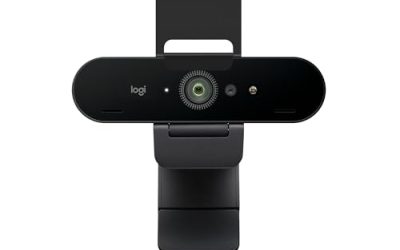
Logitech Brio 4K (960-001419)
The Brio 4K is the resolution-led generalist: its listing states 4K UHD video, a 12MP stills figure in its product information and a noise-cancelling microphone for call audio. That combination covers the three things a desk camera is judged on daily, picture detail, stills for profile and thumbnail use, and a voice that survives a noisy room. As the 2022 model in Logitech’s Brio line, it is the straightforward recommendation for a buyer who wants one well-specified camera and no feature experiments.
Specs
- Video: 4K UHD per listing
- Stills: 12MP per product information fields
- Microphone: noise-cancelling mic per listing
- Model: 960-001419 per listing
- Line: Brio family, 2022 model per dossier
Best for: Home workers and creators who want one 4K camera that handles calls, recording and stills without fuss.
Watch out for: Regional variant codes exist across the Brio family; this guide uses the US listing, so check the live page shows this model number.
Insta360 Link 2
The Link 2 is the camera that moves: a 2-axis gimbal with AI tracking keeps you framed while you stand, present or pace, the one ability no fixed webcam in this guide can match. Its listing states a 1/2-inch sensor, 4K30 and 1080p60 HDR recording, an f/1.8 lens at 26mm equivalent with a 79.5-degree field of view, and phase-detection autofocus for fast, reliable focus. An AI noise-canceling microphone handles the audio side. For teachers, presenters and streamers who move, this is the pick.
Specs
- Sensor: 1/2-inch per listing
- Video: 4K30 and 1080p60 HDR per listing
- Lens: f/1.8, 26mm equivalent per listing
- Field of view: 79.5 degrees per listing
- Focus: PDAF per listing
- Tracking: 2-axis gimbal with AI tracking per listing
- Microphone: AI noise-canceling mic per listing
Best for: Presenters, teachers and streamers who move around while the camera keeps them framed.
Watch out for: Other-locale listings for this camera carry different codes; only the US code in this guide should be used, so verify it on the live page.
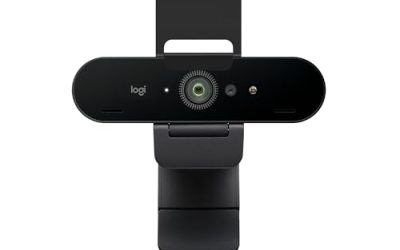
Logitech MX Brio

The MX Brio is the meeting-certified 4K option: its listing states 4K recording with a 1080p60 mode for smoother motion, and certification for Teams, Zoom and Meet in its copy, which matters in workplaces where IT departments standardise on certified hardware. It sits in Logitech’s MX line alongside its keyboards and mice, aimed at professionals whose camera is a work tool first. Buyers whose calendar is a wall of client calls, and who want the certification line in writing, are the audience for this one.
Specs
- Video: 4K per listing
- Modes: 1080p60 mode per listing
- Certification: Teams, Zoom and Meet certified per listing copy
- Line: MX series per product name
Best for: Professionals whose employers or clients expect certified hardware on Teams, Zoom or Meet calls.
Watch out for: This verification rests on mirror copies of the Amazon listing, a step below a direct capture, so confirm the ASIN and specification list on the live page before ordering.
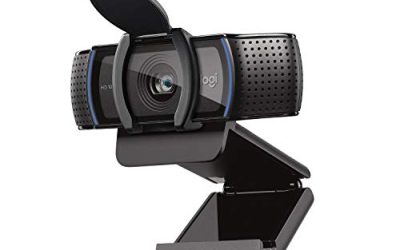
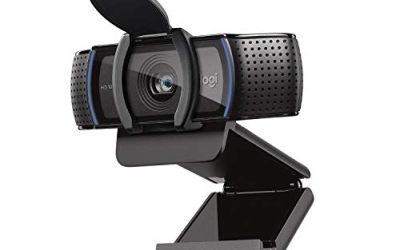
Logitech C920s

The C920s is the long-running 1080p staple of the webcam world. Its listing states 1080p30 video, dual stereo microphones, a 78-degree field of view and a privacy shutter you can close when the camera should be physically off. That shutter is the detail many newer cameras skip, and for a camera that lives on a home monitor it settles the privacy question mechanically rather than in software. For calls-first buyers who do not need 4K, this listing remains the complete, honest package it has been for years.
Specs
- Video: 1080p30 per listing
- Microphones: dual stereo mics per listing
- Field of view: 78 degrees per listing
- Privacy: privacy shutter per listing
- Model family: C920 line per product name
Best for: Calls-first buyers who want dual mics and a physical privacy shutter at 1080p.
Watch out for: Regional variants of this model family carry different codes; use only the US listing code printed here and confirm it on the live page.
Logitech Brio 500 (Rose)

The Brio 500 is the lighting-and-framing pick at 1080p. Its listing states RightLight 4 for handling poor room light, auto-framing to keep you centred as you shift in your chair, a field of view up to 90 degrees for wider shots that include a whiteboard or a second person, and a USB-C connection. This Rose listing is the colourway whose US code verified cleanly. For a home office with one bad window and a lot of movement, those stated features do more than a resolution figure would.
Specs
- Video: 1080p per listing
- Lighting: RightLight 4 per listing
- Framing: auto-framing per listing
- Field of view: up to 90 degrees per listing
- Connection: USB-C per listing
- Colour of this ASIN: Rose
Best for: Home workers in badly lit rooms who move around and want the camera to keep them framed.
Watch out for: The Graphite colourway’s record was weaker and showed stock problems in a mirror capture, which is why this guide prints the Rose listing; check colour and code together.
Which One Fits Your Situation
A consultant whose week is client video calls
Take the Logitech MX Brio for its stated Teams, Zoom and Meet certification and 4K picture, the combination corporate calls reward. Its 1080p60 mode also keeps motion looking natural when a call turns into a screen-shared demonstration or a quick product walkthrough.
A teacher or presenter who works standing up
Take the Insta360 Link 2: its gimbal and AI tracking follow you across the room, and phase-detection autofocus keeps the image locked while you move. The fast autofocus matters most when the subject keeps changing distance, leaning in to write and back to explain in turn.
A home worker who wants privacy handled physically
Take the Logitech C920s for its closable privacy shutter, dual stereo mics and dependable 1080p picture for everyday calls. It also covers stills for the profile photos and documents that office life quietly asks a desk camera to capture. That reliability is its whole appeal.
A creator recording in a dim spare room
Take the Logitech Brio 500 for RightLight 4 and auto-framing per its listing, the features aimed squarely at bad light and restless presenters. Auto-framing also rescues the shot when a second person leans in, widening to include them without touching the camera at all.
Common Mistakes
- Buying a 4K camera for a platform that will only ever show a small call window, then never using the cropping headroom that justified it.
- Ignoring the microphone arrangement until the first call, when partners hear the room fan more clearly than the voice.
- Ordering a regional variant listing by mistake, since these webcam families circulate under different codes for different markets.
- Mounting a wide-angle camera in a small room and broadcasting the whole space, when a narrower field of view was the private choice.
- Assuming a camera is off because its light is off, when one listing here offers the mechanical certainty of a physical shutter instead.
Frequently Asked Questions
What does the keyword world webcams actually mean here?
It names no brand, class or use case, so this guide treats it as a general best-webcams roundup: the strongest verified models for calls, streaming and recording, each argued from its own listing’s stated facts rather than from a narrower angle the keyword never specified.
Which webcam is best for streaming?
The Insta360 Link 2, on its listing’s facts: 4K30 recording, a gimbal with AI tracking for movement, fast phase-detection autofocus and an AI noise-canceling microphone. Streamers who sit still can save the complexity and take a fixed 4K model instead.
Is 1080p enough for work calls?
For most call windows, yes. The 1080p listings here add the features calls actually reward: dual stereo mics and a privacy shutter on one, lighting correction and auto-framing on another. Choose 4K when you crop, zoom digitally or record content at the same desk.
Which camera protects privacy best?
The Logitech C920s. Its listing states a privacy shutter that physically covers the lens, which settles the question mechanically. The other cameras rely on software states and indicator lights, which many buyers accept, but the shutter is the stronger guarantee.
FAQ
What does the keyword world webcams actually mean here?
Which webcam is best for streaming?
Is 1080p enough for work calls?
Which camera protects privacy best?
More from Amazon
Programs that pair well with the guide above. Offers and eligibility are set by Amazon and may change.
Free shipping on eligible items, Prime Video and more. Eligible new members can start with a free trial.
Start a Prime free trialAd-free music streaming. Eligible new subscribers can start with a free trial.
Try Music Unlimited freeA Prime membership for ages 18-24 with a trial period. Eligibility is set by Amazon.
See Prime for Young AdultsAudiobooks and podcasts to listen to on the go. Eligible new members can start with a free trial.
Try Audible freeAs an Amazon Associate we earn from qualifying purchases.