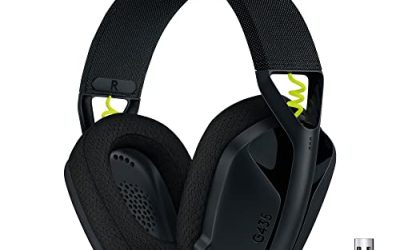
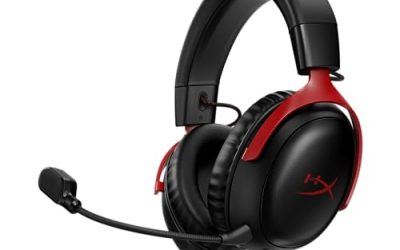
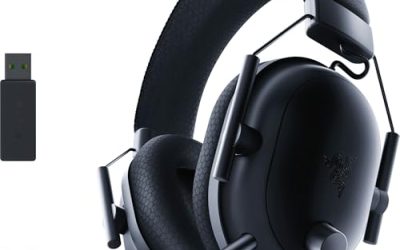
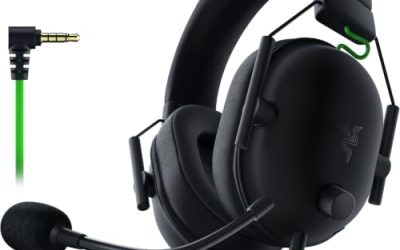
Our Top Picks
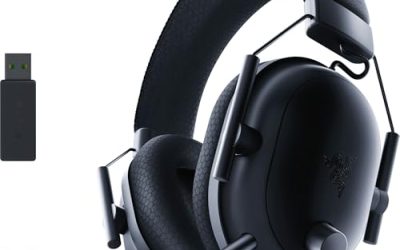
 Razer BlackShark V2 Pro Wireless Gaming HeadsetStandard6.47 x 3.9 x 7.5 inches0.73 poundsCheck on Amazon
 Logitech G PRO X 2 Lightspeed Wireless GamingWireless3.74 x 6.92 x 7.44 inches0.76 poundsCheck on Amazon
 SteelSeries Arctis Nova 7 Wireless Multi-Platform Gaming HeadsetOne Size7.85 x 6.6 x 3.41 inches0.7 poundsCheck on Amazon
As an Amazon Associate, we earn from qualifying purchases made through links on this page.
Discord is where most PC and console gaming conversations now happen, and in a busy voice channel the weakest link is almost never the app. It is the microphone in front of your mouth. Discord applies its own noise suppression, echo cancellation and automatic gain control to whatever signal it receives, but no amount of processing can recover detail that a small, poorly placed capsule never captured in the first place. A headset that sounds fine for the occasional in-game call can fall apart in a crowded server, where keyboard noise, a desk fan and three people talking over each other all compete with your voice.
That is why this roundup judges headsets microphone-first. Every pick below has a proper boom microphone rather than a beamforming array hidden in an earcup, and each one adds something specific for voice chat: a manufacturer-certified Discord model, a wideband mic capsule that captures more of your natural voice, software tuning built for speech, or a dual-wireless connection that lets you take Discord calls on your phone while your game audio stays on the PC. All five are gaming headsets first, chosen for people who live in voice channels rather than meeting rooms. If your day is Zoom calls instead of raid nights, a dedicated office headset is a different tool; this list is for Discord.
What to look for in a headset for Discord
Microphone design matters more than driver size. A detachable or retractable boom places the capsule a few centimetres from your mouth, which is what gives your voice presence and keeps room noise down. Look at the pickup pattern and frequency range the manufacturer publishes: a unidirectional or cardioid capsule rejects sound from the sides and rear, and a mic that captures a wider band of frequencies, up to 10 kHz on the wideband models here, sounds noticeably more natural than the narrow telephone-style band older headsets use. Discord transmits voice in high quality by default, so a better capsule genuinely reaches your friends’ ears.
Noise rejection and Discord’s own tools work together. Discord’s Krisp-powered noise suppression and echo cancellation clean up what your mic sends. A mic with hardware or software noise rejection on top of that, such as AI filtering in a companion app, means Krisp has less work to do and your voice survives with fewer artefacts. Mechanical help counts too: a mesh pop filter built into the capsule softens plosives before any software sees them.
Sidetone and mic monitoring stop you shouting. Sidetone feeds a little of your own voice back into the earcups so you can judge your volume. Closed-back headsets seal your ears, and without monitoring most people talk louder than they realise. Check whether the headset or its software includes sidetone or mic monitoring, and how finely it can be adjusted. A mute control you can find by touch, a flip-to-mute boom or an LED on the mic tip that shows you are muted, prevents the classic hot-mic moment.
Match the connection to where you actually use Discord. On PC, a low-latency 2.4 GHz USB dongle is the default choice and every wireless pick here includes one. For Discord on a phone, you need Bluetooth, and one model below can mix Bluetooth phone audio with 2.4 GHz game audio at the same time, which is the cleanest way to run Discord mobile alongside a console that lacks the app setup you want. PlayStation 5 has Discord voice built into the system software and works with USB dongle headsets; Xbox supports Discord voice through the Xbox app pairing route, and wireless headset support there depends on the specific model, so check the platform notes in each entry before assuming a dongle will work.
Comfort decides whether the mic stays near your mouth. Long sessions punish heavy headsets and weak clamping force. Weight, earcup material and headband design are listed for each pick, because a headset you push back on your head after an hour also moves the boom away from the position where it sounds best.
Razer BlackShark V2 Pro (2023): the widest-band microphone here
The 2023 edition of the BlackShark V2 Pro is built around its detachable Razer HyperClear Super Wideband microphone, and for Discord that microphone is the headline. It captures a frequency range of 100 Hz to 10 kHz with a 32 kHz sampling rate, far wider than a standard gaming mic, so voices come through with the low-end body and top-end clarity that make people easy to tell apart in a crowded channel. The unidirectional pickup pattern focuses on your mouth and rejects noise from behind the capsule, and through Razer Synapse you get mic equalisation, gain control and sidetone adjustment on PC.
The rest of the headset matches the brief: 50 mm TriForce Titanium drivers cover game audio, HyperSpeed 2.4 GHz wireless handles PC, PlayStation and Switch through the USB dongle, Bluetooth covers phone use, and the battery is specified for up to 70 hours. At roughly 320 grams with memory foam cushions, it stays comfortable through long sessions. The honest limitations for Discord users: the 2.4 GHz and Bluetooth connections cannot be mixed simultaneously, so you cannot hear game audio and a phone Discord call at once, and this edition does not connect wirelessly to Xbox consoles, where you would need the separate Xbox edition instead.
Best for: PC and PlayStation players who want the most natural, broadcast-style voice quality a wireless headset mic currently publishes specs for.
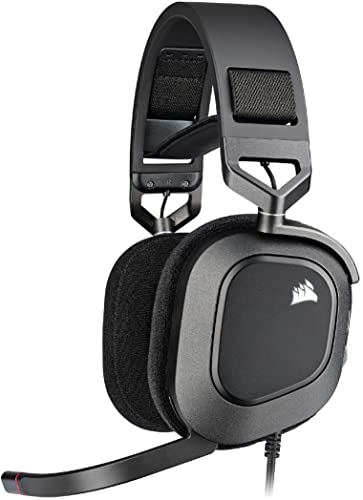
Corsair HS80 RGB USB: the Discord Certified wired pick
Corsair states plainly that the HS80 RGB USB is Discord Certified, which makes it the most literal answer to this keyword on the list. Certification means the headset passed Discord’s own audio testing for communication clarity, and the hardware backs it up: a broadcast-grade omnidirectional microphone on a flip-up boom, and 50 mm neodymium drivers with Dolby Audio 7.1 surround sound over its USB connection on PC. The mic is not detachable, but it flips up out of the way, and Corsair’s iCUE software provides the tools voice chat needs, including sidetone control, custom equaliser settings and pre-tuned audio profiles.
Because it is wired USB, there is no battery to manage and no wireless latency or dropouts to think about, which suits a fixed desk setup where Discord runs all evening. The aluminium frame and memory foam earcups are built for that kind of daily use. The limitations follow from the design: it is a PC headset, so console Discord is off the table, the omnidirectional capsule picks up more of the room than a unidirectional boom would (Discord’s noise suppression will earn its keep in a noisy space), and the fixed cable means your movement is limited to its length.
Best for: Desk-bound PC players who want the manufacturer-stated Discord certification and a broadcast-style mic with zero battery management.
Logitech G Pro X 2 Lightspeed: voice tuning with Blue VO!CE
The Pro X 2 takes a software-led approach to voice. Its detachable 6 mm cardioid boom microphone runs through Logitech’s Blue VO!CE technology in G HUB, which applies a chain of broadcast-style processing to your voice: noise reduction, a compressor to even out volume, a de-esser to tame harsh sounds, and preset filters tuned with professional players that you can customise and save. For Discord, that processing happens before the app receives your signal, so your voice arrives already levelled, which is exactly what a busy channel needs when you alternate between whispers and callouts.
Around the mic, the Pro X 2 uses 50 mm graphene drivers with DTS Headphone:X 2.0 surround, connects by Lightspeed 2.4 GHz wireless, Bluetooth or a 3.5 mm cable, and is specified for up to 50 hours of battery with a wireless range of up to 30 metres. Two sets of memory foam ear pads, leatherette and cloth, are included for different climates and preferences. Limitations: Blue VO!CE requires a Windows PC running G HUB, so console players get the raw microphone only, and like the Razer above there is no wireless path to Xbox. The wired 3.5 mm fallback at least keeps Discord on a phone or controller possible.
Best for: PC players who want to shape their voice with proper mic processing rather than relying on Discord’s automatic gain alone.
SteelSeries Arctis Nova 7: Discord on your phone, game on your PC
The Arctis Nova 7 solves a specific Discord problem better than anything else here: it connects to 2.4 GHz wireless and Bluetooth simultaneously and mixes the two, so you can run Discord on your phone while game audio comes from your PC, PlayStation or Switch, all in one headset. Its ClearCast Gen 2 microphone retracts fully into the earcup when you do not need it, uses a bidirectional noise-cancelling design, and on PC the SteelSeries Sonar software adds AI-powered noise rejection that strips out keyboard clatter and background noise before Discord hears it, along with a ChatMix dial for balancing game and chat volume.
Battery life is specified at up to 38 hours, with a fast charge that returns hours of use from a short USB-C top-up, and the 40 mm neodymium drivers support 360-degree spatial audio. The ski-goggle suspension headband keeps the roughly 325 gram frame comfortable, and the retracted mic gives it a clean look for video calls. Limitations: the strongest noise rejection and ChatMix live in Sonar on PC, so console-only players get a simpler feature set, and the bidirectional capsule is more sensitive to placement than a detachable boom; keeping it extended to the corner of your mouth matters for consistent level.
Best for: Players who keep Discord on their phone, especially console players, and anyone who wants game and chat volume on separate hardware controls.
HyperX Cloud III Wireless: the long-haul comfort pick

The Cloud III Wireless earns its place on endurance and a well-judged microphone. The detachable mic uses an enlarged 10 mm capsule with a built-in mesh filter that reduces plosives and disruptive sounds mechanically, and an LED on the mic shows when you are muted, a small detail that prevents a lot of talking-to-nobody in Discord. HyperX specifies up to 120 hours of battery life over its 2.4 GHz connection, which in practice means charging becomes a monthly habit rather than a nightly one, and the USB-C dongle with a USB-A adapter covers PC, PlayStation 5, PlayStation 4 and Switch.
Sound comes from 53 mm angled drivers with DTS Headphone:X spatial audio, and the memory foam headband and ear cushions with an aluminium frame continue the Cloud line’s comfort-first design at roughly 330 grams. The limitations are connectivity-related: there is no Bluetooth, so Discord on a phone means a wired model or a different pick, and there is no simultaneous mixing. Mic tuning also depends on in-app Discord settings rather than a deep software suite, so what the capsule captures is what your server gets, fortunately the capsule itself is a good one.
Best for: Players who prioritise comfort and battery above everything and spend their Discord time on PC or PlayStation.
Comparison table
| Headset | Microphone | Connection | Battery (manufacturer spec) | Platforms |
|---|---|---|---|---|
| Razer BlackShark V2 Pro (2023) | Detachable HyperClear Super Wideband, unidirectional, 100 Hz–10 kHz | 2.4 GHz dongle, Bluetooth | Up to 70 hours | PC, PlayStation, Switch, mobile |
| Corsair HS80 RGB USB | Fixed broadcast-grade omnidirectional boom, flip-up | Wired USB | None (wired) | PC |
| Logitech G Pro X 2 Lightspeed | Detachable 6 mm cardioid with Blue VO!CE processing | Lightspeed 2.4 GHz, Bluetooth, 3.5 mm | Up to 50 hours | PC, PlayStation, Switch, mobile |
| SteelSeries Arctis Nova 7 | Retractable ClearCast Gen 2, bidirectional, AI noise rejection via Sonar | 2.4 GHz and Bluetooth simultaneously | Up to 38 hours | PC, PlayStation, Switch, mobile |
| HyperX Cloud III Wireless | Detachable 10 mm with mesh filter and mute LED | 2.4 GHz dongle | Up to 120 hours | PC, PlayStation 5/4, Switch |
FAQ
Does Discord Certified actually matter?
It is a useful shortcut rather than a guarantee. A certified headset has passed Discord’s own checks for voice clarity and compatibility, which removes some guesswork, and the Corsair above carries that certification by name. Plenty of uncertified headsets sound excellent on Discord, though, because what reaches your friends is decided by the capsule, its placement and your input settings. Treat certification as one positive signal among several, not the whole decision.
Can I use these headsets for Discord on PlayStation or Xbox?
On PlayStation 5, Discord voice chat is built into the system, and the USB dongle models here work with the console directly. Xbox handles Discord voice through account linking and the Xbox interface, and wireless support depends on the individual headset: the standard editions of the Razer and Logitech picks do not connect wirelessly to Xbox, so Xbox players should look at the dedicated Xbox editions or use Discord on a phone with a Bluetooth model such as the Arctis Nova 7 mixed alongside.
Why do I sound quiet or distorted on Discord even with a good headset?
Usually it is settings, not hardware. Set the headset as both input and output device in Discord’s Voice and Video panel, run the mic check there, and if automatic input sensitivity keeps clipping your quieter speech, switch it off and set the threshold manually. Leave Discord’s noise suppression on unless your headset’s own software already cleans the signal, since stacking two aggressive noise removers can eat parts of words.
Is wired or wireless better for voice chat?
For voice itself, both are effectively equal on modern gear: a 2.4 GHz dongle connection adds no audible delay to chat, and Discord’s own network hop is far larger than anything the headset contributes. Wired removes charging and interference from the equation and suits a fixed desk, which is the HS80 RGB USB’s argument. Wireless wins when you move around, take Discord calls on your phone, or play on console from a sofa.
What should I check first if my friends say my mic sounds bad?
Boom position. The capsule should sit a couple of centimetres from the corner of your mouth, not directly in front of your lips and not pushed up by your cheek. Then confirm Discord is using the headset mic rather than a webcam or laptop microphone, which is the single most common cause of a sudden drop in quality.
Conclusion
For most Discord users, the Razer BlackShark V2 Pro (2023) is the strongest all-round choice because its wideband microphone captures the most natural voice and everything else about the headset supports long sessions. If your Discord lives on a PC desk and you want the certification in writing, the Corsair HS80 RGB USB is the direct pick, while the Logitech G Pro X 2 suits players who want broadcast-style control over how they sound. The SteelSeries Arctis Nova 7 is the answer for phone-based Discord and console play, and the HyperX Cloud III Wireless is the one to buy if comfort and a month between charges matter most. Whichever you choose, spend five minutes in Discord’s voice settings afterwards: the best microphone on this page still needs the right input device and sensitivity to do its job.
More from Amazon
Programs that pair well with the guide above. Offers and eligibility are set by Amazon and may change.
Free shipping on eligible items, Prime Video and more. Eligible new members can start with a free trial.
Start a Prime free trialAd-free music streaming. Eligible new subscribers can start with a free trial.
Try Music Unlimited freeA Prime membership for ages 18-24 with a trial period. Eligibility is set by Amazon.
See Prime for Young AdultsAudiobooks and podcasts to listen to on the go. Eligible new members can start with a free trial.
Try Audible freeAs an Amazon Associate we earn from qualifying purchases.