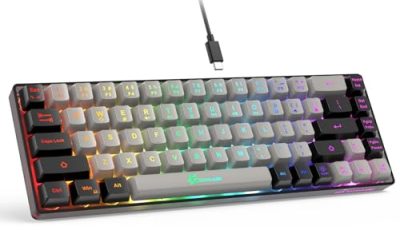
Key takeaways
- Looking for a keyboard for your Samsung Galaxy Note 4? This guide covers Bluetooth, keyboard-case and wired options that still work with the legacy phone.
As an Amazon Associate we earn from qualifying purchases.
The Samsung Galaxy Note 4 came out in 2014, and that age shapes every keyboard decision for it. The phone has a micro-USB port, an older version of Android, and Bluetooth that predates the low-energy profiles found in the newest accessories. A keyboard built only for a modern tablet may still pair, but it may also drop keys, ignore shortcuts, or refuse to connect at all. The real choice is not which keyboard looks newest, but which one speaks the Note 4’s language.
This guide is for people who still use a Note 4 every day, for writers who want a larger keyboard for long notes, for travellers who want a pocketable board, and for anyone keeping a second-hand Note 4 alive as a writing or messaging device. It explains the connection types that work, the layouts worth choosing, and the traps that waste money on accessories made for newer phones.
How to Choose
Start with the connection type
The Note 4 connects to keyboards in three ways. Bluetooth is the most flexible, because it needs no cable and works with almost any standard Bluetooth keyboard that supports the HID profile. A wired keyboard works through a USB OTG adapter in the micro-USB port, adding a cable and an adapter. Keyboard cases fit the phone exactly, but most are out of production and now appear only as old stock.
Bluetooth deserves the first look. It pairs through the phone’s settings and can be reused with a tablet or computer later. Before buying, check the listing for Bluetooth HID support, and avoid boards that need a companion app, because that app may no longer support the Note 4’s Android version.
Check the layout before the brand
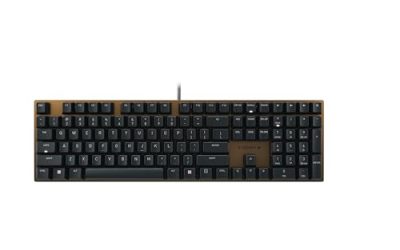
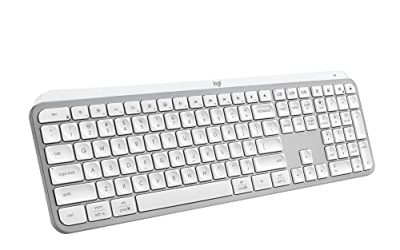
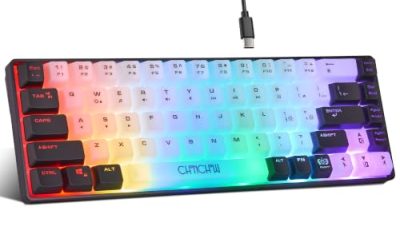
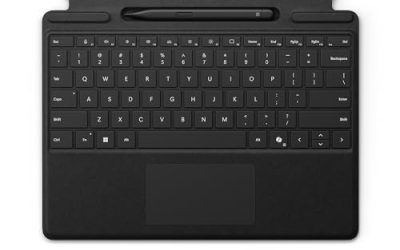
Layout decides whether a keyboard feels useful or frustrating on a phone screen. A compact board with no number pad keeps the setup small enough to carry with the phone, while a full-size board gives a familiar home row for long writing sessions. The Note 4’s screen is large for a phone of its era, but a board wider than the phone will still dominate a bag and a desk.
Look for dedicated arrow keys, because editing text without them means tapping the screen to move the cursor. Check the listing photos for the Enter, Backspace and Shift keys, and make sure they are full-size rather than shrunk to fit a cramped layout, since a small Enter key causes mistakes.
Match the keyboard to the Note 4’s Bluetooth
The Note 4 shipped with Bluetooth 4.1, which is old enough that some very new keyboards assume features it does not have. Most standard Bluetooth keyboards still work, because the HID profile they use has barely changed, but boards that depend on Bluetooth Low Energy only, or on a maker’s own wireless protocol, may not connect. A keyboard that lists classic Bluetooth alongside low-energy mode is a safer bet.
Pairing behaviour matters as much as the version number. A good board pairs once and reconnects when switched on, without asking for a code every time. If the board has a channel switch, learn which key selects the Note 4’s channel before the first trip, and test the connection at home.
Think about power and portability
A keyboard for a phone should be easy to carry and easy to keep charged, or it will stay at home. Rechargeable boards need a cable that matches what the owner already carries, and a board that charges over micro-USB is convenient here, because the Note 4 itself uses micro-USB. Boards that run on disposable batteries last for months on one set, which suits occasional use.
Weight and thickness decide whether the keyboard travels with the phone or gets left behind. A slim board slips into a bag beside the phone, while a heavy mechanical board turns a portable setup into a desk setup. Foldable keyboards collapse to pocket size and suit travellers, though their split layouts take practice.
Keyboard Types That Still Work With the Note 4
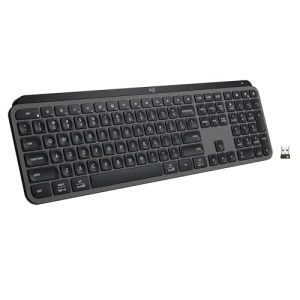
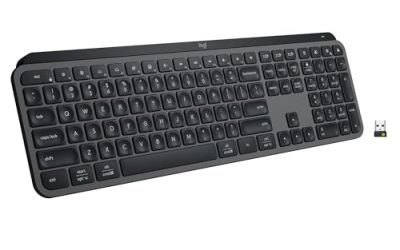
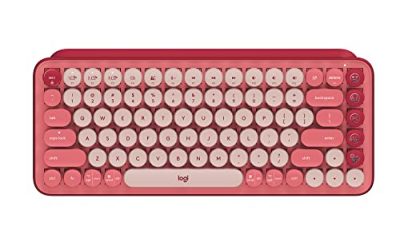
Bluetooth keyboards are the broadest category, and they divide into compact travel boards, full-size desktop boards, and foldable boards. Compact boards suit the Note 4 best, because they match the phone’s portable role and usually pair without extra software. Full-size boards suit a desk, where the phone sits in a stand and the keyboard stays put. Foldable boards sit in between, collapsing small for a bag and opening to a near-full layout, though their key travel is often shallow and their hinges need gentle handling.
Keyboard cases are the most phone-specific option. When the Note 4 was current, several makers sold cases with a built-in sliding or clip-on keyboard that turned the phone into a tiny laptop. Those cases fit the Note 4 exactly, which no universal board can match, but they are hard to find new today, and a case bought second-hand may have a worn battery or a damaged connector. A universal Bluetooth board is usually the better buy now, unless the buyer specifically wants the integrated case form and accepts the risk of old stock.
Wired keyboards connect through a USB OTG adapter, and this route has one clear advantage: it cannot suffer Bluetooth interference or pairing failures. A standard wired USB keyboard works as soon as it is plugged in, with no battery to charge and no settings to adjust. The drawback is the cable and the adapter, which add bulk and occupy the charging port while typing. This route suits a home desk, where the phone charges through a separate dock or where typing sessions are long and uninterrupted, rather than a train or a cafe.
Bluetooth Basics for the Note 4
Pairing a Bluetooth keyboard with the Note 4 follows the same steps as any Bluetooth accessory, but a few details catch first-time buyers out. The keyboard must be put into pairing mode first, usually by holding a Bluetooth key until a light blinks, and then the phone’s Bluetooth settings will list it. Some keyboards ask for a code typed on the keyboard itself, which is normal, while others pair with no code at all. If the phone cannot see the keyboard, the usual cause is that the board is already paired with another device, so it must be disconnected there first.
Once paired, the Note 4 treats the keyboard as its main text input, and the on-screen keyboard usually hides itself while the physical board is connected. This is convenient for writing, but it can confuse owners who expect the touch keyboard to appear. Disconnecting or switching the board off brings the on-screen keyboard back. Android shortcuts also behave differently from a computer: the Home key returns to the home screen, and some app shortcuts that work on a tablet may do nothing on the Note 4’s older Android version. Testing the handful of shortcuts the owner actually uses, rather than assuming a full desktop set, avoids disappointment.
Battery behaviour is another point worth checking. Bluetooth keyboards sip power, and a board that lasts months on one charge is common, but the phone’s own battery is the real limit during long sessions, since the screen stays on while typing. A portable charger or a desk stand with a charging cable keeps the Note 4 alive through a long document. Owners should also remember that Bluetooth range is short, so the keyboard and phone need to stay within a few steps of each other, and thick walls or a crowded wireless environment can cause missed keystrokes.
Which One Fits Your Situation
Daily writing on a phone that still works
A compact Bluetooth keyboard is the best match for someone who writes notes, emails, or documents on the Note 4 every day. It is light enough to carry, pairs without a cable, and leaves the micro-USB port free for charging while typing. Choose a board with full-size letter keys and dedicated arrow keys, and pair it with a simple phone stand so the screen sits at a readable angle.
Travel and short messages on the move
A foldable Bluetooth keyboard suits travellers who type in short bursts between stops. It folds small enough for a jacket pocket or a small bag, opens quickly, and needs no cable or adapter. The trade-off is a layout that takes a few days to learn, with keys that may be slightly smaller or arranged differently. Practise at home first, and keep the board charged before a trip.
A fixed desk setup at home
A wired keyboard through a USB OTG adapter is the most reliable choice for a desk where the Note 4 stays in one place. There is no pairing to fail, no keyboard battery to charge, and no wireless interference from nearby devices. The cable and adapter stay on the desk, the phone sits in a stand, and typing feels like using a small computer.
Keeping the original phone-and-case feel
A keyboard case is the right pick only for owners who want the Note 4 and its keyboard in one object, with nothing extra to carry. The case protects the phone, holds the keyboard in place, and opens ready to type. The risk is availability: these cases were made for a phone from 2014, so a new one is rare, and an old one may have a tired battery or a loose hinge.
Common Mistakes
- Buying a keyboard made for a newer Samsung phone with a USB-C port, then discovering it cannot connect to the Note 4’s micro-USB port without an adapter that may not exist.
- Choosing a keyboard that needs a companion app to pair or to remap keys, only to find the app no longer supports the Note 4’s Android version.
- Picking a board with no arrow keys, which makes editing text on the phone slow, because every cursor move then needs a screen tap.
- Ordering a keyboard case labelled for the wrong Galaxy Note model, since the Note 4, Note 5, and Note 8 have different sizes and button positions.
- Ignoring battery and charging needs, such as a rechargeable board with a cable the owner does not carry, or a board that arrives flat and cannot be tested on arrival.
Frequently Asked Questions
Does the Galaxy Note 4 work with Bluetooth keyboards?
Yes, the Note 4 works with standard Bluetooth keyboards that support the HID profile, which is the profile almost all wireless keyboards use for basic typing. Pair the board through the phone’s Bluetooth settings, and the on-screen keyboard will usually hide while the physical board is connected. Boards that need a companion app may not work, so check for HID support before buying.
Can I use a wired keyboard with the Note 4?
Yes, a standard wired USB keyboard works through a USB OTG adapter plugged into the Note 4’s micro-USB port. The phone recognises the keyboard as soon as it is connected, with no pairing and no battery to charge. The adapter occupies the charging port while typing, so this route suits a desk setup better than travel, and a separate dock or charger is useful for long sessions.
Do keyboard cases for the Note 4 still exist?
Keyboard cases made specifically for the Note 4 do exist, but they are hard to find new, because they were produced when the phone was current. Most listings now are old stock or second-hand, and their batteries or hinges may be worn. A universal Bluetooth keyboard is usually the safer buy, unless the owner specifically wants the integrated case form and accepts the risk of an older accessory.
Why do some keys not work on my Note 4 keyboard?
Some keys send codes that the Note 4’s older Android version does not recognise, especially media keys, app-launch keys, and function keys mapped by a companion app. Basic letters, numbers, Enter, Backspace, Shift, and arrow keys should work on any standard board. If a shortcut fails, test it in a different app first, since some apps ignore keys that others accept.
FAQ
Does the Galaxy Note 4 work with Bluetooth keyboards?
Can I use a wired keyboard with the Note 4?
Do keyboard cases for the Note 4 still exist?
Why do some keys not work on my Note 4 keyboard?
More from Amazon
Programs that pair well with the guide above. Offers and eligibility are set by Amazon and may change.
Free shipping on eligible items, Prime Video and more. Eligible new members can start with a free trial.
Start a Prime free trialAd-free music streaming. Eligible new subscribers can start with a free trial.
Try Music Unlimited freeA Prime membership for ages 18-24 with a trial period. Eligibility is set by Amazon.
See Prime for Young AdultsAudiobooks and podcasts to listen to on the go. Eligible new members can start with a free trial.
Try Audible freeAs an Amazon Associate we earn from qualifying purchases.