Key takeaways
- Ryzen 9 7950X3D: sixteen cores with 3D V-Cache for gaming, and a lower rated power than the 7950X.
- Ryzen 7 7800X3D: eight cores, widely reported by reviewers as a top gaming choice at a more moderate power level.
- Core i7-13700KF: a cheaper tier in the same Intel family for gamers who do not need 24 cores.
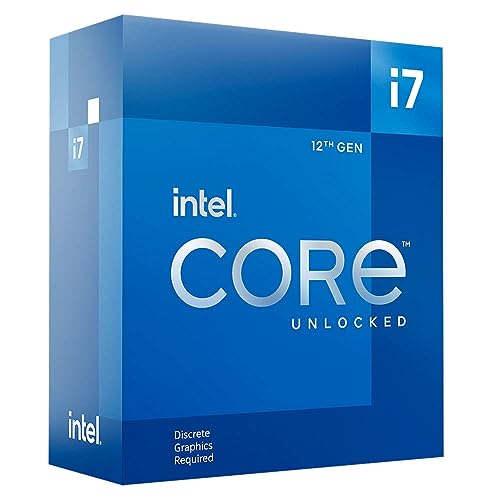
The Core i9-13900KF is the same 24-core Raptor Lake processor as the 13900K with the integrated graphics switched off, so it competes with the Ryzen 9 7950X as a gaming and workstation chip that always needs a separate graphics card. Choose the 7950X for a DDR5-only AM5 build with a longer upgrade path; choose the 13900KF if you want more total cores and the option of a DDR4 board on LGA1700.
What the “F” means
Intel’s F suffix marks a processor without integrated graphics. The 13900KF keeps the same cores, cache and clock speeds as the 13900K but has no display output from the CPU. That has two practical consequences. First, you must install a graphics card before the PC will show anything on screen, which also removes the option of using motherboard video outputs for troubleshooting. Second, you lose Intel’s built-in video engine, which some creators use for hardware video encoding and decoding features. The Ryzen 9 7950X, by contrast, includes a small Radeon graphics block that is useful for diagnostics, though not for gaming.
Comparison table
| Item | Ryzen 9 7950X | Core i9-13900KF |
|---|---|---|
| Cores / threads | 16 / 32 | 24 / 32 (8 performance, 16 efficiency) |
| Maximum boost | Up to 5.7 GHz | Up to 5.8 GHz on performance cores |
| Base clock | 4.5 GHz | 3.0 GHz (performance), 2.2 GHz (efficiency) |
| Cache | 64 MB L3, 16 MB L2 | 36 MB Smart Cache, 32 MB L2 |
| Power rating | 170 W TDP | 125 W base, 253 W maximum turbo |
| Socket | AM5 | LGA1700 |
| Memory | DDR5 | DDR5 or DDR4 |
| Integrated graphics | Yes, basic Radeon | None |
These numbers are the makers’ published figures. Boost speeds are best-case values that depend on cooling, board power limits and workload.
Gaming class and resolution
Reviewers who tested both Zen 4 and Raptor Lake flagships report the two as roughly equal in games, trading wins by title. Differences are most visible at 1080p with a top graphics card, where the processor is the limit. At 1440p and 4K the graphics card does most of the limiting, and either chip delivers essentially the same experience. The 13900KF should perform the same as the 13900K in games, since the missing graphics block does not affect the CPU cores.
No frame-rate figures are listed here because they change with the game version, graphics card, memory and BIOS, and because any number copied from a launch-day chart can be out of date.
Pick by situation
| Situation | Pick | Reason |
|---|---|---|
| You already own a DDR4 LGA1700 board | 13900KF | Drops straight in after a BIOS update, keeps your memory |
| You already own an AM5 board | 7950X | No platform change needed |
| Fresh build, wants future CPU upgrades | 7950X | AM5 supports later Ryzen generations |
| You will never use integrated graphics | 13900KF | F models are sold for gaming rigs that always use a graphics card |
| You like a spare video output for diagnostics | 7950X or the non-F 13900K | Lets you test the system before installing a graphics card |
| Streaming with a software encoder | Either | Both have 32 threads; efficiency cores handle background tasks on Intel |
Power, heat and cooler planning
Both chips are designed to boost aggressively and will use all the cooling you give them. The 13900KF has a maximum turbo power of 253 W; the 7950X can draw up to 230 W at its socket. For either chip, a 280 mm or 360 mm liquid cooler or a large dual-tower air cooler is the usual advice from reviewers, together with a case that has strong airflow. If noise matters, lowering the power limit in the BIOS usually reduces heat for a small performance cost in games, because games rarely use every core at full tilt. BIOS changes and overclocking can affect stability and may affect warranty coverage, so make small changes and follow the motherboard manual.
Instability notice for Intel unlocked chips
Intel has acknowledged instability reports affecting some 13th and 14th generation unlocked desktop processors and released microcode updates distributed through motherboard BIOS releases. If you choose the 13900KF, install the latest BIOS from your board maker, keep power limits at Intel’s recommended profile instead of “unlimited” presets, and contact Intel or the seller about warranty if crashes happen at stock settings. This is a firmware matter and not specific to the F version.
Upgrade logic
- Decide the platform first. Intel’s LGA1700 is the end of that socket line, so a 13900KF is a top-end finish, not a stepping stone.
- Match memory. A DDR5 kit works on both platforms with matching boards; DDR4 works only on Intel DDR4 boards.
- Budget for the cooler and power supply before the processor. A flagship CPU on a weak cooler loses much of its boost.
- Add the graphics card. With the 13900KF this step is mandatory on day one.
- Update the BIOS before installing Windows, and then install the chipset driver from the board maker.
Alternatives
- Ryzen 9 7950X3D: sixteen cores with 3D V-Cache for gaming, and a lower rated power than the 7950X.
- Ryzen 7 7800X3D: eight cores, widely reported by reviewers as a top gaming choice at a more moderate power level.
- Core i7-13700KF: a cheaper tier in the same Intel family for gamers who do not need 24 cores.
Mistakes to avoid
- Buying an F processor without a graphics card ready. The PC will not display anything.
- Assuming the F chip is slower. It is not; only the graphics block is absent.
- Choosing a flagship chip for a 4K-only setup, where the graphics card carries most of the load.
- Mixing a DDR4 CPU plan with a DDR5 board, or the reverse. The board decides.
Setting up either chip sensibly
Whichever processor you choose, the first hour of setup shapes the result. Update the motherboard BIOS before installing the operating system, because new chips often need the latest firmware to run correctly. Enable the memory profile (EXPO on AMD boards, XMP on Intel boards) so DDR5 runs at its rated speed instead of a slow default. Install the chipset driver from the board maker, and use the Windows balanced or high-performance power plan as the board maker advises. Leave voltage and power limits at default until the system is stable, then change one setting at a time. If the PC fails to start after a BIOS change, clear the CMOS using the method in the motherboard manual, and contact the maker if problems persist.
Frequently Asked Questions
Is the 13900KF slower than the 13900K?
No. The maker lists the same core configuration and clock speeds for both; the only difference is the missing integrated graphics. Gaming performance with a discrete card should be the same.
Can I boot a PC with a 13900KF and no graphics card?
No, there is no video output from the CPU. You need a dedicated graphics card connected to a monitor. Keep an older graphics card around for troubleshooting if you want a fallback.
Does the 7950X have integrated graphics?
Yes, the Ryzen 7000 desktop processors include a small Radeon graphics unit. It handles desktop display and basic tasks but is not meant for modern gaming.
Which is better for streaming and gaming together?
Both have 32 threads and handle the combination well. Using the graphics card’s hardware encoder reduces CPU load for either processor.
Do I need DDR5?
For the 7950X, yes. For the 13900KF, it depends on the motherboard, because the processor works with DDR5 or DDR4 but each board supports only one type.
Is it worth buying a flagship for gaming only?
Often not. Reviewers commonly report that mid-range chips come close in games, so the flagship makes more sense if you also do heavy multi-threaded work.
FAQ
Is the 13900KF slower than the 13900K?
Can I boot a PC with a 13900KF and no graphics card?
Does the 7950X have integrated graphics?
Which is better for streaming and gaming together?
Do I need DDR5?
Is it worth buying a flagship for gaming only?
More from Amazon
Programs that pair well with the guide above. Offers and eligibility are set by Amazon and may change.
Free shipping on eligible items, Prime Video and more. Eligible new members can start with a free trial.
Start a Prime free trialAd-free music streaming. Eligible new subscribers can start with a free trial.
Try Music Unlimited freeA Prime membership for ages 18-24 with a trial period. Eligibility is set by Amazon.
See Prime for Young AdultsAudiobooks and podcasts to listen to on the go. Eligible new members can start with a free trial.
Try Audible freeAs an Amazon Associate we earn from qualifying purchases.