Key takeaways
- Intel Core i5-2500 and i7-3770: these are quad-core desktop chips from the Sandy Bridge and Ivy Bridge generations. Any current Ryzen 5, Core i5 or better processor outperforms them by a wide margin, and even budget current chips are generally stronger.
- GeForce GTX 470 and GTX 950: a GTX 470 is a 2010 card and a GTX 950 is a 2015 card. Today’s budget graphics cards, including Nvidia’s GeForce RTX 50 series entry models and AMD’s Radeon RX 9000 series, are well beyond both.
- 2 GB versus 8 GB of RAM: the minimum of 2 GB is impractical on a modern Windows 10 or 11 installation, since the operating system alone uses much of it. Treat 8 GB as the real working figure.
- 34 GB of storage: this is the largest figure on the sheet and the one most likely to catch people out on small drives.
Okami HD lists a 64-bit Windows 10 system, an Intel Core i5-2500 and a GeForce GTX 470 as the minimum, and an Intel Core i7-3770, 8 GB of RAM and a GeForce GTX 950 as the recommended setup, with 34 GB of free storage in both cases. Those are 2017 parts, so nearly any gaming PC built in the last several years clears the recommended tier, and the more interesting questions are about frame rate, resolution and a few quirks of the port.
Short answer: can my PC run Okami HD?
If you have a 64-bit Windows 10 or later machine, a quad-core processor from the last decade, 8 GB of memory and any discrete graphics card at or above the GeForce GTX 950 class, you meet the recommended listing. Capcom published the game on Steam in December 2017, and the requirements have not changed to reflect newer hardware. Current entry-level cards such as the GeForce RTX 5050 or 5060 class and the Radeon RX 9060 class are far above what the page names, and recent integrated graphics may also be enough for the minimum, although Capcom does not say so.
Published requirements side by side
| Component | Minimum (as published) | Recommended (as published) |
|---|---|---|
| Operating system | Windows 10, 64-bit required | Windows 10, 64-bit required |
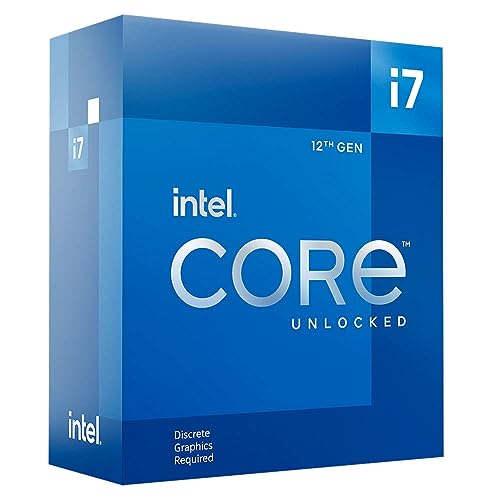
| Processor | Intel Core i5-2500, 3.3 GHz | Intel Core i7-3770, 3.4 GHz |
| Memory | 2 GB RAM | 8 GB RAM |
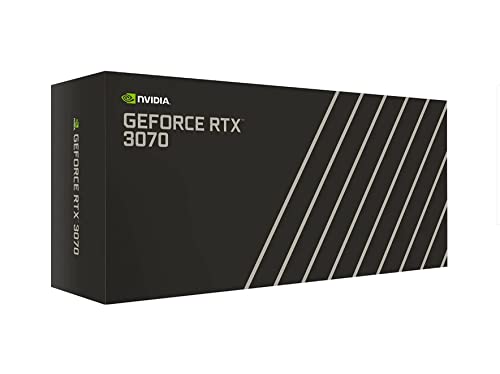
| Graphics | NVIDIA GeForce GTX 470 | NVIDIA GeForce GTX 950 |
| DirectX | Version 11 | Version 11 |
| Storage | 34 GB available | 34 GB available |
| Sound | DirectSound compatible, DirectX 9.0c or higher | DirectSound compatible, DirectX 9.0c or higher |
The listing also states that a 64-bit processor and operating system are required. Only Nvidia cards are named for graphics, but that does not mean AMD or Intel hardware is blocked; it is simply how the 2017 listing was written. A card with comparable DirectX 11 capability is what the entry implies.
What these parts mean today
- Intel Core i5-2500 and i7-3770: these are quad-core desktop chips from the Sandy Bridge and Ivy Bridge generations. Any current Ryzen 5, Core i5 or better processor outperforms them by a wide margin, and even budget current chips are generally stronger.
- GeForce GTX 470 and GTX 950: a GTX 470 is a 2010 card and a GTX 950 is a 2015 card. Today’s budget graphics cards, including Nvidia’s GeForce RTX 50 series entry models and AMD’s Radeon RX 9000 series, are well beyond both.
- 2 GB versus 8 GB of RAM: the minimum of 2 GB is impractical on a modern Windows 10 or 11 installation, since the operating system alone uses much of it. Treat 8 GB as the real working figure.
- 34 GB of storage: this is the largest figure on the sheet and the one most likely to catch people out on small drives.
The frame rate and resolution caveat
Hardware strength is not the bottleneck in this port, and that is worth knowing before spending money. PC Gamer’s review reports a range of resolutions up to 4K on capable hardware, plus V-sync, but little else in the options. Anime News Network and PCGamingWiki both note that the frame rate is capped at 30 FPS, even at 4K. Destructoid reports that collision detection and animation speeds break at higher frame rates, which is the usual explanation for the cap in console-era engines. PCGamingWiki mentions a community tool called the OKAMI Advanced Configurator for people who want to go beyond the cap, and it lists a separate HDR tool as well. Using unofficial tools can cause instability and is done at the player’s own risk, so read each tool’s own documentation first.
One review, from Gaming Nexus, claims 4K at near 60 FPS with hitches, which conflicts with the other sources; treat it with caution. No FPS benchmark tables for specific graphics cards were found in the sources used here, so none are quoted.
Practical hardware tiers
| Target | Hardware class | Basis |
|---|---|---|
| Meet the minimum | Quad-core CPU, DirectX 11 graphics at GTX 470 class, 34 GB free | Capcom’s page |
| Meet the recommended | i7-3770 class CPU, 8 GB RAM, GTX 950 class GPU | Capcom’s page |
| 1080p with room to spare | Any current entry-level discrete card or strong integrated graphics | General reading of the listing; no published FPS data |
| 4K output | A current mid-range card is a sensible choice for the display load | The port supports 4K per PC Gamer; the cap stays at 30 FPS per PCGamingWiki |
Storage, drives and install size
The 34 GB figure applies to both tiers. The page does not state that an SSD is required, so a hard drive meets the listing. A solid-state drive generally reduces load times in any game, but that is a general benefit, not a Capcom statement. Leave extra headroom beyond 34 GB for save data, updates and Windows temporary files, especially on a drive that is already close to full.
Laptops, handhelds and Steam Deck
The Steam page does not state a Steam Deck rating in the text used here, and no laptop guidance is published. Anyone considering a handheld should check Valve’s own compatibility listing for the game, since ratings can change after updates. On a laptop, the practical advice is to make sure the game runs on the discrete GPU if the system has two graphics chips and to keep the machine plugged in during long sessions.
Common mistakes
- Buying a faster card to chase 60 FPS. The port is capped at 30 FPS according to PCGamingWiki and Anime News Network, so a stronger GPU will not change that by itself.
- Running 32-bit Windows. Capcom states a 64-bit operating system is required.
- Overlooking disk space. 34 GB is large for a game of this age.
- Reading 2 GB of RAM literally. Modern Windows needs more headroom, so treat 8 GB as the practical figure.
- Using unofficial frame rate mods without reading the risks. Community patches can introduce animation and collision problems, which the cap was likely put in place to avoid.
- Expecting upscaling options. The sources reviewed describe a basic options menu, and none mention DLSS or FSR support in this game.
Which setup suits which player
| If you are… | Then |
|---|---|
| On a gaming PC from the last five years | You almost certainly exceed the recommended specification |
| On an older office PC with integrated graphics | Compare the graphics chip against GTX 470 class; results are not guaranteed since Capcom names only Nvidia cards |
| Playing on a 4K television | Expect the game to output 4K but remain locked at 30 FPS |
| Short on drive space | Clear at least 34 GB first |
| Wanting higher frame rates | Read the community tool documentation and accept the stability risk |
Frequently Asked Questions
What are the minimum system requirements for Okami HD on PC?
Capcom lists Windows 10 (64-bit), an Intel Core i5-2500 at 3.3 GHz, 2 GB of RAM, a GeForce GTX 470, DirectX 11 and 34 GB of free storage. A DirectSound compatible sound device is also listed.
What does the recommended tier add?
The recommended listing raises the processor to an Intel Core i7-3770 at 3.4 GHz, the memory to 8 GB and the graphics card to a GeForce GTX 950. The operating system, DirectX version and storage figure stay the same.
Does Okami HD run at 60 FPS on PC?
PCGamingWiki and Anime News Network report the frame rate is capped at 30 FPS, including at 4K. A community configurator tool is mentioned for going further, but it is unofficial and can cause problems.
Does the game support 4K?
PC Gamer reports resolutions up to 4K on capable hardware. One Steam user reported not being able to select above 1080p on a 4K display, so it can depend on setup.
Do I need an Nvidia card?
Capcom names only Nvidia cards, but the listing is a 2017 convention and not a vendor lock. A DirectX 11 graphics card of similar or greater capability is the practical requirement, and community reports would be the best source for any AMD or Intel issue.
Does it support DLSS or FSR?
None of the sources reviewed mention DLSS or FSR for this game, and the options menu is described as basic. Do not plan around upscaling support.
FAQ
Short answer: can my PC run Okami HD?
What are the minimum system requirements for Okami HD on PC?
What does the recommended tier add?
Does Okami HD run at 60 FPS on PC?
Does the game support 4K?
Do I need an Nvidia card?
Does it support DLSS or FSR?
More from Amazon
Programs that pair well with the guide above. Offers and eligibility are set by Amazon and may change.
Free shipping on eligible items, Prime Video and more. Eligible new members can start with a free trial.
Start a Prime free trialAd-free music streaming. Eligible new subscribers can start with a free trial.
Try Music Unlimited freeA Prime membership for ages 18-24 with a trial period. Eligibility is set by Amazon.
See Prime for Young AdultsAudiobooks and podcasts to listen to on the go. Eligible new members can start with a free trial.
Try Audible freeAs an Amazon Associate we earn from qualifying purchases.