Key takeaways
- Gamer with a discrete GPU and a decent cooler: either works; the i7-12700KF gives extra performance cores and tuning room.
- Quiet, compact or budget build: the i5-13600, thanks to its lower power draw and simpler cooling needs.
- Builder who may sell or reuse the PC without a GPU: the i5-13600, because built-in graphics let the system boot and run on its own.
- Streamer or creator: the i7-12700KF, with more performance cores for encoding and exports. Note that built-in graphics also offer video-encoding blocks on the other chip, so streamers should weigh that too.
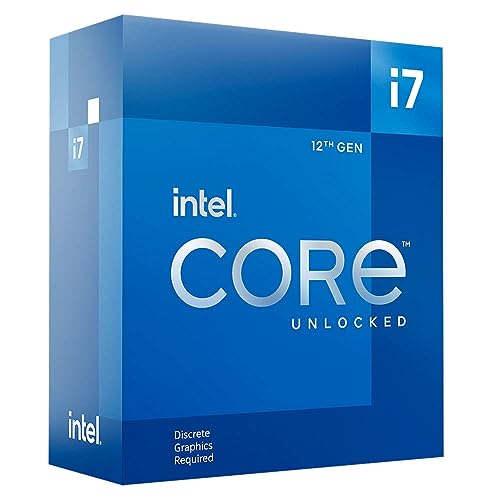
The Core i7-12700KF is the pick if you want an unlocked chip with eight performance cores and plan to use a dedicated graphics card, while the Core i5-13600 is the pick if you want similar gaming class at a much lower power draw and with built-in graphics as a backup. The “F” in 12700KF matters: it means the processor has no integrated graphics, so it cannot display anything without a graphics card installed.
What the letters mean
Intel’s naming is the source of most confusion in this match-up. K means the multiplier is unlocked for overclocking. F means the integrated graphics are disabled or absent. The i5-13600 has neither letter, so it is locked and includes graphics. The i7-12700KF is unlocked and has no graphics. Everything else about the i7-12700KF matches the i7-12700K according to the maker’s listings.
| Item | Core i5-13600 | Core i7-12700KF |
|---|---|---|
| Generation | 13th Gen (Raptor Lake) | 12th Gen (Alder Lake) |
| Cores / threads | 14 / 20 | 12 / 20 |
| Core mix | 6 P-cores + 8 E-cores | 8 P-cores + 4 E-cores |
| Base power | 65 W | 125 W |
| Max turbo | About 5.0 GHz | About 4.9 to 5.0 GHz (sources differ) |
| Cache (L3) | 24 MB | 25 MB |
| Overclocking | Locked | Unlocked |
| Integrated graphics | UHD Graphics 770 | None |
| Socket | LGA 1700 | LGA 1700 |
Comparison sites cited here are third-party aggregators, and they disagree slightly on turbo numbers. Use the maker’s product pages for exact values.
Short verdict by buyer
- Gamer with a discrete GPU and a decent cooler: either works; the i7-12700KF gives extra performance cores and tuning room.
- Quiet, compact or budget build: the i5-13600, thanks to its lower power draw and simpler cooling needs.
- Builder who may sell or reuse the PC without a GPU: the i5-13600, because built-in graphics let the system boot and run on its own.
- Streamer or creator: the i7-12700KF, with more performance cores for encoding and exports. Note that built-in graphics also offer video-encoding blocks on the other chip, so streamers should weigh that too.
Performance class
Reviewers place these chips in the same upper-mid-range tier. The i7 has two more performance cores, which helps in tasks that scale across many threads and in games that use several heavy threads. The i5 is a newer design with more efficient cores, giving it the same 20 threads. One aggregated comparison puts the i7 about nine percent ahead overall, and another site’s scores differ by only a couple of points, so the gap is small and varies by workload. No frame-rate numbers are given here because they depend on the GPU, memory and game; look for benchmarks that match your graphics card.
Power and cooling
Here the i5-13600 has the clear advantage. A 65 W base rating means a smaller cooler, a lighter motherboard power stage and a smaller power supply are all workable. The i7-12700KF is a 125 W base chip that can draw much more with turbo enabled, so a larger air cooler or a liquid cooler suits it better. If you build in a small case, heat may decide the choice for you.
| Build type | Better fit | Reason |
|---|---|---|
| Small form factor | i5-13600 | Lower heat and cooler size |
| Full tower, tuned airflow | i7-12700KF | Cooling capacity is available |
| Office plus light gaming, no GPU yet | i5-13600 | Integrated graphics |
| Overclocking project | i7-12700KF | Unlocked multiplier |
Platform notes
- Both fit LGA 1700 motherboards. For the 13th-generation i5 on an older 600-series board, check the board maker’s CPU support list for the required BIOS version.
- The motherboard decides whether you use DDR4 or DDR5. The processor cannot mix them.
- Overclocking requires a board with an unlocked chipset such as a Z-series model, and it can void warranties and cause instability. Keep any changes conservative.
- A board with a solid power stage matters more for the 125 W K-type chip.
Which games and resolutions
At 1440p and 4K the graphics card tends to limit performance, so the processors behave similarly. At 1080p with a fast GPU the CPU matters more, and results vary game by game, with the i7 stronger in titles that use many threads and the i5 competitive elsewhere. Competitive shooters at very high refresh rates benefit from any strong modern chip; simulation and strategy games tend to reward core strength and cache.
Upgrade logic
- If you already have an LGA 1700 board, both are drop-in upgrades once the BIOS is current. Choose by power budget and cooling.
- If you are starting fresh, remember that the socket has no further generations beyond the 14th, so newer platforms offer a longer upgrade path.
- If you need to troubleshoot, keep a spare graphics card handy when buying the KF chip, since the lack of integrated graphics removes the easy fallback.
Common mistakes
- Buying the KF model without a graphics card. The PC will not display an image.
- Assuming 13th generation always beats 12th generation. The i7 tier has more performance cores.
- Choosing a K or KF chip and then using a basic cooler.
- Forgetting that locked i5 chips cannot be multiplier-overclocked.
- Overlooking the BIOS update on older boards.
Decision table
| Pick this if… | Choose |
|---|---|
| You want the lowest power and heat | Core i5-13600 |
| You want an unlocked multiplier | Core i7-12700KF |
| You want display output without a graphics card | Core i5-13600 |
| You edit video or stream with CPU encoding | Core i7-12700KF |
| You want a quiet mid-range gaming PC | Core i5-13600 |
Pairing with a graphics card
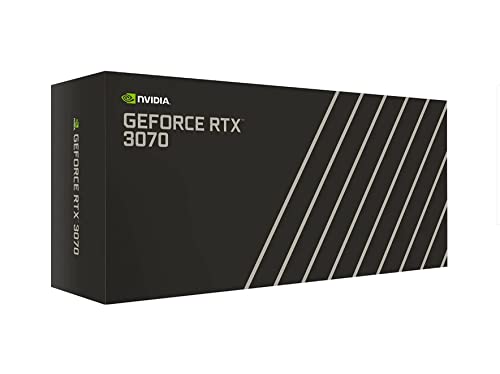
Because the KF has no integrated graphics, the graphics card is not optional, and the choice of card shapes how much the CPU matters. With a mid-range GPU at 1440p, both processors will leave the card as the bottleneck, so the cheaper and cooler i5-13600 is a sound pairing. With a flagship card at 1080p or in competitive titles at very high refresh rates, the extra performance cores of the i7 can help keep the card fed. Reviewers commonly advise matching tiers: an upper-mid-range CPU alongside an upper-mid-range or high-end GPU, rather than spending heavily on one and starving the other.
Memory and storage considerations
Memory support is set by the processor generation and the motherboard together. The maker lists DDR5 and DDR4 support for both families, but a given board accepts only one type. DDR5 boards cost more, and the gaming benefit is modest in many titles, so a well-tuned DDR4 kit can be a reasonable choice on a budget board. Whichever you choose, fill two memory slots to run dual-channel, since a single stick can reduce frame rates. For storage, either processor works with fast NVMe drives; the board decides how many are supported.
Frequently Asked Questions
What does the F in 12700KF mean?
It means the chip has no integrated graphics. You need a separate graphics card to get any video output.
Is the i7-12700KF faster than the i5-13600?
Slightly in many multithreaded workloads, since it has eight performance cores. Game results are close and depend on the title and the graphics card.
Can the i5-13600 be overclocked?
Not by multiplier, because it is locked. The KF chip is unlocked, but overclocking can void warranties and reduce stability.
Do both use the same motherboard?
Yes, both use LGA 1700. An older board may need a BIOS update for the i5-13600.
Which is cheaper to run?
The i5-13600, with a 65 W base power rating against the i7’s 125 W, generally draws less during gaming and heavy work.
Which is better in 2026?
Both are mature, value-oriented options on an end-of-line socket. Newer Intel and AMD platforms are worth comparing for a fresh long-term build.
FAQ
What does the F in 12700KF mean?
Is the i7-12700KF faster than the i5-13600?
Can the i5-13600 be overclocked?
Do both use the same motherboard?
Which is cheaper to run?
Which is better in 2026?
More from Amazon
Programs that pair well with the guide above. Offers and eligibility are set by Amazon and may change.
Free shipping on eligible items, Prime Video and more. Eligible new members can start with a free trial.
Start a Prime free trialAd-free music streaming. Eligible new subscribers can start with a free trial.
Try Music Unlimited freeA Prime membership for ages 18-24 with a trial period. Eligibility is set by Amazon.
See Prime for Young AdultsAudiobooks and podcasts to listen to on the go. Eligible new members can start with a free trial.
Try Audible freeAs an Amazon Associate we earn from qualifying purchases.