Key takeaways
- RTX 4080 Super: approximately 320 watts
- Ryzen 7 9800X3D during demanding CPU work: approximately 120 watts or less in many configurations
- Motherboard, memory, SSDs, fans, and USB devices: approximately 70–100 watts
- Estimated sustained gaming system load: roughly 450–550 watts
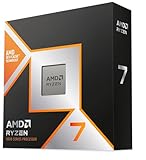
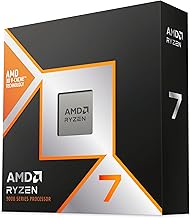
The best CPU to pair with an RTX 4080 Super for most gaming PCs is the AMD Ryzen 7 9800X3D; it delivers excellent high-refresh gaming performance, keeps power draw reasonable, and uses the long-lived AM5 platform. The Ryzen 7 7800X3D remains a strong value choice, while the Ryzen 9 9950X3D makes sense for demanding gaming-and-productivity systems.
Quick recommendations
| CPU | Best for | Typical CPU platform cost | Gaming power profile | Recommended resolution |
|---|---|---|---|---|
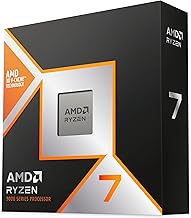
| Ryzen 7 9800X3D | Best overall gaming balance | $450–$650 for CPU, board, and 32GB DDR5 | Low to moderate | 1080p through 4K |
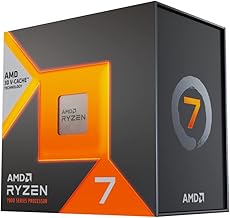
| Ryzen 7 7800X3D | Value-focused gaming builds | $350–$550, depending on board and memory | Low | 1440p and 4K |
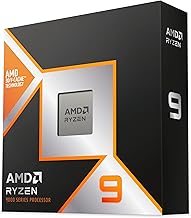
| Ryzen 9 9950X3D | Gaming plus rendering, coding, or streaming | $700–$950 | Moderate to high | High-refresh 1440p and 4K |
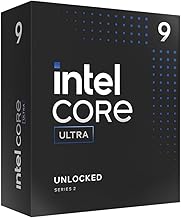
| Intel Core Ultra 9 285K | Intel-based productivity systems | $700–$950 for CPU, board, and memory | Moderate to high | 1440p and 4K |
| Ryzen 7 7700 or similar 8-core CPU | Lower-cost 4080 Super systems | $300–$500 for CPU, board, and memory | Moderate | 1440p and 4K |
Prices are broad market ranges and vary by region, promotions, motherboard choice, and whether the memory is included in a bundle. The RTX 4080 Super is fast enough that the right CPU depends heavily on resolution and refresh rate rather than the graphics card alone.
Why the Ryzen 7 9800X3D is the best overall match
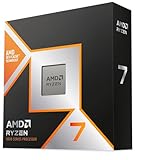
The Ryzen 7 9800X3D combines eight cores and 3D V-Cache with excellent gaming latency. That combination is particularly useful in CPU-sensitive games such as competitive shooters, large simulation games, strategy titles, and open-world games with busy cities or large multiplayer sessions.
At 1440p, the RTX 4080 Super can produce very high frame rates when ray tracing is disabled or carefully configured. A strong X3D processor helps maintain high average frame rates and, more importantly, better low-percentile performance when the game engine becomes CPU-limited. At 4K, the graphics card usually becomes the limiting component, so the 9800X3D is not essential for average frame rate, but it provides useful headroom for future games and high-refresh 4K monitors.
It is also a balanced choice for system builders who do not want an oversized CPU. Eight modern cores are enough for gaming, background applications, voice chat, recording, and ordinary streaming. Pair it with a capable air cooler or a quality 240 mm liquid cooler; an extreme cooling system is unnecessary for a gaming-focused build.
Ryzen 7 7800X3D: the value alternative
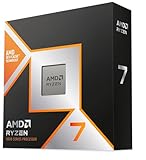
The Ryzen 7 7800X3D remains attractive when its total platform price is substantially lower than a newer X3D processor. It has eight cores, 3D V-Cache, and a relatively modest power requirement. In many 1440p and 4K gaming scenarios, the difference between it and a faster CPU is hidden by the RTX 4080 Super’s graphics workload.
Choose the 7800X3D when you are moving from an existing AM5 system, finding a discounted CPU-and-board bundle, or putting more of the budget toward a larger SSD, quieter cooling, or a better monitor. It is less compelling if its price approaches that of newer processors, or if you want the strongest possible performance in CPU-limited esports games.
The 7800X3D uses the AM5 platform, but it is based on an earlier AM5 CPU generation than the 9800X3D. Check motherboard BIOS support before buying a board that has been sitting in inventory.
When the Ryzen 9 9950X3D is worth it
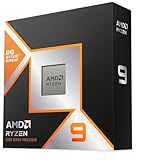
The Ryzen 9 9950X3D is the premium choice for someone who games and performs heavily threaded work on the same computer. Its additional cores can accelerate video encoding, 3D rendering, software compilation, virtual machines, and demanding content-creation workloads while retaining strong gaming performance.
For a gaming-only PC, its extra cores usually do not produce enough additional frame rate to justify the higher CPU and cooling cost. The RTX 4080 Super is normally limited by the GPU at 4K, and at 1440p the 9800X3D already provides the kind of gaming performance most players need. Select the 9950X3D when the computer has to be both a high-end workstation and a gaming machine.
Intel options: capable, but compare the whole platform
The Intel Core Ultra 9 285K is a valid pairing for users who prefer Intel features or need strong multicore performance. However, it should be compared as a complete platform rather than by processor price alone. Motherboard pricing, memory requirements, cooling, and sustained power consumption can change the value equation.
A high-end Intel system may draw considerably more power during prolonged all-core workloads than an eight-core X3D gaming system. That affects the power supply, case airflow, cooler size, fan noise, and electricity cost. For a gaming-first build, AMD’s X3D options are usually the simpler balanced choice. Intel becomes more attractive when application performance, connectivity, or an existing compatible platform matters more than maximum gaming efficiency.
Match the CPU to your resolution and refresh rate
| Gaming target | What limits performance | Recommended CPU class | Practical pairing |
|---|---|---|---|
| 1080p, 240–360Hz esports | Often CPU and game engine | Top gaming CPU with strong latency | Ryzen 7 9800X3D |
| 1440p, 144–240Hz | Mixed CPU/GPU limitation | Modern 8-core gaming CPU | 9800X3D or discounted 7800X3D |
| 4K, 120–165Hz | Usually GPU limitation | Efficient 8-core CPU | 7800X3D, 9800X3D, or Ryzen 7 7700 |
| Gaming plus rendering or compilation | CPU workload outside games | 12- to 16-core hybrid system | Ryzen 9 9950X3D or comparable high-core CPU |
Resolution changes the balance because rendering more pixels increases GPU work. A 4K image contains four times as many pixels as 1080p, while 1440p contains about 1.78 times as many. If a game is already running at the RTX 4080 Super’s limit, replacing a good eight-core CPU with a much faster model will not produce a proportional frame-rate increase.
Power supply and cooling calculations
The RTX 4080 Super has a board power around 320 watts, although short transient spikes and factory-overclocked cards can require additional headroom. A sensible system estimate looks like this:
- RTX 4080 Super: approximately 320 watts
- Ryzen 7 9800X3D during demanding CPU work: approximately 120 watts or less in many configurations
- Motherboard, memory, SSDs, fans, and USB devices: approximately 70–100 watts
- Estimated sustained gaming system load: roughly 450–550 watts
This does not mean a 550-watt power supply is appropriate. Add room for transient spikes, efficiency losses, aging, and future upgrades. A quality 850-watt ATX 3.x power supply is the sensible target for a 4080 Super gaming system. A 1000-watt unit is reasonable for a high-core-count CPU, aggressive power limits, several drives, or a heavily overclocked card.
For an X3D gaming build, a strong dual-tower air cooler is often sufficient. Choose a 240 mm or larger liquid cooler if the case has restricted airflow, the processor will perform sustained all-core work, or low noise is a priority. Cooling the CPU does not compensate for inadequate case ventilation: use at least two intake fans and one rear exhaust fan in a typical tower case.
Memory, motherboard, and platform costs
For AM5, use a motherboard with current BIOS support, two DDR5 memory modules, and a 32GB minimum capacity. DDR5-6000 memory with sensible latency is a common balanced target for Ryzen gaming systems, although stability and motherboard compatibility matter more than chasing a small specification difference. Choose 64GB if you run virtual machines, large creative applications, or heavily modded games.
A B650 or newer mainstream AM5 motherboard is normally enough for a single RTX 4080 Super. You do not need an expensive enthusiast board unless you require additional high-speed storage, expansion cards, unusual rear-panel connectivity, or extensive manual tuning. This is where the 7800X3D can become a particularly good value: savings on the platform can be redirected toward a faster display or larger storage.
Final buying decision
- Choose the Ryzen 7 9800X3D for the best all-around gaming match, especially at 1440p high refresh.
- Choose the Ryzen 7 7800X3D when it is meaningfully cheaper and your priority is 1440p or 4K gaming.
- Choose the Ryzen 9 9950X3D when gaming shares the system with serious rendering, encoding, compiling, or other multicore work.
- Choose a Ryzen 7 7700-class processor when the budget is tight and the system will mainly play GPU-intensive games at 4K.
- Choose the Core Ultra 9 285K when you specifically want Intel’s platform or your non-gaming applications favor it, but budget for stronger cooling and potentially higher power use.
For most buyers, the final answer is the Ryzen 7 9800X3D on a sensible AM5 motherboard with 32GB of DDR5 and an 850-watt ATX 3.x power supply. It avoids a meaningful CPU bottleneck without wasting money on workstation-class cores that the RTX 4080 Super cannot fully exploit during ordinary gaming.