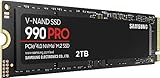
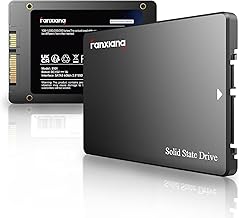
PCIe Gen 5 SSDs represent the current pinnacle of consumer storage, delivering sequential read speeds that were unthinkable just a few years ago. With drives now pushing toward 15,000 MB/s, a Gen 5 SSD can slash load times, accelerate massive file transfers, and keep pace with the AI workloads, 4K video editing, and next-gen game engines that punish slower storage. If your motherboard has a spare Gen 5 M.2 slot, this is where you unlock its full potential.
That said, raw sequential numbers only tell part of the story. Thermals, controller efficiency, endurance, and random performance all shape the real-world experience. Below we cover what to look for, then review the fastest and most reliable Gen 5 drives you can buy in 2026, along with a Gen 4 alternative for anyone weighing value against bleeding-edge speed.
Our top picks
 WD_Black SN8100 2TB NVMe SSD
- This product has been replaced by our latest…
- EXPERIENCE PCIe Gen 5: Drastically enhance your gaming…
- Your drive reaches sequential read speeds up to…
 Samsung SSD 9100 PRO 1TB
- BREAKTHROUGH PCIe 5.0 PERFORMANCE: Supercharge your workflow and…
- EVERY TASK, TURBOCHARGED: Speed past productivity limits
- THINK FAST, CREATE FASTER: With random read/write speeds…
 SABRENT Rocket 5 2TB Advanced Performance Internal
- Our Fastest SSD Ever: Take your storage performance…
- Never Get Left Behind: Enjoy transfers at up…
- Business Or Pleasure: Improve your workflow and increase…
| Product | Key specs | |
|---|---|---|
| WD_Black SN8100 2TB NVMe SSD | This product has been replaced by our latest… EXPERIENCE PCIe Gen 5: Drastically enhance your gaming… Your drive reaches sequential read speeds up to… | Check price |
| Samsung SSD 9100 PRO 1TB | BREAKTHROUGH PCIe 5.0 PERFORMANCE: Supercharge your workflow and… EVERY TASK, TURBOCHARGED: Speed past productivity limits THINK FAST, CREATE FASTER: With random read/write speeds… | Check price |
| SABRENT Rocket 5 2TB Advanced Performance Internal | Our Fastest SSD Ever: Take your storage performance… Never Get Left Behind: Enjoy transfers at up… Business Or Pleasure: Improve your workflow and increase… | Check price |
 Kingston FURY Renegade G5 2048GB NVMe SSD Kingston FURY Renegade G5 2048GB NVMe SSD | Blazing PCIe 5.0 Speeds Next-Gen Gaming & Content Creation Advanced Thermal Design | Check price |
 Crucial P510 PCIe Gen5 NVMe 1TB SSD Crucial P510 PCIe Gen5 NVMe 1TB SSD | PCIe 5.0 Performance: Delivers up to 11,000MB/s read… Spacious 1TB Capacity: Provides space for AAA games,… Broad Compatibility: Seamlessly works with desktops, and laptops | Check price |
 Samsung SSD 990 EVO Plus 4TB Samsung SSD 990 EVO Plus 4TB | The 990 EVO Plus features the latest NAND… Harness the full power of your drive with… Keep your cool as you work—or play—without worrying… | Check price |
 fanxiang 1TB PCIe 5.0 NVMe M.2 SSD fanxiang 1TB PCIe 5.0 NVMe M.2 SSD | Extreme PCIe 5.0 Performance:Utilizing the latest PCIe 5.0 interface, bandwidth… AI & Multi-Tasking Optimization: Perfectly optimized for AI… Intelligent Dynamic Cooling:Integrated dynamic thermal control algorithm monitors… | Check price |
 Lexar 1TB NM1090 PRO NVMe SSD Lexar 1TB NM1090 PRO NVMe SSD | PCIe 5.0 technology delivers blistering read/write speeds up… A powerful 6nm controller optimizes heat control for… A perfect internal SSD for AI PCs: reduces… | Check price |
As an Amazon Associate we earn from qualifying purchases at no extra cost to you.
🎮 Get More From Your Setup — Free
Prime Gaming gives you free PC games every month, in-game loot, and a free Twitch channel sub — plus fast free shipping on all the gear above. New members get a 30-day free trial.
Watch: Best Gen 5 Ssd — Video Review
How to Choose a Gen 5 SSD
- Read and write speeds: Top drives hit around 14,000 to 14,900 MB/s reads. Pay attention to sustained write speeds too, since that is where cheaper drives often fall behind.
- Cooling and heatsinks: Gen 5 drives run hot. Confirm whether your motherboard supplies an M.2 heatsink, or choose a drive that includes one to avoid thermal throttling.
- Capacity: 1TB suits most gamers, but 2TB is the sweet spot for creators and large Steam libraries. Larger drives also tend to sustain higher write speeds.
- Endurance (TBW): Heavy AI and video workloads write a lot of data. A higher terabytes-written rating means longer usable life for demanding tasks.
- Compatibility: You need a motherboard with a PCIe 5.0 M.2 slot to reach full speeds. On older boards a Gen 5 drive still works but runs at reduced rates.
The Best Gen 5 SSDs Reviewed
WD_Black SN8100 2TB
The WD_Black SN8100 is a powerhouse, topping out around 14,900 MB/s reads and 11,000 MB/s writes. WD positions it for AI applications, gaming, and video editing, and the balanced performance across sequential and random tasks makes it one of the most well-rounded Gen 5 drives available. The 2TB capacity is ideal for big libraries.
Samsung SSD 9100 PRO 1TB
Samsung’s 9100 PRO delivers up to 14,700 MB/s reads and carries the brand’s reputation for reliability and mature firmware. Aimed at AI computing, gaming, and heavy workstations, it is a premium choice for users who want proven consistency and strong sustained performance in a 1TB package.
SABRENT Rocket 5 2TB
The SABRENT Rocket 5 offers advanced performance at up to 14 GB/s across a generous 2TB, making it a great option for creators juggling large project files. Sabrent drives have a loyal following for their price-to-performance ratio, and the Rocket 5 continues that tradition at the high end.
Kingston FURY Renegade G5 2TB
The Kingston FURY Renegade G5 pushes toward 14,800 MB/s and targets gamers and enthusiasts who want top-tier speed with Kingston’s dependable support. Its 2TB capacity and aggressive performance make it a compelling flagship for demanding rigs.
Crucial P510 1TB
The Crucial P510 is a more approachable entry into Gen 5, delivering up to 11,000 MB/s writes with efficient TLC NAND. It runs cooler than some rivals, works across laptops and desktops, and is a smart pick for gamers and creatives who want Gen 5 benefits without the flagship price.
Frequently Asked Questions
Do I need a Gen 5 SSD for gaming?
Not strictly. Games load quickly on Gen 4 drives too, but Gen 5 helps with DirectStorage titles and future-proofs your build. For pure gaming, the Samsung 990 EVO Plus Gen 4 is a strong value alternative.
Do Gen 5 SSDs really need cooling?
Yes. Without an adequate heatsink, Gen 5 drives can throttle under sustained loads. Use your motherboard’s M.2 cooler or buy a drive with one included.
Is 1TB enough?
For most gamers, yes, though modern titles are huge. Creators and anyone storing large media should consider 2TB models like the SN8100 or Rocket 5.
Will a Gen 5 SSD work in a Gen 4 slot?
It will function but at reduced Gen 4 speeds. To hit advertised numbers, you need a motherboard with a genuine PCIe 5.0 M.2 slot.
Final Thoughts
For the best all-around Gen 5 experience, the WD_Black SN8100 leads with blistering speeds and ample capacity, while the Samsung 9100 PRO is the reliability pick. Budget-conscious buyers should look at the Crucial P510, and anyone content with Gen 4 can save money with the Samsung 990 EVO Plus. Match the drive to your workload and cooling, and you will feel the difference immediately.