Key takeaways
- Shopping for the best mechanical keyboards under 30? Compare switch types, layouts, build quality and extras, and learn how to pick a board on a tight budget.
As an Amazon Associate we earn from qualifying purchases.
A mechanical keyboard changes how every game and every work session feels, yet the number of boards in the lowest bracket makes choosing one harder rather than easier. Switch feel, layout, build, lighting and connection options all pull in different directions, and a board that looks right in a photo can feel wrong after a week of use. The real decision is not finding the board with the longest feature list. It is matching switch type, size and build to the games you play and the desk you sit at, so the keyboard you buy is one you still enjoy using months later.
This guide is written for first-time buyers moving from a membrane board, for students and younger players setting up a first gaming desk, and for anyone replacing a worn-out keyboard without stretching the household budget. Everything below is drawn from the names and specifications makers list on the Amazon product page, so you can check each claim yourself before you buy.
How to Choose
Switch Feel Comes First
Switches decide how a board feels under your fingers, and no amount of lighting makes up for a switch you dislike. Linear switches travel smoothly with no bump, which suits fast repeated presses in shooters. Tactile switches add a small bump mid-press, signalling that the press registered, and many typists prefer that feedback. Clicky switches add an audible click, satisfying alone and annoying in a shared room. Think about where you play: a bedroom or late-night voice chat argues for quieter linear or tactile switches. If you have never tried a mechanical switch, hot-swappable sockets let you change switches later, turning a wrong first guess into a fix.
Pick a Layout That Fits Your Desk and Your Games
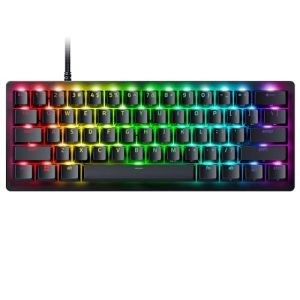
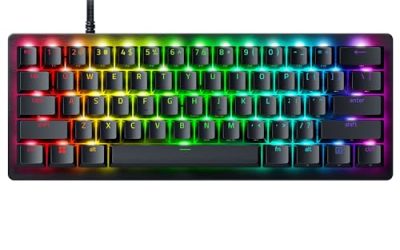
Layout decides how much desk space the board takes. Compact 60 percent boards drop the function row, navigation cluster and number pad, leaving a small footprint that gives a low-sensitivity mouse player far more room to sweep. A 65 percent board adds back arrow keys and a few extras, and a 75 percent board keeps the function row tightly packed. Tenkeyless boards remove only the number pad, suiting players who want dedicated function keys and a familiar layout. Full-size boards keep everything, for players who use the pad often. Measure your desk before you buy, and remember a smaller board is only a win if you do not miss the keys it removed.
Build Quality Decides How Long It Lasts
A keyboard survives thousands of presses a day, so frame and keycaps matter more than box art suggests. Pick up a board by one corner: a solid case stays silent, without creaking or flexing. Keycap material matters, since ABS caps feel smooth at first and tend to shine with wear, while PBT caps keep a drier texture and resist shine longer. Stabilizers under the spacebar, Enter and Shift keys decide whether those long keys feel steady or rattle with every press, and a metal plate inside usually feels more consistent. Hot-swappable sockets are an advantage too, since a dead switch becomes a five-minute swap instead of a reason to replace the whole board.
Connections, Lighting and Extras Worth Having
Connection type decides where the board can live. A wired USB connection is the simplest choice, with no battery or interference to manage, and it suits a fixed desk setup perfectly. Wireless boards offering Bluetooth and a 2.4 GHz dongle can move between a gaming PC, a laptop and a tablet, handy when one keyboard serves several devices, though charging becomes a habit. Lighting ranges from a single-colour backlight for dark rooms to per-key RGB with software effects, and brightness you can read and dim matters most. Media keys, a volume roller and a detachable cable smooth daily use, while software matters only for remapping and macros.
Switch Types, Explained
Linear Switches
Linear switches press straight down with no bump and no click, which makes them the default pick for competitive play. The smooth travel helps with rapid repeated presses, double-tapping and strafing, and the lack of a tactile event means nothing interrupts a fast input. Many linear switches are also among the quieter options, especially when paired with a board that has foam or dampening layers inside the case. The trade-off is feedback: because nothing tells your finger the press registered, some typists bottom out harder and make more mistakes until they adjust. Players who value speed above all else usually start here, and a linear board with a moderate actuation force suits most hands without feeling mushy or overly stiff.
Tactile Switches
Tactile switches add a small bump partway through the press, giving your finger a clear signal without a loud click. That bump helps typists know exactly when a key registered, which can cut down on bottoming out and make long writing sessions feel more controlled. In games the bump is subtle enough that it rarely slows anyone down, though players chasing the absolute fastest repeated presses sometimes prefer the uninterrupted travel of a linear switch. Tactile switches sit in the middle ground: more feedback than linear, far less noise than clicky, and a sensible middle choice when one keyboard has to serve both homework and evening matches. If you are unsure which switch family fits you, tactile is the safest first pick.
Clicky Switches
Clicky switches pair a tactile bump with a sharp audible click, and they divide opinion more than any other switch type. Fans describe the sound as crisp and satisfying, and the strong feedback makes each press feel deliberate, which some typists love for long documents. The same sound is the main drawback: in a shared room, a voice chat call or a late-night session, clicky switches are hard to ignore, and several listeners will hear every keystroke through your microphone. They also tend to feel slightly heavier and more deliberate than linear switches, which suits measured typing more than frantic button mashing. Choose clicky switches when you play and type alone and you genuinely enjoy the sound, and skip them when anyone else shares your space.
Layouts and Sizes
Compact 60 Percent and 65 Percent Boards
Compact boards strip a keyboard down to the keys most players actually use, and the freed desk space is the whole point. A 60 percent board keeps letters, numbers and modifiers in a tight block, reaching extra functions through a function layer, while a 65 percent board adds dedicated arrow keys and a small navigation column. Mouse players gain the most, since a narrow board leaves room for wide low-sensitivity sweeps without the mouse hitting the keyboard edge. The cost is adjustment: function keys, navigation and the number pad move behind a layer key, so tasks that lean on those keys take a week or two to relearn. These layouts suit small desks, portable setups and players who live in shooters and rarely touch the keys they removed.
Tenkeyless and 75 Percent Boards
Tenkeyless and 75 percent boards sit in the middle ground between compact and full-size, and for many players they are the easiest layout to live with. A tenkeyless board drops only the number pad, keeping the function row and navigation cluster in their familiar places, which means almost no relearning for anyone coming from a full-size board. A 75 percent board squeezes the same keys into a tighter frame, saving a few centimetres while keeping nearly every key within reach. Both layouts leave noticeably more mouse room than a full-size board without asking you to memorise a function layer for everyday keys. Players who want dedicated function keys, a standard layout and a bit more desk space usually land here, and it is the layout most first-time buyers adjust to fastest.
Full-Size Boards
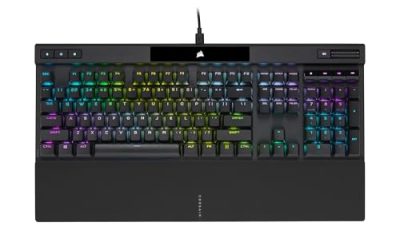
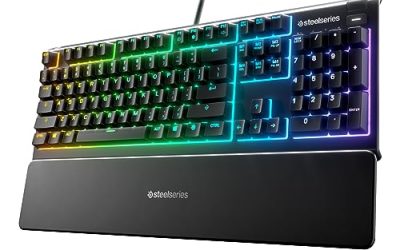
Full-size boards keep every key in its standard place, including the number pad, and that completeness is their main strength. Anyone who enters numbers regularly, binds macros to the pad, or switches between gaming and spreadsheet work will miss the pad the moment it disappears. The standard layout also means zero adjustment: every key sits where years of typing taught your fingers to find it. The drawback is width, since a full-size board pushes the mouse further right and eats desk space that a compact board would leave free. On a wide desk that trade is invisible, while on a narrow desk it can crowd the mouse hand. Pick full-size when the number pad earns its place in your daily routine, and pick a smaller layout when desk space matters more than the pad.
What to Expect at This Budget
A tight budget buys a real mechanical keyboard, not a compromise dressed up as one, provided you judge boards by the right details. The switches in this bracket come from several makers rather than a single famous brand, and that is normal: many of them feel smooth and consistent, and hot-swappable boards let you replace a switch you dislike instead of living with it. Keycaps in this bracket are usually ABS, so expect a smooth finish that may shine over time, and treat PBT caps as a pleasant bonus rather than a baseline demand. Frames are often plastic, sometimes with a metal plate inside, and a well-built plastic case with good stabilizers feels better than a thin metal shell with rattling keys.
Where the bracket shows its limits is in extras rather than in core typing feel. Wireless models at this level may offer shorter battery life and simpler software than premium boards, and RGB effects may be limited to a handful of presets rather than per-key customisation. That matters less than it sounds: a wired board with a solid frame, honest switches and readable legends plays just as well as a board costing several times more, and the money saved can go toward a better mouse or headset. Judge each listing by switch type, layout, keycap material, frame construction and socket type, and let lighting and software sit at the bottom of your priority list. A board that scores well on those five points will still feel right a year from now, while a board bought for its light show may not.
Which One Fits Your Situation
You Play Fast Shooters on a Small Desk
A compact 60 percent or 65 percent board with linear switches fits this setup best, because it leaves the most room for wide mouse sweeps and keeps every press fast and smooth. Look for a wired connection and a solid frame, since a fixed desk setup gains nothing from wireless and a steady board stays put during frantic moments. Skip the number pad without regret, and spend your attention on switch smoothness and stabilizer quality instead of lighting effects.
You Type All Day and Game at Night
A tenkeyless or 75 percent board with tactile switches suits a keyboard that has to do two jobs, since the bump gives typing feedback while staying quiet enough for evening play. Dedicated function keys and arrow keys keep writing natural, and a board with PBT keycaps will keep its texture through months of heavy use. A detachable cable is a practical bonus here, letting you move it between laptop and gaming PC easily.
You Share a Room or Play Late
Quiet linear or tactile switches on a board with dampening inside the case are the right call when other people sleep nearby. Avoid clicky switches entirely, and check whether the listing mentions sound-dampening foam or a gasket mount, since both take the edge off keystroke noise. A board with adjustable backlighting helps too, letting you dim the glow for late sessions instead of lighting up the whole room.
You Want a First Board to Learn On
A hot-swappable tenkeyless board with tactile switches is the most forgiving first mechanical keyboard, because it teaches you what you like while leaving every choice reversible. If the switches feel wrong, swap them; if the layout feels cramped, you have learned that before your next purchase. Choose a board whose listing states the switch type, socket type and keycap material plainly, and treat that transparency as a sign the maker stands behind the product.
Common Mistakes
- Buying for the light show first and discovering too late that the switches feel wrong, the layout cramps your mouse hand, or the stabilizers rattle on every spacebar press.
- Choosing clicky switches for a shared room or a voice-chat-heavy setup, then finding the noise annoys housemates and bleeds into the microphone.
- Picking a compact layout without checking whether you actually use the number pad, function keys or arrow keys daily, and then fighting a function layer for tasks that used to be one press.
- Ignoring keycap material and stabilizer quality, which decide how a board feels after months of use far more than the feature list on the box.
- Assuming a wireless board is always better, then dealing with charging routines and connection quirks on a fixed desk where a simple wired board would have done the job silently.
Frequently Asked Questions
Are mechanical keyboards in this bracket good for gaming?
Yes, provided you choose by switch type and build rather than by the longest feature list. A board with smooth linear or tactile switches, a stable frame and a layout that fits your desk plays just as responsively as costlier boards. The differences at this level sit in extras like software and keycap material, not in whether your inputs register. Favour listings that state switch type, layout and frame plainly.
Do I need hot-swappable switches?
You do not need them, but they help first-time buyers most. Hot-swappable sockets let you replace a faulty switch in minutes and try a different switch feel without buying a whole new board. That matters most when you are unsure which switch suits you: a wrong guess becomes a cheap fix. If you already know your preferred switch, a soldered board with good build quality serves just as well.
Is a compact layout hard to learn?
It takes about a week of regular use for most people. Letters and numbers stay put, so only function keys, navigation keys and the number pad move behind a layer key. Players who rarely touch those keys adapt in days, while anyone who uses them constantly may prefer a tenkeyless board instead. Give it a full week before judging: the first two days always feel slower.
How long will a budget mechanical keyboard last?
A well-built board in this bracket can last several years of daily use, because switches are rated for tens of millions of presses. Keycaps may shine and a switch may fail, yet a hot-swappable board turns that into a quick swap. Longevity rests on frame quality, stabilizers and keycap material more than brand name, so judge those details in the listing and be wary of boards that hide them.
FAQ
Are mechanical keyboards in this bracket good for gaming?
Do I need hot-swappable switches?
Is a compact layout hard to learn?
How long will a budget mechanical keyboard last?
More from Amazon
Programs that pair well with the guide above. Offers and eligibility are set by Amazon and may change.
Free shipping on eligible items, Prime Video and more. Eligible new members can start with a free trial.
Start a Prime free trialAd-free music streaming. Eligible new subscribers can start with a free trial.
Try Music Unlimited freeA Prime membership for ages 18-24 with a trial period. Eligibility is set by Amazon.
See Prime for Young AdultsAudiobooks and podcasts to listen to on the go. Eligible new members can start with a free trial.
Try Audible freeAs an Amazon Associate we earn from qualifying purchases.