Our Top Picks
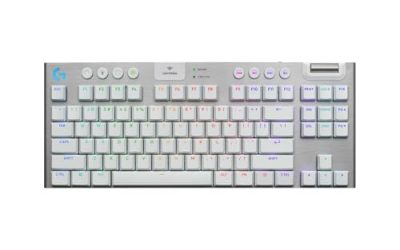
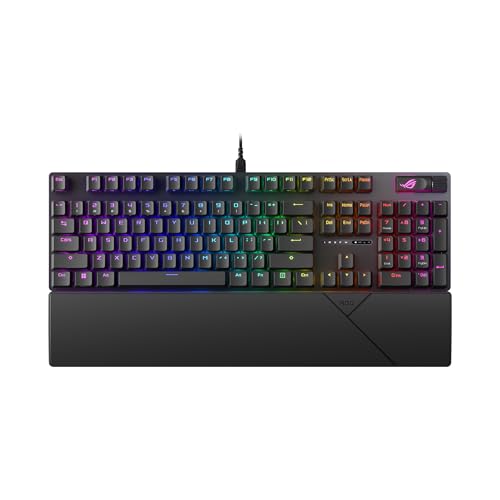 ASUS ROG Strix Scope II X Wired USBNX Snow V2 Linear Switch17.2 x 5.1 x 1.5 inches2.1 poundsCheck on Amazon
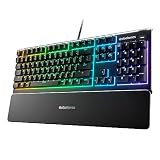
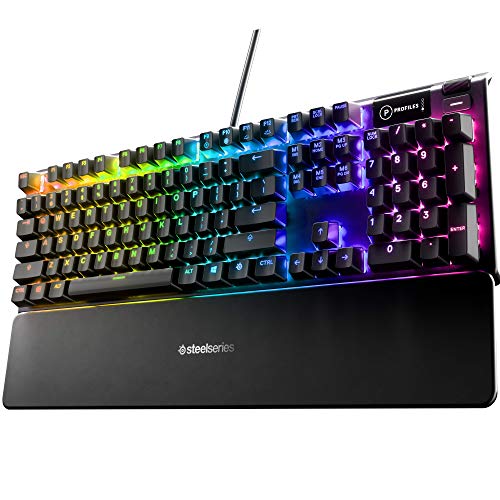 SteelSeries USB Apex 5 Hybrid Mechanical Gaming KeyboardApex 55.51 x 17.52 x 1.59 inches2.04 poundsCheck on Amazon
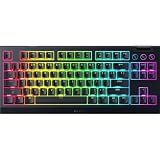
 Razer BlackWidow V4 X Mechanical Gaming Keyboard: Green18.36 x 6.01 x 1.71 inches2.51 poundsCheck on Amazon
Choosing a mechanical RGB keyboard is really two decisions at once: the switch feel under your fingers and the lighting system you will live with every night. A board can look spectacular in photos yet annoy you within a week if the switches are too loud for your room, the keycaps shine smooth within months, or the software keeps resetting the lighting profile you carefully built for your main game.
The five keyboards below were chosen from their Amazon listing names and specifications to cover the main buyer groups. Compact-desk gamers get a linear board that keeps a full-size layout, full-size players get numpads, media controls and hot-swappable switches, clicky-switch fans get two distinct flavours of feedback, and competitive players get a board built around rapid actuation and 8,000 Hz polling.
Quick Picks
As an Amazon Associate we earn from qualifying purchases.
| Product | Best for | Key spec from title |
|---|---|---|
| HyperX Alloy Origins | Compact desks wanting smooth linear keys | HyperX Red linear switches, RGB LED backlit |
| ASUS ROG Strix Scope II X | Full-size players who swap switches | Hot-swappable pre-lubed ROG NX Snow V2 switches |
| SteelSeries Apex 5 | Clicky feel plus an OLED display | Hybrid Blue switches, per-key RGB illumination |
| Razer BlackWidow V4 X | Macro-heavy games and clicky feedback | Green tactile and clicky switches, 6 macro keys |
| Corsair K70 RGB PRO | Competitive players chasing low latency | CHERRY MX RGB Speed switches, 8,000Hz hyper-polling |
How to Choose
Switch Feel: Linear, Tactile or Clicky
The switch decides how every keystroke sounds and feels, so start here rather than with lighting. Linear switches such as HyperX Red, ROG NX Snow V2 and CHERRY MX Speed travel straight down with no bump, which suits fast repeated presses in shooters. Tactile and clicky switches, like Razer’s Green, add a bump and an audible click that typists and MOBA players often prefer for confirmation. Hybrid designs, such as the Apex 5’s Hybrid Blue, pair mechanical actuation with a membrane sheet for a clicky feel built differently from a full mechanical switch.
Layout and Desk Space
Full-size boards keep the numpad, which matters if you enter numbers, use spreadsheet shortcuts or bind extra keys in simulation games. The Strix Scope II X, BlackWidow V4 X and K70 RGB PRO all keep a 104-key or full-size layout with media controls. The Alloy Origins takes the opposite route, squeezing a full-size layout into a compact-form body for smaller desks. Measure your desk honestly, including mousepad space, before choosing: a wide keyboard plus a low-sensitivity mouse is a common and uncomfortable pairing.
RGB Control and Software
Per-key RGB lets you light movement keys, cooldowns or whole game profiles differently, while simpler backlighting only changes the whole board at once. Check how lighting is controlled before buying: HyperX uses NGENUITY for light and macro customization, ASUS ties into Aura Sync, Razer uses Chroma RGB, and Corsair builds profiles you can store on the keyboard itself. If you play on more than one computer, onboard profile storage or a detachable cable may matter more than one extra lighting effect.
Keycaps, Frame and Polling
Keycap material changes both feel and durability. Doubleshot PBT keycaps, fitted to the Strix Scope II X and K70 RGB PRO, resist shine and keep legends crisp, while doubleshot ABS on the BlackWidow V4 X still protects legends from fading. Metal frames from HyperX, ASUS, SteelSeries and Corsair keep boards planted during intense play. Polling rate is the final check: most players will not feel standard rates, but the K70’s AXON hyper-processing up to 8,000 Hz targets competitive players who want every input registered as fast as the board allows.
The 5 Best Options
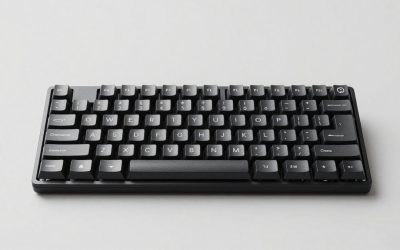
HyperX Alloy Origins

The Alloy Origins suits gamers who want a tidy desk without giving up a full set of keys. Its HyperX Red linear switches press smoothly with no tactile bump, which keeps fast strafing and repeated ability keys quiet and consistent, and the exposed switch LEDs let the RGB backlighting shine through brightly. Software-controlled light and macro customization through NGENUITY covers players who like per-game profiles, while the compact-form body leaves more room for wide mouse movements. It is the natural starting point here for linear-switch fans who play in shared or smaller rooms.
Specs
- HyperX Red linear mechanical switches with exposed LED
- RGB LED backlit keys
- Software-controlled light and macro customization (NGENUITY)
- Full-size layout in a compact-form body
- Model HX-KB6RDX-US
Best for: Small desks and linear-switch players who still want full-size keys.
Watch out for: The listing details captured for this ASIN do not confirm keycap material or cable type, so check the product page if either matters to you.
ASIN: B07W86N3JV
ASUS ROG Strix Scope II X
The Strix Scope II X is built for players who like to tune a keyboard over time rather than replace it. Its pre-lubed ROG NX Snow V2 linear switches are hot-swappable, so a worn or unwanted switch can be pulled and replaced without soldering, and the wall-stem design with an LED lens keeps the RGB glow even. You still get a full-size layout with numpad, doubleshot PBT keycaps, an aluminum top plate, a detachable wrist rest and a multi-function wheel. Buyers who type as much as they game will appreciate the three tilt angles for dialling in wrist comfort.
Specs
- 100% full-size layout with numpad
- Hot-swappable pre-lubed ROG NX Snow V2 linear mechanical switches
- Doubleshot PBT keycaps
- RGB backlighting with Aura Sync
- Aluminum top plate and detachable wrist rest
- Multi-function wheel and three tilt angles
- Wired USB-C connection, PC/Mac support
Best for: Full-size players who want hot-swap switches and PBT keycaps.
Watch out for: A clicky NX Storm version sells under a separate listing, so confirm the page shows the NX Snow V2 linear variant before ordering.
ASIN: B0FGGZK4X7
SteelSeries Apex 5
The Apex 5 takes a different route from every other board here: it is a hybrid mechanical keyboard, pairing mechanical actuation over a membrane sheet rather than using full mechanical switches. Its Hybrid Blue switches still deliver a clicky press, rated at 20 million keypresses, and the per-key RGB illumination runs to 16.8 million colours. The OLED Smart Display is the headline extra, showing game and system information above the keys, while the aircraft-grade aluminum alloy frame and magnetic wrist rest keep the board solid and comfortable. Choose it for the display and click, knowing exactly how its hybrid switches are built.
Specs
- Hybrid mechanical switches: mechanical actuation over a membrane sheet
- Hybrid Blue clicky switches rated at 20 million keypresses
- Per-key RGB illumination, 16.8M colours
- Aircraft-grade aluminum alloy frame
- OLED Smart Display
- Magnetic wrist rest
- USB wired connection
- Model 64539
Best for: Players who want a clicky hybrid board with a built-in OLED display.
Watch out for: This is a hybrid design, not a full mechanical-switch keyboard; other regional Apex 5 listings circulate under different ASINs, so confirm the page shows this exact model.
ASIN: B07ZGDD6B1
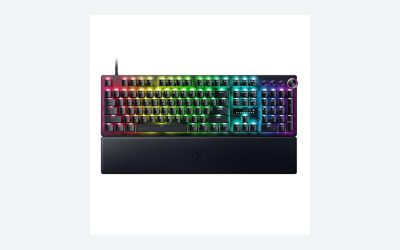
Razer BlackWidow V4 X
The BlackWidow V4 X is the macro specialist of this group. Six dedicated macro keys sit within reach for MMO rotations, streaming controls or editing shortcuts, and the Razer Green mechanical switches give a tactile bump with an audible click on every press. Chroma RGB provides per-key lighting, while the roller and media keys handle volume and playback without leaving the game. Doubleshot ABS keycaps keep the legends from wearing away, and Snap Tap support targets players who prioritise fast directional changes. It is a full-size 104-key wired board aimed squarely at desk-bound gaming setups.
Specs
- Razer Green mechanical switches, tactile and clicky
- Chroma RGB per-key lighting
- 6 dedicated macro keys
- Doubleshot ABS keycaps
- Roller and media keys
- Snap Tap support
- Full-size 104-key wired layout
- Model RZ03-04700200-R3U1
Best for: MMO and macro-heavy players who love a loud, clicky switch.
Watch out for: Confirm the live dp offer for ASIN B0C8QTMK43 before ordering, and check the page shows the Green switch variant, since the Yellow-switch version sells under its own separate listing and records for the two are easy to mix up.
ASIN: B0C8QTMK43
Corsair K70 RGB PRO

The K70 RGB PRO is aimed at competitive players who count milliseconds. Its CHERRY MX RGB Speed Silver switches are linear with a short 1.2 mm actuation and a 100 million keystroke rating, and Corsair’s AXON hyper-processing pushes polling up to 8,000 Hz. The rest of the board matches that serious intent: PBT DOUBLE-SHOT PRO keycaps, a durable aluminum frame, a detachable USB-C cable, a tournament switch, onboard storage for up to 50 profiles, dedicated media keys with a volume roller, and a soft-touch palm rest. If you travel to events or swap machines often, the profile storage and tournament switch are genuinely useful.
Specs
- CHERRY MX RGB Speed Silver mechanical switches, linear, 1.2 mm actuation
- Switches rated at 100 million keystrokes
- AXON hyper-processing with up to 8,000 Hz polling
- Per-key RGB backlighting
- PBT DOUBLE-SHOT PRO keycaps
- Durable aluminum frame and detachable USB-C cable
- Tournament switch and onboard storage for up to 50 profiles
- Dedicated media keys, volume roller and soft-touch palm rest
- 104 keys, model CH-9109414-NA
Best for: Competitive players who want the fastest polling and rapid linear switches.
Watch out for: Confirm a live featured offer on the dp page for ASIN B09NCLR4M6 before ordering, and make sure the listing is the MX Speed Silver variant rather than the MX Red or MX Brown versions, which sell under separate ASINs.
ASIN: B09NCLR4M6
Which One Fits Your Situation
You Play in a Small Room or Shared Space
Pick the HyperX Alloy Origins. Its compact-form body frees up mouse room, and the linear HyperX Red switches avoid the sharp click that carries through thin walls late at night. You keep a full-size key layout and full RGB backlighting, so nothing about the gaming setup feels cut down.
You Want One Board for Work and Play
Choose the ASUS ROG Strix Scope II X. The numpad, PBT keycaps and three tilt angles make long typing days comfortable, while hot-swappable linear switches and a multi-function wheel keep it game-ready after hours. The detachable wrist rest helps on long days if your gaming desk doubles as your office desk.
You Love Clicky Keys and Extra Controls
The Razer BlackWidow V4 X fits if you enjoy an audible click and use macros constantly, thanks to its Green switches and six dedicated macro keys. Prefer the SteelSeries Apex 5 if the OLED Smart Display appeals more; just remember it is a hybrid mechanical design rather than a full mechanical-switch board.
You Compete and Want Minimum Latency
Go with the Corsair K70 RGB PRO. The CHERRY MX Speed Silver switches actuate at 1.2 mm, AXON hyper-processing reaches 8,000 Hz polling, and onboard storage for up to 50 profiles means your settings travel with the board to any machine. The tournament switch locks out distractions during ranked matches.
Common Mistakes
- Buying a clicky keyboard for a shared room or late-night play, then discovering the noise annoys everyone nearby.
- Assuming every board labelled mechanical uses full mechanical switches, when hybrid designs like the Apex 5 actuate over a membrane sheet.
- Ordering the wrong switch variant because a model line sells linear, clicky and silent versions under separate listings and ASINs.
- Choosing a full-size board without measuring desk space, leaving too little room for low-sensitivity mouse movement.
- Ignoring keycap material, then watching standard keycaps shine and legends fade while doubleshot PBT sets stay crisp.
Frequently Asked Questions
Are linear or clicky switches better for gaming?
Neither is universally better. Linear switches such as HyperX Red, ROG NX Snow V2 and CHERRY MX Speed press straight down, which many shooter players prefer for rapid repeats. Tactile and clicky switches like Razer Green add feedback that typists enjoy. Match the switch to your games, your room and your noise tolerance.
Is the SteelSeries Apex 5 a real mechanical keyboard?
It is a hybrid mechanical keyboard. Its Hybrid Blue switches combine mechanical actuation with a membrane sheet underneath, so the feel is clicky but the construction differs from the full mechanical switches in the HyperX, ASUS, Razer and Corsair boards here. Buy it for its display and feel, with that distinction in mind.
What does per-key RGB give me over standard backlighting?
Per-key RGB lets each key carry its own colour, so you can highlight movement keys, ability clusters or entire game profiles at a glance. Whole-board backlighting changes everything together and is mainly about visibility and mood. If you play several games with different keybinds, per-key control is the feature worth prioritising.
Does an 8,000 Hz polling rate actually matter?
For most players, standard polling already feels instant, and the difference is subtle. The Corsair K70 RGB PRO’s AXON hyper-processing up to 8,000 Hz targets competitive players who want inputs registered as frequently as possible, especially alongside its 1.2 mm actuation switches. Treat it as a refinement for serious play rather than a requirement.
FAQ
Are linear or clicky switches better for gaming?
Is the SteelSeries Apex 5 a real mechanical keyboard?
What does per-key RGB give me over standard backlighting?
Does an 8,000 Hz polling rate actually matter?
More from Amazon
Programs that pair well with the guide above. Offers and eligibility are set by Amazon and may change.
Free shipping on eligible items, Prime Video and more. Eligible new members can start with a free trial.
Start a Prime free trialAd-free music streaming. Eligible new subscribers can start with a free trial.
Try Music Unlimited freeA Prime membership for ages 18-24 with a trial period. Eligibility is set by Amazon.
See Prime for Young AdultsAudiobooks and podcasts to listen to on the go. Eligible new members can start with a free trial.
Try Audible freeAs an Amazon Associate we earn from qualifying purchases.