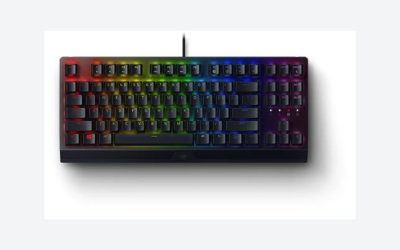
Our Top Picks
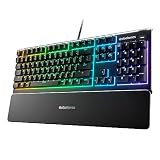
 Logitech G915 Lightspeed RGB Mechanical Gaming KeyboardFull Size21 x 6.8 x 1.6 inches2.3 poundsCheck on Amazon
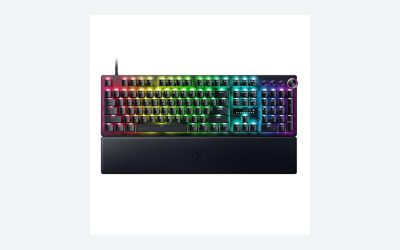
 Best feature-rich 75%Razer BlackWidow V4 Pro 75% Wireless Gaming Keyboard14.92 x 8.86 x 3.03 inches3.4 poundsCheck on Amazon
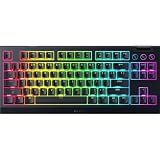
 Best Razer low-profile TKLRazer DeathStalker V2 Pro TKL Wireless Gaming Keyboard:DeathStalker Pro TKL14.07 x 5.48 x 1.02 inches2.12 poundsCheck on Amazon
 Best full-size alternativeASUS ROG Strix Scope II 96 Wireless MechanicalSnow Linear14.84 x 5.16 x 1.57 inches2.78 poundsCheck on Amazon
The best premium wireless gaming keyboards are the Logitech G915 X, the Razer BlackWidow V4 Pro 75% Wireless and the SteelSeries Apex Pro TKL Wireless. Choose the G915 family for low-profile switches and a slim body, the BlackWidow V4 Pro for hot-swappable switches and an OLED display, and the Apex Pro TKL Wireless for adjustable actuation. Note that the Corsair K100 RGB and Razer Huntsman V2 are wired boards, so we cover them separately as premium rivals.
Picks at a Glance
- Best low-profile wireless: Logitech G915 X TKL (tactile low-profile switches).
- Best full-size low-profile: Logitech G915 Lightspeed (GL tactile, full layout).
- Best feature-rich 75%: Razer BlackWidow V4 Pro 75% Wireless (OLED, 2.4GHz, Bluetooth, hot-swappable).
- Best Razer low-profile TKL: Razer DeathStalker V2 Pro TKL (linear optical, HyperSpeed).
- Best adjustable switches: SteelSeries Apex Pro TKL Wireless (OLED, adjustable actuation).
- Best full-size alternative: ASUS ROG Strix Scope II 96 Wireless (96%, tri-mode, hot-swappable).
- Best value premium: Corsair K70 CORE TKL Wireless (MLX Red v2 linear).
Premium wired rivals: Corsair K100 RGB and Razer Huntsman V2, covered after the main picks.
Premium Wireless Keyboard Comparison Table
| Keyboard | Layout | Switch type (per listing) | Wireless modes | Standout feature |
|---|---|---|---|---|
| Logitech G915 X TKL | TKL | Low-profile tactile | LIGHTSPEED, Bluetooth | Slim body, PBT keycaps |
| Logitech G915 Lightspeed | Full-size | Low-profile GL tactile | LIGHTSPEED, Bluetooth | LIGHTSYNC RGB |
| Razer BlackWidow V4 Pro 75% | 75% | Hot-swappable mechanical | 2.4GHz, Bluetooth 5.1 | OLED display, 4K Hz wireless |
| Razer DeathStalker V2 Pro TKL | TKL | Low-profile linear optical | HyperSpeed, Bluetooth | Slim optical switches |
| SteelSeries Apex Pro TKL Wireless | TKL | Adjustable OmniPoint | 2.4GHz, Bluetooth | OLED, adjustable actuation |
| ASUS ROG Strix Scope II 96 | 96% | Hot-swappable mechanical | Tri-mode | Full layout in a compact body |
| Corsair K70 CORE TKL Wireless | TKL | MLX Red v2 linear | Wireless | Pre-lubricated linear switches |
What “Premium” Means for a Wireless Keyboard
A premium wireless keyboard should do three things that a budget board cannot. First, it should keep a stable, low-latency connection, usually through a dedicated 2.4GHz dongle rather than Bluetooth alone. Second, it should have a build that does not flex, with a metal top plate or equally solid case. Third, it should add something you can feel or use daily, whether that is a low-profile switch design, a hot-swap socket, adjustable actuation or an OLED display.
Because the switch technology differs so much between brands, this guide is organised by what each board is best at rather than by raw spec counts. We also compare switches and features only, as the planned scope of this guide: we did not use the keyboards, and we avoid claims about latency numbers that the listings do not provide.
Best Premium Wireless Gaming Keyboards
1. Logitech G915 X TKL: Best Low-Profile Wireless

Logitech G915 X Lightspeed TKL Wireless Gaming Keyboard (Tactile) - White | Low Profile, Mechanical Switches, Double-Shot PBT Keycaps, RGB lighting, Aluminum finish, PC/Mac Compatible
Chosen because it specifies White and Low Profile.
View on AmazonThe Logitech G915 X Lightspeed TKL is a tenkeyless wireless gaming keyboard with low-profile tactile mechanical switches and double-shot PBT keycaps, according to the listing, shown here in white. It is the newer take on the G915 line and keeps the slim body that made the series popular. It connects over LIGHTSPEED wireless, and the G915 family also supports Bluetooth, so you can pair it with a laptop or a tablet.
- Layout: tenkeyless
- Switches: low-profile tactile mechanical
- Connectivity: LIGHTSPEED wireless; Bluetooth on the G915 family
- Keycaps: double-shot PBT
Best for: players who want a slim, premium board that looks tidy on a desk. Skip if: you prefer full-height switches or hot-swappable sockets.
Pros: slim profile; PBT keycaps; strong brand support; tactile low-profile switches.
Cons: premium budget tier; low-profile switches limit keycap choices.
2. Logitech G915 Lightspeed: Best Full-Size Low-Profile
Logitech G915 Lightspeed RGB Mechanical Gaming Keyboard, Low Profile GL Tactile Key Switch, LIGHTSYNC RGB, Advanced Wireless and Bluetooth Support - Tactile,Black
Chosen because it specifies Low Profile GL Tactile Key Switch and LIGHTSYNC RGB.
View on AmazonThe Logitech G915 Lightspeed RGB is a full-size wireless mechanical gaming keyboard with low-profile GL tactile switches and LIGHTSYNC RGB, per the listing. It is the original G915 layout with a number pad and dedicated media controls, which makes it a better fit for work and play on the same desk than a TKL.
- Layout: full-size
- Switches: low-profile GL tactile
- Lighting: LIGHTSYNC RGB
Best for: people who need a number pad and a slim wireless board. Skip if: you want the smallest layout or a newer design.
Pros: full layout; low-profile switches; RGB; widely reviewed.
Cons: older generation; premium budget tier.
3. Razer BlackWidow V4 Pro 75% Wireless: Best Feature-Rich Board
Razer BlackWidow V4 Pro 75% Wireless Gaming Keyboard, OLED Display, Black | 4K Hz Wireless, 2.4Ghz, Bluetooth 5.1, Hot Swappable Orange Tactile Switches Gen-3, Command Dial, Wrist Rest, Chroma RGB
Chosen because it specifies OLED Display and Black.
View on AmazonThe Razer BlackWidow V4 Pro 75% Wireless is a compact wireless gaming keyboard with an OLED display, 4K Hz wireless polling, 2.4GHz and Bluetooth 5.1 connectivity and hot-swappable switches, according to the listing. It packs more extras than any other board in this guide, which is why it tops the feature list. The OLED can show system information, and hot-swap sockets let you change switches without soldering, subject to the switch types the maker supports.
- Layout: 75%
- Wireless: 2.4GHz and Bluetooth 5.1; 4K Hz polling per listing
- Features: OLED display, hot-swappable switches
Best for: players who want the most features in a compact wireless board. Skip if: you want a simple board with no extras.
Pros: OLED; hot-swappable; high polling rate; compact 75% layout.
Cons: top-tier budget; more features than some players will use.
4. Razer DeathStalker V2 Pro TKL: Best Razer Low-Profile Board
Razer DeathStalker V2 Pro TKL Wireless Gaming Keyboard: Low Profile Optical Switches Linear Red - HyperSpeed Wireless & Bluetooth - Chroma RGB - Up to 200 Hr Battery - Snap Tap - White
Chosen because it specifies HyperSpeed Wireless & Bluetooth and Chroma RGB.
View on AmazonThe Razer DeathStalker V2 Pro TKL is a wireless tenkeyless gaming keyboard with low-profile optical switches, here in a linear red version, with HyperSpeed wireless and Bluetooth, according to the listing. Razer also sells a clicky purple version of the full-size DeathStalker V2 Pro. It is the slim option from Razer, for players who like the low-profile look of the Logitech G915 but want optical switches.
- Layout: tenkeyless
- Switches: low-profile linear optical
- Wireless: HyperSpeed and Bluetooth
Best for: Razer fans who want a slim wireless board. Skip if: you want full-height switches or hot-swap sockets.
Pros: low-profile optical switches; two wireless modes; compact.
Cons: older than newer Razer models; premium budget tier.
5. SteelSeries Apex Pro TKL Wireless: Best Adjustable Switches
The SteelSeries Apex Pro TKL Wireless is an esports tenkeyless keyboard with an OLED screen, adjustable actuation and PBT keycaps, per the listing. Published reviews describe OmniPoint 2.0 switches with an actuation range from roughly 0.2 to 3.8 mm and dual actuation on the 2023 model. It suits players who want to tune how deep a key must travel before it registers.
- Layout: tenkeyless
- Switches: adjustable OmniPoint 2.0
- Features: OLED screen, dual actuation
Best for: tinkerers who want adjustable actuation in a wireless board. Skip if: you want tactile feel or hot-swap sockets.
Pros: adjustable actuation; OLED; PBT keycaps; solid wireless.
Cons: heavy; premium budget; linear feel only.
6. ASUS ROG Strix Scope II 96 Wireless: Best Full-Size Alternative
ASUS ROG Strix Scope II 96 Wireless Mechanical Gaming Keyboard – 96% Full-Size, Tri-Mode Connectivity, Hot Swappable Pre-lubed ROG NX Snow Linear Switches, PBT Keycaps, RGB, PC/Mac Support-Black
Chosen because it specifies 96% Full-Size and Tri-Mode Connectivity.
View on AmazonThe ASUS ROG Strix Scope II 96 Wireless is a 96% mechanical gaming keyboard with tri-mode connectivity and hot-swappable switches, according to the listing. The 96% layout keeps a number pad in a more compact body than a standard full-size board, which is appealing if you want numbers without the extra width.
- Layout: 96%
- Connectivity: tri-mode
- Switches: hot-swappable mechanical
Best for: players who need a number pad and a compact body. Skip if: you want a TKL or smaller layout.
Pros: number pad retained; tri-mode; hot-swappable.
Cons: crowded 96% layout; premium budget tier.
7. Corsair K70 CORE TKL Wireless: Best Value Premium Pick

Corsair K70 CORE TKL Wireless RGB Tenkeyless Mechanical Gaming Keyboard | QWERTY NA, Pre-Lubricated CORSAIR MLX Red v2 Linear Switches, Dual-Layer Sound Dampening, ABS Double-Shot Keycaps, Black
Chosen because it specifies QWERTY NA and Pre-Lubricated CORSAIR MLX Red v2 Linear Switches.
View on AmazonThe Corsair K70 CORE TKL Wireless is a tenkeyless RGB mechanical gaming keyboard with pre-lubricated MLX Red v2 linear switches, per the listing. Corsair’s compact wireless board is the least expensive premium option here, and its linear switches suit fast gaming. It is a sensible pick if you want a wireless Corsair without paying for a flagship.
- Layout: tenkeyless
- Switches: pre-lubricated MLX Red v2 linear
- Lighting: RGB
Best for: value-minded wireless TKL buyers. Skip if: you want an OLED or adjustable switches.
Pros: pre-lubricated linear switches; RGB; lower budget tier than the others.
Cons: fewer extras; not the flagship Corsair.
Premium Wired Rivals: Corsair K100 RGB and Razer Huntsman V2
Many shoppers search for the K100 and the Huntsman V2 alongside wireless boards, but both of these are wired. We include them so that you can see how they compare, not because they belong in a wireless ranking. A published comparison page confirms the K100 RGB uses a USB connection with linear Cherry MX Speed or Corsair OPX switches, and the Huntsman V2 uses a USB-C connection with Razer linear or clicky optical switches.
Corsair K100 RGB
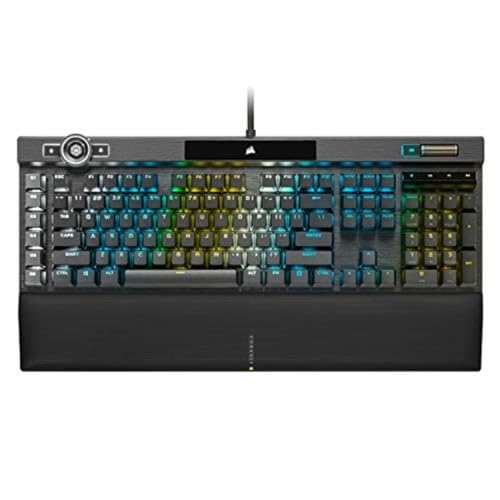
Corsair K100 RGB Mechanical Gaming Keyboard - Cherry MX Speed RGB Silver Keyswitches - PBT Double-Shot Keycaps - Elgato Stream Deck and iCUE Compatible - QWERTY NA Layout - Black
Chosen because it specifies Cherry MX Speed RGB Silver Keyswitches and PBT Double-Shot Keycaps.
View on AmazonThe Corsair K100 RGB is a full-size mechanical gaming keyboard with Cherry MX Speed RGB Silver key switches and PBT double-shot keycaps, according to the listing. Reviewers mention a programmable multi-function wheel, a USB passthrough and dedicated macro keys. If you want a K100 without a cable, Corsair also sells the K100 Air Wireless with Cherry MX Ultra Low Profile Tactile switches and a published battery life of about 50 hours with RGB on. We do not have a store card for the K100 Air, so check the maker page for current details.
- Layout: full-size
- Switches: Cherry MX Speed RGB Silver
- Connection: wired
Best for: a flagship wired Corsair with macro keys. Skip if: you need wireless.
Razer Huntsman V2

Razer Huntsman V2 Gaming Keyboard, Analog Optical Switches, Black | Adjustable Actuation, Rapid Trigger Mode, Dedicated Media Keys & Dial, Chroma RGB Lighting, Magnetic Plush Wrist Rest
Chosen because it specifies Analog Optical Switches and Black.
View on AmazonThe Razer Huntsman V2 is a wired full-size gaming keyboard with analog optical switches, adjustable actuation and rapid trigger mode, according to the listing. Reviewers also note dedicated media keys and a volume knob. It is a fine premium wired board, but if you need wireless, look at the BlackWidow V4 Pro or the DeathStalker V2 Pro above.
- Layout: full-size
- Switches: analog optical, adjustable actuation
- Connection: wired
Best for: a premium wired Razer board with adjustable switches. Skip if: you need wireless.
Also Consider
- Corsair K65 Plus Wireless 75%: a compact wireless Corsair with pre-lubricated MLX Red linear switches, at a lower budget tier than the flagship boards.
- SteelSeries Apex Pro Mini Wireless: a 60% wireless board with adjustable OmniPoint 2.0 switches for small desks.
- Logitech G515 LIGHTSPEED TKL: a thinner, lower-cost wireless TKL from the same maker as the G915.
Switch Types Compared
| Switch family | Examples in this guide | Feel | Best for |
|---|---|---|---|
| Low-profile tactile | Logitech G915 X, G915 Lightspeed | Short travel with a bump | Slim desks, mixed typing and gaming |
| Low-profile optical | Razer DeathStalker V2 Pro TKL | Short travel, smooth linear | Fast presses in a slim body |
| Adjustable magnetic | SteelSeries Apex Pro TKL Wireless | Smooth linear, adjustable depth | Shooters and tuning enthusiasts |
| Hot-swappable mechanical | Razer BlackWidow V4 Pro, ASUS ROG Scope II 96 | Depends on installed switch | Players who like to change feel |
| Linear mechanical | Corsair K70 CORE TKL Wireless | Smooth, no bump | Fast gaming |
Connectivity: What 2.4GHz, Bluetooth and Wired Mean
Premium wireless keyboards usually offer three ways to connect. A 2.4GHz dongle is the best mode for gaming because it is designed for low latency. Bluetooth is convenient for laptops and tablets but is usually slower and is meant for office use. A wired USB-C mode lets you keep playing while the battery charges, and some boards also use the cable for the highest polling rates. Razer, for example, lists 4K Hz wireless polling on the BlackWidow V4 Pro 75%, which depends on its dongle and settings.
If you want one board for several devices, look for easy switching between modes. Logitech, Razer and SteelSeries all support multiple modes on the boards in this guide, but the number of paired devices and the switching shortcuts vary, so check the maker page.
Battery Life and Charging
Battery life depends mostly on lighting. A board with bright RGB can last far fewer hours than one with lighting off. Published figures vary by source, so use them as a rough guide. The SteelSeries Apex Pro TKL Wireless, for instance, is rated by reviewers at about 45 hours on Bluetooth and about 37.5 hours on 2.4GHz. The Corsair K100 Air Wireless is quoted at about 50 hours with RGB on. For the other boards, we did not find a verified figure, so check the maker page.
To extend battery life, lower the brightness, turn off effects, and use Bluetooth for office tasks. Keep the cable handy for long sessions.
Low-Profile vs Full-Height Switches
Low-profile switches, used on the Logitech G915 family and the Razer DeathStalker V2 Pro, have a shorter stem and less travel than standard switches. They make the whole keyboard thinner, which feels natural if you type on a laptop. The trade-offs are fewer keycap options, since low-profile keycaps use different mounts, and a feel that some players describe as shallow. Full-height switches, used on the Corsair K70 CORE TKL Wireless and the hot-swappable boards, give more travel and a far larger choice of replacement keycaps and switches.
If you are not sure, think about your typing posture. A slim board suits a flat desk and a low wrist position. A taller board with a wrist rest suits players who prefer a more traditional feel. Neither is better for gaming in itself; the right choice is the one you will comfortably use for hours.
Features That Matter and Features That Do Not
Worth paying for
- A 2.4GHz mode. This is the mode built for gaming, so a premium board without it is not a real gaming board.
- Hot-swap sockets. They let you change the feel later and extend the life of the board.
- Adjustable actuation. Useful if you play shooters and like to fine-tune responses.
- A solid frame. A metal top plate resists flex and feels better over time.
Nice but optional
- OLED displays. Handy on the BlackWidow V4 Pro and the Apex Pro TKL Wireless, but easy to ignore.
- High polling rates. A 4K Hz figure is impressive, but most players will not notice a difference outside a few competitive titles.
- Macro keys. Useful for MMOs and productivity, unnecessary for most shooters.
Compatibility and Software Notes
Each brand has its own software. Logitech uses its G HUB software, Razer uses Synapse, SteelSeries uses its own app and Corsair uses iCUE. These apps control lighting, macros and, on some boards, actuation. If you already use one brand’s mouse or headset, staying in that ecosystem keeps your lighting and profiles in one place. On the other hand, running several of these apps at once can add clutter, so choose a keyboard from the ecosystem you already use if you want a simple setup.
If you use Linux, check the maker’s support page, because official software is often limited. Many keyboards still work as plain keyboards without software, but you will lose lighting and remapping controls.
Setting Up a New Wireless Keyboard
- Charge the keyboard fully with the supplied cable before first use.
- Plug the 2.4GHz dongle into a USB port close to the keyboard, ideally on the front of the case or on a short extension, to reduce interference.
- Install the maker’s software and update the firmware.
- Pair Bluetooth devices after the dongle is working, and learn the shortcut for switching modes.
- Lower lighting brightness to extend battery life.
- Save a gaming profile and an everyday profile, if the software supports it.
Common Mistakes When Buying a Premium Wireless Keyboard
- Assuming a famous model is wireless. The Corsair K100 RGB and Razer Huntsman V2 are wired. Always check the connection line in the listing.
- Buying the wrong version. Many keyboards come in linear, tactile and clicky versions. Confirm the switch type before you order.
- Ignoring layout. Some listings are for non-US layouts. Confirm the layout matches your language.
- Paying for features you will not use. If you never look at an OLED, choose a board without one.
- Forgetting the cable. A wired mode is useful when the battery runs low, so make sure the cable is in the box.
Matching a Keyboard to Your Setup
Competitive shooter on a small desk
Choose the SteelSeries Apex Pro TKL Wireless for adjustable actuation or the Corsair K70 CORE TKL Wireless for a simple linear board. Both keep the layout narrow enough for wide mouse swipes.
Living-room or couch gaming
A slim board such as the Logitech G915 X TKL or the Razer DeathStalker V2 Pro TKL sits comfortably on a lap desk, and Bluetooth lets you pair it with a media PC.
Work and play on the same desk
The Logitech G915 Lightspeed and the ASUS ROG Strix Scope II 96 keep a number pad, which helps with spreadsheets. The BlackWidow V4 Pro 75% suits those who want a compact desk but still want an OLED and hot-swap sockets.
Keyboard enthusiasts
If you want to change switches and keycaps over time, choose a hot-swappable board and check supported switch types before ordering.
How We Chose
This guide is research-based. We did not use these keyboards ourselves. We compared maker pages, store listings and published editorial reviews, then weighed wireless modes, switch types, features and build. We kept at most two boards per brand in the main picks, skipped renewed and unavailable listings, and scoped the comparison to switches and features only. Where a detail was not in a source, we left it out.
Buying Guide: Premium Wireless Keyboard Thresholds
Layout
TKL suits most gamers. 75% saves more space. 96% and full-size keep the number pad.
Switch type
Choose low-profile for a slim board, linear for smooth gaming, tactile for mixed typing, adjustable for tuning.
Hot-swap sockets
If you like to change switches, choose the BlackWidow V4 Pro or the ASUS Scope II 96. Check which switch types are supported.
Wireless modes
Ensure the board has a 2.4GHz mode if you game on it, and Bluetooth if you want to use it with other devices.
Battery
Look for a stated battery life with lighting on, and for a wired mode so the board is never unusable.
Extras
An OLED, a volume wheel and macro keys are useful if you will use them. If not, they add cost.
Frequently Asked Questions
What is the best premium wireless gaming keyboard?
The Logitech G915 X TKL, Razer BlackWidow V4 Pro 75% Wireless and SteelSeries Apex Pro TKL Wireless lead for slim, feature-rich and adjustable switches respectively.
Is the Logitech G915 worth buying?
It is worth it if you want a slim low-profile wireless board with strong brand support. It is not for you if you want full-height switches or hot-swap sockets.
Is the Corsair K100 wireless?
The K100 RGB is wired. Corsair sells a separate K100 Air Wireless model, so check that you are buying the version you want.
Is the Razer Huntsman V2 wireless?
No. The Huntsman V2 is a wired keyboard. For Razer wireless boards, look at the BlackWidow V4 Pro 75% or the DeathStalker V2 Pro.
Where can I buy the Logitech G915 X?
Check the Logitech store and major electronics retailers. Stock and versions change, so confirm the layout and switch type on the listing.
Which wireless keyboard has the best battery life?
Published figures put several premium boards in the range of tens of hours. Lighting has the biggest effect, so check the maker page for the figure with lighting on.
Which One Should You Buy?
- Slim and elegant: Logitech G915 X TKL, or the G915 Lightspeed for a number pad.
- Most features: Razer BlackWidow V4 Pro 75% Wireless.
- Adjustable switches: SteelSeries Apex Pro TKL Wireless.
- Number pad in a compact body: ASUS ROG Strix Scope II 96.
- Lowest premium budget tier: Corsair K70 CORE TKL Wireless.
- Wired flagships: Corsair K100 RGB or Razer Huntsman V2.
Sources
- Logitech G, Razer, SteelSeries, Corsair and ASUS product pages
- TechRadar review of the Corsair K100 Air Wireless
- TechRadar review of the SteelSeries Apex Pro TKL Wireless (2023)
- RTINGS.com keyboard comparison of the Corsair K100 RGB and Razer Huntsman V2
- GamerGear.net keyboard comparison pages
Last updated: November 2026
FAQ
What is the best premium wireless gaming keyboard?
Is the Logitech G915 worth buying?
Is the Corsair K100 wireless?
Is the Razer Huntsman V2 wireless?
Where can I buy the Logitech G915 X?
Which wireless keyboard has the best battery life?
More from Amazon
Programs that pair well with the guide above. Offers and eligibility are set by Amazon and may change.
Free shipping on eligible items, Prime Video and more. Eligible new members can start with a free trial.
Start a Prime free trialAd-free music streaming. Eligible new subscribers can start with a free trial.
Try Music Unlimited freeA Prime membership for ages 18-24 with a trial period. Eligibility is set by Amazon.
See Prime for Young AdultsAudiobooks and podcasts to listen to on the go. Eligible new members can start with a free trial.
Try Audible freeAs an Amazon Associate we earn from qualifying purchases.