Key takeaways
- A specification-based review of the full-size Razer Huntsman V3 Pro, covering adjustable actuation, Rapid Trigger, Snap Tap and setup limitations.
This review analyzes published product information. We have not performed detailed research of this unit.
As an Amazon Associate, we earn from qualifying purchases.
Full-size controls with a focus on movement inputs
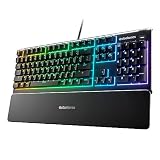
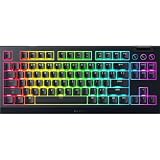
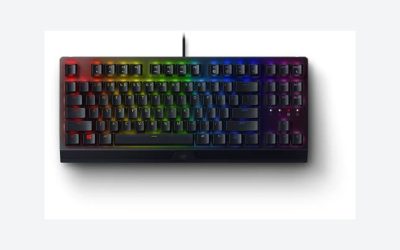
The Razer Huntsman V3 Pro in this review is the full-size keyboard with Analog Optical Switches Gen-2, a multifunction dial and three dedicated control buttons. Its main attraction is not simply a different switch feel: it lets you adjust when keys activate and how readily they reset. That makes it worth considering if movement-key behavior is a priority, rather than just lighting or media shortcuts.
This is a specification-based assessment of the supplied retailer listing, not a hands-on test. The evidence establishes several useful controls, but it does not establish actual input latency, typing acoustics or comfort for a particular hand position. Razer’s competitive-advantage language should therefore be read as marketing, not proof that these features improve every player’s results.
The exact configuration and listed specifications
This is the Full Size variant, not an unspecified compact Huntsman configuration. Its combination of adjustable optical switches, onboard adjustment feedback and dedicated controls defines the buying proposition. The listing also supplies dimensions and weight, although it does not clarify whether those figures describe the keyboard alone or the packaged product.
| Specification | Supplied detail |
|---|---|
| Model and format | Razer Huntsman V3 Pro, Full Size |
| Switches | Razer Analog Optical Switches Gen-2 |
| Adjustable actuation | 0.1–4.0 mm |
| Movement features | Rapid Trigger and Razer Snap Tap; latest firmware required for Snap Tap |
| Onboard tuning | Actuation height and Rapid Trigger sensitivity, with LED feedback and saved settings |
| Additional controls | Multifunction digital dial and three control buttons |
| Keycaps | Textured doubleshot PBT |
| Wrist rest | Magnetic, firm leatherette |
| Switch endurance claim | 100 million keystrokes |
| Listed dimensions and weight | 20 × 7 × 3 inches; approximately 3.68 pounds, measurement context unspecified |
| Connection and operating-system support | Not specified in the supplied evidence |
Actuation, reset and directional priority do different jobs
Adjustable actuation changes the point in a key’s travel at which an input registers. Razer specifies a 0.1–4.0 mm range, giving this model room for both shallow activation settings and deeper deliberate presses. As a buying consideration, that flexibility matters more than choosing the smallest number: a very shallow setting may suit a light touch, but could also make unintended presses easier for someone who rests heavily on the keys.
Rapid Trigger addresses reset behavior instead. Razer describes keys resetting when the finger lifts slightly, rather than presenting it merely as a shallow actuation setting. The practical appeal is repeated movement input without needing to return through a conventional fixed reset position. Whether that feels better depends on how you release keys; the listing provides no independent timing evidence.
Snap Tap handles a third issue: priority between two selected keys. According to the listing, it favors the most recent input without requiring release of the earlier key. That is relevant to directional changes, but it should not be confused with Rapid Trigger or actuation depth. Buyers should check whether their intended games and competitive rules permit that input behavior before treating it as essential.
Useful onboard tuning, with a firmware caveat
The strongest convenience feature is the ability to adjust actuation height and Rapid Trigger sensitivity directly on the keyboard. An LED array provides visual feedback, and Razer says those settings can be saved without software. For someone experimenting with movement sensitivity, this offers a way to make changes without interrupting each adjustment to use a configuration application.
That claim has a defined scope. It covers the specified onboard adjustments and saving their settings; it does not demonstrate that every keyboard function is configurable without software. Snap Tap specifically requires the latest firmware update. The supplied evidence does not identify the update procedure, supported operating systems or broader software requirements, so those details need checking before purchase, particularly for a system with restricted software installation.
The digital dial is listed for volume and analog-switch settings, while the three accompanying buttons support media control and custom macros. These controls make sense for a keyboard intended to serve both gaming and everyday use. However, the listing does not explain macro programming, profile limits or which functions require an application. Do not assume the no-software tuning claim extends to macro creation.
Keycaps, wrist support and desk planning
Textured doubleshot PBT keycaps are a concrete material specification, rather than just a general durability promise. Razer positions them as suitable for sustained competitive use, but the evidence does not establish their exact texture, sound or resistance to visible wear over time. Similarly, the stated switch endurance is a manufacturer lifespan claim, not a guarantee that the entire keyboard will remain fault-free for that many presses.
The magnetic leatherette wrist rest is explicitly described as firm. That makes it a support accessory to evaluate against your preferred wrist position, not something to assume will feel plush. Its magnetic attachment is useful if you want a rest that aligns with the keyboard, but the supplied specifications do not establish height adjustment or suitability for every posture.
Desk fit deserves care. The full-size designation is clear, but the listed measurements are not clearly identified as bare-product measurements. Confirm the actual footprint, including the wrist rest, before planning mouse clearance. Connection type, cable details and host compatibility also remain unestablished here. For broader layout considerations, see our esports keyboard selection guide.
Verdict: buy for tunable key behavior
The full-size Huntsman V3 Pro makes the clearest case for players who want adjustable actuation, movement-focused reset behavior and direct onboard tuning alongside dedicated controls. It is less compelling if you only want straightforward typing and have no interest in configuring inputs. Confirm connection compatibility, firmware access and desk fit first; its strongest supported benefit is control over key behavior, not a guaranteed competitive advantage.
Sources: Supplied retailer listing for the Razer Huntsman V3 Pro Full Size.
Check the exact product and current offer on Amazon