Key takeaways
- Measuring only the desktop width: Door frames, monitor stands, desk shelves, and wall clearance can reduce the actual usable area.
- Forgetting the wrist rest: A wrist rest can add 2.5 to 4 inches of front-to-back space, even when the keyboard itself is compact.
- Confusing 60% with 65%: A 65% board usually adds arrow keys and may be about an inch wider. Verify the layout before ordering.
- Ignoring key access: A Mini saves space, but its function-layer commands may slow down work that depends on F-keys, navigation keys, or dedicated arrows.
- Planning for the listed dimensions only: Feet, cable connectors, detachable cables, and angled typing positions can extend the working footprint.
- Assuming every gaming keyboard is full size: Feature-heavy compact boards can be nearly as deep as office keyboards because of thick cases, media controls, or integrated rests.
The Short Answer
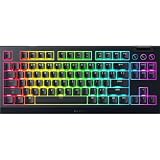
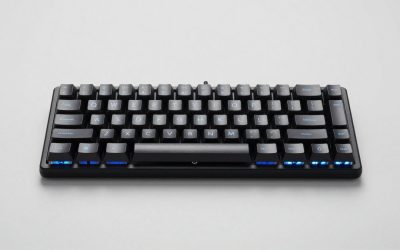
The Razer Huntsman Mini measures approximately 11.6 inches wide by 4.1 inches deep by 1.5 inches high (29.4 by 10.3 by 3.8 cm). It is a 60% keyboard, so it keeps the main letter, number, and modifier keys but removes the dedicated function row, navigation cluster, and number pad.
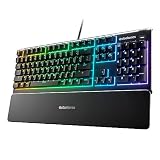
Compared with a standard full-size keyboard, the Huntsman Mini is about 5.5 to 6 inches narrower and roughly 1 to 1.5 inches shallower. A typical full-size model measures about 17.3 by 5.5 inches (43.9 by 14 cm), although exact dimensions vary with the wrist rest, media controls, bezels, and key layout.
Our top picks
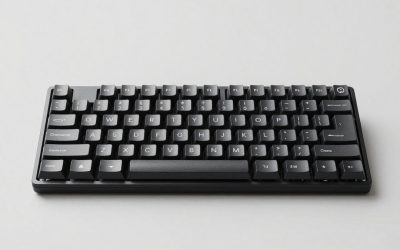
 Razer Huntsman Mini 60% Gaming Keyboard
- Razer Linear Optical switch technology uses optical beam-based…
- Fully syncs with popular games, Razer hardware, Philips…
- QUALITY, ALUMINUM CONSTRUCTION
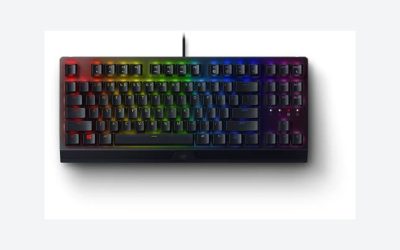
 Razer Huntsman V3 Pro Mini 60% Esports
- Gain a competitive edge with Gen-2 Razer Analog…
- Prioritize the latest input between two selected keys…
- Reset and re-actuate keys at the slightest lift…
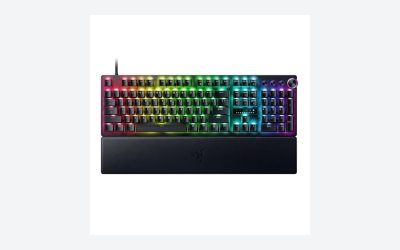
 Razer Huntsman Mini 60% Gaming Keyboard
- Razer Linear Optical switch technology uses optical beam-based…
- Fully syncs with popular games, Razer hardware, Philips…
- QUALITY, ALUMINUM CONSTRUCTION
| Product | Key specs | |
|---|---|---|
| Razer Huntsman Mini 60% Gaming Keyboard | Razer Linear Optical switch technology uses optical beam-based… Fully syncs with popular games, Razer hardware, Philips… QUALITY, ALUMINUM CONSTRUCTION | Check price |
| Razer Huntsman V3 Pro Mini 60% Esports | Gain a competitive edge with Gen-2 Razer Analog… Prioritize the latest input between two selected keys… Reset and re-actuate keys at the slightest lift… | Check price |
| Razer Huntsman Mini 60% Gaming Keyboard | Razer Linear Optical switch technology uses optical beam-based… Fully syncs with popular games, Razer hardware, Philips… QUALITY, ALUMINUM CONSTRUCTION | Check price |
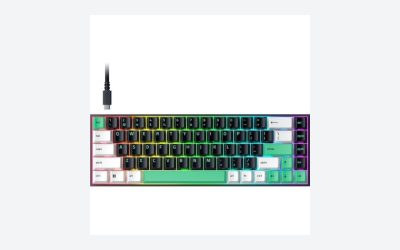
 Razer Huntsman V3 HE Magnetic Mini 65% Razer Huntsman V3 HE Magnetic Mini 65% | Dominate FPS games and esports tournaments with Razer… Gain a split-second advantage with true 8000Hz HyperPolling,… Razer Snap Tap prioritizes the latest directional input… | Check price |
As an Amazon Associate we earn from qualifying purchases at no extra cost to you.
That compact footprint frees substantial desk space for a mouse, notebook, drawing tablet, or speakers. The tradeoff is that you must use function-layer shortcuts for arrow keys, navigation keys, and F1 through F12. For gaming, the smaller layout can be convenient. For spreadsheets, frequent text editing, and number entry, a full-size keyboard is usually more practical.
Standard Sizes
The table below compares common keyboard formats with representative physical dimensions. Measurements describe the keyboard itself rather than a removable wrist rest or separate cable.
| Keyboard size | Typical layout | Approximate dimensions (inches) | Approximate dimensions (cm) | Best for |
|---|---|---|---|---|
| 60% | 61 keys; no function row, arrows, navigation cluster, or number pad | 11.6 W × 4.1 D × 1.5 H | 29.4 W × 10.3 D × 3.8 H | Gaming, small desks, minimalist setups |
| 65% | Compact layout with arrow keys and a small navigation column | 12.0–13.0 W × 4.1–4.8 D × 1.4–1.6 H | 30.5–33.0 W × 10.4–12.2 D × 3.6–4.1 H | Gaming with dedicated arrow keys |
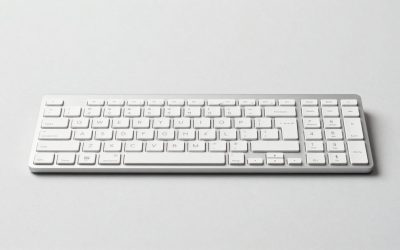
| Tenkeyless | Full main section without a number pad | 14.0–15.0 W × 5.0–5.8 D × 1.4–1.7 H | 35.6–38.1 W × 12.7–14.7 D × 3.6–4.3 H | General use and gaming |
| Full size | Function row, navigation cluster, arrow keys, and number pad | 17.0–18.5 W × 5.2–6.5 D × 1.4–1.8 H | 43.2–47.0 W × 13.2–16.5 D × 3.6–4.6 H | Office work, accounting, and all-purpose use |
For a direct Razer comparison, the Huntsman Mini is approximately 11.6 inches wide, while many full-size gaming keyboards are around 17 to 18 inches wide. That means the Mini can reduce keyboard width by about 32% to 36%. The depth difference is smaller but still useful: approximately 4.1 inches for the Mini versus 5.5 to 6.5 inches for a full-size gaming model with extra controls.
The Huntsman V3 Pro Mini is also a 60% keyboard and occupies a similar footprint, though its exact chassis dimensions are slightly different. The Huntsman V3 HE Magnetic Mini is a 65% model, so it adds dedicated arrow keys and a few navigation controls. Expect it to be roughly 12 to 13 inches wide rather than the Huntsman Mini’s 11.6 inches. The extra width is modest, but it may matter on a narrow keyboard tray.
How to Measure Your Space
- Measure usable width. Measure between the desk edge, monitor stand, speakers, and any permanent accessories. Leave at least 2 inches of extra width so the keyboard does not feel wedged into place.
- Measure front-to-back depth. Start at the front edge of the desk and measure toward the monitor. A Huntsman Mini needs about 4.1 inches of keyboard depth, but 8 to 10 inches is more comfortable when you include hand movement and cable clearance.
- Account for the mouse. A compact keyboard is most useful when the saved space becomes mouse room. For low-sensitivity gaming, aim for at least 18 to 24 inches of clear width beside the keyboard.
- Check the keyboard tray. A tray may be narrower than the desktop. Measure the tray’s inside width and depth, including any raised side rails. A full-size keyboard may fit the width but fail because its depth hits the tray’s front lip.
- Measure height under shelves. Most keyboards are about 1.5 inches high before the feet are extended. Add room for your hands and wrist angle; a shelf that barely clears the keyboard may still make typing uncomfortable.
- Include the cable path. Leave space behind the keyboard for the USB cable and any connector housing. If the cable exits toward the desk edge, include another 1 to 2 inches when planning the usable footprint.
By Room or Use Case
Small bedroom or dorm desk
The Huntsman Mini is a strong fit for a compact desk measuring 36 inches wide or less. Its approximately 11.6-inch width leaves room for a mouse and often allows the monitor stand to sit behind the setup rather than beside it. It is also easier to move between a desk and a storage shelf. If you regularly type essays, use arrow keys, or work in spreadsheets, a 65% keyboard may be a better compromise than a strict 60% layout.
Gaming desk
A 60% keyboard is particularly useful for players who need broad mouse movement. The Mini removes the number pad and unused right-side space, helping keep the mouse closer to the body. The main adjustment is learning shortcuts for arrows, Delete, Home, End, and the function row. The Huntsman V3 Pro Mini, listed around $139, targets compact competitive setups, while the standard Huntsman Mini examples are commonly around $69. Prices can vary by switch type, color, retailer, and sale timing.
Home office
Choose based on your daily applications rather than desk size alone. The Huntsman Mini works for email, browsing, documents, and ordinary typing if you are comfortable with a function layer. A tenkeyless keyboard is often more convenient for mixed office use because it retains arrows and the navigation cluster without taking as much room as a full-size model.
Spreadsheet and finance work
A full-size keyboard remains the practical choice for frequent number entry. The dedicated number pad is faster for long sequences and usually keeps arithmetic keys in a familiar arrangement. If you only enter occasional numbers, a compact keyboard plus a separate number pad can save desk space, but the combined footprint may approach or exceed that of a full-size keyboard.
Shared or multipurpose rooms
For a desk that doubles as a craft table, homework station, or dining workspace, the Mini is easier to remove and store. At roughly 0.9 pound for the keyboard itself, it is also less cumbersome than many full-size gaming boards, which may weigh 2 pounds or more once their chassis and wrist rests are included. Check the product specification before buying because weight varies by model.
Common Sizing Mistakes
- Measuring only the desktop width: Door frames, monitor stands, desk shelves, and wall clearance can reduce the actual usable area.
- Forgetting the wrist rest: A wrist rest can add 2.5 to 4 inches of front-to-back space, even when the keyboard itself is compact.
- Confusing 60% with 65%: A 65% board usually adds arrow keys and may be about an inch wider. Verify the layout before ordering.
- Ignoring key access: A Mini saves space, but its function-layer commands may slow down work that depends on F-keys, navigation keys, or dedicated arrows.
- Planning for the listed dimensions only: Feet, cable connectors, detachable cables, and angled typing positions can extend the working footprint.
- Assuming every gaming keyboard is full size: Feature-heavy compact boards can be nearly as deep as office keyboards because of thick cases, media controls, or integrated rests.
FAQ
How much smaller is the Razer Huntsman Mini than a full-size keyboard?
It is approximately 11.6 inches wide compared with about 17 to 18.5 inches for a typical full-size keyboard. In practical terms, the Mini saves around 5.5 to 7 inches of width and usually 1 to 2 inches of depth.
Will the Razer Huntsman Mini fit on a 12-inch-deep desk?
Yes, the keyboard itself is about 4.1 inches deep. A 12-inch desk can fit it, but allow room for the cable, your hands, and the monitor base. If the desk is only 6 inches deep, typing space will be very limited.
Is a 65% keyboard better than the Huntsman Mini?
It depends on your priorities. A 65% model such as the Huntsman V3 HE Magnetic Mini keeps dedicated arrow keys while remaining compact. The Huntsman Mini is narrower and better for maximum mouse space, but its missing arrow and navigation keys require shortcuts.
What size desk is best for a full-size keyboard?
A desk at least 40 inches wide and 24 inches deep gives a full-size keyboard, mouse, and monitor a more comfortable arrangement. A 48-inch-wide desk provides better separation, especially if you use speakers, a notebook, or a large mousepad.