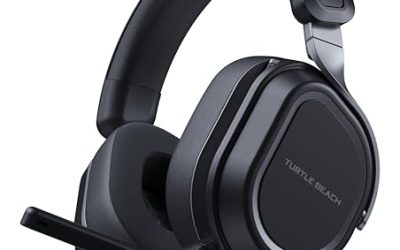
Best medium end PC headsets ranked by what the middle tier actually adds: larger drivers, detachable mics, better cushions and 2.4GHz wireless options.
As an Amazon Associate we earn from qualifying purchases.
Disclosure: This article contains affiliate links. If you buy through a link on this page, we may earn a commission at no additional cost to you. Product details and specifications are taken from manufacturer and retailer listings, and availability can change.
The middle tier of PC gaming headsets is the most useful tier to shop in, and also the hardest to define, because it is defined by what sits on either side of it. Below it are the cheapest headsets: small drivers in plastic frames, fixed microphones of uneven quality, thin foam cushions, and a single 3.5mm cable as the whole feature list. Above it are the flagship wireless models, where the extra money goes into simultaneous Bluetooth, active noise cancelling, swappable battery systems, charging docks, and software suites with per-game audio profiles.
A medium end headset sits deliberately between those poles. Qualitatively, it costs clearly more than the entry models — enough more that the manufacturers can afford real engineering — and clearly less than the flagships, because it skips the luxury extras. What that middle budget buys, in practice, is a specific and repeatable set of upgrades:
Larger, better-tuned drivers. The middle tier is where 50mm-class drivers with deliberate tuning become normal, instead of the smaller, boom-heavy drivers of the cheapest models.
A microphone treated as a component, not an accessory. Detachable booms, larger capsules, and noise-cancelling designs appear here. On the cheapest headsets the mic is whatever could be soldered on; at this tier it is a reason to buy.
Cushions and frames built for long sessions. Memory foam, leatherette or fabric finishes, metal reinforcement in the frame, and headbands designed to distribute weight rather than simply clamp.
Connection options beyond one cable. USB with spatial audio on PC, multi-platform 3.5mm wiring done properly, and — on some models at this tier — proper low-latency 2.4GHz wireless rather than Bluetooth-only connections meant for phones.
What the middle tier does not buy is equally predictable. You generally give up active noise cancelling, simultaneous multi-device wireless, hot-swappable batteries, premium carrying cases, and the deepest software ecosystems. For PC gaming specifically, most of those flagship extras are conveniences rather than performance: your PC is in one place, your sessions start and end at the same desk, and a dongle or a cable reaches it without drama. That is why this tier is the sensible default recommendation for most PC players, and why the four headsets below were chosen to show its range — three wired models that spend their budget on drivers, microphones, and build, and one wireless model that shows what 2.4GHz costs you and gains you at this level.
How this shortlist was built
Every pick here is a PC gaming headset first: each one connects to a PC in a way that suits gaming, whether that is USB, 3.5mm, or a 2.4GHz dongle. The pool was deliberately kept separate from the entry-level pool. None of the four models below is a budget headset wearing a higher label; each one sits above the cheapest tier in driver size, microphone design, or build, and each one leaves the flagship tier’s signature extras — ANC, docks, dual-device simultaneous wireless — to the models above it.
Specifications in this guide are taken from manufacturer and retailer listings rather than from detailed research claims, and readers should check the current listing before buying, because variants and bundles change.
Quick comparison
Headset
Connection
Drivers
Microphone
Best for
HyperX Cloud III
USB-C, USB-A, 3.5mm
53mm angled
Detachable 10mm, noise-cancelling, LED mute indicator
The Cloud III is the clearest expression of what the middle tier is for. Its headline specification is a pair of angled 53mm drivers — larger than the drivers in entry headsets and larger than most of its direct rivals — paired with a metal frame and memory foam cushioning in leatherette. That combination is the mid-tier formula in one product: spend on the parts you hear and feel for hours, skip the parts that only show up in a feature checklist.
Connection flexibility is the other half of its case. The listing describes 3.5mm, USB-C, and USB-A routes, and on PC the USB connection adds the DTS spatial audio features listed for the headset. In practice that means one headset covers a desktop with USB, a laptop with USB-C, and any controller or device with a 3.5mm jack, without adapters or compromises on the microphone path.
The microphone is a detachable 10mm design with noise cancelling and an LED mute indicator. The size matters: a larger capsule is one of the simplest ways a mid-tier headset separates its voice quality from the thin, distant sound of cheap fixed mics, and the LED indicator removes the classic mid-game uncertainty about whether you are muted. Because the boom detaches, the headset also works as plain headphones away from the desk.
The trade-offs are the honest ones for a wired mid-tier model. There is no wireless option in this version — the wireless sibling sits in a higher tier — and the listed weight of around 320 grams with the microphone fitted is mid-pack rather than light. Neither matters much at a PC desk, which is precisely the point of shopping at this level.
Pros
– 53mm angled drivers, larger than most rivals at this tier
– USB-C, USB-A, and 3.5mm connections in the box
– Detachable 10mm noise-cancelling mic with LED mute indicator
– Metal frame and memory foam cushioning
Cons
– Wired only; no 2.4GHz option in this model
– Mid-pack weight with the microphone fitted
2. HyperX Cloud Alpha — the proven long-session pick
Runner-Up
2. HyperX Cloud Alpha — the proven long-session pick
The Cloud Alpha is an older design than the Cloud III, and its continued presence in this tier is the argument for it: the design has been refined by years of production rather than replaced by marketing. Its signature technology is a dual chamber driver system using 50mm drivers, in which bass is separated into its own chamber from the mids and highs. Listing material credits that separation with clearer distinction between sounds and less distortion — the practical effect a PC player cares about is that explosions and footsteps stop competing for the same space, so positional cues stay readable in busy scenes.
The frame is aluminum with an expanded headband and memory foam earcups, built explicitly for sessions measured in hours. Comfort at this tier is not a luxury feature; it is the difference between a headset you forget you are wearing and one that dictates your session length. The closed-back design also helps contain game audio, which matters if your PC shares a room.
Its microphone is a detachable noise-cancelling boom, and HyperX notes TeamSpeak and Discord certification for the model — a useful signal that the voice path was validated for the two applications most PC players actually use. The boom detaches cleanly for listening-only use. Connection is a simple wired 3.5mm plug with in-line controls, compatible across PC and consoles.
What you give up versus newer mid-tier models is modernity: no USB connection and therefore no spatial audio processing from the headset itself, and no wireless. What you get instead is the most proven wired design in this price band, with its budget spent entirely on drivers, frame, and microphone.
Pros
– Dual chamber 50mm drivers keep bass separate from mids and highs
– Aluminum frame and memory foam cups built for long sessions
– Detachable noise-cancelling mic, TeamSpeak and Discord certified
– Simple, universal 3.5mm connection
Cons
– No USB option or headset-side spatial audio
– Older design without wireless or modern extras
The EPOS H3 comes from a different lineage than the gaming-first brands above: EPOS built its reputation on communication headsets, and the H3 applies that heritage to gaming with a deliberately simple formula. It is a closed acoustic wired headset with a 3.5mm connection and a noise-cancelling boom microphone that lifts to mute. No software, no dongle, no charging — plug it into a PC and it works, and the listing describes compatibility across PC, Mac, PlayStation, Switch, and Xbox for households that share one headset between machines.
The closed-back design is its defining choice. Sealed cups reduce how much game audio leaks into the room and how much room noise reaches your ears, which makes the H3 the natural pick here for a shared living space, a bedroom setup near other people, or a home office that doubles as a gaming desk. The listing describes an adjustable, ergonomic fit with a stainless steel headband slider — again, the mid-tier pattern of metal reinforcement where cheap headsets use plain plastic.
The microphone follows the communication-first brief: a noise-cancelling boom with lift-to-mute, a physical control that is easy to trust mid-session because raising the boom is an action you can feel. Voice clarity in a noisy room is exactly where this design brief pays off.
The trade-offs are simplicity’s costs. It is wired only, with no USB processing and no wireless, and the prominent boom is a considered look rather than a discreet one. For a PC player whose priority is a sealed, simple, voice-focused headset, those are the right costs to accept.
Pros
– Closed-back design limits leakage and room noise both ways
– Noise-cancelling boom with lift-to-mute
– Stainless steel headband slider and ergonomic fit
– Pure plug-and-play 3.5mm across PC and consoles
Cons
– Wired only, with no USB or wireless option
– Prominent boom microphone styling
4. Logitech G735 Wireless — the 2.4GHz option at this tier
4. Logitech G735 Wireless — the 2.4GHz option at this tier
The G735 is the pick that answers the wireless question for this tier. It uses Logitech’s LIGHTSPEED connection — a proper low-latency 2.4GHz USB wireless link of the kind gaming needs, rather than a Bluetooth-only connection borrowed from phone headphones — and adds Bluetooth and a 3.5mm option alongside it, so it can move between a PC, a phone, and a wired fallback without being re-bought. That triple connectivity is one of the clearest examples of a flagship-adjacent feature that has reached the middle tier.
Its drivers are 40mm, smaller on paper than the wired picks above, which is the honest wireless equation at this level: part of the budget that a wired model spends on driver size goes instead to the radio, the battery, and the wireless engineering. Listed battery life is up to 56 hours with lighting off, and considerably less with the RGB lighting running — the lighting is part of this model’s Aurora Collection design, with rotating earcups and a padded headband in a compact frame listed at 273 grams, light for a full-featured wireless headset.
The microphone is detachable and supports Logitech’s Blue VO!CE filtering in software on PC, which gives streamers and heavy Discord users voice-shaping tools that wired budget headsets do not offer. Detaching the mic also makes the headset presentable as an everyday set away from the desk.
Choose the G735 knowing its compromises: the smaller drivers, the battery to manage, and styling that will not appeal to everyone. In exchange it is the one pick here that removes the cable entirely without stepping up to flagship wireless money.
Pros
– LIGHTSPEED 2.4GHz wireless plus Bluetooth and 3.5mm
– Light 273 gram frame with rotating earcups
– Detachable mic with Blue VO!CE software support on PC
– Long listed battery life with lighting off
Cons
– 40mm drivers are smaller than the wired picks here
– Battery management and lighting-driven battery drain
How this tier differs from the budget headsets on this site
This site also covers budget gaming headsets for PC, and the two roundups are deliberately aimed at different buyers, with different pools. The budget tier answers a minimum-viable question: clear game audio and a working microphone for as little as possible, which means smaller drivers, basic fixed or simple flip microphones, thinner cushions, and a single cable. Those headsets are the right buy when the budget is the decision.
This medium end roundup starts where that one stops. Every pick here adds at least two things the budget tier does not offer: drivers of 50mm or a dual chamber design (or, in the G735’s case, full 2.4GHz wireless), a detachable or communication-grade noise-cancelling microphone, and memory foam cushioning in a reinforced frame. If you play daily, sit in long sessions, or rely on your voice in team games, those are the upgrades that justify stepping up a tier. If you play occasionally and just need to hear the game and be heard, the budget roundup remains the honest recommendation — the middle tier rewards heavy use, and it is wasted on light use.
What you give up versus the flagship tier
Honesty about the ceiling matters as much as the floor. Stepping from here to the flagship wireless tier buys active noise cancelling, simultaneous connections to PC and phone, swappable or dock-charged batteries, larger software suites with per-game profiles, and in some models, audiophile-leaning driver materials. If you game in a genuinely loud environment, stream professionally, or live across two devices at once, those features can be worth their money.
For a single PC at a single desk, most of them are conveniences. The headsets above already cover the performance fundamentals — driver size, microphone quality, comfort over hours, and a gaming-grade connection. That is the medium end proposition in one sentence: the flagship extras are real, but they are extras, and this tier is where the essentials stop improving quickly.
Frequently asked questions
Is a medium end headset worth it over a budget one for PC gaming?
For daily players, generally yes. The upgrades concentrate where heavy use exposes cheap headsets first: cushion comfort over long sessions, microphone clarity in team chat, and driver tuning that keeps positional cues readable. Occasional players will feel the difference less.
Wired or 2.4GHz wireless at this tier?
Wired models spend their whole budget on sound, microphone, and build, and never need charging. A 2.4GHz model like the G735 spends part of that budget on wireless engineering and a battery, and returns freedom of movement. Bluetooth alone is not a gaming connection; look for a 2.4GHz dongle link for PC play.
Does driver size decide sound quality?
Not alone — tuning and seal matter as much — but at this tier the larger 50mm-class and dual chamber designs give manufacturers more to work with, and the difference from entry drivers is audible in busy scenes. Fit the headset properly before judging it; a broken seal costs more bass than a driver downgrade.
Can these headsets work on consoles too?
The wired picks connect by 3.5mm to controllers and are listed for multi-platform use, and the Cloud III adds USB routes for PC. The G735’s LIGHTSPEED dongle is a PC-focused link. Check the current listing for your exact platform before buying.
Verdict
The medium end is the tier where a PC headset stops being a compromise and starts being a tool. Take the HyperX Cloud III for the most complete wired package — big drivers, three connection routes, and a serious detachable microphone. Take the Cloud Alpha if long-session comfort and a proven dual chamber design matter most. Take the EPOS H3 for a sealed, simple, voice-first headset in a shared room. And take the Logitech G735 if cutting the cable with proper 2.4GHz wireless is the upgrade you actually want. Any of the four is a clear step above the budget tier, and none of them asks you to pay flagship money for extras a PC desk rarely needs.
R
Razer Gaming Series Editorial Team
We compare specs, materials and verified owner reviews before a product earns a spot. Rankings are never paid.
Affiliate disclosure. As an Amazon Associate we earn from qualifying purchases at no extra cost to you. Prices accurate as of the date shown.
Discover the 3 best LG Bluetooth headsets for November 2026: Dolby Atmos earbuds, IP67 sports buds, and hybrid ANC picks for calls, workouts, and travel.
Mid-range headsets balance sound, comfort and mic quality without flagship extras. Compare three wired and wireless picks for PC, console and everyday play.
Find the best headsets for rainbow six with this Siege guide to footsteps, directional audio, clear team callouts, lasting comfort and the right connection.
Want the best pa5 headsets? This guide covers PS5 Tempest 3D Audio, USB dongle and wired headsets, mic quality, comfort and battery life to help you pick well.
Shopping for the best gaming headsets for comfort? Compare ear cushion material, weight, clamping force and fit so long sessions stay easy on your head.
The best bluetooth headsets for working out stay secure, resist sweat and last through sessions. Learn how fit, ratings and battery compare before you buy.
Learn how to choose the best inexpensive gaming headsets: drivers, microphones, comfort, wired and wireless options, and platform fit, without overspending.
Want the best 50 dollar headsets? This guide explains drivers, comfort, microphones and compatibility so you can choose a budget gaming headset with confidence.

 1. HyperX Cloud III — the wired all-rounder
 2. HyperX Cloud Alpha — the proven long-session pick
 3. EPOS H3 — the closed-back plug-and-play pick
 4. Logitech G735 Wireless — the 2.4GHz option at this tier