Key takeaways
- Prioritize clear directional audio over heavy bass for competitive gaming.
- Choose a detachable or flip-up mic if you also want to use the headset casually.
- Match earpad and headband comfort to your head size and typical session length.
- Confirm the connection type and feature support for your exact platform before buying.
What's inside
Sound is half of gaming, and a good headset does more than pipe music into your ears. It tells you which direction footsteps are coming from, keeps your voice crisp for the team, and stays comfortable long after a cheap pair would have your ears aching. With options ranging from budget wired stereo sets to premium wireless surround rigs, choosing the right headset means knowing which features genuinely improve your play and which just inflate the price.
This guide covers the essentials: audio quality and surround sound, microphone performance, comfort for long sessions, wired versus wireless, and platform compatibility. By the end you will be able to cut through the marketing and pick a headset that sounds great, fits well, and suits how and where you play.
As an Amazon Associate we earn from qualifying purchases at no extra cost to you. Product prices and availability are accurate as of the date shown and are subject to change.








⚡ Save on Your Next PC — Amazon Prime
Prime members get fast free shipping on the systems above, plus early access to Prime Day & Black Friday PC deals. New members get a 30-day free trial.
Watch: How to Choose a Gaming Headset (2026 Guide) — Video Review
Sound Quality and Surround
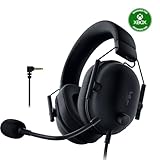
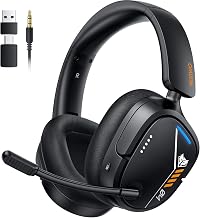
The core job of a headset is accurate audio, and for competitive play, positional accuracy matters more than booming bass. Virtual 7.1 surround, found on sets like the Ozeino Gaming Headset, can help you place enemies by sound, though a well-tuned stereo set like the Razer BlackShark V2 X often delivers cleaner directional cues. Prioritize clear mids and precise imaging over exaggerated bass, which can muddy the subtle sounds that give you an edge.
Microphone Quality and Communication
If you play with a team, your mic is as important as your ears. Look for a clear microphone with decent noise handling so teammates hear you, not your keyboard. Detachable mics, like the one on the JBL Quantum 100M2, let you use the headset casually without a boom arm sticking out. A flip-to-mute or in-line control is a practical bonus for quickly silencing yourself mid-match.
Comfort for Long Sessions
A headset can sound perfect and still be unusable if it clamps your head or heats your ears. Pay attention to earcup padding, headband pressure, and weight. Plush memory-foam cushions and an even clamp keep a set like the Logitech G432 comfortable through long sessions, while glasses wearers should look for softer earpads that seal without pressing frames into the temples. Try to match the fit to your head size and session length.
Wired Versus Wireless
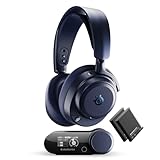
Wired headsets like the BENGOO G9000 are plug-and-play, never need charging, and often cost less, making them a safe budget pick. Wireless options such as the Turtle Beach Stealth 600 or Logitech G522 Lightspeed free you from cable clutter and let you step away without unplugging, at the cost of battery management and a higher price. Choose wired for simplicity and value, wireless for freedom and a cleaner desk.
Platform Compatibility
Not every headset works fully on every device. Some are tuned for a specific console, while others, like the AOC 2.4GHz wireless headset, support PC, PlayStation, and Switch. Before buying, confirm the connection type your platform needs, whether that is a 3.5mm jack, USB, or a wireless dongle, and check that features like surround and mic monitoring are supported on your system rather than just on PC.
Tips
- Prioritize clear directional audio over heavy bass for competitive gaming.
- Choose a detachable or flip-up mic if you also want to use the headset casually.
- Match earpad and headband comfort to your head size and typical session length.
- Confirm the connection type and feature support for your exact platform before buying.
Frequently Asked Questions
Is virtual surround sound worth it?
Virtual 7.1 surround can help with positional awareness, but a well-tuned stereo headset often gives cleaner directional cues. Judge a headset on its overall audio accuracy rather than the surround label alone.
Does microphone quality really matter?
If you play with a team, yes. A clear mic with reasonable noise handling ensures teammates hear you rather than your background. Detachable mics add flexibility for casual use.
Should I get a wired or wireless headset?
Wired headsets are cheaper, never need charging, and are plug-and-play. Wireless models cost more and require charging but eliminate cable clutter and let you move freely. Pick based on budget and how much you value cable-free comfort.
Will any gaming headset work on my console?
Not always. Some headsets are tuned for specific platforms or use connections your device lacks. Always verify the connection type and confirm features like surround and mic monitoring are supported on your platform.
Conclusion
The best gaming headset balances accurate sound, a clear mic, and all-day comfort with the connection style that fits your setup. Focus on directional audio over marketing buzzwords, confirm compatibility with your platform, and match the fit to your head and session length. Get those right and your headset will keep you immersed and communicating clearly, match after match.