Key takeaways
- Using hot water: Heat can affect adhesives, rubber, and the shape of the pad.
- Overusing soap: More detergent does not mean a cleaner surface. It makes rinsing harder and can leave residue.
- Scrubbing aggressively: Rough brushes and heavy pressure can raise the nap, fade printed graphics, and fray stitching.
- Folding or wringing: A tight fold can create a permanent crease in the rubber base.
- Drying with heat: Hair dryers, radiators, and clothes dryers can warp or shrink components unevenly.
- Reusing a dirty sink or tub: Grease and cleaning chemicals can transfer back onto the fabric.
- Cleaning connected electronics: Unplug RGB or powered models and keep connectors away from water.
- Putting it back too soon: A damp underside can trap moisture against a wood, laminate, or metal desk.
A soft cloth mouse pad collects more than crumbs. Skin oils, dust, drink residue, pet hair, and perspiration can work into the fabric and make the surface feel slow, sticky, or uneven. If you are learning how to clean a Razer soft cloth mouse pad surface, the safest approach is gentle hand washing—not aggressive scrubbing, soaking in harsh chemicals, or machine drying. Done incorrectly, cleaning can loosen the stitched edges, distort the rubber base, leave soap in the weave, or create a wavy surface that affects mouse tracking.
The process below works well for common Razer cloth pads, including the Razer Gigantus V2 in Medium and Large sizes. The Medium is listed around $9.99, while the thicker Large model is around $14.99; prices can vary by retailer. Set aside about 30 to 45 minutes for hands-on work, plus several hours for air-drying. In 2026, replacing a heavily worn pad is often inexpensive, but careful cleaning can extend its useful life considerably.
Our top picks
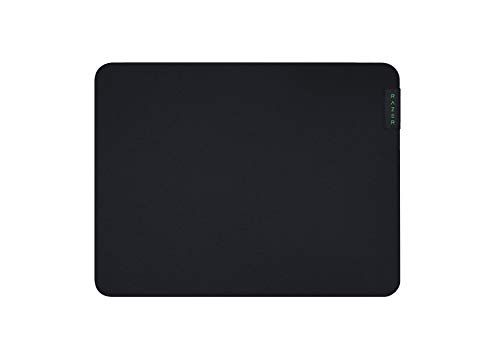 Razer Gigantus V2 Cloth Gaming Mouse Pad
- Optimized across all mouse sensors: Calibrated with pixel-precise…
- Micro-weave surface: Glide the mouse with ease across…
- High-density rubber foam: At 3mm (M & L)…
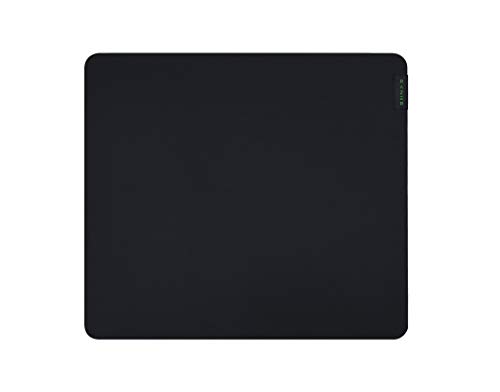 Razer Gigantus V2 Cloth Gaming Mouse Pad
- Optimized across all mouse sensors: Calibrated with pixel-precise…
- Micro-weave surface: Glide the mouse with ease across…
- High-density rubber foam: At 3mm (M & L)…
As an Amazon Associate we earn from qualifying purchases at no extra cost to you.
What You Need
| Item | Why | Optional? |
|---|---|---|
| Lukewarm water | Loosens surface dirt without exposing the pad to extreme heat | No |
| Small amount of mild dish soap | Breaks down oils, food residue, and grime | No |
| Soft microfiber cloth | Helps lift dirt without rough abrasion | No |
| Soft-bristled toothbrush or detailing brush | Reaches seams and stubborn spots | Yes |
| Clean towel | Blots away moisture after rinsing | No |
| Flat, well-ventilated drying area | Allows the cloth and rubber base to dry evenly | No |
| Small basin or bathtub | Provides room to wash a Medium or Large pad without folding it tightly | Yes |
Use only a small amount of soap—about 1 teaspoon in a basin of water is usually enough. Avoid bleach, fabric softener, alcohol-based cleaners, abrasive powders, stain removers, and strong disinfectants. Do not use a pressure washer, steam cleaner, hair dryer, clothes dryer, or heat gun.
Step-by-Step
-
Disconnect and inspect the mouse pad (2–3 minutes)
Unplug the pad if it has RGB lighting, a USB cable, or another electronic feature. Remove the mouse and any desk accessories. Check the surface, edges, stitched border, and rubber backing for peeling, tears, bubbles, or cracks.
Take a quick photo of any existing damage. Cleaning will not repair deteriorated rubber or a separated edge, and wetting a damaged electronic pad may make the problem worse. If the pad is only dusty, you may not need a full wash; use a dry microfiber cloth or a low-suction vacuum attachment instead.
-
Remove loose debris (3–5 minutes)
Shake the pad outdoors or over a trash can. Then sweep the cloth gently with a dry microfiber cloth. For crumbs and pet hair, use a vacuum on its lowest setting, keeping the nozzle slightly above the surface rather than pressing it into the fabric.
Do not scrape at dried particles with a knife, card, or fingernail. Hard tools can pull individual fibers or damage the stitched perimeter.
-
Spot-test the cleaning solution (5 minutes)
Mix lukewarm water with a small amount of mild dish soap. Dampen a hidden corner or an edge near the underside, then blot it with a clean towel. Wait about 5 minutes and check for color transfer, swelling, tackiness, or separation between the fabric and rubber.
If the material reacts poorly, stop and use plain water with a microfiber cloth. Never pour cleaner directly onto the mouse pad.
-
Wash the cloth surface gently (5–10 minutes)
Lay the pad flat in a clean bathtub, basin, or on a water-safe counter. Dampen the surface with lukewarm water. Apply the diluted soapy water with a microfiber cloth or your fingertips, working in small sections.
Use light, overlapping strokes rather than vigorous circular scrubbing. Spend extra time where your wrist rests, around the mouse path, and along the front edge of the pad. For a stubborn mark, let the soapy water sit for 2 to 3 minutes, then gently brush it with a soft toothbrush.
Keep the pad flat whenever possible. Avoid sharply folding, twisting, or wringing it, since those actions can permanently crease the rubber base.
-
Rinse until the water runs clear (5–10 minutes)
Rinse with clean lukewarm water, moving from one section to the next. You can use a gentle faucet stream, but do not aim high-pressure water directly at the stitched edges. Press the cloth lightly with your palm to release soap, then rinse again.
Continue until there are no visible suds and the surface no longer feels slippery. Leftover detergent can create drag, attract dust, and leave a dull film under the mouse.
-
Blot out excess water (3–5 minutes)
Place the clean pad between two dry towels or lay it on one large towel. Press down evenly with your hands. Lift, reposition, and repeat with a dry section of the towel.
Do not twist or wring the pad. The goal is to remove excess water while preserving the flat shape. A thicker cloth pad may hold considerable moisture, so take your time with this step.
-
Air-dry completely while flat (at least 6–12 hours)
Put the pad fabric-side up on a flat, ventilated surface away from direct sunlight, radiators, heating vents, and hot appliances. Leave space around all four sides so air can circulate. A room fan can help, but aim it across the room rather than blasting the pad at close range.
Do not roll the pad while it is damp. Do not put it in a clothes dryer, even on low heat. Depending on humidity and thickness, drying may take 12 to 24 hours. It must be completely dry before returning it to a desk or connecting any electronics.
-
Check the surface before use (2–3 minutes)
Run your clean hand across the fabric and inspect it under normal light. Look for soap residue, raised edges, ripples, sticky patches, or areas that remain cool and damp. If necessary, rinse and blot again rather than applying more detergent.
Once dry, place the pad flat and let it settle for several minutes. Test the mouse with slow movements first. Minor stiffness from cleaning often disappears after a few hours of normal use, but persistent waves or uneven tracking may indicate base damage.
Mistakes to Avoid
- Using hot water: Heat can affect adhesives, rubber, and the shape of the pad.
- Overusing soap: More detergent does not mean a cleaner surface. It makes rinsing harder and can leave residue.
- Scrubbing aggressively: Rough brushes and heavy pressure can raise the nap, fade printed graphics, and fray stitching.
- Folding or wringing: A tight fold can create a permanent crease in the rubber base.
- Drying with heat: Hair dryers, radiators, and clothes dryers can warp or shrink components unevenly.
- Reusing a dirty sink or tub: Grease and cleaning chemicals can transfer back onto the fabric.
- Cleaning connected electronics: Unplug RGB or powered models and keep connectors away from water.
- Putting it back too soon: A damp underside can trap moisture against a wood, laminate, or metal desk.
How Often
For everyday office use, wipe the surface once a week and perform a deeper wash every 2 to 3 months. Gamers who use the pad for several hours daily, people who eat at the desk, and homes with pets may need a light wipe weekly and a full wash every 4 to 8 weeks.
Clean spills as soon as possible by blotting, not rubbing. A fresh mark is much easier to remove than a dried sugary drink or oily food stain. If your hands are sweaty during long sessions, washing them before use and keeping a small microfiber cloth nearby can reduce buildup between deep cleanings.
When to Call a Pro or Replace
Most standard cloth mouse pads are not worth professional cleaning because new models commonly cost about $10 to $15. Replacement is sensible when the rubber backing is cracking, curling, flaking, or separating from the cloth; when the stitched edge is unraveling across a large section; or when the surface remains sticky after several careful rinses.
Consider professional advice for a large custom pad, a pad with integrated lighting, or damage caused by a chemical spill. Do not reconnect an electronic pad until the cable area and the entire underside are fully dry. If the pad develops permanent ripples that interfere with the mouse, replacement will usually be more practical than further washing.
FAQ
Can I put a Razer cloth mouse pad in the washing machine?
Hand washing is the safer choice. A washing machine can twist the pad, stress the stitched edges, and expose the rubber backing to excessive agitation. If the product’s current care instructions specifically permit machine washing, use a gentle cycle, cold or lukewarm water, and air-dry flat—but do not assume every Razer cloth pad has the same construction.
Can I use rubbing alcohol to remove stains?
It is best to avoid rubbing alcohol on the cloth and rubber base unless the manufacturer specifically approves it. Alcohol can affect dyes, coatings, adhesives, or the feel of the surface. Start with diluted mild dish soap and water instead, testing any solution on an inconspicuous area first.
How do I clean a Razer mouse pad without changing its glide?
Use minimal soap, gentle pressure, thorough rinsing, and flat air-drying. Do not use fabric softener, conditioner, wax, or silicone products. Once the pad is completely dry, check for residue by wiping the surface with a clean, barely damp microfiber cloth and allowing it to dry again.
Why is my mouse pad still wavy after cleaning?
It may still contain moisture, or it may have been folded, rolled, or dried unevenly. Lay it flat under light, even pressure—such as clean books placed on a towel-covered section—for several hours. If the waves remain after 24 to 48 hours, the rubber backing or adhesive may be permanently distorted, making replacement the better option.